Category:Scraping Use CasesView as Markdown
Trustpilot Scraper in Python: Reviews, Star Filters and the Page-10 Login Wall

Software Engineer


A Trustpilot scraper has three things to get past: a 403 from AWS WAF on the very first request, a review list that shows English reviews only unless you ask for more, and a login wall that turns page 11 into a sign-in page with a 200 status.
This guide builds four Python scrapers through Scrape.do: company profiles, reviews page by page, reviews sliced by star rating, and category listings. All four read the JSON that Trustpilot embeds in every page, so none of them depends on CSS class names.
Why Trustpilot Scraping Starts with a 403
A plain requests.get() to https://www.trustpilot.com/review/www.amazon.com gets no reviews back. It gets a 403 and a 266-byte JSON body that calls the script a bot:
{"error":true,"message":"Your request has been blocked as it has been identified as coming from a bot that's against our terms of service. If you believe this is an error, please contact support via https://help.trustpilot.com/s/contact-us and supply full details."}The site works fine in a browser. Our constraint is the raw HTTP response, and it depends on who Trustpilot thinks is asking.
Two Blocks from the Same AWS WAF
A Chrome user agent with browser Accept headers does not help. On November 5, 2026 it got the same 266-byte JSON, with Server: CloudFront and X-Cache: Error from cloudfront in the response headers. In our September R&D the same disguise drew a different 403: a 991-byte "Verifying your connection..." page that loads challenge.js from an awswaf.com host. That is AWS WAF in front of CloudFront, and between the two runs a user agent string alone stopped earning even the challenge. Some guides blame Cloudflare for this block; the headers say otherwise.
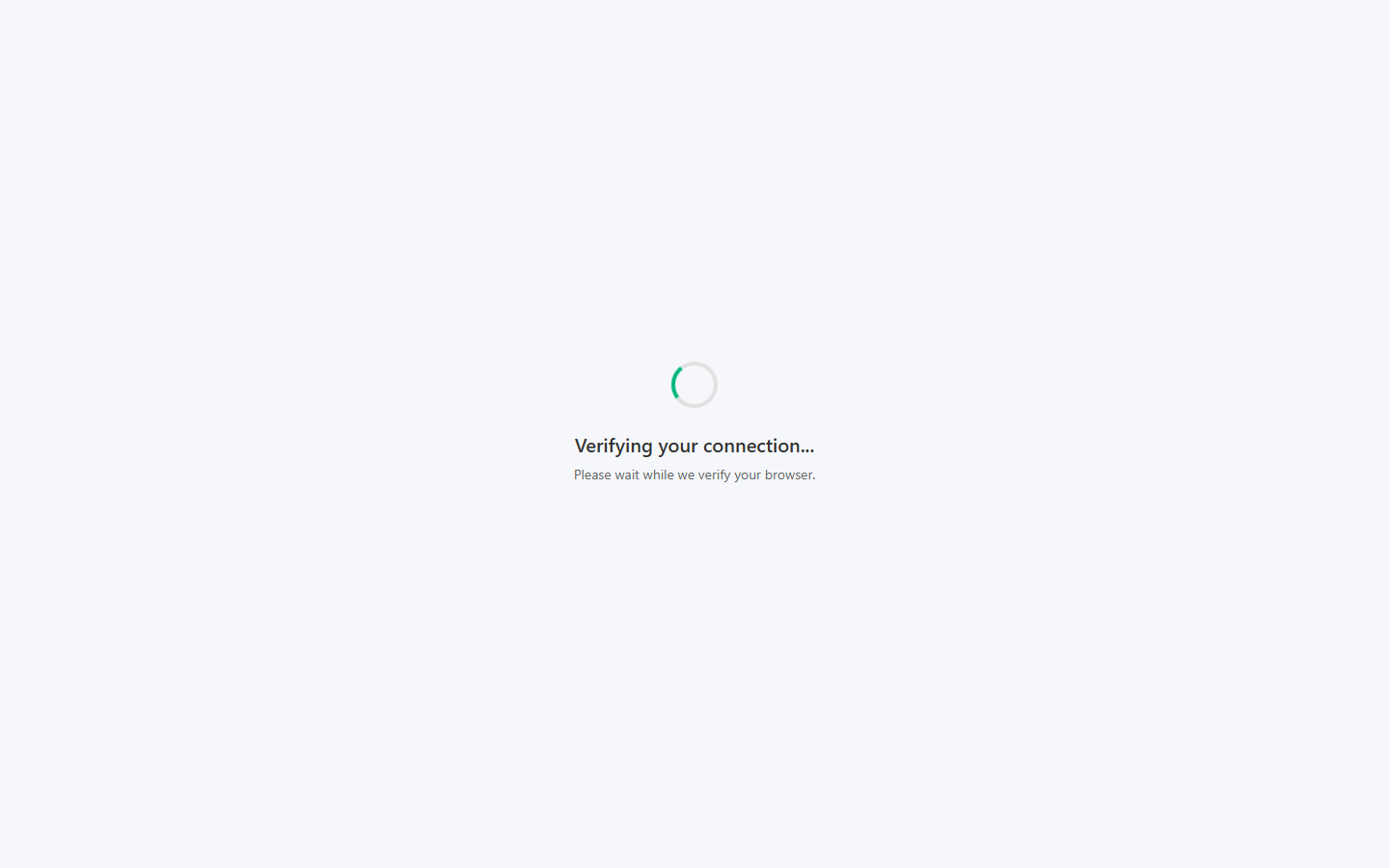
A real Chrome engine solves that challenge in a few seconds (2 to 4 in our September test), which is why Selenium and Playwright scripts get through at low volume. requests cannot execute challenge.js, so for an HTTP client the interstitial is the end of the road. More on reading that kind of response in our guide to fixing Python requests 403 errors.
Getting Past the Block with One Plain Scrape.do Call
The same URL routed through Scrape.do returns 200 with the full page. No super=true, no render=true, no geoCode: each request we send carries the token and the target URL and nothing else.
Every Trustpilot call costs 10 credits. That number comes from the Scrape.do-Request-Cost response header, which read 10 on every request we logged on November 5, 2026. The per-domain table in the request costs docs does not list trustpilot.com, so the header is the source to trust. In our September R&D, super=true and render=true returned the same page at the same 10 credits, so there is nothing to gain from either. The page is server-rendered, so none of the JavaScript rendering techniques are needed here.
Two failure modes are worth planning for. In September, 3 of about 250 calls came back as 502 ROTATION_FAILED, which the error body describes as transient and which is not billed. We saw no 502 in about 180 calls on November 5, but one call came back as a 200 with an empty body, which crashed the first version of the star-slice script. Every fetch helper below retries once when either happens; a full backoff setup is in our guide to retrying Python requests, but one retry was enough on this site.
Trustpilot's Terms of Use for consumers (version 8.0, in force since October 1, 2026) forbid "text mining, data mining or web scraping of our platform for any purpose without our express permission", and its robots.txt ends with a blanket Disallow: /. We stay on public pages, keep the volume modest, never log in, and never open reviewer profile pages. The longer web scraping legality discussion and the FAQ below pick this up.
What the Official Trustpilot API Covers
Trustpilot does have an API, whatever some tutorials claim. The documentation at developers.trustpilot.com lists public endpoints for business units and their reviews, authenticated with an API key, and private endpoints that need a business user's OAuth token.
Trustpilot API Pricing and Who Gets a Key
Access is the hard part. On Trustpilot's business pricing page, API access is listed as an add-on, not as part of the free plan. The paid plans it sits on start at $319 a month for Plus and $799 a month for Premium, per domain and billed annually, with Enterprise priced on request. No price for the API add-on itself is published. The rate-limiting page recommends staying under 833 calls per 5 minutes or 10,000 per hour.
The bigger limit is scope. The business API is built for a company working with its own reviews. For other companies' reviews, Trustpilot runs a separate product called Data Solutions, with a Display API (business details and up to five latest reviews per business) and an Insights API (full reviews and categories). Getting started means joining a waitlist, and no pricing is published.
Scraping a Trustpilot Company Profile: TrustScore, Star Distribution and Reply Rate
The profile is the simplest page type and the one where Trustpilot's data source shows itself first.
Prerequisites
We need Python 3, requests and beautifulsoup4 (pip install requests beautifulsoup4), and a Scrape.do token. json, csv and urllib.parse ship with Python. At 10 credits per call, the 1,000 free credits on signup cover 100 Trustpilot pages. The Python web scraping guide covers requests and BeautifulSoup from the ground up.
Where the Data Lives: the Page's Own JSON
Trustpilot is a Next.js site, and every server-rendered page carries its complete state inside one tag: <script id="__NEXT_DATA__" type="application/json">. The browser uses that blob to hydrate the page. For us it means one soup.find() and one json.loads() turn a profile page into a Python dictionary.
The visible markup is the worse source. Class names are hashed (styles_reviewCard__meSdm) and change between deploys, which is why a widely read 2024 tutorial built on those classes returned zero rows when we tested it in September. The page also embeds JSON-LD with 20 Review objects, but that copy drops company replies, review language, verification labels and the review source. The hydration blob has every field.
We start with the imports and a list of profiles to read. The domain is the part of the profile URL after /review/:
import requests
from bs4 import BeautifulSoup
from urllib.parse import quote
import json
import csv

# 1. Configuration
TOKEN = "<your_token>"
DOMAINS = ["www.amazon.com", "www.zooplus.co.uk", "scrape.do"]   # the part after /review/ in a profile URL
Pulling the Trustpilot Rating, Star Counts and Reply Behavior
We loop over the domains, make one request per company, and dig three objects out of pageProps: the business unit, the star distribution and the reply behavior:
rows = []
for domain in DOMAINS:
    target_url = f"https://www.trustpilot.com/review/{domain}"
    api_url = f"https://api.scrape.do/?token={TOKEN}&url={quote(target_url, safe='')}"

    # 2. Request. A plain request is enough, Scrape.do routes trustpilot.com past the AWS WAF on its own
    response = requests.get(api_url)
    # a 502 or a page without its data blob is transient, one retry clears it
    if response.status_code == 502 or "__NEXT_DATA__" not in response.text:
        response = requests.get(api_url)
    if response.status_code != 200:
        print(f"{domain}: failed with status {response.status_code}")
        continue

    # 3. Parse. The whole profile ships inside the Next.js hydration blob, so we never touch a CSS class
    soup = BeautifulSoup(response.text, "html.parser")
    page = json.loads(soup.find("script", id="__NEXT_DATA__").string)["props"]["pageProps"]
    company = page["businessUnit"]
    stars = page["filters"]["reviewStatistics"]["ratings"]      # counts per star across every language
    replies = company["activity"]["replyBehavior"]
    summary = page.get("aiSummary") or {}                       # null on small profiles
A company Trustpilot does not know comes back as a 404, which the status check prints and skips. The aiSummary fallback matters too: on small profiles the key is there but set to null.
Then we flatten everything into one row per company:
    rows.append({
        "domain": company["identifyingName"],
        "name": company["displayName"],
        "trust_score": company["trustScore"],
        "stars": company["stars"],
        "total_reviews": company["numberOfReviews"],
        "reviews_last_12_months": company["numberOfReviewsLast12Months"],
        "five_star": stars["five"],
        "four_star": stars["four"],
        "three_star": stars["three"],
        "two_star": stars["two"],
        "one_star": stars["one"],
        "reply_rate": round(replies["replyPercentage"], 1),
        "avg_days_to_reply": replies["averageDaysToReply"],
        "negative_reviews": replies["totalNegativeReviewsCount"],
        "primary_category": next((c["name"] for c in company["categories"] if c["isPrimary"]), ""),
        "categories": "; ".join(c["name"] for c in company["categories"]),
        "country": company["countryCode"],
        "website": company["websiteUrl"],
        "is_claimed": company["isClaimed"],
        "claimed_date": (company["activity"]["claimedDate"] or "")[:10],
        "ai_summary": summary.get("summary", ""),
        "profile_url": target_url,
    })
    print(f"{domain}: TrustScore {company['trustScore']}, {company['numberOfReviews']} reviews")
Two fields need a caveat. replyPercentage is the share of negative reviews the company answered, not of all reviews. And the five star counts cover every language, while the review list on the same page shows English only by default. We will hit that default again in the reviews section.
The export closes the script:
# 4. Export
with open("trustpilot-company-profiles.csv", "w", newline="", encoding="utf-8") as f:
    writer = csv.DictWriter(f, fieldnames=rows[0].keys())
    writer.writeheader()
    writer.writerows(rows)

print(f"saved {len(rows)} profiles to trustpilot-company-profiles.csv")
A run on November 5, 2026 printed:
www.amazon.com: TrustScore 1.5, 50148 reviews
www.zooplus.co.uk: TrustScore 3.4, 9025 reviews
scrape.do: TrustScore 4.8, 71 reviews
saved 3 profiles to trustpilot-company-profiles.csv
Seven of the 22 columns from that CSV:
| domain | trust_score | total_reviews | five_star | one_star | reply_rate | avg_days_to_reply |
|---|---|---|---|---|---|---|
www.amazon.com |
1.5 | 50148 | 8913 | 33905 | 0 | 0 |
www.zooplus.co.uk |
3.4 | 9025 | 5635 | 1929 | 100 | 2.06 |
scrape.do |
4.8 | 71 | 67 | 1 | 0 | 0 |
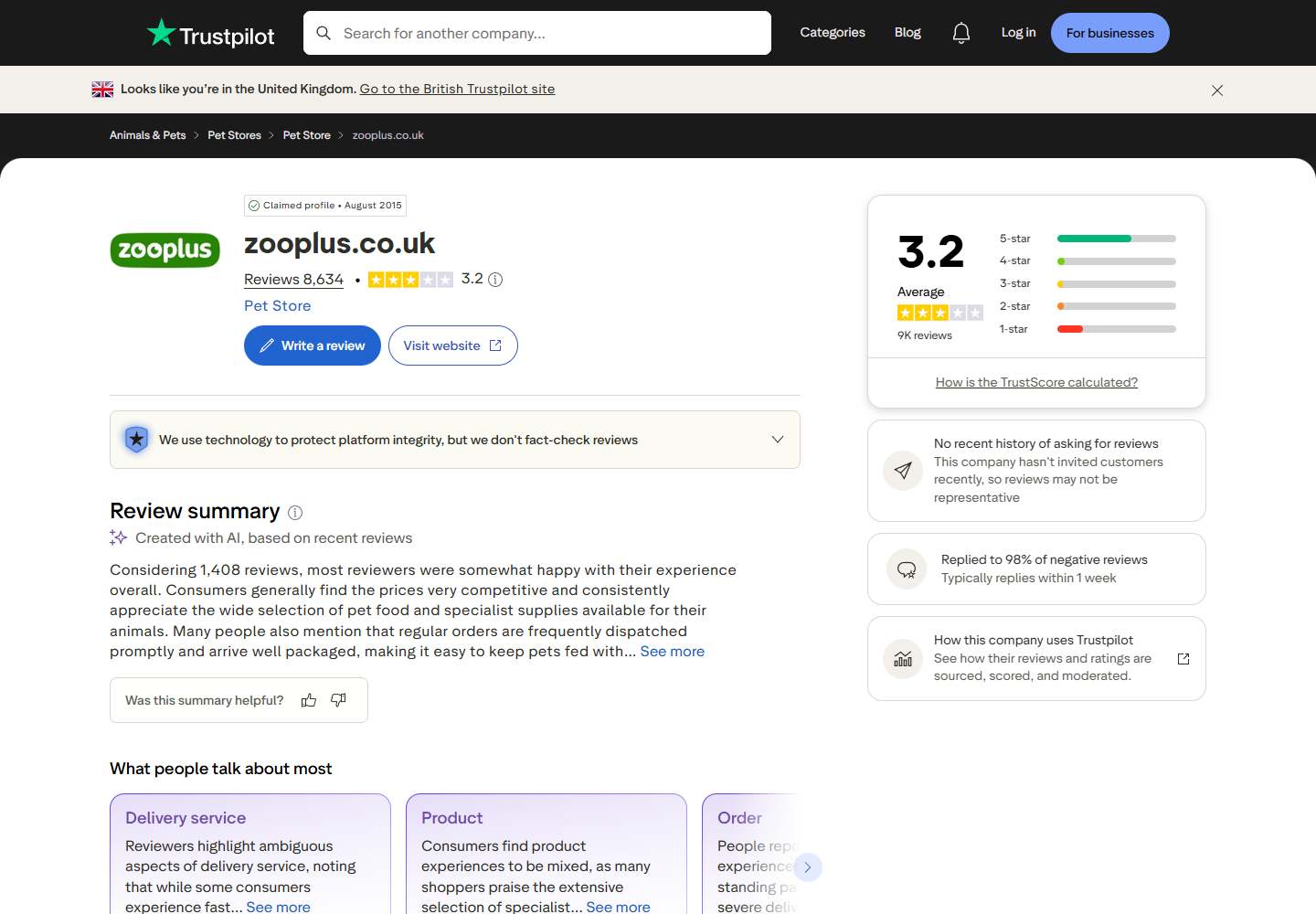
Amazon has two thirds of its reviews at one star and a reply rate of zero; zooplus shows a reply rate of 100 on negative reviews and takes about two days on average to answer. Star split and reply behavior are the reputation signals an e-commerce team tracks on its competitors, and here they cost one request per company. The ai_summary column is empty for Scrape.do, the smallest of the three. The same pageProps also carries similarBusinessUnits, a ready-made list of competitors with their TrustScores, and topicAiSummaries, one AI summary per review topic, for anyone who wants to extend the row.
Scraping Trustpilot Reviews Page by Page
Reviews are where most people start, and where a Trustpilot reviews scraper can go wrong without raising a single error. Three behaviors decide whether the CSV is right: a language default, a redirect, and a wall.
The English-Only Default
On www.trustpilot.com the review list applies languages=en unless the URL says otherwise. Amazon's default view counted 30,937 English reviews on November 5, 2026; languages=all counted 47,067. The subdomain decides the default (de.trustpilot.com defaults to German), and in our R&D geoCode changed nothing. The script below asks for languages=all.
Filters Worth Knowing
Review pages accept the same query parameters as the filter sidebar, and every page reports back what it applied in filters.selected, so a script can confirm a filter took. Totals on Amazon's profile, read from filters.pagination on November 5, 2026:
| Intent | Query | Matching reviews |
|---|---|---|
| Default view | none (languages=en applied) |
30,937 |
| All languages | languages=all |
47,067 |
| One star rating | stars=1 |
22,526 |
| Several ratings | stars=4&stars=5 |
7,035 |
| Last 30 days | date=last30days |
527 |
| Verified only | verified=true |
21 |
| With a company reply | replies=true |
0 |
| Full-text search | search=refund |
5,486 |
| AI topic | topics=delivery_service |
9,525 |
stars repeats for several ratings. Filtered views cap totalPages at 100 even when the count says more (22,526 one-star reviews would fill 1,127 pages). The date windows all end today, so they narrow a crawl instead of reaching further back. search and topics are useful for targeted pulls, such as every review that mentions refunds.
The page=1 Redirect That Drops Every Filter
None of the tutorials we read mention this one. Sending page=1 together with filters sets off two 308 redirects: the first sorts the query parameters alphabetically, the second lands on the bare profile URL. Every filter is gone. On November 5, ?stars=1 on zooplus.co.uk matched 1,867 one-star reviews. ?stars=1&page=1 resolved to /review/www.zooplus.co.uk, filters.selected.stars came back null, and the 20 reviews on the page carried 1, 3, 4 and 5 stars out of 8,476.
No error, no warning. In our first R&D run this put one unfiltered page in front of nine filtered ones and left a duplicate in a 200-row CSV. The fix is to leave page off the first request and add it from page 2 on.
We start with the configuration, where the filters live in one string:
import requests
from bs4 import BeautifulSoup
from urllib.parse import quote
import json
import csv
import time

# 1. Configuration
TOKEN = "<your_token>"
DOMAIN = "www.zooplus.co.uk"
# www.trustpilot.com shows English reviews only unless we ask for all languages.
# Stack more filters here: "&stars=1", "&date=last30days", "&verified=true", "&search=delivery"
FILTERS = "languages=all&sort=recency"
Then we write the fetch helper with the page=1 fix and the single retry built in:
def fetch_page(page):
    target_url = f"https://www.trustpilot.com/review/{DOMAIN}?{FILTERS}"
    # page=1 triggers a redirect to the bare profile URL that drops every filter, so we leave it off
    if page > 1:
        target_url += f"&page={page}"
    api_url = f"https://api.scrape.do/?token={TOKEN}&url={quote(target_url, safe='')}"
    response = requests.get(api_url)
    # a 502 or a page without its data blob is transient, one retry clears it
    if response.status_code == 502 or "__NEXT_DATA__" not in response.text:
        response = requests.get(api_url)
    if response.status_code != 200:
        raise SystemExit(f"page {page}: failed with status {response.status_code}")
    soup = BeautifulSoup(response.text, "html.parser")
    return json.loads(soup.find("script", id="__NEXT_DATA__").string)
The helper returns the whole __NEXT_DATA__ object instead of pageProps, because the top-level page key is what tells us where Trustpilot actually sent us.
Page 11 Is a Login Page with a 200 Status
Logged-out visitors get 10 pages of 20 reviews. Page 11 answers with a 307 redirect to /users/connect, Trustpilot's login page. Scrape.do follows redirects by default, so the script receives a normal 200 response containing a login page.
With redirects switched off (disableRedirection=true), the request for ?page=11&stars=1 on zooplus.co.uk shows the 307 and its target, /users/connect?redirect=.... Followed, it lands on a 200 page whose __NEXT_DATA__.page is /users/connect, billed at 10 credits like any other page. Page 10 of the same filter still returned 20 one-star reviews.
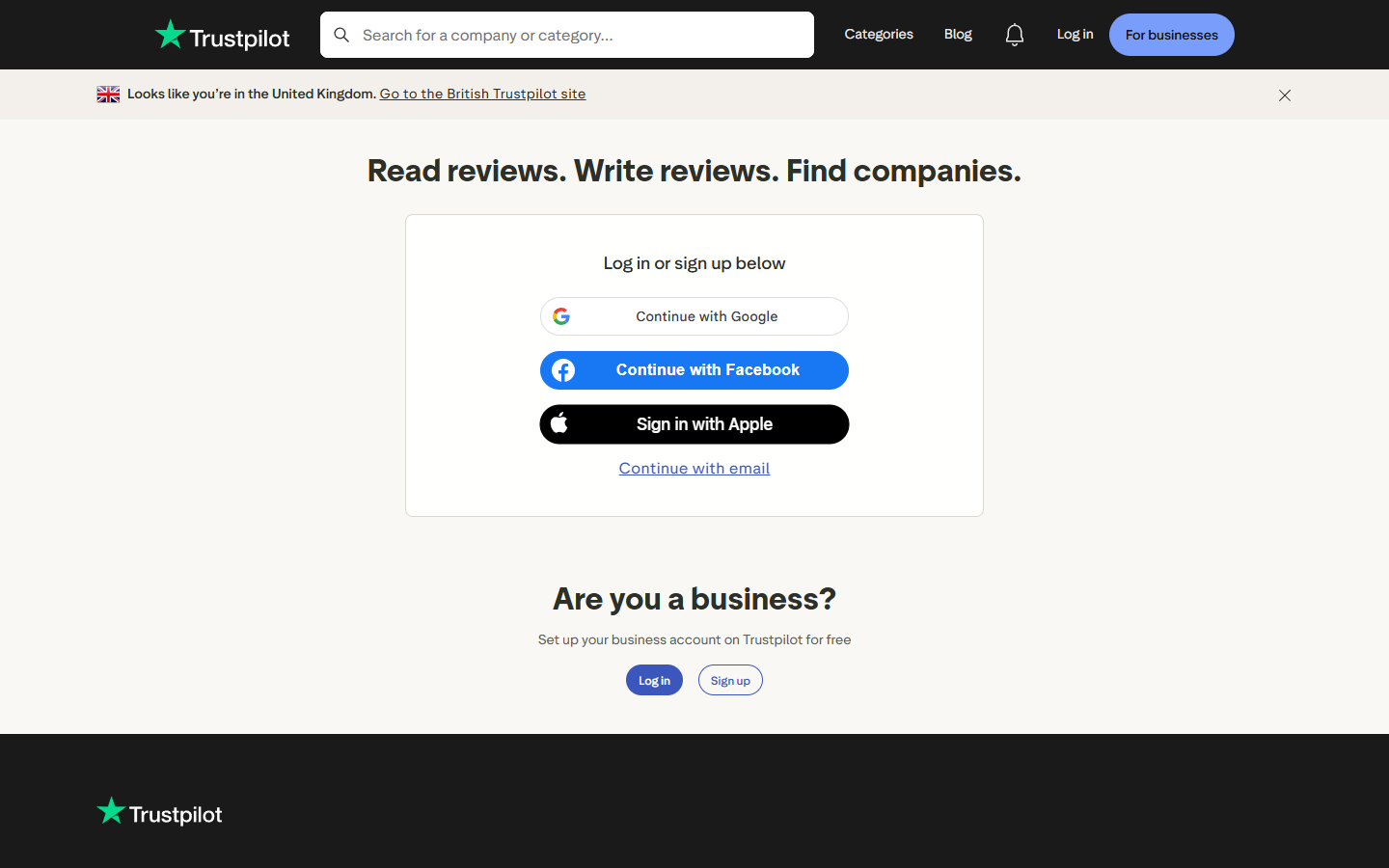
totalPages does not know about the wall. On Amazon's default view it reports 1,547 pages. A loop that trusts totalPages, or trusts status_code, walks straight onto the login page and then either crashes on a missing reviews key or stops collecting without a word. In September we also tried the Next.js data route (/_next/data/{buildId}/review/...), which answers POST requests with JSON: page 11 there returns a __N_REDIRECT to the same login page. There is no anonymous back door, and this is Trustpilot's rule for every logged-out visitor, browser or script.
The detection is one comparison on the page type:
# 2. Walk pages until the last page or the login wall, whichever comes first
rows = []
page = 1
while True:
    data = fetch_page(page)
    # Past page 10 Trustpilot answers with a 307 to its login page, which lands here as a 200
    if data["page"] == "/users/connect":
        print(f"page {page}: login wall, anonymous visitors stop at page 10")
        break

    props = data["props"]["pageProps"]
Exporting Trustpilot Reviews: Fields Worth Keeping
Each review in pageProps.reviews becomes one row:
    for review in props["reviews"]:
        reply = review["reply"] or {}
        rows.append({
            "review_id": review["id"],
            "rating": review["rating"],
            "title": review["title"],
            "text": review["text"],
            "published": review["dates"]["publishedDate"][:10],
            "experienced": (review["dates"]["experiencedDate"] or "")[:10],
            "language": review["language"],
            "reviewer": review["consumer"]["displayName"],
            "reviewer_country": review["consumer"]["countryCode"],
            "reviewer_total_reviews": review["consumer"]["numberOfReviews"],
            "source": review["source"],       # Organic, BasicLink, InvitationLinkApi...
            "verified": review["labels"]["verification"]["isVerified"],
            "likes": review["likes"],
            "company_reply": reply.get("message", ""),
            "reply_date": (reply.get("publishedDate") or "")[:10],
            "review_url": f"https://www.trustpilot.com/reviews/{review['id']}",
        })
Two columns deserve a closer look. source separates reviews people wrote on their own (Organic) from reviews the company invited (BasicLink, InvitationLinkApi). In zooplus's 200 newest reviews on November 5, 2026, 90 were Organic and 110 arrived through BasicLink invitations, and none carried the verified label. That split matters for reputation work, and none of the tutorials we read export it. company_reply carries the company's answer and its date, and reply is null when there is none.
The last block moves to the next page and writes the CSV:
    pagination = props["filters"]["pagination"]
    print(f"page {page}: {len(props['reviews'])} reviews ({pagination['totalCount']} match the filters)")
    if page >= pagination["totalPages"]:
        break
    page += 1
    time.sleep(1)

# 3. Export (a profile with no reviews leaves rows empty)
if rows:
    with open("trustpilot-reviews.csv", "w", newline="", encoding="utf-8") as f:
        writer = csv.DictWriter(f, fieldnames=rows[0].keys())
        writer.writeheader()
        writer.writerows(rows)

print(f"saved {len(rows)} reviews to trustpilot-reviews.csv")
The run on zooplus.co.uk, November 5, 2026:
page 1: 20 reviews (8623 match the filters)
page 2: 20 reviews (8623 match the filters)
page 3: 20 reviews (8623 match the filters)
page 4: 20 reviews (8623 match the filters)
page 5: 20 reviews (8623 match the filters)
page 6: 20 reviews (8623 match the filters)
page 7: 20 reviews (8623 match the filters)
page 8: 20 reviews (8623 match the filters)
page 9: 20 reviews (8623 match the filters)
page 10: 20 reviews (8623 match the filters)
page 11: login wall, anonymous visitors stop at page 10
saved 200 reviews to trustpilot-reviews.csv
The first rows of the CSV, without the text and reviewer columns:
| review_id | rating | published | experienced | language | source | verified | company_reply |
|---|---|---|---|---|---|---|---|
| 6aebb5101fd729c024b3096a | 5 | 2026-11-05 | 2026-10-15 | en | BasicLink | False | |
| 6aeba767d34b1b640d7d370d | 3 | 2026-11-04 | 2026-11-04 | en | Organic | False | |
| 6aeb92dbc6b1fd5294b0c7bc | 5 | 2026-11-04 | 2026-10-26 | en | BasicLink | False | |
| 6aeb4cd06de89d70237dea83 | 5 | 2026-11-04 | 2026-10-29 | en | BasicLink | False | |
| 6aeb1eb18455535e894d30fb | 5 | 2026-11-04 | 2026-11-04 | en | BasicLink | False |
200 rows, 200 unique review IDs, 16 columns. The 200 newest reviews span October 15 to November 5, 2026, and two languages showed up (199 English, 1 Danish). The five rows without a reply are the five newest; zooplus had answered every one of the other 195.
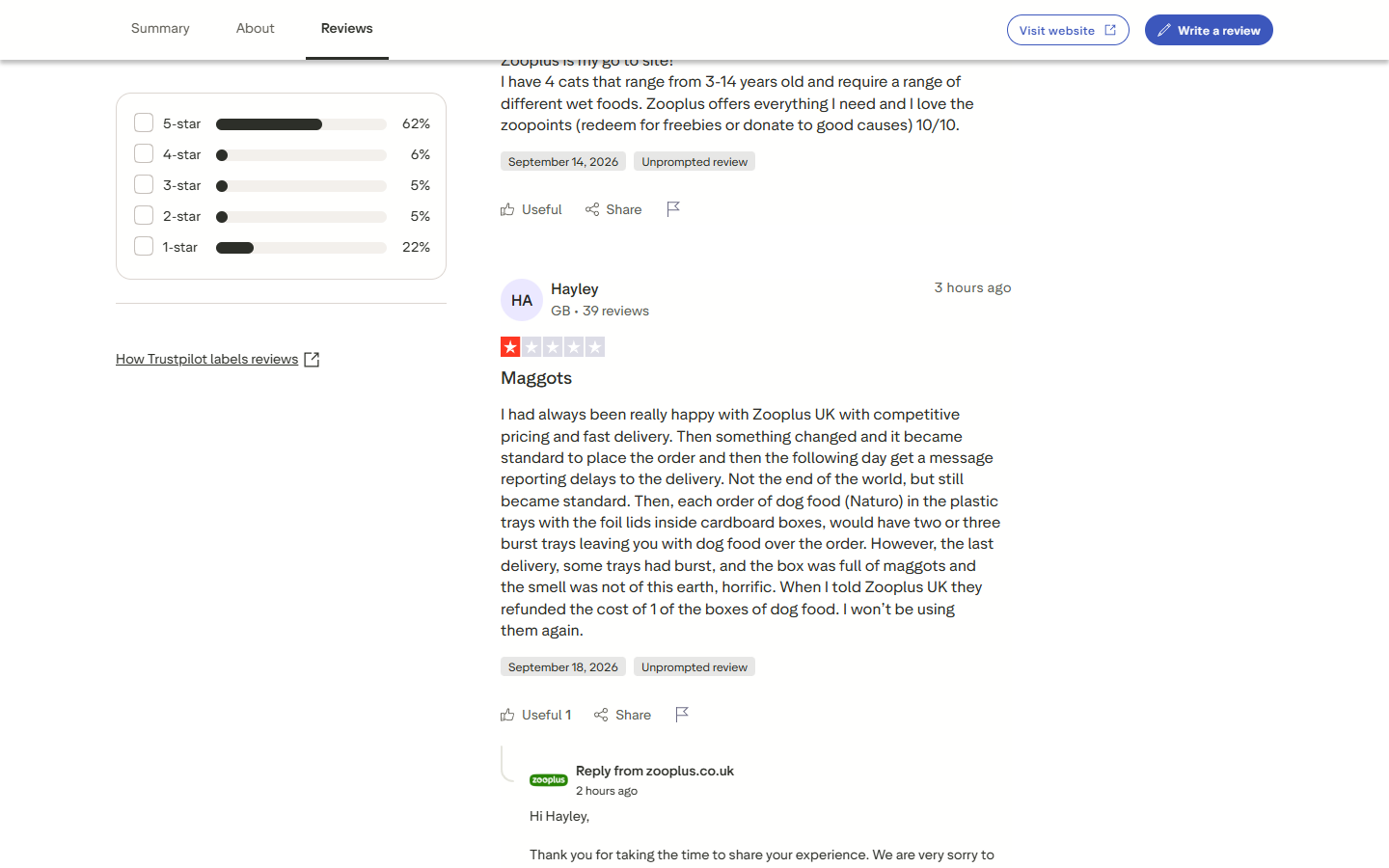
Review pages include reviewer display names and countries, which can count as personal data under GDPR. For analysis work, dropping the reviewer column costs nothing: a sentiment analysis pass needs the text, the rating and the source, not the name.
Getting More Than 200 Trustpilot Reviews Without Logging In
The Python tutorials we read for this site all stop at the same 200 reviews. The way past them is in how the wall counts.
One Window per Filter
The 10-page limit applies per view. ?stars=1&page=10 returns 20 one-star reviews and ?stars=1&page=11 hits the login page, so every filter combination gets its own 10 pages. Star ratings never overlap: a review has exactly one. That makes them a clean axis to slice on, with language as a second one.
Two other axes look promising and are not. In R&D, sort=relevance on a 5-star view returned 188 of the same 200 reviews as sort=recency and repeated some within its own run. The date filters all end today, so they narrow the window instead of moving it back in time.
A Trustpilot Review Scraper That Slices by Star Rating
We keep the fetch helper from before, with the star rating and the language in the URL:
import requests
from bs4 import BeautifulSoup
from urllib.parse import quote
import json
import csv
import time

# 1. Configuration
TOKEN = "<your_token>"
DOMAIN = "www.amazon.com"
LANGUAGE = "en"      # one language per run keeps the star slices from overlapping, "all" also works

def fetch_page(stars, page):
    target_url = f"https://www.trustpilot.com/review/{DOMAIN}?languages={LANGUAGE}&stars={stars}"
    if page > 1:     # page=1 redirects to the bare profile and drops the filters
        target_url += f"&page={page}"
    api_url = f"https://api.scrape.do/?token={TOKEN}&url={quote(target_url, safe='')}"
    response = requests.get(api_url)
    # a 502 or a page without its data blob is transient, one retry clears it
    if response.status_code == 502 or "__NEXT_DATA__" not in response.text:
        response = requests.get(api_url)
    soup = BeautifulSoup(response.text, "html.parser")
    return json.loads(soup.find("script", id="__NEXT_DATA__").string)
Then we loop over five slices. range(1, 11) stops at page 10 because we already know what page 11 is, and there is no reason to pay 10 credits to see the login page again. Reviews go into a dictionary keyed by ID, so a review that slides to the next page while the run is in progress is stored once:
# 2. Each star filter gets its own 10-page window, so five slices reach up to 1,000 reviews
reviews = {}
matching = 0
for stars in [1, 2, 3, 4, 5]:
    before = len(reviews)
    for page in range(1, 11):        # we already know page 11 is the login wall, no need to pay for it
        data = fetch_page(stars, page)
        if data["page"] != "/review/[businessUnit]":
            break
        props = data["props"]["pageProps"]
        for review in props["reviews"]:
            # keyed by id, so a review that slides to the next page mid-run is stored once
            reviews[review["id"]] = {
                "review_id": review["id"],
                "rating": review["rating"],
                "title": review["title"],
                "text": review["text"],
                "published": review["dates"]["publishedDate"][:10],
                "language": review["language"],
                "source": review["source"],
                "has_reply": review["reply"] is not None,
            }
The dedupe is one dictionary assignment. A slice ends at page 10 or at its own last page, whichever comes first, and its total goes into the coverage count:
        pagination = props["filters"]["pagination"]
        if page >= pagination["totalPages"]:
            break
        time.sleep(1)
    matching += pagination["totalCount"]
    print(f"{stars}-star: {len(reviews) - before} collected of {pagination['totalCount']}")

print(f"total: {len(reviews)} unique reviews of {matching} in '{LANGUAGE}' ({len(reviews) / max(matching, 1):.0%})")
The export writes the dictionary's values:
# 3. Export
with open("trustpilot-reviews-by-stars.csv", "w", newline="", encoding="utf-8") as f:
    writer = csv.DictWriter(f, fieldnames=["review_id", "rating", "title", "text", "published", "language", "source", "has_reply"])
    writer.writeheader()
    writer.writerows(reviews.values())

print("saved to trustpilot-reviews-by-stars.csv")
The run on Amazon's English reviews, November 5, 2026:
1-star: 200 collected of 22526
2-star: 200 collected of 2017
3-star: 200 collected of 1274
4-star: 200 collected of 1589
5-star: 200 collected of 5446
total: 1000 unique reviews of 32852 in 'en' (3%)
saved to trustpilot-reviews-by-stars.csv
What Five Slices Buy, and What They Cannot
We ran the same script on three profiles of different sizes on November 5, 2026 (for hide.me and Scrape.do, only DOMAIN and LANGUAGE = "all" changed). Each cell is collected of matching:
| Company (size) | Language | 1-star | 2-star | 3-star | 4-star | 5-star | Unique | Of | Coverage |
|---|---|---|---|---|---|---|---|---|---|
www.amazon.com (big) |
en | 200 / 22,526 | 200 / 2,017 | 200 / 1,274 | 200 / 1,589 | 200 / 5,446 | 1,000 | 32,852 | 3% |
hide.me (mid-size) |
all | 39 / 39 | 12 / 12 | 20 / 20 | 67 / 67 | 200 / 887 | 338 | 1,025 | 33% |
scrape.do (small) |
all | 1 / 1 | 0 / 0 | 0 / 0 | 3 / 3 | 67 / 67 | 71 | 71 | 100% |
Against the 200 reviews of a single view, five slices give 5x on Amazon and 1.7x on hide.me, and the small profile comes back complete. For a mid-size company the practical win is every critical review: on hide.me the one- to four-star slices came back whole (138 of 138), and only the dominant five-star bucket hit the wall. Totals drift by the hour as reviews arrive and get removed, so read every count here as "around".
For a big profile, the honest limit is depth. Amazon's 200 newest one-star reviews in English, the slice the wall cuts hardest, reached back only to October 24, 2026, less than two weeks. The three-star slice went back to October 28, 2025, and the four-star slice to July 6, 2025. For a high-volume company, anonymous scraping returns a recent snapshot of each rating. It cannot rebuild the history.
Language is the second axis. Amazon's profile lists 40 review languages, and English holds 30,937 of the 47,067 reviews the list shows with languages=all. Running the script once per language raises the ceiling to 1,000 reviews per language; we measured English only, so treat the multi-language figure as an upper bound.
A logged-in session reportedly lifts the cap; community threads say a login cookie does it. That is where this tutorial stops: it means scraping behind an account, which the Terms forbid, and it puts that account at risk.
Scraping Trustpilot Categories for Company Listings
The review scrapers need domains. Category pages list companies by the thousand, from the same kind of JSON blob, and the listing has no login wall.
Category Pages and Their Filters
A category lives at /categories/{categoryId}, 20 companies per page, with the list under pageProps.businessUnits. On www the listing defaults to US companies; country=GB and others switch it. sort=reviews_count and sort=latest_review change the order, and claimed=true keeps claimed profiles only. The trustscore=4.0 filter works on Trustpilot's rounded star bucket rather than the raw score: in R&D it let a 3.9 through. The full category tree, with every ID, sits on /categories.
We start with the configuration, where MAX_PAGES keeps a test run small:
import requests
from bs4 import BeautifulSoup
from urllib.parse import quote
import json
import csv
import time

# 1. Configuration
TOKEN = "<your_token>"
CATEGORY = "vpn_service"          # the id after /categories/ in the URL
# www.trustpilot.com lists US companies unless we pass another country.
# Other filters: "&trustscore=4.0", "&claimed=true", "&sort=latest_review"
FILTERS = "country=US&sort=reviews_count"
MAX_PAGES = 3
The fetch helper returns pageProps directly, since listing pages have no wall to detect:
def fetch_page(page):
    target_url = f"https://www.trustpilot.com/categories/{CATEGORY}?{FILTERS}&page={page}"
    api_url = f"https://api.scrape.do/?token={TOKEN}&url={quote(target_url, safe='')}"
    response = requests.get(api_url)
    # a 502 or a page without its data blob is transient, one retry clears it
    if response.status_code == 502 or "__NEXT_DATA__" not in response.text:
        response = requests.get(api_url)
    if response.status_code != 200:
        raise SystemExit(f"page {page}: failed with status {response.status_code}")
    soup = BeautifulSoup(response.text, "html.parser")
    return json.loads(soup.find("script", id="__NEXT_DATA__").string)["props"]["pageProps"]
Category URLs handle page=1 differently from review URLs. /categories/vpn_service?country=GB&sort=reviews_count&page=1 resolved to the same URL without page=1, both filters intact (136 British VPN companies on November 5). Same site, two behaviors, so this helper can send page from the first request.
Where Category Pagination Stops
The ceiling here is 500 pages. On November 5, electronics_technology reported totalHits of 10,000 while its own category object counted 63,755 businesses. Page 500 returned 20 companies and page 501 an empty list, so one filter combination reaches at most 10,000 companies. The loop stops on an empty businesses list, which also ends small categories early:
# 2. Walk the listing. Category pages have no login wall, they stop at 500 pages (10,000 companies)
rows = []
for page in range(1, MAX_PAGES + 1):
    listing = fetch_page(page)["businessUnits"]
    if not listing["businesses"]:     # past the last page Trustpilot returns an empty list, not an error
        break

    for company in listing["businesses"]:
        location = company["location"] or {}
        rows.append({
            "name": company["displayName"],
            "domain": company["identifyingName"],
            "trust_score": company["trustScore"],
            "stars": company["stars"],
            "reviews": company["numberOfReviews"],
            "primary_category": next((c["displayName"] for c in company["categories"] if c["isPrimary"]), ""),
            "city": location.get("city") or "",
            "country": location.get("country") or "",
            "website": (company["contact"] or {}).get("website") or "",
            "profile_url": f"https://www.trustpilot.com/review/{company['identifyingName']}",
        })
    print(f"page {page}: {len(listing['businesses'])} companies ({listing['totalHits']} in the category)")
    time.sleep(1)
Listings also carry company emails and phone numbers under contact. The script leaves them out on purpose: this is reputation data, and a contact list is a different project with its own GDPR questions.
The export:
# 3. Export
with open("trustpilot-category-companies.csv", "w", newline="", encoding="utf-8") as f:
    writer = csv.DictWriter(f, fieldnames=rows[0].keys())
    writer.writeheader()
    writer.writerows(rows)

print(f"saved {len(rows)} companies to trustpilot-category-companies.csv")
The run on November 5, 2026:
page 1: 20 companies (777 in the category)
page 2: 20 companies (777 in the category)
page 3: 20 companies (777 in the category)
saved 60 companies to trustpilot-category-companies.csv
The first rows:
| name | domain | trust_score | reviews | primary_category | country |
|---|---|---|---|---|---|
| TotalAV | totalav.com |
4.5 | 140506 | Software Company | United States |
| NordVPN | nordvpn.com |
4.2 | 51529 | VPN Service | United States |
| Namecheap | www.namecheap.com |
4.2 | 22148 | Web Hosting Company | United States |
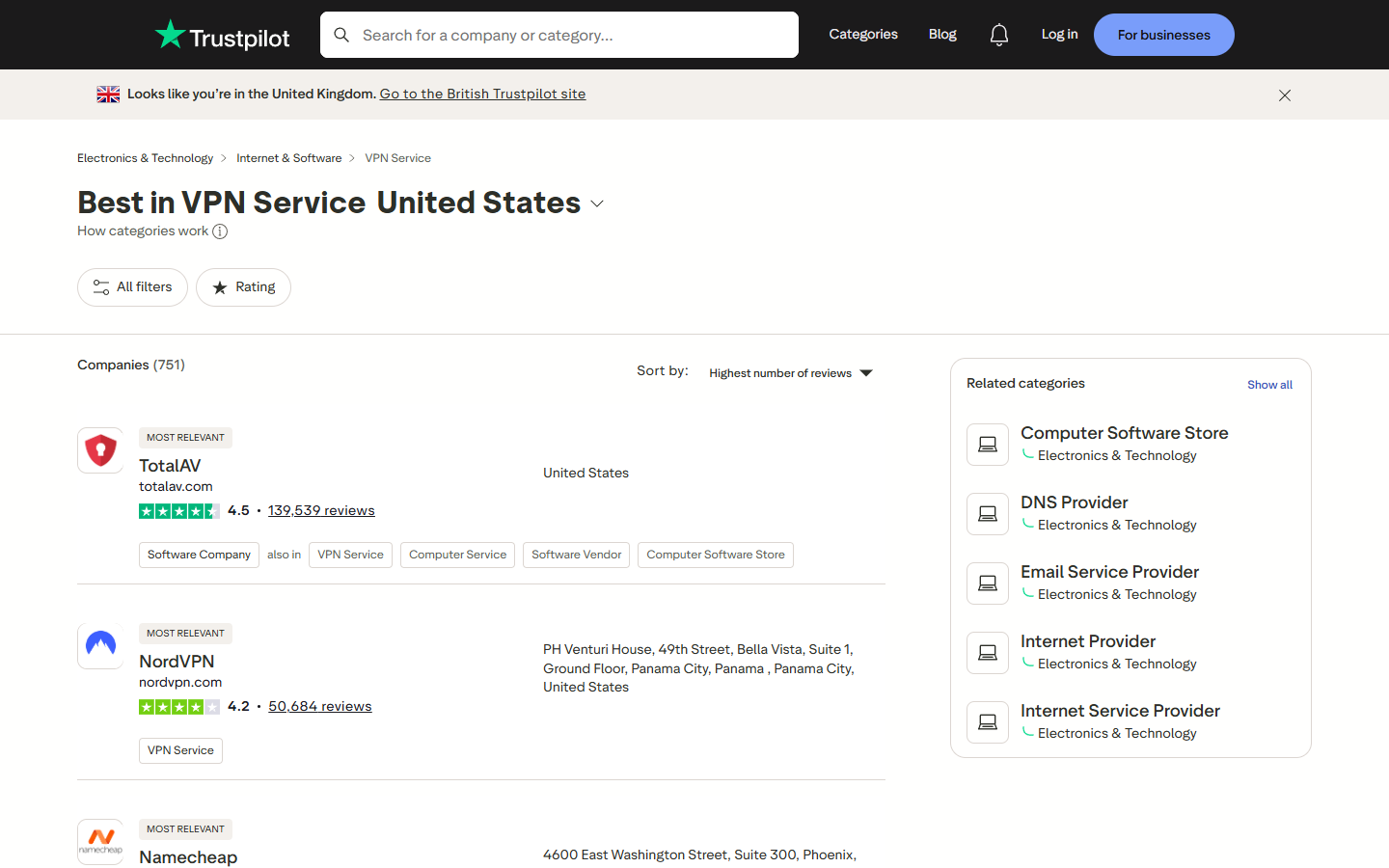
All 60 domains came back unique. city was blank on 36 of the 60 rows, because Trustpilot often files the whole address under one field and leaves city empty. The domain column drops straight into DOMAINS in the profile scraper, which chains the category scraper into the profile scraper: list a category, then profile every company in it.
Search Results Use a Different Shape
Trustpilot's search page, /search?query=, works through the same kind of request and has no wall either, but its pageProps holds a flat businessUnits list with its own pagination object and 10 results per page. In September, ?query=vpn matched 2,157 companies over 216 pages, and page 30 still answered on November 5. It is the quickest way to turn a company name into the Trustpilot domain the profile and review scrapers need.
Conclusion
Profiles, review lists and category pages all ship their data in the same __NEXT_DATA__ blob, so the parsing stays the same across all four scrapers. The limits sit in the URLs and redirects instead:
- Review lists stop at 10 pages per filter view for logged-out visitors, and page 11 comes back as a login page with a 200 status. Check
data["page"]on every response. page=1together with filters redirects to the unfiltered profile. Leavepageoff the first filtered request.- Star filters never overlap, so five star slices reach up to 1,000 reviews per language instead of 200.
- Category listings have no login wall and stop at 500 pages, which makes them the place to collect the domains the review scrapers need.
Get 1000 free credits and start scraping with Scrape.do
FAQ
Is there a tool that can scrape Trustpilot reviews?
Yes. Hosted options include Apify actors (compared in our Apify alternatives roundup), Bright Data and Outscraper, and the Python scrapers above do the same job. Before picking one, check how it handles the page-10 login wall: a scraper that ignores it stops at 200 reviews per view, and one that goes past it does so with filter slices or a logged-in session.
Is the Trustpilot API free?
No. API access is a paid add-on to Trustpilot's business plans, and it is licensed for a company's own reviews. Reviews of other companies go through the separate Data Solutions product, which has a waitlist and no published price.
How to scrape reviews from a website?
Look for the data the page already embeds before writing selectors: a __NEXT_DATA__ blob, JSON-LD, or an XHR call in the network tab. Then find where pagination stops, and request one page past it to see what the site sends back. On Trustpilot the answer was a login page with a 200 status. Our Amazon reviews tutorial and G2 scraping guide walk through the same questions on two other review sources.
Is it legal to scrape Trustpilot under its terms of use?
Trustpilot's Terms of Use forbid scraping without its express permission, and its "Action We Take" page says it blocks unauthorized scrapers and may start legal proceedings. That makes it a terms question first. This tutorial stays on public pages, never logs in, and leaves reviewer profiles alone. Review text and reviewer names can be personal data under GDPR, so aggregate where possible. This is not legal advice.
Why does my Trustpilot scraper stop at 200 reviews?
Logged-out visitors get 10 pages of 20 reviews per view, and page 11 redirects to a login page that returns 200. A scraper that trusts the status code or totalPages either crashes on the missing reviews key or stops collecting silently. Slicing by star rating gives each rating its own 200-review window, up to 1,000 per language.
Software Engineer