Category:Scraping ErrorsView as Markdown
3 Ways to Get Rid of Cloudflare Error 1015 (You Are Being Rate Limited)

R&D Engineer


You hit Error 1015. Cloudflare says: You are being rate limited.
Congratulations, you've just run into the most common error for web scrapers!
Short answer: Error 1015 means a Cloudflare rate limiting rule counted too many requests from your IP in a short time window and is blocking you for a while. It is always temporary: the site owner sets the block anywhere from 10 seconds to a full day. The response is an HTTP 429, and on our test page it carried a
Retry-After: 10header that said exactly how long to wait.
Not scraping, just browsing? Wait a few minutes before you try again, and don't keep refreshing: Cloudflare warns that repeated attempts in a short time can extend the block. If you're still blocked after that, contact the site's owner or support team. Cloudflare doesn't choose who gets rate limited; the site owner sets the rules. A shared IP, like an office network or a VPN exit, can trip the limit for you even if you only opened a few pages.
Error 1015 means your scraper sent too many requests, too fast, and now you're blocked.
This guide shows you 3 actually working ways to get past it, from quick fixes to scalable solutions that won't break under pressure.
What Is Cloudflare Error 1015?
Cloudflare Error 1015 is a rate limiting response triggered when a single IP sends too many requests in a short period. It's part of Cloudflare's anti-bot protection system, designed to detect aggressive traffic and block it before it can overwhelm or scrape a target site even if your requests are valid and non-malicious.
Although seeing rate limits in web scraping is pretty common, you don't have to be writing a crawling or scraping bot to encounter it, actually.
Just go to this demo page and refresh 2 times back-to-back, and you'll meet this screen:
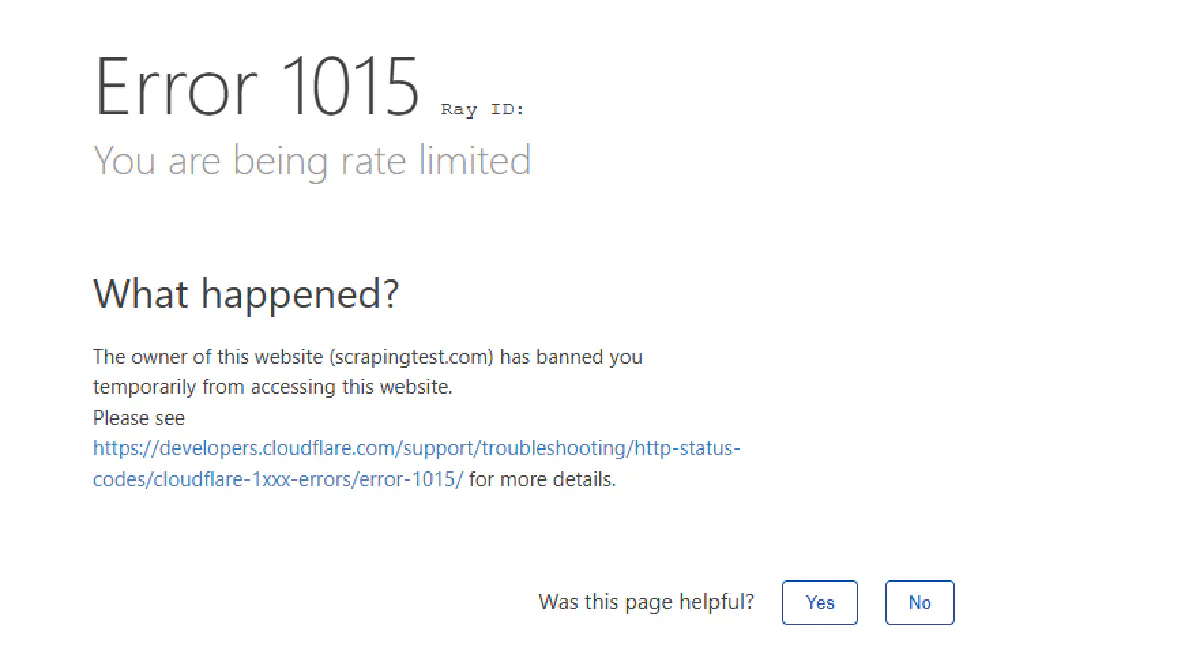
Let's try to make a bot encounter it, too.
Here's a simple Python script that sends 10 back-to-back requests to the same demo page and prints the status code and the Retry-After header of each response:
import requests
from bs4 import BeautifulSoup

URL = "https://scrapingtest.com/cloudflare-rate-limit"

for i in range(10):
    print(f"--- Request {i + 1} ---")

    # Send a request to the target URL
    response = requests.get(URL)

    # Parse the response with BeautifulSoup
    soup = BeautifulSoup(response.content, 'html.parser')

    # Look for the <h1> and <h2> tags that show success or block message
    h1 = soup.find('h1')
    h2 = soup.find('h2')

    print(f"Status: {response.status_code}, Retry-After: {response.headers.get('Retry-After')}")
    print(f"H1: {h1.get_text(strip=True)}")
    print(f"H2: {h2.get_text(strip=True)}")
Here are the first five responses from our run on October 5, 2026:
--- Request 1 ---
Status: 200, Retry-After: None
H1: Cloudflare Rate Limit
H2: ✅ Challenge PassedYour IP:[ my real IP :) ]
--- Request 2 ---
Status: 200, Retry-After: None
H1: Cloudflare Rate Limit
H2: ✅ Challenge PassedYour IP:[ my real IP :) ]
--- Request 3 ---
Status: 429, Retry-After: 10
H1: Error1015
H2: You are being rate limited
--- Request 4 ---
Status: 429, Retry-After: 10
H1: Error1015
H2: You are being rate limited
--- Request 5 ---
Status: 429, Retry-After: 10
H1: Error1015
H2: You are being rate limited
The first two requests go through, and the third hits Error 1015 almost instantly. Look at the status line: the 1015 page is served as a 429 "too many requests", and it comes with a Retry-After header telling you how many seconds to wait. That header is the most useful thing on the page, and we'll use it in Fix #1.
The rest of the run was mostly 1015s, with one surprise: request 6 got a 200 in the middle of the block. That's not a bug in your code. Cloudflare's rate limiting rules are not designed to let a precise number of requests through: counters update with a delay of up to a few seconds, and each Cloudflare data center keeps its own count. So never treat a single success as proof that you're under the limit.
You basically have two options to overcome this, either slow down and act the way Cloudflare wants you to, or keep changing your IP to not look like you're sending requests from the same device.
We'll explore both.
Note: For the demo page we're targeting, if you send more than 2 requests in 10 seconds, you're rate limited. Cloudflare gives site owners a lot of room here: the counting window can be 10 seconds, 1 minute, 2 minutes, 5 minutes, 10 minutes, or 1 hour, and the block that follows can last anywhere from 10 seconds to a full day. Assume nothing about a target's limits until you've measured them.
Error 1015 vs 1020, 1010 and 1006
Cloudflare has a whole family of 1xxx block pages, and they look alike at a glance. Only one of them is built to expire, so it pays to check the number before you pick a fix:
| Error | Cloudflare's message | Trigger | Wait it out? | What to do |
|---|---|---|---|---|
| 1015 | You are being rate limited | Too many requests from your IP in a time window | Yes | Slow down, or spread requests across IPs |
| 1020 | Access denied | A firewall rule matched your IP, country, path or headers | No | Change what the rule matches |
| 1010 | Banned based on your browser's signature | The owner blocked your browser or HTTP client | No | Look like a real browser |
| 1006 (also 1007, 1008, 1106) | Your IP address has been banned | The owner banned your IP | No | Use a different IP |
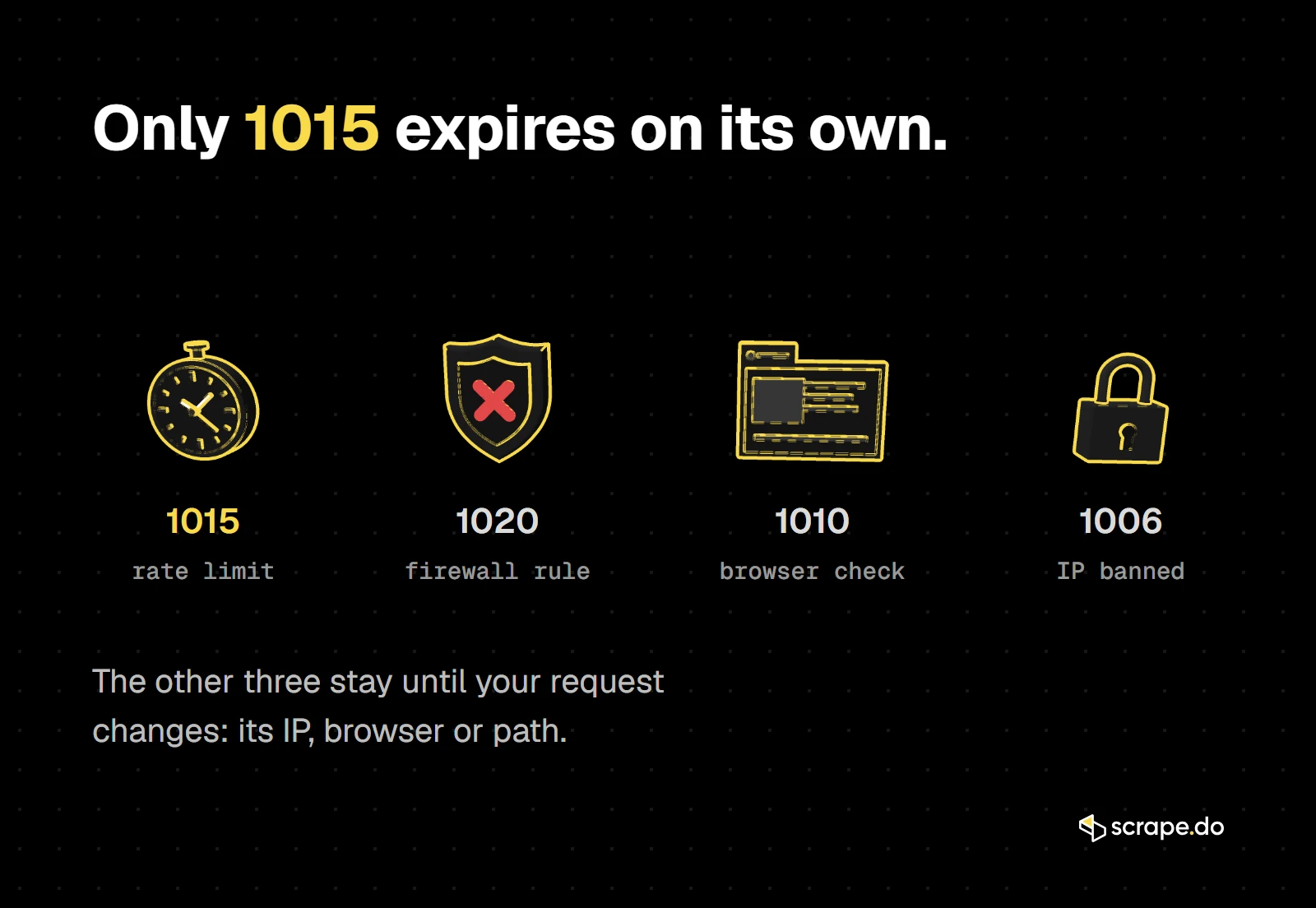
If your scraper gets a 1020 or 1010 on its first request, slowing down won't help. Those are rule matches, and they're closer to the blocks covered in our Cloudflare bypass guide, linked at the end of this article.
Some APIs skip the block page and answer with HTTP 418 I'm a teapot instead: Binance sends it to IPs that kept going after a 429.
Fix #1: Add Random Delays
Error 1015 happens when you make requests too quickly from the same IP.
So let's just not do that.
We'll add delays between requests. But not just any delay; we use random intervals to avoid predictable patterns that Cloudflare or other WAFs might detect.
Here are the changes:
- Import
timeandrandommodules - After each request, pause between 8 and 14 seconds, randomly
- Skip the delay after the final request
Here's the full updated script:
import requests
from bs4 import BeautifulSoup
import time
import random

URL = "https://scrapingtest.com/cloudflare-rate-limit"

for i in range(10):
    print(f"--- Request {i + 1} ---")

    # Send a GET request to the test page
    response = requests.get(URL)

    # Parse the HTML content with BeautifulSoup
    soup = BeautifulSoup(response.content, 'html.parser')

    # Extract <h1> and <h2> to see if the request was accepted or blocked
    h1 = soup.find('h1')
    h2 = soup.find('h2')

    print(f"H1: {h1.get_text(strip=True)}")
    print(f"H2: {h2.get_text(strip=True)}")

    # Add a random delay before the next request
    if i < 9:  # Don't sleep after the last request
        sleep_time = random.uniform(8, 14)
        print(f"Sleeping for {sleep_time:.1f} seconds...")
        time.sleep(sleep_time)
Here's my output:
--- Request 1 ---
H1: Cloudflare Rate Limit
H2: ✅ Challenge Passed Your IP: [ my real IP :) ]
Sleeping for 10.5 seconds...
--- Request 2 ---
H1: Cloudflare Rate Limit
H2: ✅ Challenge Passed Your IP: [ my real IP :) ]
Sleeping for 10.7 seconds...
--- Request 3 ---
H1: Cloudflare Rate Limit
H2: ✅ Challenge Passed Your IP: [ my real IP :) ]
Sleeping for 8.7 seconds...
--- Request 4 ---
H1: Cloudflare Rate Limit
H2: ✅ Challenge Passed Your IP: [ my real IP :) ]
Sleeping for 13.5 seconds...
--- Request 5 ---
H1: Cloudflare Rate Limit
H2: ✅ Challenge Passed Your IP: [ my real IP :) ]
Sleeping for 12.5 seconds...
--- Request 6 ---
H1: Cloudflare Rate Limit
H2: ✅ Challenge Passed Your IP: [ my real IP :) ]
Sleeping for 13.2 seconds...
--- Request 7 ---
H1: Cloudflare Rate Limit
H2: ✅ Challenge Passed Your IP: [ my real IP :) ]
Sleeping for 8.7 seconds...
--- Request 8 ---
H2: ✅ Challenge Passed Your IP: [ my real IP :) ]
Sleeping for 10.1 seconds...
--- Request 9 ---
H1: Cloudflare Rate Limit
H2: ✅ Challenge Passed Your IP: [ my real IP :) ]
Sleeping for 10.6 seconds...
--- Request 10 ---
H1: Cloudflare Rate Limit
H2: ✅ Challenge Passed Your IP: [ my real IP :) ]
Easy as that!
Better: Wait Exactly as Long as Cloudflare Tells You
Random delays work, but they guess. Most of the time you're waiting longer than you need to, and when the site's limit is stricter than your guess, you still get blocked.
The 1015 response already tells you the answer. Instead of sleeping before every request, send requests normally and only wait when you get a 429, for as long as its Retry-After header says:
import time

import requests

URL = "https://scrapingtest.com/cloudflare-rate-limit"


def get(url, max_retries=5):
    """Send a request; on a 1015 (HTTP 429), wait as long as Retry-After says, then try again."""
    for attempt in range(max_retries):
        response = requests.get(url, timeout=30)
        if response.status_code != 429:
            return response
        wait = int(response.headers.get("Retry-After", 10)) + 1  # one second of margin
        print(f"  429 / Error 1015, Retry-After: {wait - 1}s. Sleeping {wait}s")
        time.sleep(wait)
    return response


start = time.time()
for i in range(5):
    response = get(URL)
    print(f"Request {i + 1}: {response.status_code} after {time.time() - start:.0f}s")
Here's the run:
Request 1: 200 after 0s
Request 2: 200 after 0s
  429 / Error 1015, Retry-After: 10s. Sleeping 11s
Request 3: 200 after 12s
Request 4: 200 after 12s
  429 / Error 1015, Retry-After: 10s. Sleeping 11s
Request 5: 200 after 23s
All 5 requests came back with a 200 in 23 seconds, and the script only slept when Cloudflare asked it to.
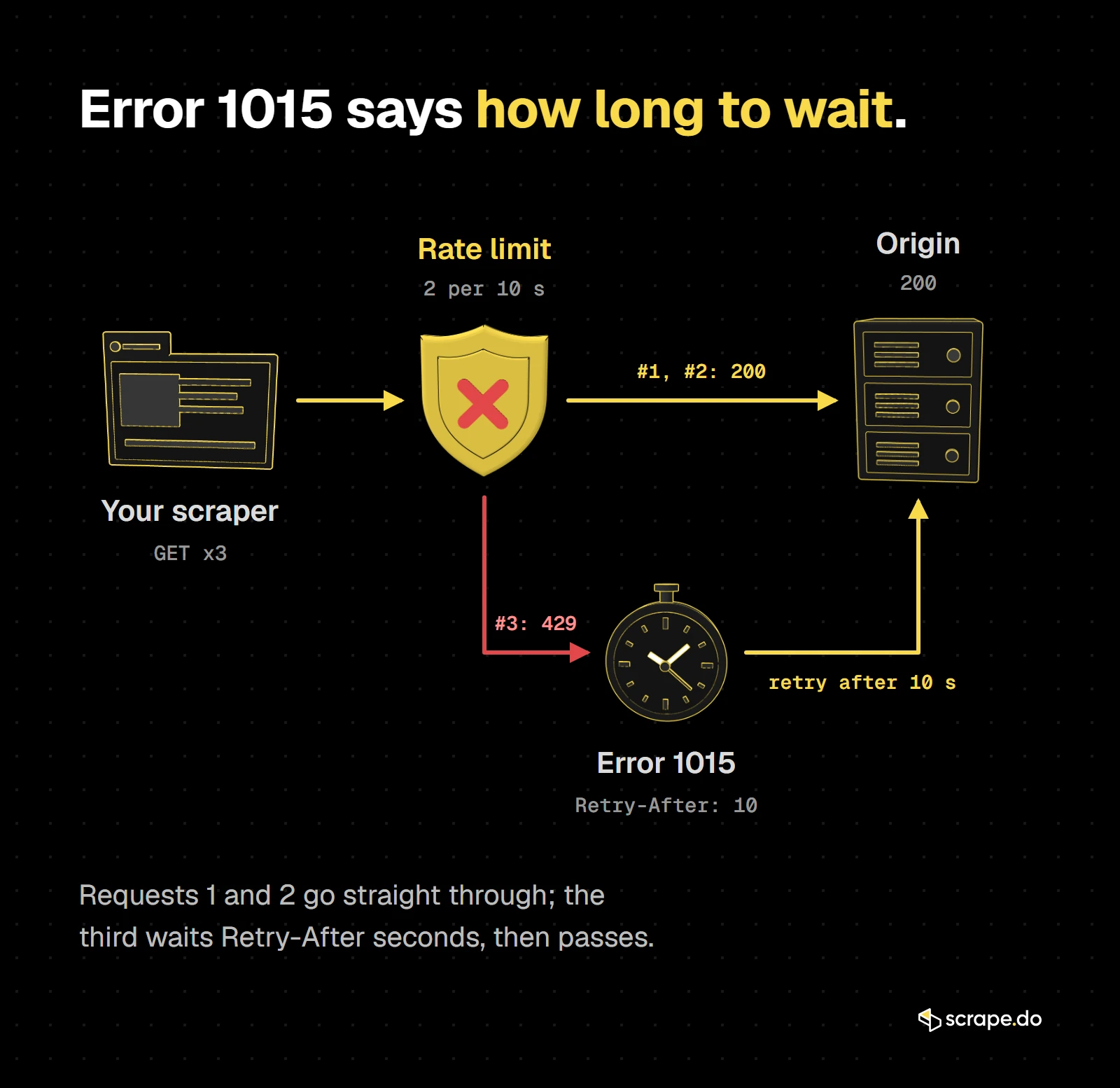
Cloudflare sends Retry-After as a number of seconds, which is what the code above reads. Other servers sometimes send an HTTP date instead; our 429 Too Many Requests guide has a parser that handles both forms.
For a full retry policy with capped attempts and jitter, see how to retry with exponential backoff in Python.
But slowing down might not cut it for more advanced protection, for websites that track IP usage over a longer period of time and block for much longer, or when you need more requests per minute than one IP is allowed.
Fix #2: Rotate Proxies
If you're using the same IP all the way, Cloudflare will eventually catch on.
That's why we rotate IPs.
Every IP has its own rate limit window.
Once you hit the cap, switching to a new IP resets the clock.
I'll grab a few free public proxies from a public proxy pool and cycle through them, sending each request from a different IP.
It's a basic form of proxy rotation, but it works. Especially on endpoints that don't fingerprint aggressively or require session persistence.
Here are the changes to our code:
- Defines a list of working proxies (I've tested a good number of before I decided on the 4 in the code, you'll have to do the same if you're using free proxies)
- Rotates through them using the current loop index
- Sends each request through a different proxy
- Also adding some try-except error handling because proxies might expire or go bad
Here's the full example:
import requests
from bs4 import BeautifulSoup

URL = "https://scrapingtest.com/cloudflare-rate-limit"

# Proxy pool
proxies = [
    {'http': 'http://14.239.189.250:8080', 'https': 'http://14.239.189.250:8080'},
    {'http': 'http://103.127.252.57:3128', 'https': 'http://103.127.252.57:3128'},
    {'http': 'http://59.29.182.162:8888', 'https': 'http://59.29.182.162:8888'},
    {'http': 'http://77.238.103.98:8080', 'https': 'http://77.238.103.98:8080'}
]

for i in range(10):
    print(f"--- Request {i + 1} ---")

    # Rotate through proxies
    current_proxy = proxies[i % len(proxies)]
    print(f"Using proxy: {current_proxy['http']}")

    try:
        response = requests.get(URL, proxies=current_proxy, timeout=10)
        soup = BeautifulSoup(response.content, 'html.parser')

        # Extract response indicators
        h1 = soup.find('h1')
        h2 = soup.find('h2')

        print(f"H1: {h1.get_text(strip=True)}")
        print(f"H2: {h2.get_text(strip=True)}")

    except Exception as e:
        print(f"Request failed: {e}")
Free public proxies don't last. The four in this example are the ones that worked when we wrote it; swap in fresh ones before you run it.
Here's what your output should look like:
--- Request 1 ---
Using proxy: http://14.239.189.250:8080
Request failed: HTTPSConnectionPool(host='scrapingtest.com', port=443): Max retries exceeded with url: /cloudflare-rate-limit (Caused by ProxyError('Unable to connect to proxy', ConnectTimeoutError(<urllib3.connection.HTTPSConnection object at 0x00000253E417BB60>, 'Connection to 14.239.189.250 timed out. (connect timeout=10)')))
--- Request 2 ---
Using proxy: http://103.127.252.57:3128
H1: Cloudflare Rate Limit
H2: ✅ Challenge PassedYour IP:182.78.254.158
--- Request 3 ---
Using proxy: http://59.29.182.162:8888
H1: Cloudflare Rate Limit
H2: ✅ Challenge PassedYour IP:59.29.182.162
--- Request 4 ---
Using proxy: http://77.238.103.98:8080
H1: Cloudflare Rate Limit
H2: ✅ Challenge PassedYour IP:77.238.103.98
--- Request 5 ---
Using proxy: http://14.239.189.250:8080
Request failed: HTTPSConnectionPool(host='scrapingtest.com', port=443): Max retries exceeded with url: /cloudflare-rate-limit (Caused by ProxyError('Unable to connect to proxy', ConnectTimeoutError(<urllib3.connection.HTTPSConnection object at 0x00000253E41EEFF0>, 'Connection to 14.239.189.250 timed out. (connect timeout=10)')))
--- Request 6 ---
Using proxy: http://103.127.252.57:3128
H1: Cloudflare Rate Limit
H2: ✅ Challenge PassedYour IP:182.78.254.158
--- Request 7 ---
Using proxy: http://59.29.182.162:8888
H1: Cloudflare Rate Limit
H2: ✅ Challenge PassedYour IP:59.29.182.162
--- Request 8 ---
Using proxy: http://77.238.103.98:8080
H1: Cloudflare Rate Limit
H2: ✅ Challenge PassedYour IP:77.238.103.98
--- Request 9 ---
Using proxy: http://14.239.189.250:8080
Request failed: HTTPSConnectionPool(host='scrapingtest.com', port=443): Max retries exceeded with url: /cloudflare-rate-limit (Caused by ProxyError('Unable to connect to proxy', ConnectTimeoutError(<urllib3.connection.HTTPSConnection object at 0x00000253E41EF9B0>, 'Connection to 14.239.189.250 timed out. (connect timeout=10)')))
--- Request 10 ---
Using proxy: http://103.127.252.57:3128
H1: Cloudflare Rate Limit
H2: ✅ Challenge PassedYour IP:182.78.254.158
Note: One of the proxies was working fine until it wasn't :) Left it in because you'll constantly fail in web scraping but will be saved by error handling and retry logics.
Even though we didn't get perfect results due to the low quality of free proxies, we sent 10 requests without waiting and got access.
You can also increase your success rate significantly with a small budget using cheap rotating proxies.
Fix #3: Use a Web Scraping API
Rotating proxies manually works but it's unreliable, slow, and breaks easily.
You'll spend more time fixing your scraping infrastructure than actually extracting data.
Let's skip all of that.
If you're tired of babysitting proxies, handling delays, and praying Cloudflare lets your request through, the cleanest solution is to use a scraping API built to do all that for you, which is where Scrape.do comes in.
It handles everything we just walked through, and does a whole lot more for countless web scraping use cases.
Before we talk about everything else, let's see Scrape.do in action.
First, sign up here in <30 seconds for FREE and get your API token.
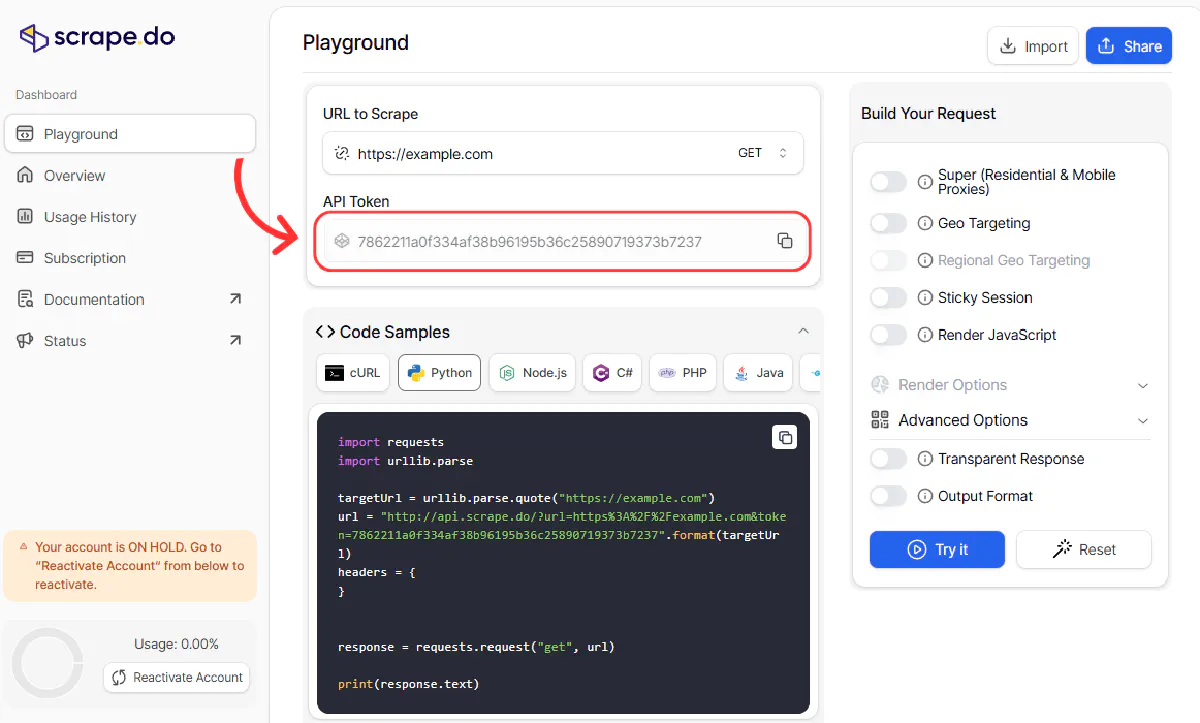
Then, paste the token in the code below and run it:
import requests
import urllib.parse
from bs4 import BeautifulSoup

token = "<your_token>"
target_url = "https://scrapingtest.com/cloudflare-rate-limit"
encoded_url = urllib.parse.quote(target_url)

for i in range(10):
    print(f"--- Request {i + 1} ---")

    url = f"http://api.scrape.do/?url={encoded_url}&token={token}"

    response = requests.get(url)
    soup = BeautifulSoup(response.content, 'html.parser')

    h1 = soup.find('h1')
    h2 = soup.find('h2')

    print(f"H1: {h1.get_text(strip=True)}")
    print(f"H2: {h2.get_text(strip=True)}")
Here's what your output will look like:
--- Request 1 ---
H1: Cloudflare Rate Limit
H2: ✅ Challenge PassedYour IP:145.223.59.141
--- Request 2 ---
H1: Cloudflare Rate Limit
H2: ✅ Challenge PassedYour IP:185.88.36.172
--- Request 3 ---
H1: Cloudflare Rate Limit
H2: ✅ Challenge PassedYour IP:212.119.43.107
--- Request 4 ---
H1: Cloudflare Rate Limit
H2: ✅ Challenge PassedYour IP:162.220.246.251
--- Request 5 ---
H1: Cloudflare Rate Limit
H2: ✅ Challenge PassedYour IP:31.56.137.182
--- Request 6 ---
H1: Cloudflare Rate Limit
H2: ✅ Challenge PassedYour IP:168.199.247.221
--- Request 7 ---
H1: Cloudflare Rate Limit
H2: ✅ Challenge PassedYour IP:84.33.57.65
--- Request 8 ---
H1: Cloudflare Rate Limit
H2: ✅ Challenge PassedYour IP:193.163.89.210
--- Request 9 ---
H1: Cloudflare Rate Limit
H2: ✅ Challenge PassedYour IP:171.22.249.240
--- Request 10 ---
H1: Cloudflare Rate Limit
H2: ✅ Challenge PassedYour IP:193.151.191.42
And that's it. 10 requests. No blocks. No headaches. Fast as lightning.
Which Fix Should You Use?
Making your scraper behave less aggressively, waiting as long as Retry-After says, or rotating IPs can definitely help you overcome Cloudflare Error 1015. None of them is the definitive solution, though.
You'll run into many more errors, CAPTCHAs, and challenges.
All of which become irrelevant with Scrape.do:
- 150M+ rotating proxies across 150+ countries, so no single IP of yours piles up requests against a rate limit
- Fully managed scraping pipeline, so you just send a URL and get clean HTML or rendered output
- Automatically bypass Cloudflare, CAPTCHAs, and other WAFs
- 99.98% success rate, even on heavily protected sites
- Extremely scalable and cost-effective for serious scraping operations
With Scrape.do, you don't have to think about rate limits ever again :)
Frequently Asked Questions
How do you fix Error 1015?
Error 1015 happens because you've sent too many back-to-back requests through the same IP to a Cloudflare-protected website. To fix, you either need to wait and add some time between your requests or change your IP, regularly. The response's Retry-After header tells you how long the wait is.
Is Error 1015 Permanent?
No. Error 1015 is always temporary, because it comes from a rate limiting rule with a timeout attached rather than a permanent ban.
How long it lasts is set by the site owner. Cloudflare's rate limiting rules let them pick a mitigation timeout of 0, 10 seconds, 1 minute, 2 minutes, 5 minutes, 10 minutes, 1 hour, or 86400 seconds (a full day). Cloudflare publishes no universal default, and the options available depend on the site's plan, so you cannot know the exact wait from the error page alone. The Retry-After header on the response is the closest you'll get.
How long does Error 1015 last?
Anywhere from 10 seconds to a full day, depending on the timeout the site owner configured. Short blocks are far more common than long ones.
If you are browsing normally, wait a few minutes and try again. If you are scraping and the block clears quickly but returns, the request rate is the problem, not the wait: add delays or rotate IPs rather than retrying into the same limit.
What does Error 1015 mean?
It means a Cloudflare rate limiting rule counted too many requests from your IP within the site owner's chosen time window and is now blocking you. The counting window is one of 10 seconds, 1 minute, 2 minutes, 5 minutes, 10 minutes, or 1 hour.
It is not an accusation that you did anything malicious. A shared office IP, a VPN exit node, or an aggressive browser extension can all trip the same rule.
Why does Error 1015 return a 429 status code?
Because 1015 is the page Cloudflare shows when a rate limiting rule blocks a request, and the HTTP status for "you sent too many requests" is 429 Too Many Requests. In our tests the response also carried a Retry-After header with the number of seconds left on the block, counting down from 10.
How do I fix Error 1015 on my own website?
If your own visitors or API clients are getting Error 1015, the block comes from one of your rate limiting rules. Cloudflare's advice is to review the rule's thresholds, and if a rule blocks requests within a very short period, such as one second, to raise that period to 10 seconds so normal bursts of traffic don't trip it.
R&D Engineer








