Indeed Scraper
Scrape Job Listings and Salaries from Indeed
Extract job titles, pay ranges, employers and locations from the highest-traffic job site in the US. Headless Chrome sent straight to Indeed gets a 403 "Additional Verification Required" page instead of the listings. Scrape.do returns the full job and search HTML with one API call.
Start scraping today with 1000 free credits. No Credit Card Required
400M+ Monthly Visits. 60+ Countries. One API.
Indeed is the #1 jobs and employment site in the US on Similarweb, with about 415.8 million visits in October 2026 and a #62 global rank. Launched in 2004 and owned by Recruit Holdings since 2012, it aggregates listings from job boards, staffing firms and company career pages in 60+ countries and 28 languages. About 41% of its desktop traffic comes from the US, followed by Canada, the UK, India and Japan.
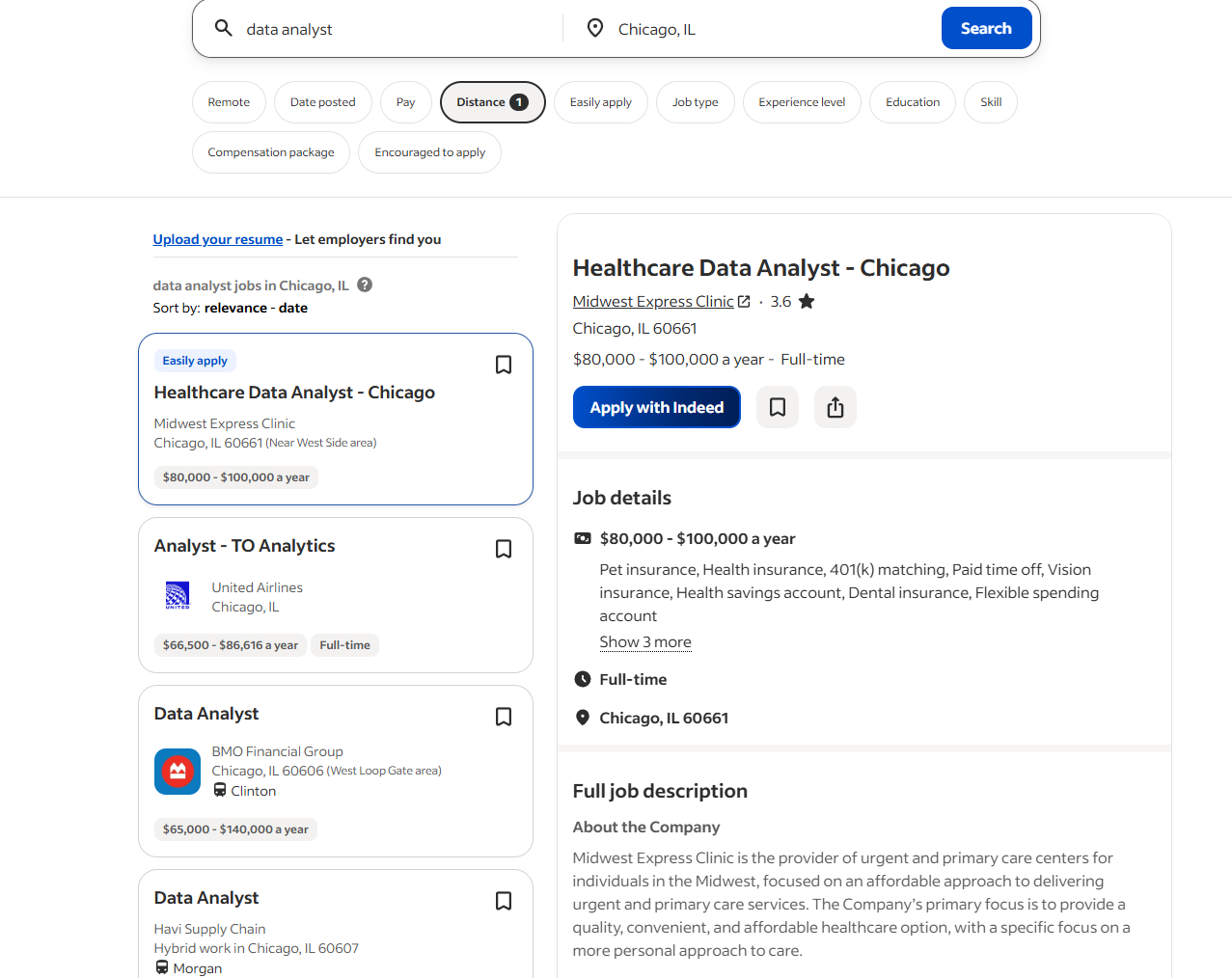
With Scrape.do you can track pay ranges by title and city, measure hiring demand by employer, feed job aggregators and recruiting tools, and give AI agents current labor-market data instead of stale exports. Every search results page carries its job cards as JSON inside the HTML, so one request returns the job key, title, company, location and salary snippet for each card on the page.
Verification Pages. Plain Clients Blocked. Handled.
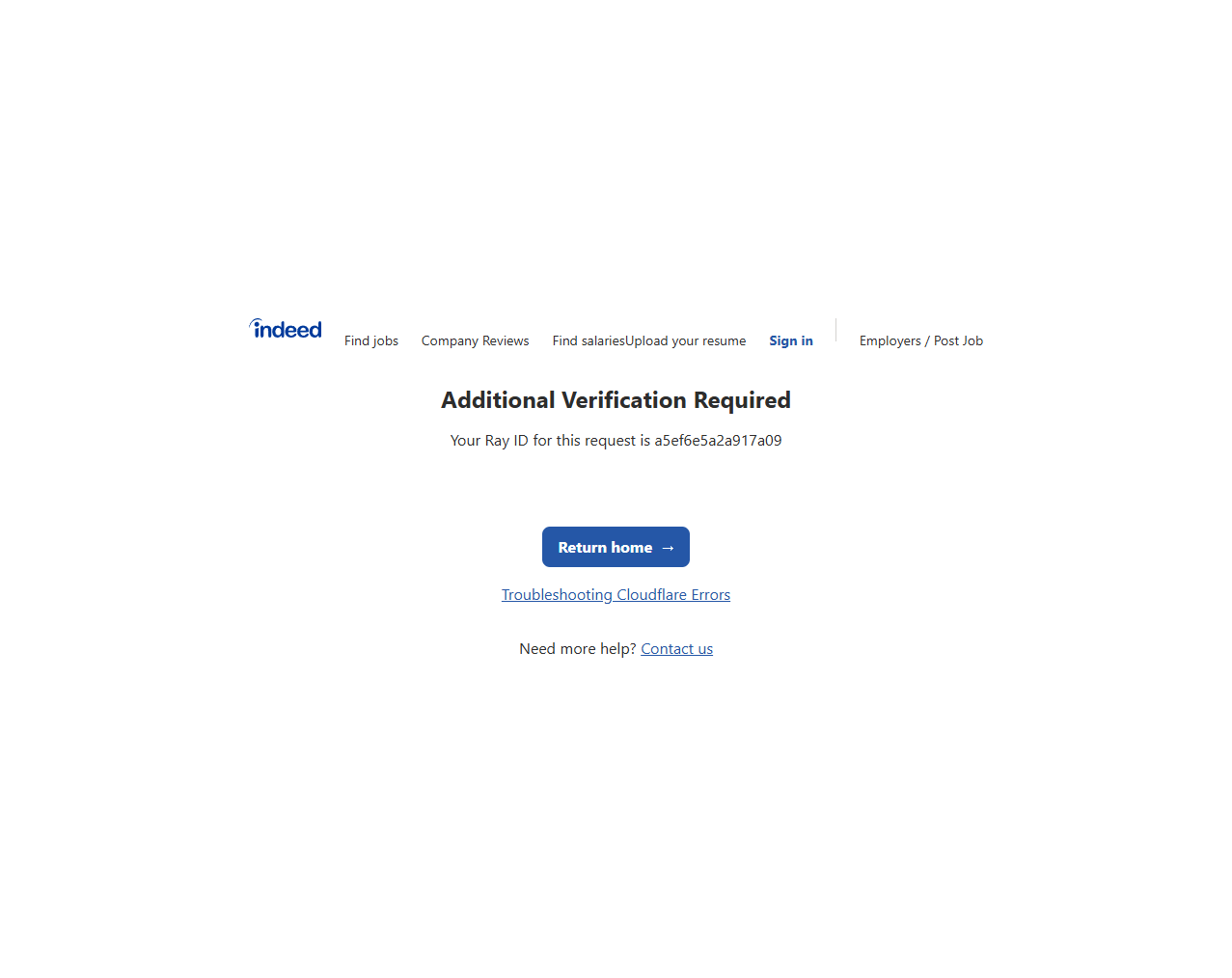
Indeed runs behind Cloudflare. When we opened a Chicago search page in headless Chrome from a regular connection, the response was a 403 "Additional Verification Required" page with a Ray ID and no job cards. Plain HTTP clients fare no better: a request sent with the Python requests User-Agent returned a 403 "Blocked" page, and cURL with a Chrome User-Agent got a 401 "Authenticating..." page.
Scrape.do routes each request through its proxy pool with browser-grade headers and returns the same job HTML a signed-out visitor sees, embedded job data included. Our test requests for a job page and a search page both came back 200 with standard parameters, with no render or super needed.
How to Scrape Indeed
Select a Target
Send API Request
import requests
import urllib.parse

token = "<SDO-token>"
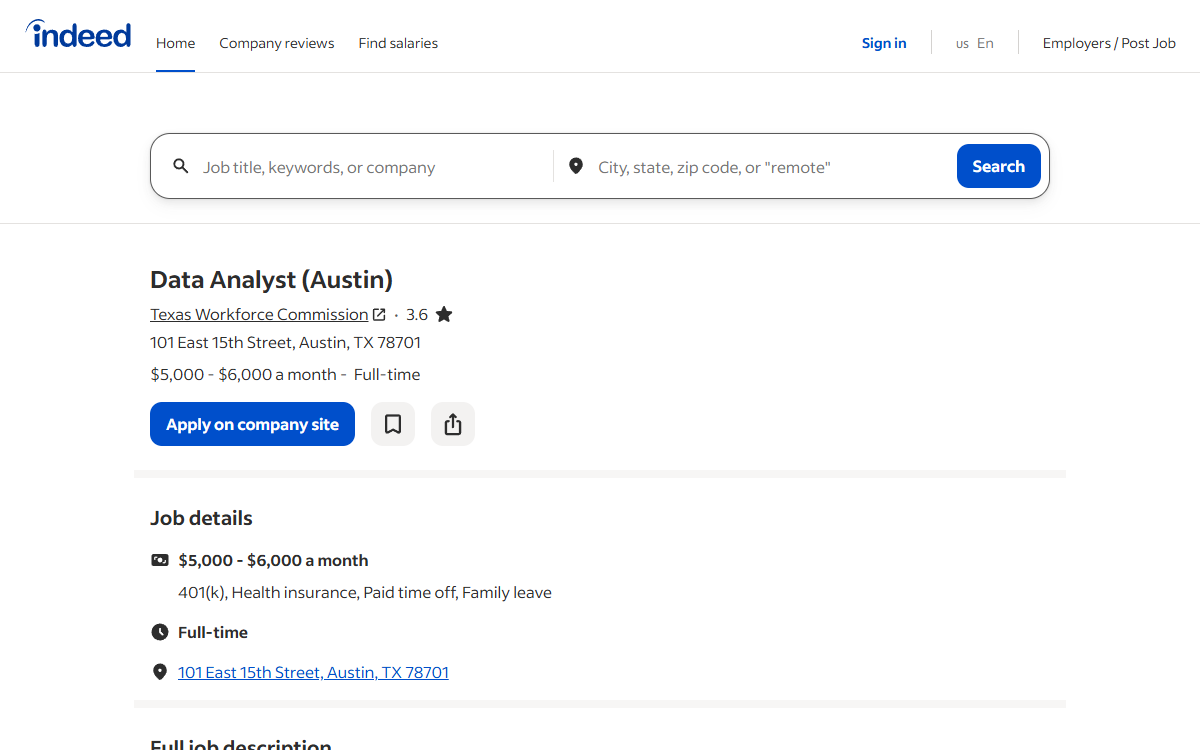
targetUrl = "https://www.indeed.com/viewjob?jk=befa724efe3f5aad"
render = "false"  # set to "true" to enable JavaScript rendering
super = "false"  # set to "true" to enable residential proxies

encodedUrl = urllib.parse.quote(targetUrl)
url = f"https://api.scrape.do/?token={token}&url={encodedUrl}&render={render}&super={super}"

response = requests.get(url)

print(response.text)Get HTML
<!DOCTYPE html>
<html lang="en">
<head>
  <meta charset="utf-8">
  <title>Data Analyst (Austin) - Austin, TX 78701 - Indeed.com</title>
</head>
<body>
  <div class="jobsearch-JobInfoHeader">
    <h1>Data Analyst (Austin)</h1>
    <div class="company">
      <a href="/cmp/Texas-Workforce-Commission">Texas Workforce Commission</a>
      <span class="rating">3.6</span>
    </div>
    <div class="location">101 East 15th Street, Austin, TX 78701</div>
    <div class="salary-and-type">
      <span class="salary">$5,000 - $6,000 a month</span>
      <span class="job-type">Full-time</span>
    </div>
  </div>
  <div class="benefits">
    <ul>
      <li>401(k)</li>
      <li>Health insurance</li>
      <li>Paid time off</li>
      <li>Family leave</li>
    </ul>
  </div>
  <div class="job-description">
    <p>The Data Analyst collects, cleans and reports workforce data...</p>
  </div>
  <script>
    window._initialData = {
      "jobTitle": "Data Analyst (Austin)",
      "companyName": "Texas Workforce Commission",
      "formattedLocation": "Austin, TX 78701",
      "salaryText": "$5,000 - $6,000 a month",
      "salaryType": "MONTHLY",
      "benefits": ["401(k)", "Health insurance", "Paid time off", "Family leave"]
    };
  </script>
  <!-- ... remaining page content ... -->
</body>
</html>
Scrape.do has been a game-changer with powerful scraping tools, but what truly sets them apart is their excellent customer support.

CTO


Average Response Time
No tickets connect with expert engineers.

Success rate

Ethically sourced proxies

Faster gateway than the closest competitor.







Reliable, Scalable,Unstoppable Web Scraping
Sounds great, but I have a few questions..
Yes. Indeed job and search pages are public and load without signing in. In our tests, a search page that showed a 403 "Additional Verification Required" page to headless Chrome, and a job page that returned 403 or 401 to plain HTTP clients, both came back as full HTML through Scrape.do with standard parameters.
Job pages give the title, employer, employer rating, address, pay range and pay period, job type, benefits and the full description. Search pages give every result card on the page with its job key, title, company, location and salary snippet, which you can use to collect job keys first and then fetch each job page.
Indeed search URLs take q for keywords and l for location, and the pagination links add start=10, start=20 and so on. Request each page through Scrape.do, read the job cards from the embedded JSON, and stop when a page returns no new job keys.
No. Indeed job pages ship their data in the server HTML, including a JSON object with the job title, company name, salary text, job types and benefits. Keep render=false and parse that object instead of the visible layout.