Category:Scraping Tools

Best Google Trends APIs in 2026: We Load-Tested 7 Providers and Only 3 Answered

Clock21 Mins Read
calendarCreated Date: August 21, 2026
calendarUpdated Date: August 21, 2026
author

Software Engineer

githublinkedin

Google's official Google Trends API is an alpha behind an application form (we checked on 2026-08-31), and the search results under it are vendor pages, each promising a working Trends parser. None of them says whether the parser works.

The failure modes are quiet ones. A Trends pipeline that stores an empty JSON object with HTTP 200, or stalls against an hourly quota halfway through a keyword list, is worse than one that throws, because nothing in the logs says it failed.

Seven providers advertise a Google Trends API, or a Google Trends scraper API depending on the page. We sent 2,702 live requests through every one we could reach, load-tested the survivors at concurrency 1 to 5, and three answered with usable data.

This is the buy side. Teams that would rather run their own Google Trends scraper can scrape Google Trends directly with Python instead.

Google Trends API benchmark, 2,702 requests, three working providers

Provider Endpoints working Coverage Stress (240 requests, c1 to c5) Endurance (200 at c5) p50 latency Hourly cap $/1K bundles
Scrape.do 1 of 1 tested 30/30 240/240 200/200 4,582 ms none observed $1.10
SerpApi 5 of 5 105/106 0/160 (200/hour quota) not run (quota) 2,828 ms 200/hour $50.00
ScrapingDog 4 of 5 75/106 159/160 200/200 993 ms none observed not published

A bundle is one keyword's interest over time plus regional breakdown: one call on Scrape.do, two on the others. SerpApi's 0/160 is a plan ceiling, not a scraper failure. Stress ran 60 requests per level on Scrape.do and 40 elsewhere; p50 is from endurance for Scrape.do and ScrapingDog and from the coverage TIMESERIES call for SerpApi.

Table updated August 31, 2026. The general providers live in our best web scraping APIs benchmark; this one is Trends only.

Seven providers advertise a dedicated Google Trends API, parsed JSON rather than raw trends.google.com HTML: Scrape.do, SerpApi, ScrapingDog, Bright Data, WebScrapingAPI, Oxylabs, and Decodo. A pilot pass of one call per provider and endpoint pair dropped four of them.

One run, one day: 2026-08-31, 01:20 to 02:31 UTC. We froze the inputs first, 30 keywords, 8 geos for trending now, and 8 autocomplete prefixes, so every provider saw the same requests.

Totals across all phases: Scrape.do 970 requests, 970 ok; SerpApi 866, 451 ok (52.1%); ScrapingDog 866, 748 ok (86.4%). Two of those need a reading guide: SerpApi's 52.1% is its Starter plan's 200-per-hour throttle, and ScrapingDog's 86.4% is one endpoint that returned nothing on every request. Latency is wall clock from our client, retries on the provider's side included.

Four Phases, 2,702 Requests

Coverage ran every supported provider and endpoint pair over the frozen inputs: 30 requests for Scrape.do's one bundled endpoint, 106 each for SerpApi and ScrapingDog. Soak cycled every endpoint kind at concurrency 5 for 1,300 requests, ramped stress ran the interest-over-time call at concurrency 1, 2, 3, then 5, and endurance was 200 consecutive requests at concurrency 5, with drift read as the first fifth's mean latency against the last's.

Two constraints were deliberate. Concurrency stopped at 5, the limit ScrapingDog's account endpoint reports as concurrency_limit: 5 and SerpApi documents for its plan; past a published limit a test proves only that rate limiting works. And every SerpApi load request carried no_cache=true, since a repeated query returns the same search_id in about 17 ms from cache; without the flag a load test measures SerpApi's CDN, and the gap it hides is 99% success cached against 16% live in the soak.

What Counted as Success

A response passed only when all four held: HTTP 200, a parseable JSON body, not an empty object, and no error or message field from the provider. The empty object rule earned its keep: ScrapingDog's related queries endpoint returned HTTP 200 with a body of {}, two bytes, on every request, and a check that reads only the status code would have scored it at 100% and stored nothing. Our runner flags those rows empty_200: true.

A provider saying "no data" counts differently. SerpApi's one coverage miss was "Google Trends hasn't returned any results for..." on a keyword Google itself had nothing for: a miss, and correct behavior.

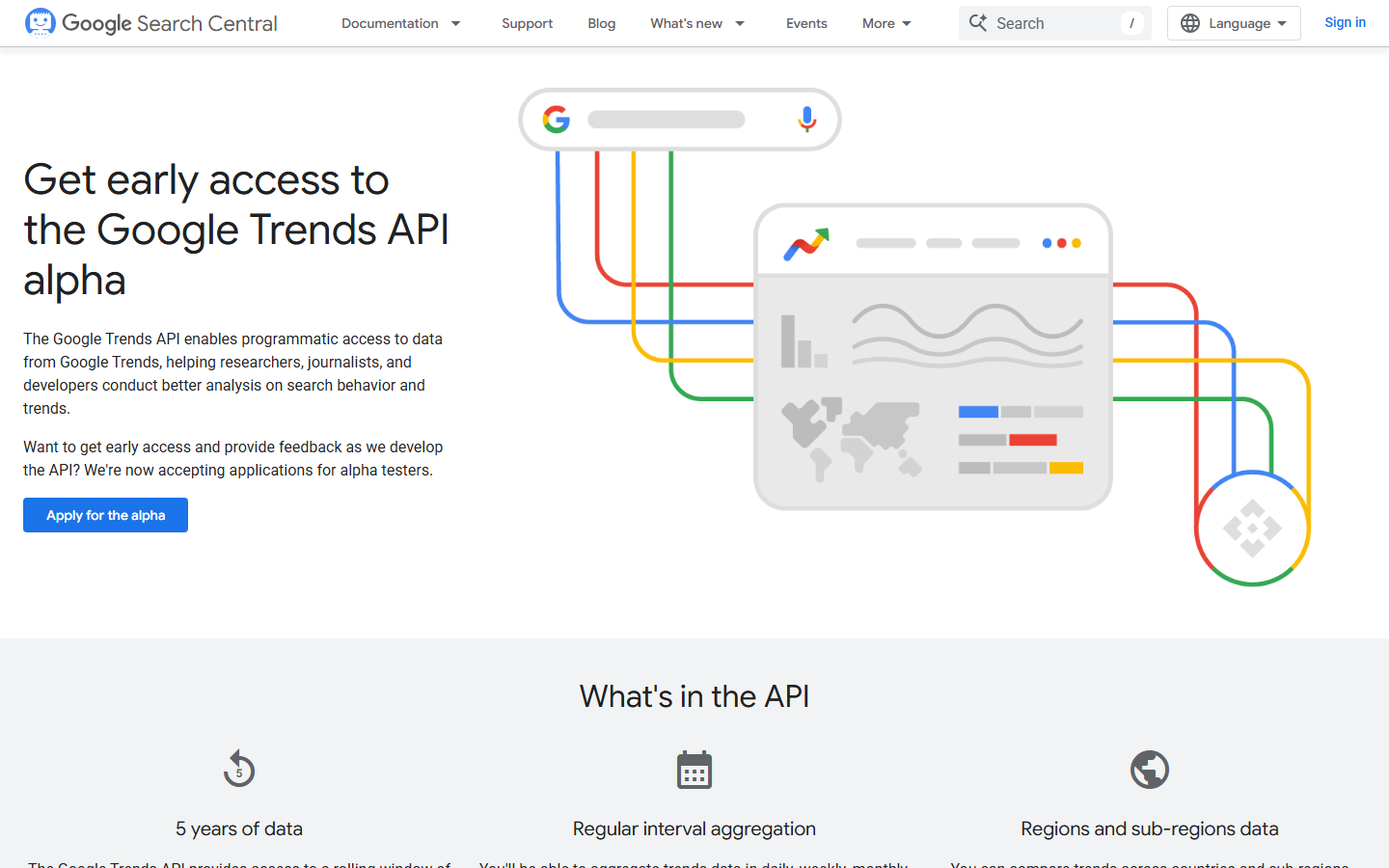
Google's developer page for the Google Trends API alpha, still accepting applications for early access

On 2026-08-31, Google's developer page for the Trends API read "Get early access to the Google Trends API alpha" and "We're now accepting applications for alpha testers". The announcing blog post carries a 2025-07-24 date; every quote here comes from the developer page.

The page promises "a rolling window of the last 5 years of data", aggregation "in daily, weekly, monthly, and yearly intervals", and "countries and sub-regions (sometimes more!)", with values that are not scaled 0 to 100. Not on the page: quota, pricing, launch date, related queries, trending now, autocomplete.

Google had not approved our application at benchmark time, so we sent zero requests, and ranking the Google Trends API alpha on no numbers would be a guess dressed as a result. Once the application clears, it is the better tool for unscaled historical interest in known terms; for today's data, the other surfaces, or volume without a quota negotiation, a commercial Google Trends API is the tool.

The Four That Could Not Be Tested
Bright Data's Google Trends API product page, whose brd_trends parser returned zero-byte bodies in our benchmark

Bright Data is the notable one. Its brd_trends parser returned HTTP 200 with a zero-byte body after about 90 seconds on every Trends URL we tried, while the same serp_api2 zone returned 1.47 MB in 4.3 s for a plain Google search. The zone is healthy and the Trends path is dead, and a 90-second wait ending in an empty body returns nothing to branch on. Teams shopping for Bright Data alternatives can add this to the list.

WebScrapingAPI returned HTTP 403 "Your API key is not allowed to use this service" on a bare engine=google_trends call; the 400 "Parameter 'data_type' not allowed" we saw first was downstream of that 403. A plan entitlement, which a rerun does not fix.

Oxylabs and Decodo failed on our side: HTTP 401 and HTTP 429 "used all requests / subscription period ended", both reproduced on example.com, so lapsed credentials and a spent quota. Both advertise google_trends_explore and both are rerun items.

The honest split: two account problems of ours, one plan entitlement, one broken parser verified against a healthy zone. Four more never made the roster and get no numbers: DataForSEO's Google Trends API, Apify's Google Trends actor, Glimpse's paid API, and pytrends.

One bundle, interest over time plus regional breakdown for one keyword, is the comparable unit, because SerpApi and ScrapingDog charge two calls (TIMESERIES plus GEO_MAP_0, timeseries plus geomap) for what Scrape.do returns in one. Prices per call flatter whoever slices thinnest.

Provider Credits per call Calls per bundle $/1K calls $/1K bundles Hourly cap Monthly cap Hours for 1K bundles
Scrape.do 10 1 $1.10 $1.10 none credit balance about 16 minutes at measured 1.07 req/s
SerpApi (Starter, $25/mo) 1 2 $25.00 $50.00 200 1,000 searches at least 10 hours
ScrapingDog (Lite) 5 2 not published not published none 200,000 credits n/a

Scrape.do's figure is the one we measured: the scrape.do-request-cost header read a flat 10 on 105 sampled requests and on all 200 endurance requests, and at the lab's validated $0.11 per 1K at 1 credit ($0.00011 per credit) that is $1.10 per 1K calls, 45x under SerpApi per bundle from a lower price per call and half the calls.

SerpApi's came live from serpapi.com/account: "Starter Plan ($25/mo)", searches_per_month: 1000, account_rate_limit_per_hour: 200. One search is one credit, so $50 per 1K bundles, and the 2,000 searches behind 1,000 bundles take at least 10 hours at 200 per hour, a rate limit no tuning on our side gets around.

ScrapingDog's 5 credits per Trends call come from its published table, and api.scrapingdog.com/account reports 200,000 credits per month at concurrency 5 without exposing the Lite plan's dollar price, which we did not record either, so ScrapingDog gets no dollar figure. The safe arithmetic: 200,000 credits at 10 per bundle is 20,000 bundles a month.

1. Scrape.do
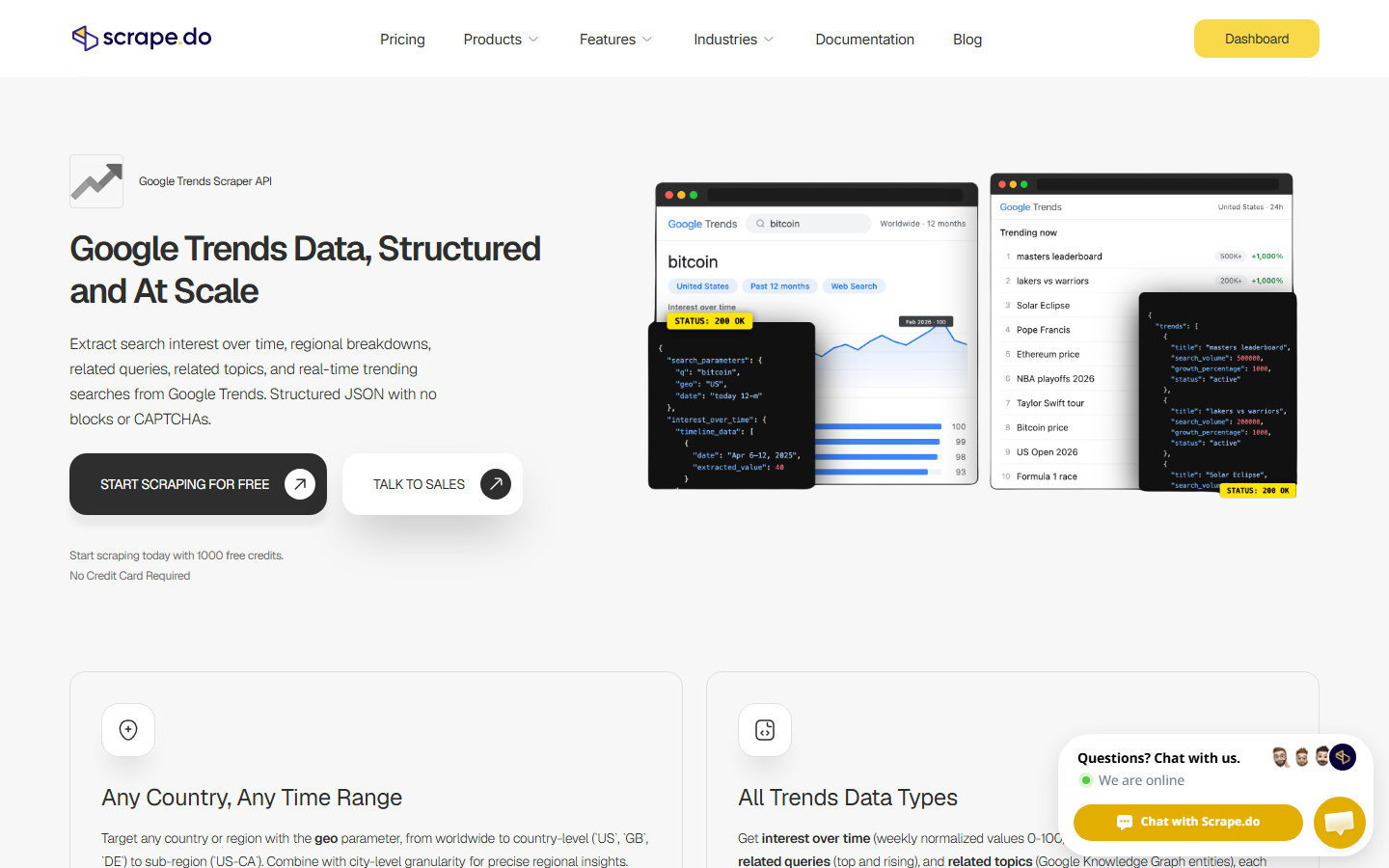
Scrape.do Google Trends API product page with sample interest over time and trending now JSON responses

Scrape.do's Google Trends API was one call in this benchmark: GET /plugin/google/trends with q and geo, 10 credits. The default response bundles interest_over_time (53 weekly points for the 12-month window) and interest_by_region (all 51 US regions) in one JSON body.

The record is why it ranks first: 970 of 970 across coverage, soak, stress, and endurance, zero failures of any kind, a record no other provider matched. Mean latency fell from 5,474 ms at c1 to 4,985 ms at c5 under ramped stress, the signature of healthy connection reuse, and endurance drifted from 4,585 ms to 4,720 ms between the first and last fifth, +3%.

The p99 matters more for a pipeline with a timeout on every request: 7,699 ms against a 4,582 ms p50, a 1.7x spread, against 6.5x for ScrapingDog on the same run. That tightness is worth more than raw speed.

The schema is field for field identical to SerpApi's TIMESERIES plus GEO_MAP_0 pair, value as string and extracted_value as number included, and 7 of 24 shared series came back identical to SerpApi's, the rest differing by Google's sampling. One call, and a schema most SerpApi parsers already handle.

In our tests, Scrape.do returned 970 of 970 requests with usable data, the only provider that never failed once, at $1.10 per 1,000 bundles.

  • Perfect record across all 440 load test requests (240 ramped stress plus 200 endurance), after 530 clean requests in the phases before them
  • Tightest tail of the three: p99 at 1.7x the median against 6.5x for ScrapingDog, with a 7,750 ms endurance max
  • One call per keyword covers both charts, which is where the 45x gap per bundle against SerpApi comes from, with no hourly ceiling
  • Response schema identical to SerpApi's, so moving off the TIMESERIES plus GEO_MAP_0 pair is a URL change and a token swap rather than a parser rewrite

Where It Falls Short

Slowest median of the three: 4.6 s on the bundled call against 2,828 ms for SerpApi and 993 ms for ScrapingDog, and the bundle fetches both charts even when a caller wants only the timeseries, so discarding the regional half still costs the full 4.6 s.

We benchmarked only the bundled explore call, so no numbers exist here for related queries, trending now, or autocomplete. The docs list data_type=TIMESERIES for the timeseries alone, RELATED_QUERIES, RELATED_TOPICS, and a separate /plugin/google/trending endpoint, all not tested in this benchmark and carrying no numbers; autocomplete does not appear in the docs.

Start free with Scrape.do and test the Google Trends API with 1000 free credits

2. SerpApi

SerpApi dashboard and Google Search API playground, the same account that serves its Google Trends API engines

SerpApi covers Trends through the engine family from our Google SERP API benchmark: engine=google_trends with data_type set to TIMESERIES, GEO_MAP_0, or RELATED_QUERIES, plus engine=google_trends_trending_now and engine=google_trends_autocomplete, one credit per search; SerpApi's Google Trends API docs have the parameters.

SerpApi is the only provider with all five surfaces working: coverage 105/106, and the miss was Google returning no data and SerpApi saying so. The payloads are the richest of the three, 19.1 KB of related queries per keyword where ScrapingDog returns two bytes, and 640 trending items with categories resolved to names and news links attached.

Then the plan ceiling. serpapi.com/account read account_rate_limit_per_hour: 200 and this_hour_searches: 209 on the "Starter Plan ($25/mo)": coverage and soak had spent the hourly bucket, so stress came back 0/160 at every level, including c1, which is sequential and cannot be a concurrency effect. Every request was an HTTP 429 reading "Your account has been throttled. You are exceeding 200 searches per hour." We logged it as a finding and skipped endurance, since 200 more requests would have measured the quota, not the service.

Cached and live are two different products: cached repeats in the soak went 298/300 at a 17 ms p50, the same search_id every time, and live with no_cache=true went 48/300 at a 3,752 ms p50.

In our tests, SerpApi answered 105 of 106 coverage requests and was the only API to return related queries, then returned 0 of 160 stress requests because the Starter plan's 200-per-hour bucket was already empty.

  • Complete Trends surface: interest over time, interest by region, related queries, trending now, and autocomplete all working in one account, the only provider where that held
  • The only working related queries endpoint in the benchmark, 29 of 30 keywords, 19.1 KB of top and rising queries per response
  • Trending now with categories resolved to names and news links attached, so there is no local id map to maintain
  • Cleanest error reporting of the three: a keyword with no data comes back as a clear message, a spent quota as a 429 with the limit named in the body

Where It Falls Short

The hourly ceiling is absolute on Starter: 200 searches per hour is a billing limit, and no client tuning gets a burst of a few hundred requests through it. On top sits the 45x premium per bundle, from a higher rate per call and two searches per bundle.

Cached numbers flatter it, so any evaluation has to set no_cache=true before the live 3,752 ms p50 and the 16% live success under a bound quota show up. Every limit we found is a Starter constraint and the data quality is the best of the three, so price a higher tier before deciding; teams weighing a switch instead can start from our SerpApi alternatives breakdown.

3. ScrapingDog

ScrapingDog dashboard and scraper API request builder, the account that served its Google Trends API endpoints

ScrapingDog serves Trends at /google_trends with data_type, plus /google_trends/trending_now and /google_trends/autocomplete; ScrapingDog's Google Trends documentation has the parameters and the 5 credits per call.

Four of five surfaces work. One returns nothing, ever. Coverage was 75/106: related queries 0/30, and 75 of the other 76 requests passed.

It has the fastest median in the benchmark, 993 ms in endurance, and held 200/200 there while drift improved from 1,628 ms to 1,092 ms as connections warmed. Stress came back 159/160 with c5 faster than c1, the one failure a transient "Something went wrong, please try again" at c2, its only transient in 866 requests. The tail is the catch: a p99 of 6,433 ms sits at 6.5x the p50, fast on average and far less predictable request to request.

The broken endpoint is data_type=RELATED_QUERIES: HTTP 200 with a two-byte {} on all 110 requests (30 coverage, 80 soak). We ruled out a parameter mistake, since RELATED_TOPICS and lowercase related_queries both return 400 while RELATED_QUERIES with date=today 3-m or a worldwide geo still returns 200 with {}: the accepted spelling, and it never returns results.

Two more quirks. data_type=GEO_MAP_0, the single keyword regional chart the other two return, gives 400 on every query, so we counted GEO_MAP (compared breakdown, built for multiple keywords), which is not the same data. And the paths use an underscore, /google_trends; the slash form on ScrapingDog's own marketing pages returns the homepage HTML with HTTP 200, a second silent failure for a check that reads only the status code.

Autocomplete is the bright spot: "bitc" resolves to Knowledge Graph entities with MIDs in 629 bytes, the best of the three on that surface.

In our tests, ScrapingDog posted the fastest median at 993 ms and a clean 200 of 200 in endurance, while its related queries endpoint returned an empty object on all 110 requests with HTTP 200.

  • Fastest median by 4.6x over Scrape.do (993 ms against 4,582 ms in endurance), and ahead of SerpApi's 2,828 ms live TIMESERIES p50
  • Held 100% through 200 sustained requests at c5 and got faster while doing it
  • Best autocomplete of the three: Knowledge Graph entities with MIDs and typed categories in 629 bytes, against SerpApi's 2,828 bytes of prefix echo
  • Generous monthly pool with no hourly cap: 200,000 credits, 20,000 bundles, and no throttle in 866 requests

Where It Falls Short

The related queries endpoint is silently broken: 0 of 110, HTTP 200, {}. A pipeline that trusts status codes records 110 successes and writes 110 empty rows, and the empty object check in our runner is the only reason this reads 0% instead of 100%. The tail needs headroom too; a timeout tuned to the 993 ms median trips on the 6,433 ms p99.

The schema diverges from the other two in three places (underscore paths, the values array in region objects, the inverted value and extracted_value types), so a parser written for SerpApi or Scrape.do breaks on all three. Region rows come from GEO_MAP, so they are not like for like, and the dollar price is a gap rather than an estimate.

Output Differences That Will Break a Pipeline

All three read the same Google data, 53 weekly points for a 12-month window and 51 US regions each, with series length and date buckets agreeing everywhere. What differs is the JSON around those numbers, and one difference cost us a wrong measurement in our own analysis. Google also samples Trends, so two fetches minutes apart differ by a point or two, and we do not expect exact agreement even from correct parsers.

Same Google Data, Three Schemas

Provider Region object fields
Scrape.do geo, location, max_value_index, value, extracted_value
SerpApi geo, location, max_value_index, value, extracted_value
ScrapingDog geo, location, max_value_index, values (array)

Scrape.do mirrors SerpApi field for field, from search_parameters at the top level down to timeline_data[] and interest_by_region[], so one parser covers both. ScrapingDog swaps the pair for a values array on region objects and draws its regions from GEO_MAP.

Agreement, point for point on 24 shared keywords: Scrape.do against SerpApi 78.3% exact, 92.7% within 2 points, 98.7% within 5; Scrape.do against ScrapingDog 66.9% exact and 98.3% within 5. The disagreements cluster within a few index points, which is what sampled 0 to 100 indexes look like across independent fetches.

The Type Inversion Trap

SerpApi and Scrape.do put the string in value and the number in extracted_value: "value":"25","extracted_value":25. ScrapingDog inverts them: "value":25,"extracted_value":"25". Code written against one and pointed at the other compares a string to a number. No exception, no warning, wrong answer.

We know because it happened to us. The first agreement pass reported 0.0% for ScrapingDog, implausible when all three providers returned 53 points on the same dates, and the comparison turned out to be checking "25" === 25. Coercing both fields and preferring whichever one parses corrected it to 66.9%.

The rule for a shared schema: parse both fields, coerce to a number, and never trust the field name to say which one carries the number.

SerpApi ScrapingDog
Items (US) 640 626
Payload 311 KB 82 KB
Term key query title
Categories [{id:17, name:"Sports"}] resolved [17] ids only (field name id)
Extra fields serpapi_google_trends_link, news_page_token, serpapi_news_link end_timestamp, trend_breakdown (list of related searches)

Both surface the same trends with matching search_volume and increase_percentage values; our pilot sample, "aaron donald", 200,000, +1000%, category 17, matched on both. SerpApi's payload is 3.8x larger, and that is where the resolved category names and the links go, serpapi_news_link among them, which hands a trend straight to Google News scraping. ScrapingDog returns bare ids that need a local map, cheap on the wire with the mapping landing on us. Both choices make sense, and neither is free.

Autocomplete splits harder. For "bitc", SerpApi echoes the prefix as a search term, {"q":"bitc","title":"bitc","type":"Search term", ...}, in 2,828 bytes, while ScrapingDog resolves it to Knowledge Graph entities, {"mid":"/m/05p0rrx","title":"Bitcoin","type":"Cryptocurrency"} first, in 629 bytes: more useful data in a fifth of the bytes, and ScrapingDog's clearest win in the benchmark. Scrape.do sat out both surfaces; its docs list a /plugin/google/trending endpoint, not tested in this benchmark, and no autocomplete.

What to Pick

Bulk interest over time and regional data at volume: Scrape.do, on 970/970, one call per keyword, no hourly cap, and 1,000 bundles in about 16 minutes.

The full Trends surface and related queries inside 200 per hour: SerpApi, the only related queries endpoint that returns data, at 45x the price per bundle and at least 10 hours per 1,000 bundles on Starter.

Raw speed and autocomplete: ScrapingDog, at 993 ms p50 and 200/200 in endurance. Skip its related queries and check every body for {}.

Avoid for now: Bright Data's Trends parser, until the zero-byte bodies stop; the SERP zone is healthy, so a retest after a fix is cheap.

The same benchmark series covers our Google Maps API benchmark and Google Shopping API benchmark, for teams sourcing more than one Google surface.

No single provider covers breadth, speed, and volume together, so the realistic production pairing is Scrape.do or ScrapingDog for bulk timeseries and geo, with SerpApi as the Google Trends API alternative for related queries and trending now. The bulk side runs uncapped and the SerpApi side stays inside 200 per hour because it only handles what the others do not cover; one vendor for everything works only on SerpApi, and only inside its quota.

For most pipelines the pick is Scrape.do, on 970/970 across every phase, a 1.7x tail spread, and $1.10 per 1K bundles, with SerpApi added for related queries or trending now. That pairing runs on one parser; ScrapingDog plus SerpApi needs two.

FAQ

The official Google Trends API alpha is free to apply for, but the developer page publishes no price, quota, or launch date, and Google does not guarantee access. On the commercial side, Scrape.do's free tier is 1,000 credits, which is 100 Trends bundles at the measured 10 credits per call, and SerpApi has a free tier plus a $25 Starter plan for 1,000 searches. We did not record ScrapingDog's price.

Yes: the Google Trends API alpha has taken applications since July 2025, and on 2026-08-31 the developer page still read "accepting applications for alpha testers". It describes a rolling 5-year window, daily to yearly aggregation, countries and sub-regions, and unscaled values, with no public quota, price, or launch date. It is not in this ranking because we had no access at benchmark time and no numbers to rank.

ScrapingDog, at 993 ms p50 across 200 endurance requests. SerpApi measured 2,828 ms p50 on a live TIMESERIES call and about 17 ms from cache, and Scrape.do measured 4,582 ms, the slowest median with the tightest tail at 1.7x against ScrapingDog's 6.5x. A timeout tuned to ScrapingDog's median trips on its tail; one tuned to Scrape.do's median hardly moves.

From SerpApi, yes: 29 of 30 keywords returned top and rising related queries, 19.1 KB per response. From ScrapingDog, no: 0 of 110 requests, each one HTTP 200 with a two-byte {} body, across every date and geo variant we tried. Scrape.do's benchmarked call does not include them, and the RELATED_QUERIES data type in its docs went untested, so there is no number.

pytrends is an unofficial Python library that calls the same Trends endpoints without a proxy layer, and its maintainers archived the GitHub repository in April 2025. It fits low volume, one geography, and a tolerance for 429s and breaking changes. At sustained volume, or when a pipeline needs a stable schema, a hosted Google Trends API or a Google Trends scraper built on a scraping API takes over; the direct approach is in our guide to scraping Google Trends with Python.

Three of seven advertised Google Trends APIs answered: Scrape.do never failed in 970 requests and costs $1.10 per 1K bundles, SerpApi has the full surface behind a 200-per-hour ceiling, and ScrapingDog is the fastest with one endpoint that returns nothing.

The next step is the same whichever way the pick goes: run a 30-keyword coverage pass with a check for empty bodies before trusting any provider's status codes, then pair Scrape.do for bulk with SerpApi for related queries if the pipeline needs that surface.

Get 1000 free credits and start scraping with Scrape.do