Category:Anti BotView as Markdown
CAPTCHA Bypass in 2026: Top 5 Approaches Explained

Web Scraping Expert


One of the biggest challenges in web scraping, browser automation, and bot development is dealing with CAPTCHAs. These verification systems are engineered to distinguish between human users and automated bots.
Instead of developing custom logic to overcome each challenge, it is better to prevent them from being triggered altogether. In this article, you will explore the five most common CAPTCHA bypass and solving approaches, helping you build more reliable automated workflows.
Why CAPTCHAs Have Become So Popular
The rise of automated traffic helps explain why CAPTCHAs have become so frequent. According to Cloudflare Radar, bots currently account for 61.8% of HTTP requests to HTML content, compared with 38.2% from humans.
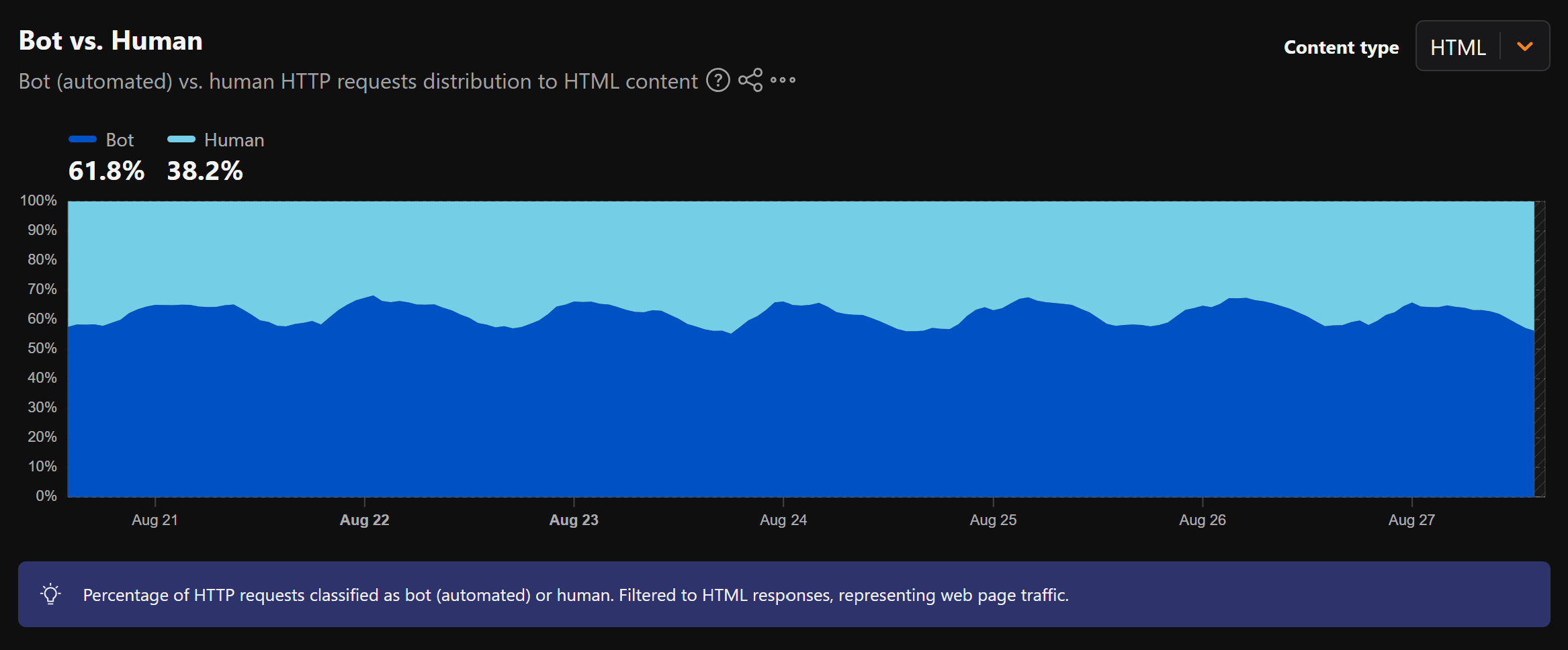
As automated traffic expands, websites are adopting CAPTCHAs and other anti-bot measures to separate genuine visitors from automated bots. The emergence of AI-powered bots has made this task even more difficult, as modern systems can navigate websites and interact with their content in increasingly human-like ways.
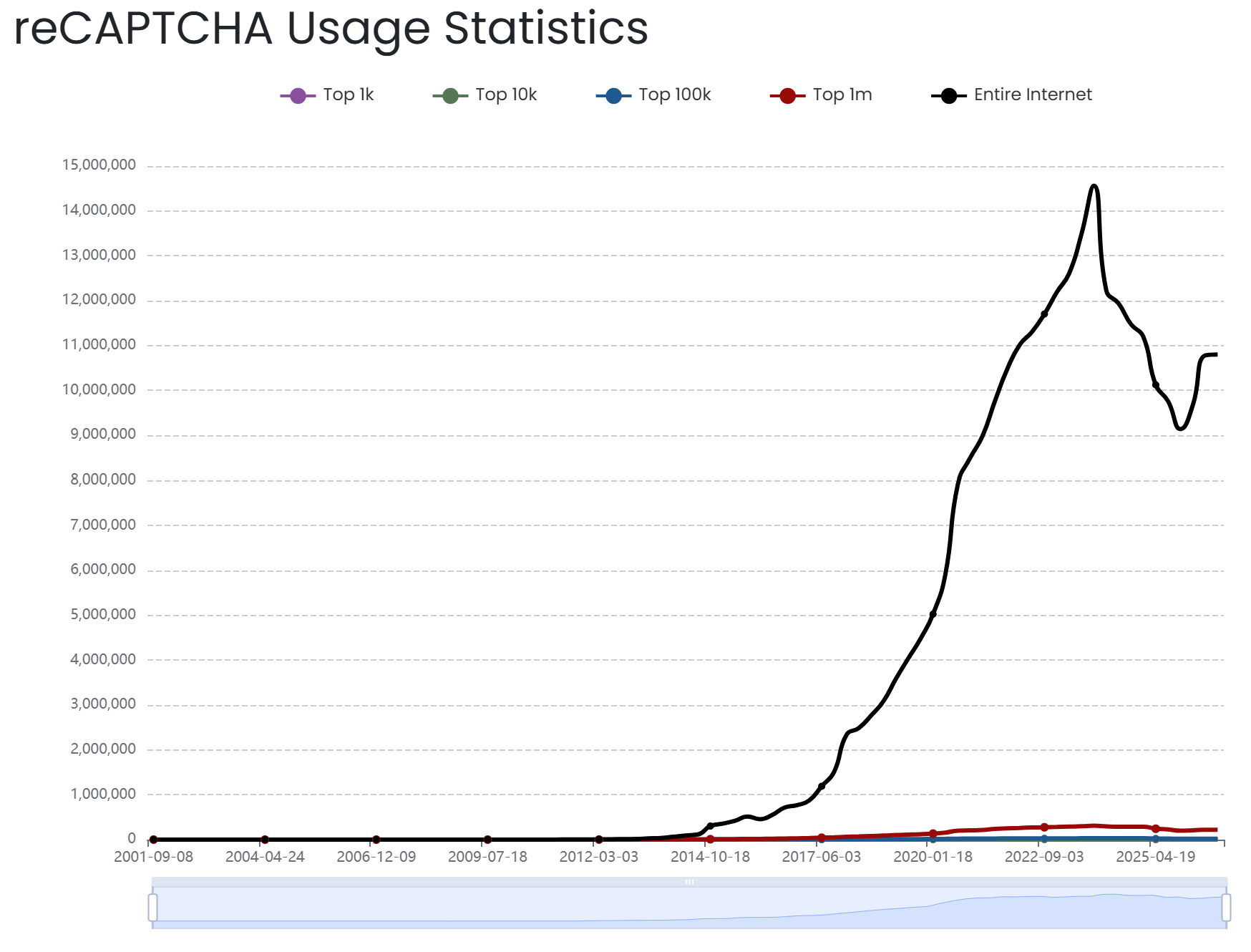
Adoption data from BuiltWith illustrates how widespread these technologies have become. Its latest data identifies around 10.8 million live websites using reCAPTCHA.
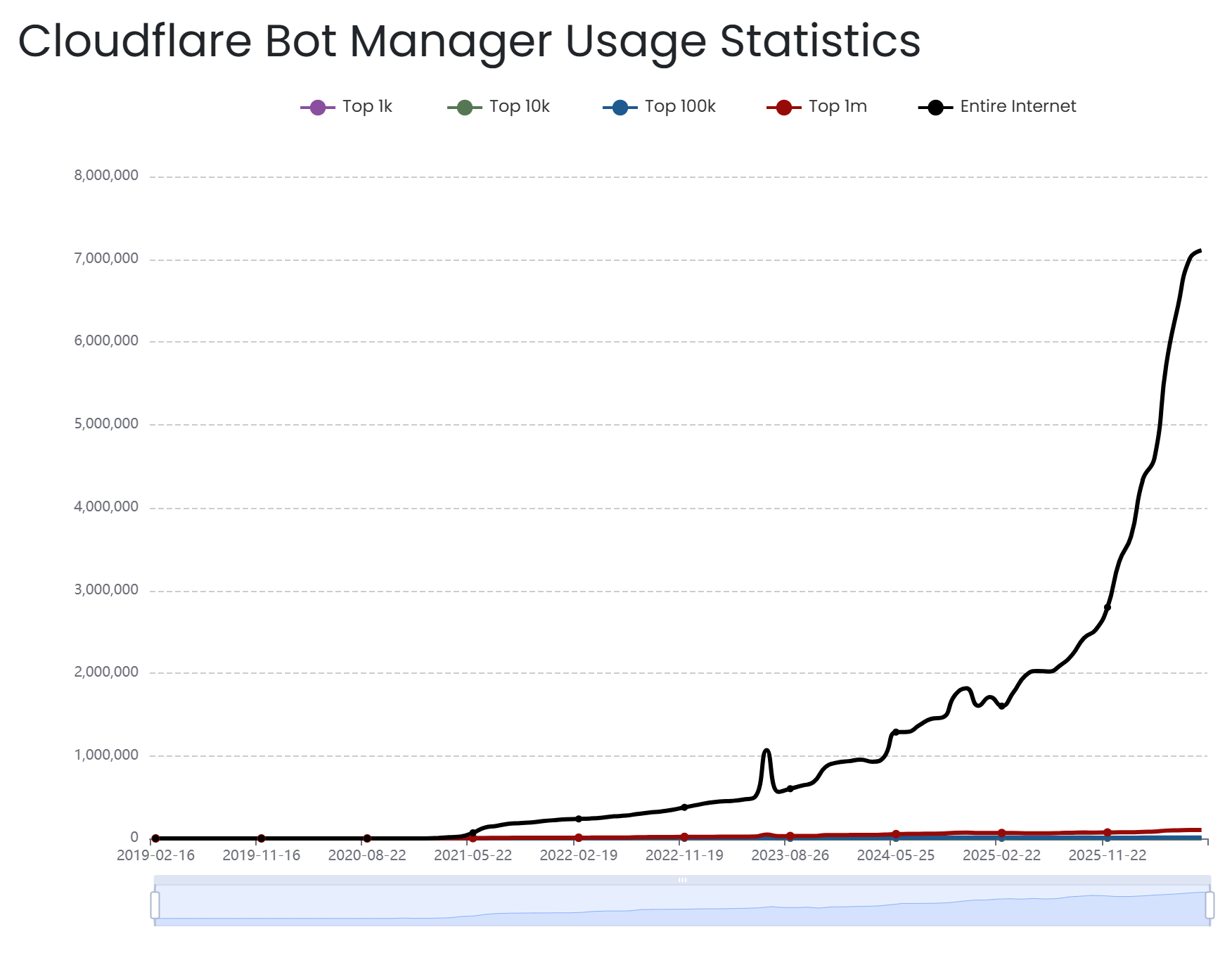
Similarly, more than 7.1 million websites are protected with Cloudflare Bot Manager.
For users, however, stronger protection often means more friction. Simple click or hold challenges can already interrupt a workflow, but image-selection, puzzle, and multi-step CAPTCHAs can take considerably longer to complete and become frustrating even for legitimate visitors.
Main CAPTCHA Bypass Methods
Dig into the five most common approaches for how to bypass CAPTCHA challenges. For a quick overview, refer to the summary table below:
| Approach | Short description | Layer | Type | Effective against | Popular providers / libraries / tools |
|---|---|---|---|---|---|
| CAPTCHA Proxies | Use reputable proxy IPs to reduce CAPTCHA triggers caused by network signals. | Network | Bypasser | IP reputation, rate limits, and network-level traffic patterns | Bright Data, Oxylabs, Infatica |
| Patched Browser Automation | Modify or mask browser signals that can reveal automated activity. | Application | Bypasser | CAPTCHAs triggered by browser fingerprinting and automation detection | Camoufox, Patchright, SeleniumBase, nodriver, Kameleo |
| AI and ML-Based Solvers | Use AI/ML models to recognize and interact with visual CAPTCHAs. | Application | Solver | Image-based, visual, slider, and selected interactive CAPTCHAs | Botright, reCognizer |
| CAPTCHA-Solving APIs and Extensions | Outsource CAPTCHA challenges to automated systems and/or human solvers. | Application | Solver | reCAPTCHA, hCaptcha, Turnstile, GeeTest, image, text, audio, and other supported challenges | 2Captcha, Anti-Captcha, CapSolver, CapMonster |
| All-in-One Web Scraping APIs | Combine proxies, browser automation, rendering, and CAPTCHA handling behind one API. | Network | Bypasser (+ Solver) | Multiple CAPTCHA and anti-bot systems, depending on the provider | Scrape.do, Bright Data |
Keep in mind that these methods can be combined. For instance, you can employ a web scraping API to avoid most CAPTCHAs while relying on a CAPTCHA-solving API for challenges that cannot be skipped, such as mandatory human verification during form submissions.
Learn how each CAPTCHA bypass method works, along with its main advantages and limitations!
CAPTCHA Proxies
CAPTCHA proxies route requests through reputable IP addresses to reduce the likelihood of triggering challenges.
They replace the client’s original IP address with an address from a proxy pool, limiting network-level risk signals such as poor IP reputation, excessive request volume, or traffic originating from known datacenter server ranges.
In detail, high-quality residential, ISP, and mobile proxies can make automated traffic appear more consistent with traffic from human users.
| Category | Value |
|---|---|
| Layer | Network |
| Effective against | CAPTCHAs triggered primarily by IP reputation, rate limits, or network-level traffic patterns |
| Popular providers | Bright Data, Oxylabs, Infatica |
How to Integrate CAPTCHA Proxies
CAPTCHA proxies can be integrated like any other proxy. Providers expose an HTTP, HTTPS, or SOCKS5 endpoint that you configure in your HTTP client or browser automation framework. Once configured, requests from your script are routed through the proxy network.
Pros and Cons
👍 Pros:
- Scales across large workloads.
- Works with most existing HTTP clients and browser automation solutions.
- Provides geographic flexibility.
👎 Cons:
- Browser fingerprinting and behavioral detection can still trigger CAPTCHAs.
- Premium proxy IPs cost more than standard alternatives.
- Previously trusted IPs can eventually become flagged.
Patched Browser Automation
Browsers controlled via standard automation frameworks expose detectable signals that can trigger CAPTCHA challenges due to browser fingerprinting issues. Some tools apply patches to controlled browsers to mask or reduce these signals that reveal automated activity.
The primary goal is to make the resulting controlled browser session appear indistinguishable from a normal user session, thereby lowering the likelihood of CAPTCHAs being loaded.
| Category | Value |
|---|---|
| Layer | Application |
| Effective against | CAPTCHA challenges triggered by browser fingerprinting issues |
| Popular tools | Camoufox, Patchright, SeleniumBase, nodriver, Kameleo Docker, rayobrowser |
Now, not all work in exactly the same way…
Libraries like Camoufox modify browser fingerprints at the source-code level. In contrast, SeleniumBase provides a specialized mode that involves strategic driver disconnection and reconnection to reduce detectable WebDriver signals. nodriver avoids WebDriver entirely and communicates directly with the browser through the CDP (Chrome DevTools Protocol).
Some of these solutions are fully open source, while others rely on proprietary components. For example, some may download patches at runtime or distribute their solutions through Docker images. This makes their internal implementation not fully accessible for inspection, which makes it harder for CAPTCHA providers to reverse-engineer them.
How to Integrate Patched Browser Automation
Docker-based tools typically expose a CDP URL that you can connect to from your existing Playwright, Puppeteer, or Selenium scripts. The typical workflow is:
- Download and launch the Docker image containing the patched browser automation environment.
- Create or select a browser profile with the required fingerprint settings, then launch the profile through the tool's API or local application.
- Connect your browser automation library to the running browser instance via CDP.
- Execute your automation through the established browser session.
For all-in-one patched automation solutions, the setup is usually simpler. These libraries often build on top of Playwright or Selenium and provide specialized modes or arguments that enable their detection-avoidance features.
For instance, enabling UC Mode in SeleniumBase requires you to set the uc argument to True:
# pip install seleniumbase
# seleniumbase install chromedriver

from seleniumbase import SB

# Enable a browser session in UC mode
with SB(uc=True) as sb:
    # Access the CAPTCHA-protected website
    sb.open("https://example.com")

    # Continue with normal browser automation...
Pros and Cons
👍 Pros:
- Reduces browser automation signals that can trigger CAPTCHAs.
- Works with established automation frameworks.
- Can handle multiple detection systems without implementing separate logic for every target.
👎 Cons:
- You can still be blocked due to unnatural browser automation behavior, such as too quick clicks or unrealistic mouse movements.
- Some solutions require paid plans for advanced capabilities.
- Some patches can be reverse-engineered.
AI and ML-Based Solvers
Artificial intelligence and machine learning models can apply computer vision techniques to recognize CAPTCHA challenge elements and determine the required interactions.
| Category | Value |
|---|---|
| Layer | Application |
| Effective against | Image-based, visual, slider, and selected interactive CAPTCHAs |
| Popular libraries | Botright, reCognizer |
Some of the most popular models for CAPTCHA solving are YOLO (You Only Look Once), a family of fast, real-time computer vision systems that process an entire image in a single pass to spot and segment objects.
At the same time, detecting the elements to interact with is only the first step. Beyond recognition, these CAPTCHA-solving solutions must also replicate human-like interaction patterns, including:
- Realistic mouse movements and trajectories.
- Natural click timing and hesitation.
- Keyboard input patterns.
How to Integrate AI and ML-Based Solvers
AI and ML-based CAPTCHA solvers are generally integrated into existing browser automation libraries.
In particular, both Botright and reCognizer are built on top of Playwright and provide specialized methods or browser session objects for CAPTCHA-solving functionality. A basic Botright workflow looks like this:
# pip install botright

import botright

botright_client = await botright.Botright()
browser = await botright_client.new_browser()
page = await browser.new_page()

# Visit a website protected by a visual CAPTCHA challenge
await page.goto("https://example.com")

# Automatic CAPTCHA solving...

# Continue with browser automation...
Pros and Cons
👍 Pros:
- Can solve visual CAPTCHA challenges for you.
- Integrated with browser automation for end-to-end workflows.
- Fully open-source options.
👎 Cons:
- Accuracy varies significantly between CAPTCHA types.
- Models require ongoing updates as CAPTCHA providers introduce new challenge formats.
- Local AI/ML model execution can require significant resources.
CAPTCHA-Solving APIs and Extensions
CAPTCHA-solving services let you outsource CAPTCHA challenges. They accept CAPTCHA parameters via API or automatically detect challenges through browser extensions. Then, they process them using automated systems or, for some CAPTCHA types, forward them to human workers before returning a solution or verification token.
| Category | Value |
|---|---|
| Layer | Application |
| Effective against | reCAPTCHA, hCaptcha, Cloudflare Turnstile, GeeTest, image, text, audio, and other supported challenge types |
| Popular providers | 2Captcha, Anti Captcha, Capsolver, CapMonster |
How to Integrate CAPTCHA-Solving APIs
Integration with CAPTCHA-solving APIs normally follows a simple request-and-poll workflow:
- Your script submits the CAPTCHA details to the provider.
- The provider returns a task ID.
- You check the task status every few seconds.
- Once the challenge is solved, the provider returns a verification token that your application can submit to the target page or set as a cookie, depending on the CAPTCHA implementation.
- You now have access to the unlocked page.
For CAPTCHA-solving browser extensions, you install the extension in the browser controlled by the automation tool, such as Playwright. The extension detects CAPTCHA challenges and handles them directly on the rendered page.
Pros and Cons
👍 Pros:
- Can potentially handle any CAPTCHA type through human solvers.
- Supports many CAPTCHA providers through a single API.
- Provides a practical fallback when CAPTCHAs are mandatory and cannot be bypassed, such as when filling out forms.
👎 Cons:
- Human-based solving introduces additional latency and unpredictable completion times.
- Costs are higher for more challenging CAPTCHAs.
- Human-powered services cannot support scale indefinitely by definition.
All-in-One Web Scraping APIs
Best web scraping APIs combine proxy management, browser fingerprinting, JavaScript rendering, retries, and CAPTCHA handling behind a single interface.
Instead of building a CAPTCHA-handling stack yourself, you send a URL to the API and receive the resulting HTML or structured data from the unblocked page. This makes them one of the most practical options for large-scale scraping.
| Category | Value |
|---|---|
| Layer | Network (either via API or proxy mode) |
| Effective against | reCAPTCHA v2/v3, hCaptcha, Cloudflare Turnstile, image CAPTCHAs, and other anti-bot and CAPTCHA systems |
| Popular solutions | Scrape.do Web Scraping API, Bright Data Web Unlocker API |
Note: Some web scraping API providers support both CAPTCHA bypass and solving scenarios.
How to Integrate All-in-One Web Scraping APIs
The workflow involves only two steps:
- Send the target URL to the web scraping API through an authenticated HTTP request, optionally configuring JavaScript rendering or other settings.
- Receive the resulting page content.
In most cases, CAPTCHA challenges are handled for you by default. Otherwise, the feature can be enabled through the provider’s dashboard or by setting specific API parameters.
As you can see, a web scraping API is probably the simplest and most versatile CAPTCHA bypasser.
Pros and Cons
👍 Pros:
- Combines multiple CAPTCHA bypass (and solving) techniques behind the same API interface.
- Returns the page content directly, rather than requiring you to handle CAPTCHA tokens.
- Scales without requiring you to maintain proxy and browser infrastructure.
- Pricing is often independent of the specific CAPTCHA type encountered.
👎 Cons:
- Success rates can vary between providers and individual target websites.
How to Bypass CAPTCHA Challenges With a Scraping API
In this step-by-step section, you will learn how to use the Scrape.do Web Scraping API to bypass multiple CAPTCHA types on popular target websites.
Note: The snippets below are in Python, but you can easily adapt them to other programming languages or environments that support HTTP requests.
Follow the instructions below!
Prerequisites
To follow along with this tutorial section, make sure you have:
- A Scrape.do account.
- Python installed locally, with a project set up and a virtual environment configured.
- Requests installed in your venv: pip install requests
Step #1: Retrieve the Scrape.do API Token
Log in to your Scrape.do account, or create a new account if you have not already done so. You will then be redirected to the Playground section of your account.
Here, familiarize yourself with the Scrape.do Web Scraping API by experimenting with its available parameters in an interactive web interface. You can also generate runnable code snippets in multiple programming languages.
Next, copy your Scrape.do API token by clicking the “Copy to clipboard” button in the “Your API Token” section:
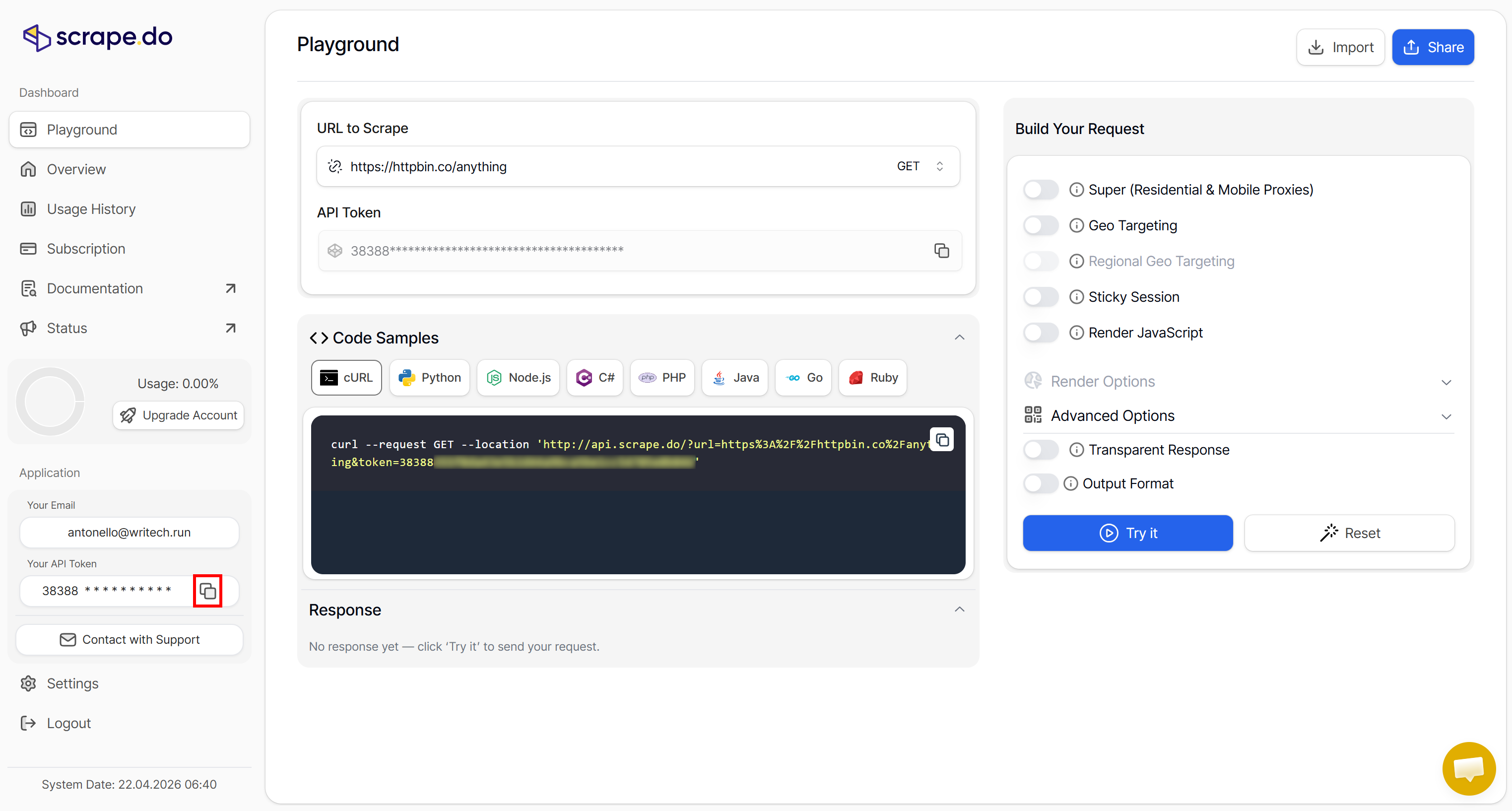
The Scrape.do API token helps you authenticate your requests to the Web Scraping API. Store it securely, as you will need it shortly in your Python scripts for bypassing CAPTCHAs.
Keep in mind that an API token is generated for you when you subscribe. To manage your existing tokens or create a new one, go to the “API Token” section under “Settings”:
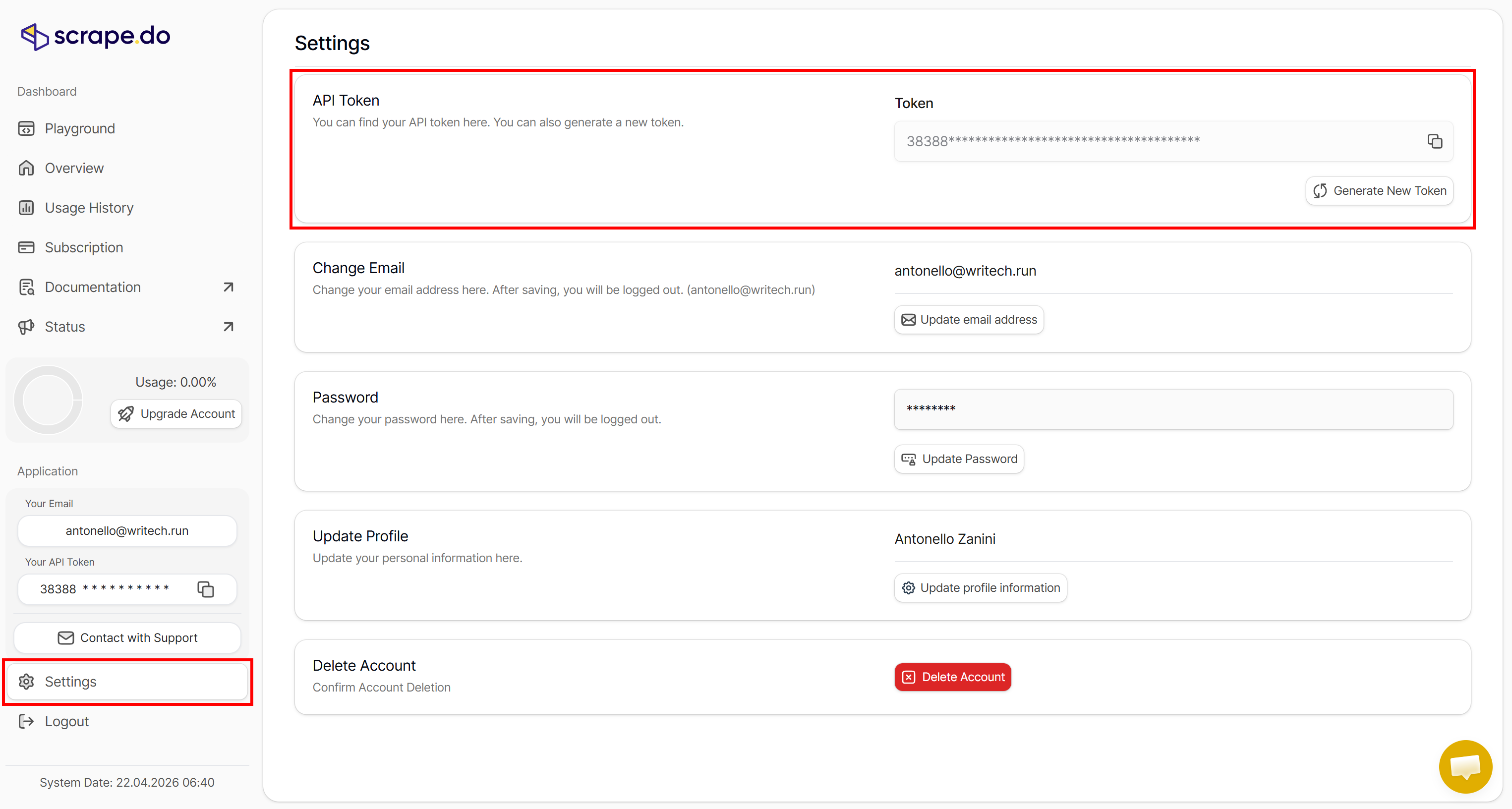
Refer to the documentation to learn how to connect to the Web Scraping API, including its supported parameters, available options, and usage examples.
Step #2: Call the Web Scraping API for CAPTCHA Bypass
Below is a simple script for how to bypass CAPTCHA challenges via Scrape.do's Web Scraping API:
import requests

# The target URL of the CAPTCHA-protected page to access
target_url = "https://example.com/"

# TODO: Replace with your actual Scrape.do API token
SCRAPE_DO_API_TOKEN = "<YOUR_SCRAPE_DO_API_TOKEN>"

# The required parameters to scrape Twitter
params = {
    "url": target_url,
    "token": SCRAPE_DO_API_TOKEN,
    "render": "true", # Required to enable JS rendering and content waiting
    "waitSelector": "<YOUR_CSS_SELECTOR>" # CSS selector for the content behind the CAPTCHA
}

# Perform a request to the Scrape.do API
response = requests.get(
  "https://api.scrape.do/",
  params=params
)

# Raise an exception if the request was unsuccessful
response.raise_for_status()

# Log the response from the Web Scraping API
print(f"Status code:\n{response.status_code}\n")
print(f"HTML:\n {response.text}")
The Python code above:
- Defines the target URL.
- Configures the scraping parameters, including JavaScript rendering and a CSS selector that identifies the content to retrieve.
- Sends an HTTP request to the Web Scraping API, authenticated through your Scrape.do API token.
- Checks the response and prints the returned HTML content.
Note: The same basic logic applies regardless of the target website or CAPTCHA type. You only need to change the target URL and the CSS selector identifying the page content behind the CAPTCHA wall.
See how to use this script against real-world targets!
One-Click CAPTCHA Bypass (Cloudflare Turnstile)
Assume you want to access forum discussion content from the Cloudflare community portal. The site is protected by Cloudflare Turnstile:
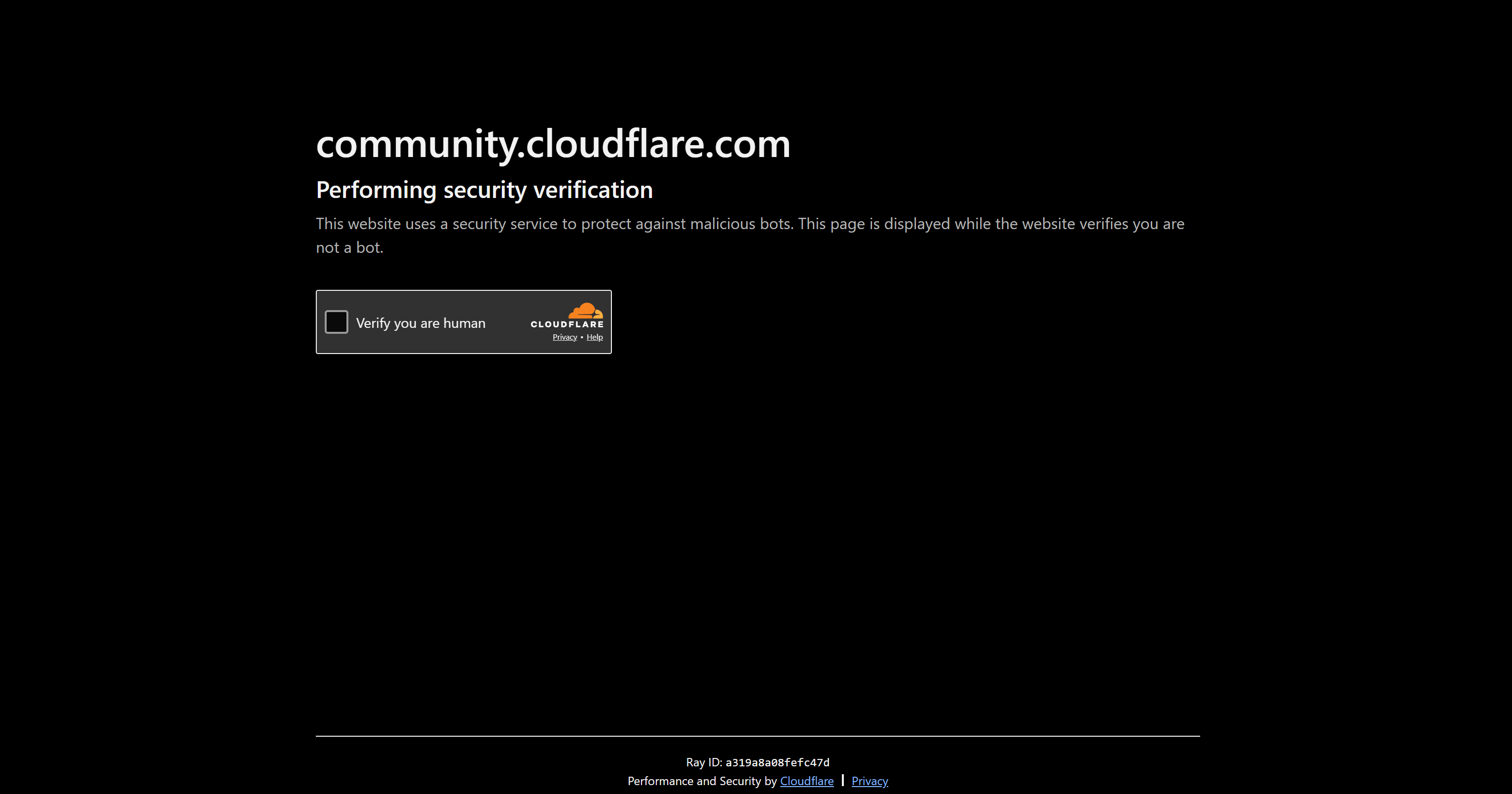
In this case, the target URL is:
target_url = "https://community.cloudflare.com/"Next, inspect the target page in your browser to identify the CSS selector for the main content container:
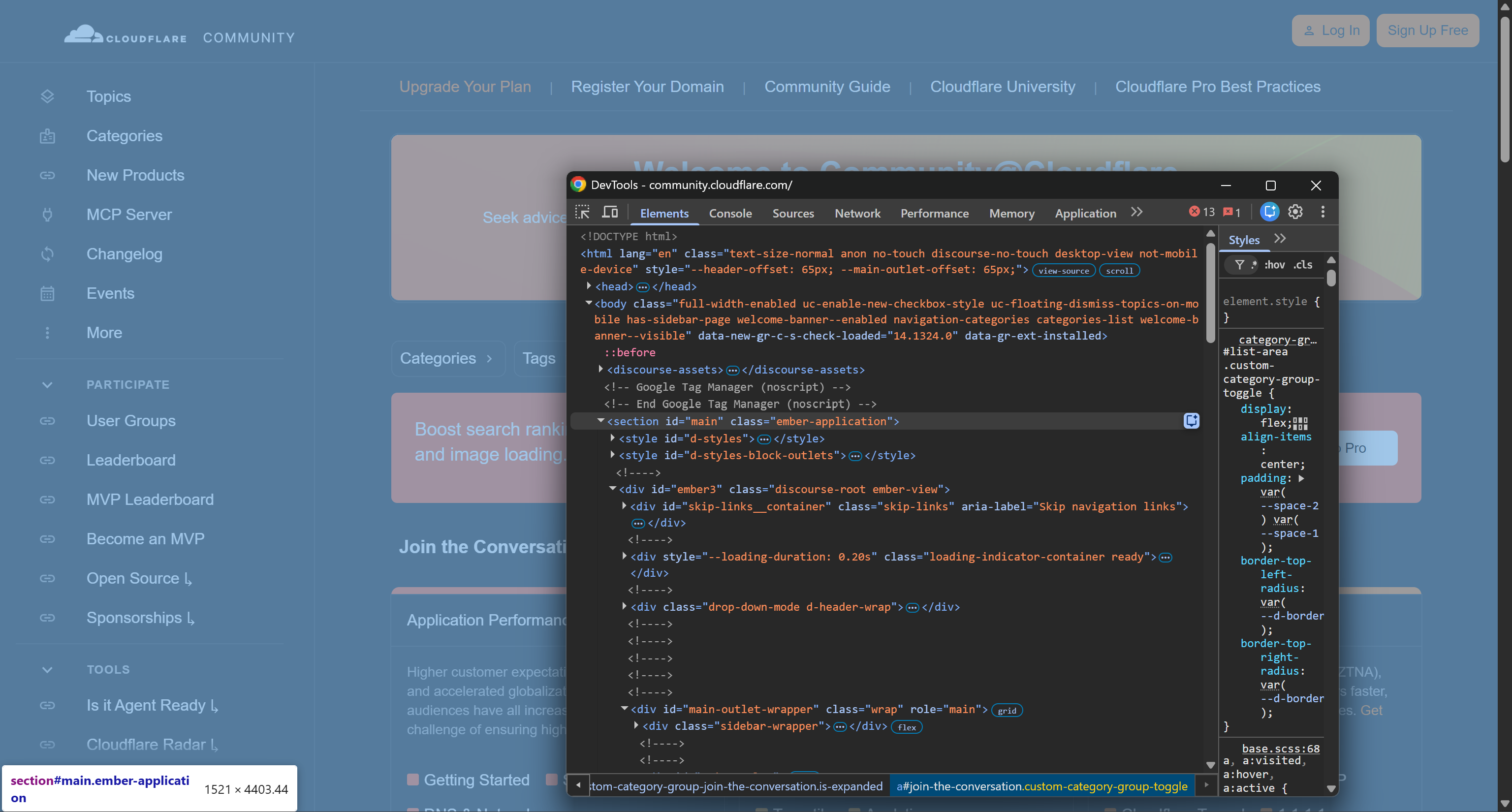
Notice how the main container can be selected using the following CSS selector:
#mainTherefore, the body parameters for the Scrape.do Web Scraping API become:
params = {
    "url": target_url,
    "token": SCRAPE_DO_API_TOKEN,
    "render": "true",
    "waitSelector": "#main"
}
Run the script, and you will receive a response similar to the following:
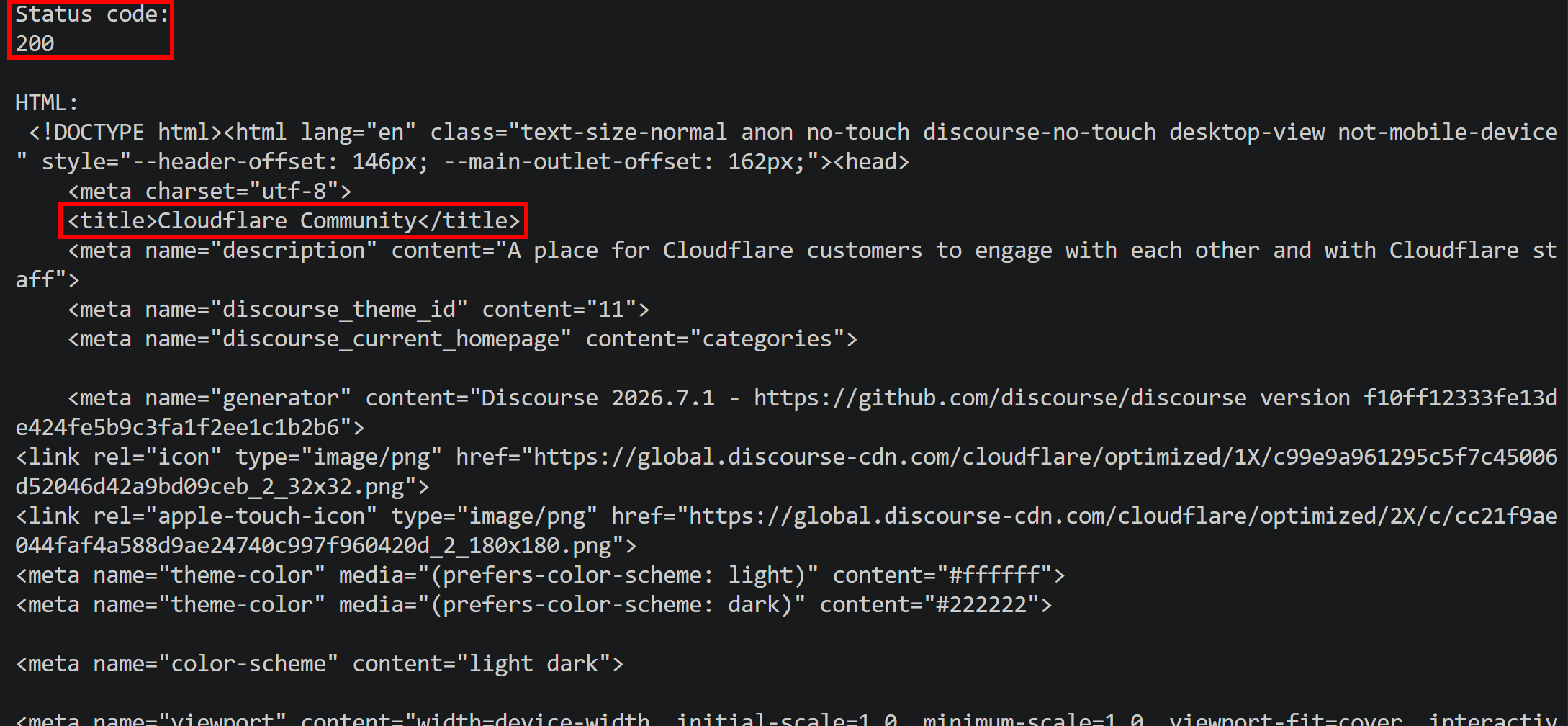
Notice the 200 response status and the returned page title. When a CAPTCHA or other anti-bot mechanism blocks a direct request, you typically receive a non-2xx response (e.g., 403), along with a page title indicating that verification is required.
The result proves that the Scrape.do Web Scraping API successfully handled the Cloudflare Turnstile challenge and returned the requested page content. Amazing!
Slider CAPTCHA Avoidance (DataDome)
One of the more challenging targets for web scraping and browser automation is the Hermès website. It is protected by many anti-bot techniques, including a slider CAPTCHA provided by DataDome:
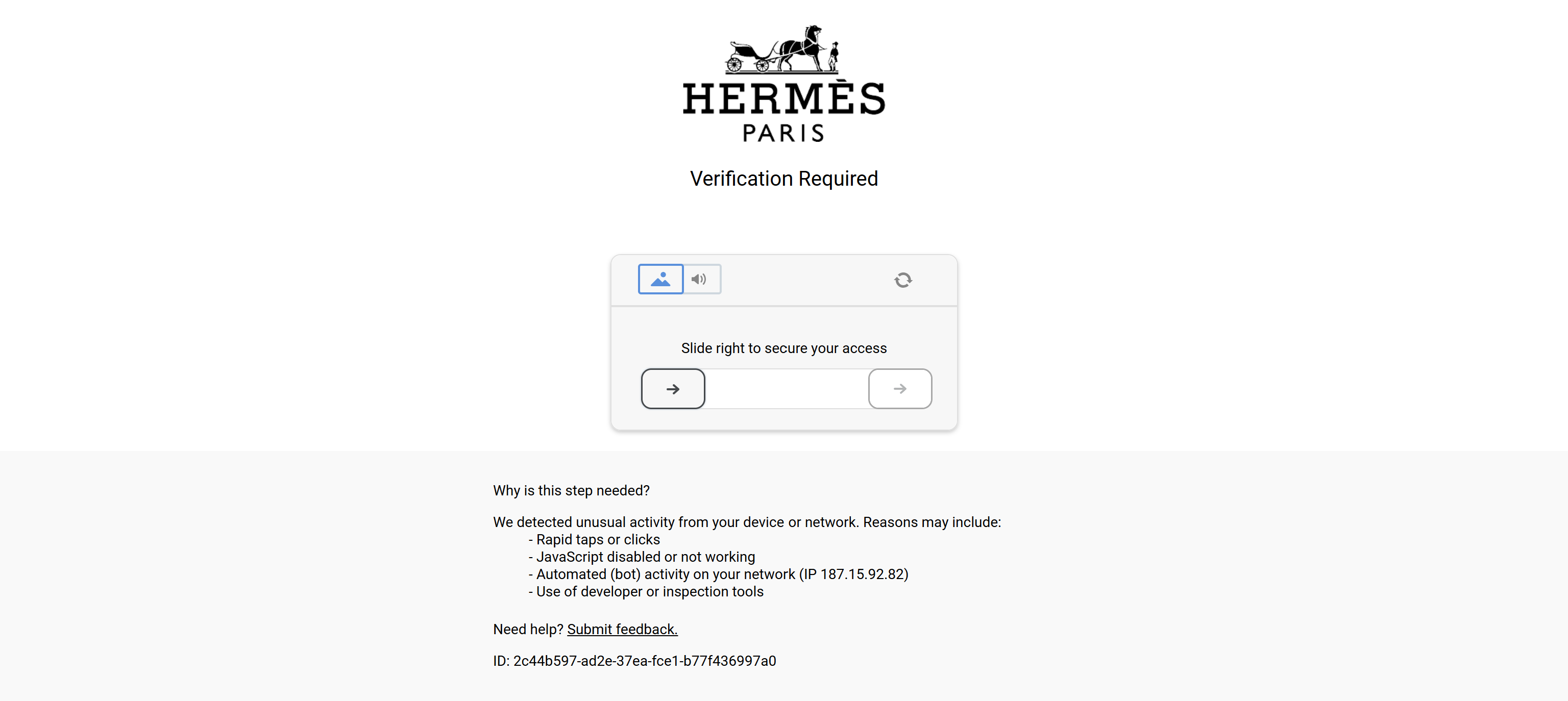
Suppose you want to access a specific Hermès category page:
https://www.hermes.com/us/en/category/jewelry/gold-jewelry/rings/Then, adapt the parameters as follows:
params = {
    "url": target_url,
    "token": SCRAPE_DO_API_TOKEN,
    "render": "true",
    "waitSelector": "#content"
}
Launch the script, and you will get a 200 response:
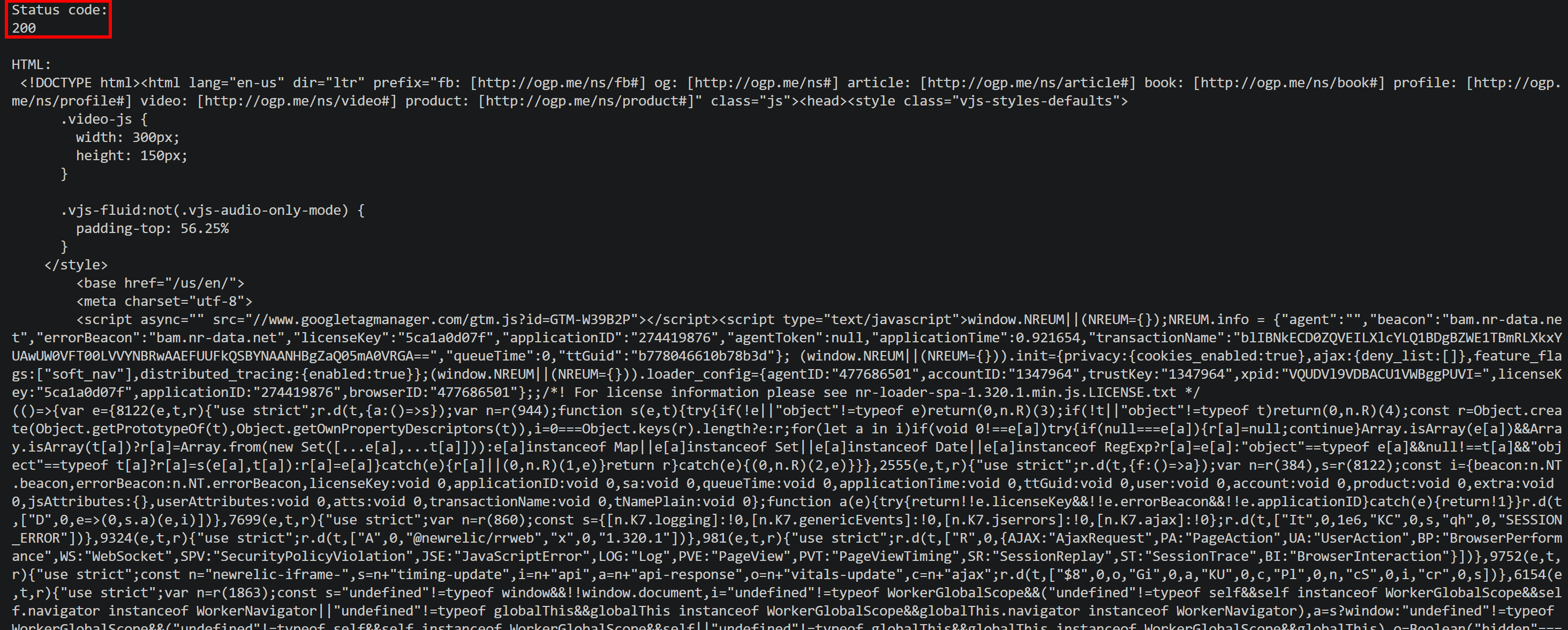
More importantly, the returned HTML is the requested Hermès category page rather than an error page:
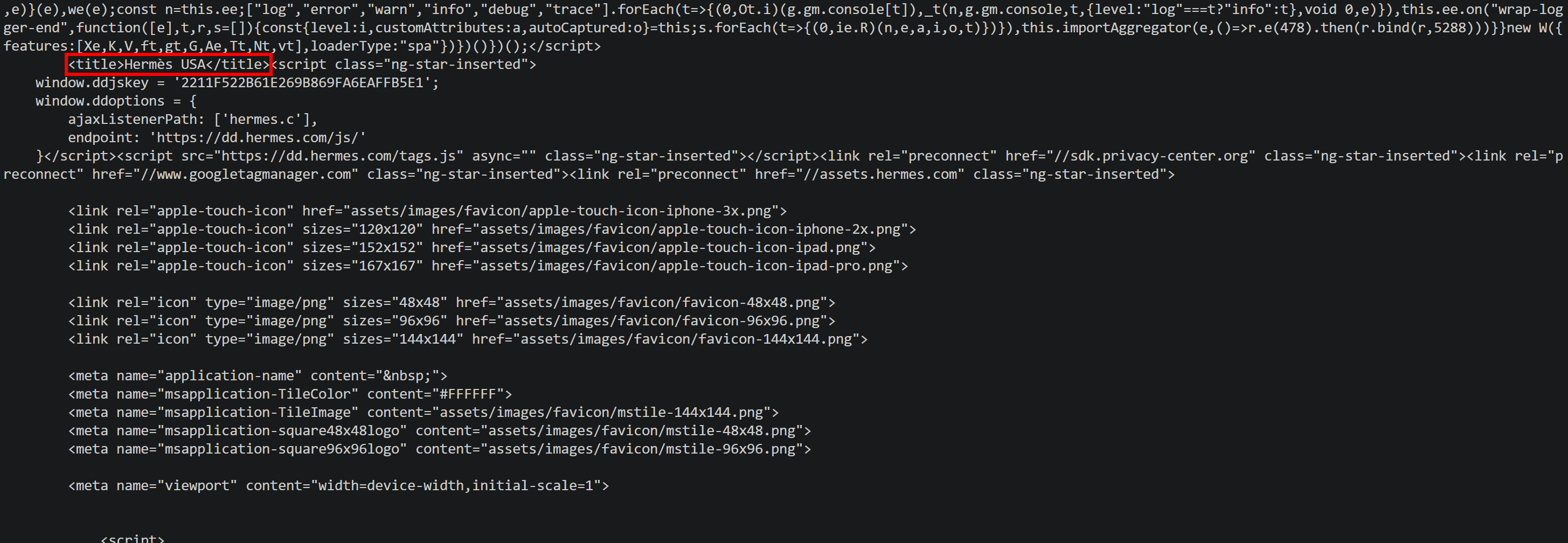 Mission complete! Scrape.do Web Scraping API can handle CAPTCHA challenges even on websites with highly sophisticated anti-bot protection.
Image Selection CAPTCHA Handling (AWS WAF CAPTCHA)
When accessing certain websites, such as Redfin, you might first encounter the following human verification page:
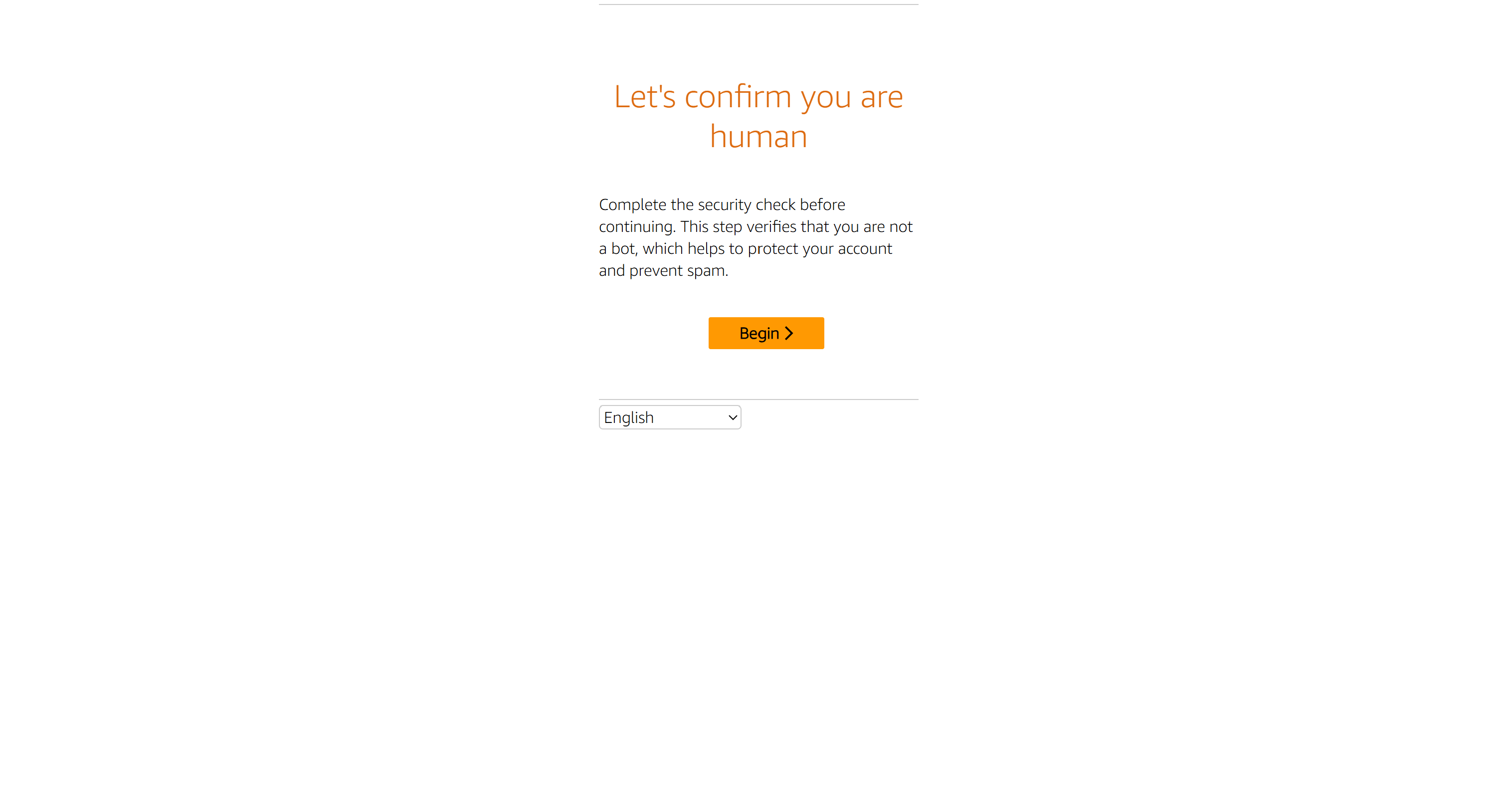
Click the “Begin” button, and you will be presented with an image-based CAPTCHA:
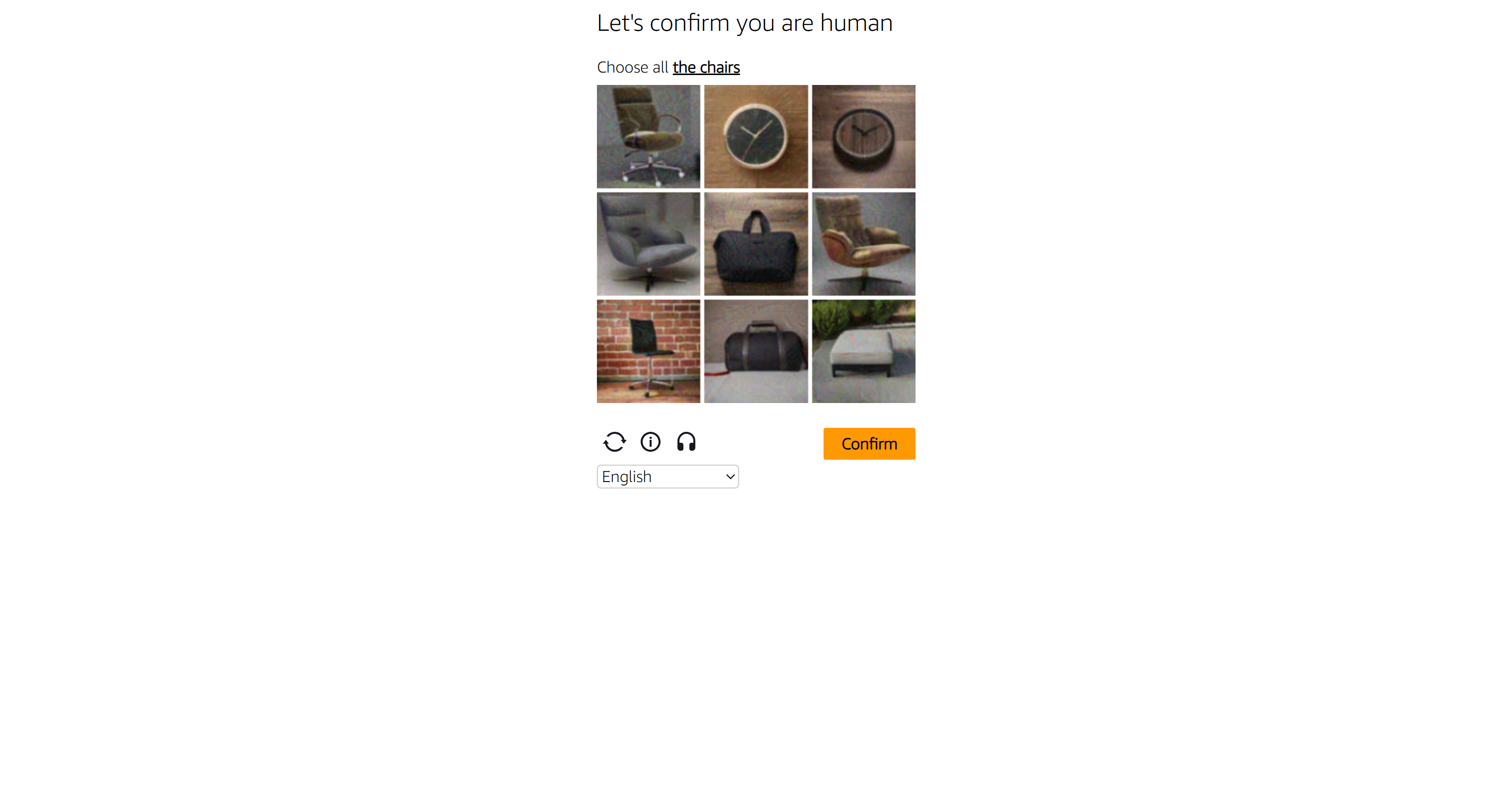
To test the CAPTCHA bypass against Redfin, set the target URL to:
https://www.redfin.com/Then, configure the parameters as below:
params = {
    "url": target_url,
    "token": SCRAPE_DO_API_TOKEN,
    "render": "true",
    "waitSelector": "#content"
}
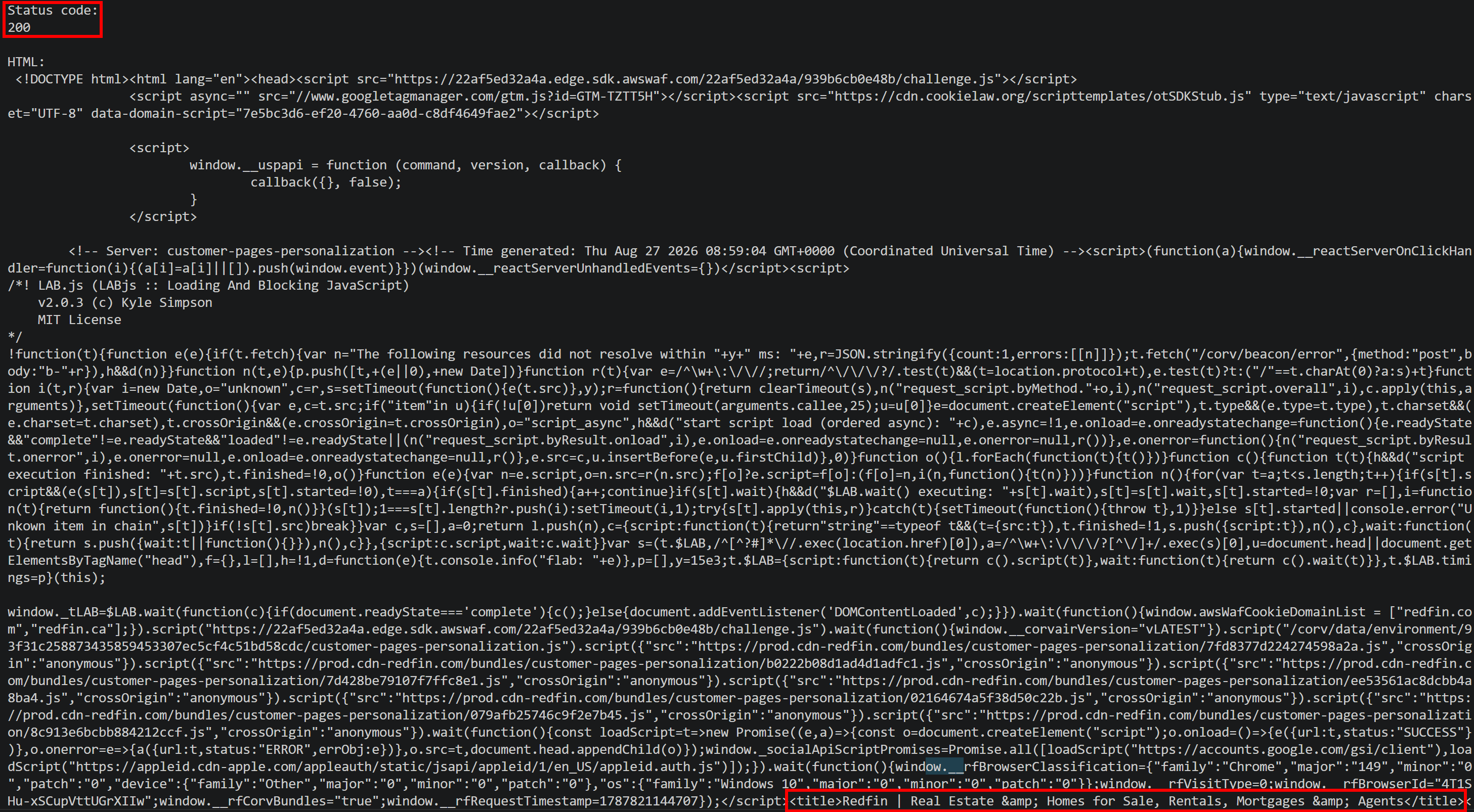
Run the script to bypass CAPTCHA challenges. Scrape.do will return the requested unblocked page:
Custom Puzzle CAPTCHA Bypass (Temu's Built-In CAPTCHAs)
Some websites rely on custom CAPTCHA systems developed in-house. A common example is Temu, which uses proprietary CAPTCHA technology:
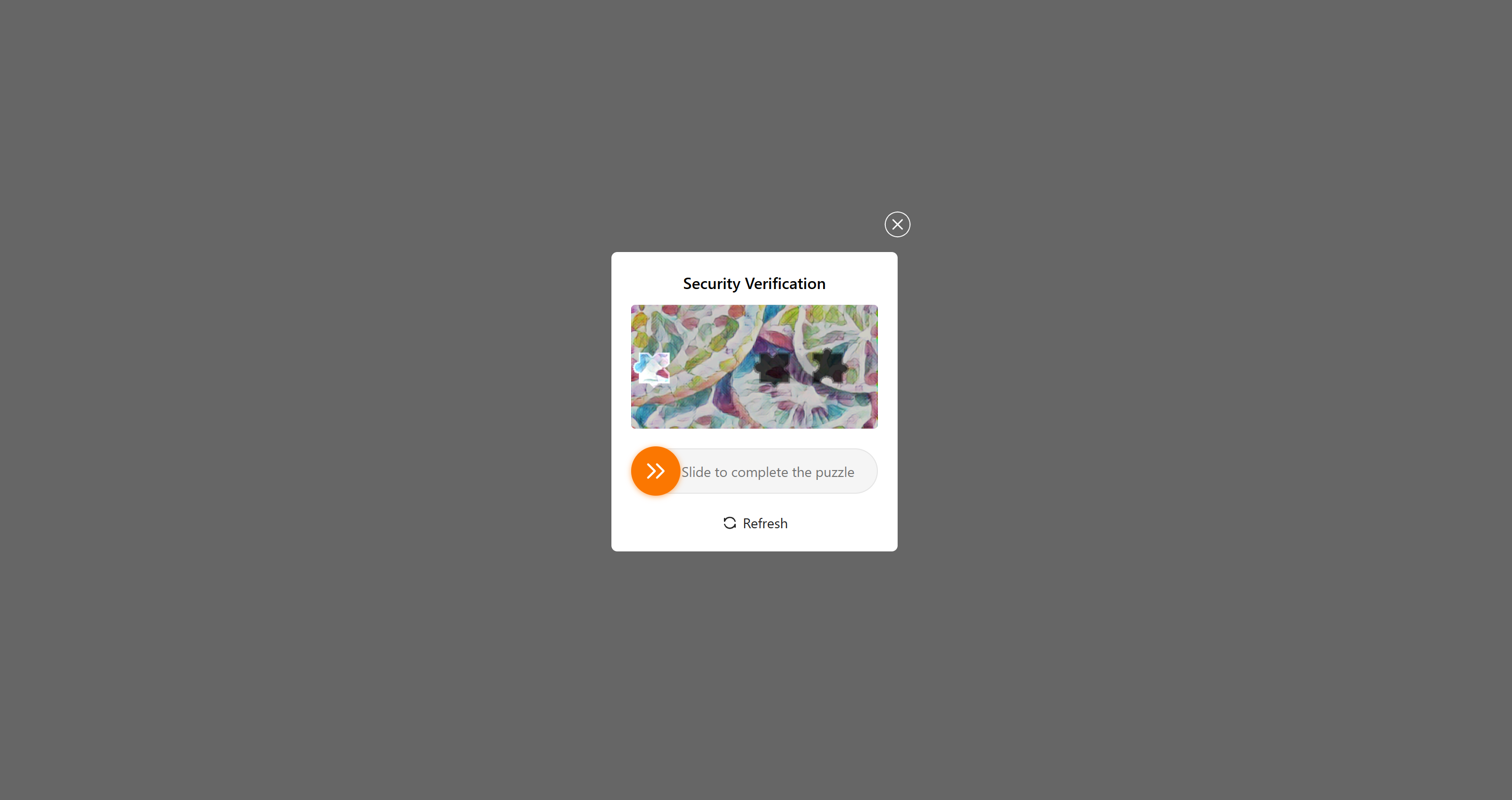
These challenges can include complex puzzle CAPTCHAs and image-based CAPTCHAs that appear to be designed to make AI-driven resolution difficult.
Again, adapt the target URL:
target_url = "https://temu.com/"And configure the body parameters:
params = {
    "url": target_url,
    "token": SCRAPE_DO_API_TOKEN,
    "render": "true",
    "waitSelector": "#main"
}
Execute the script, and you will get a 200 response:
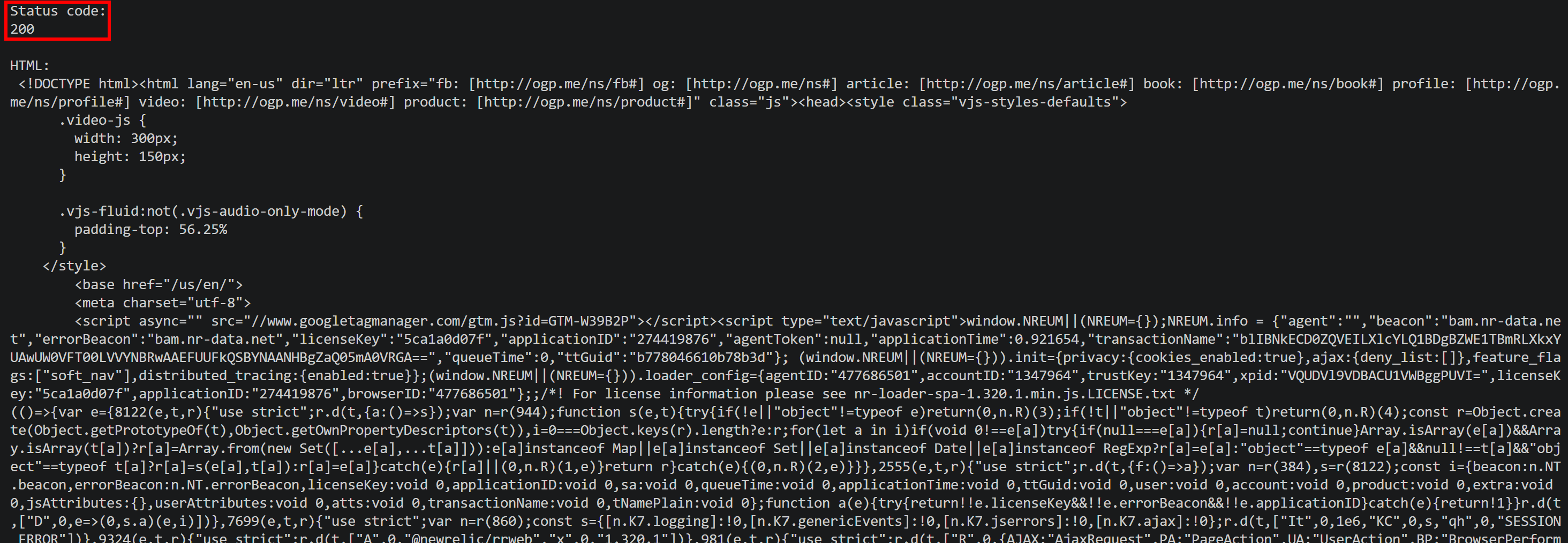
Scroll through the returned HTML, and you will see that the response contains the requested page rather than a CAPTCHA:
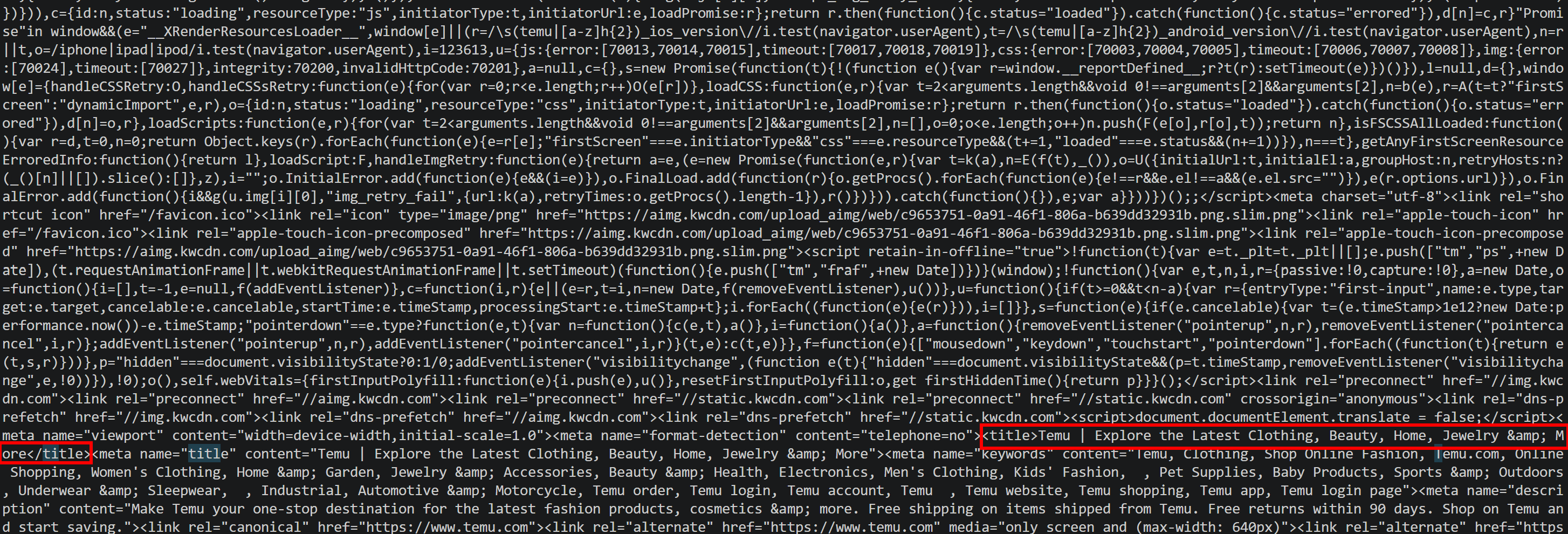 Et voilà! Scrape.do Web Scraping API can bypass even custom CAPTCHA implementations.
CAPTCHAs Are Evolving: Will It Be Possible to Keep Bypassing Them?
As AI becomes better at reasoning, understanding images, and interacting with websites, CAPTCHA providers are responding with increasingly sophisticated challenges.
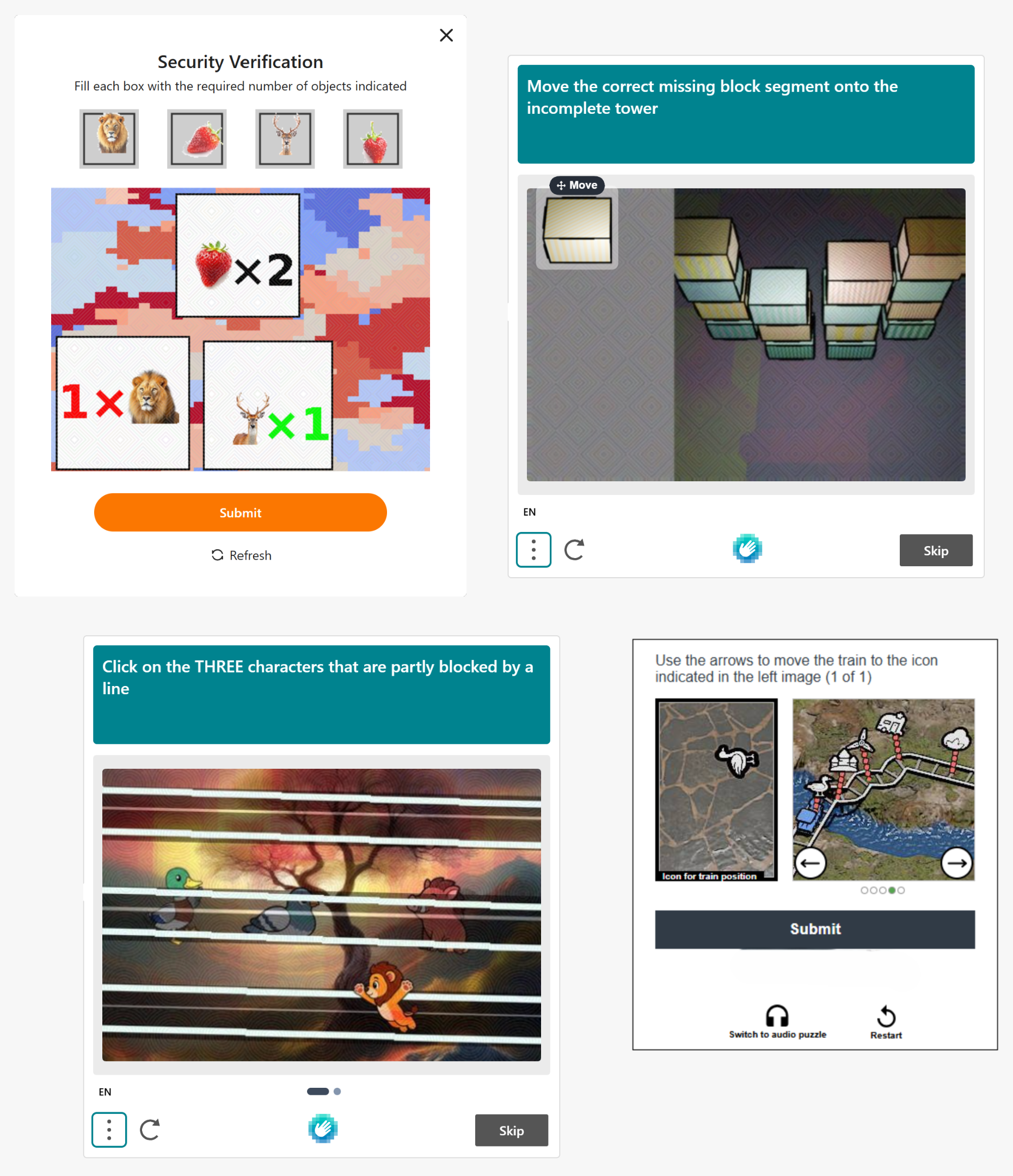
This ongoing arms race will likely continue, but what you must understand is that dealing with CAPTCHAs in automation is not usually about solving the challenge itself.
A better approach is to avoid triggering the CAPTCHA in the first place by reducing the signals that cause a website to request verification. When a challenge is unavoidable, specialized CAPTCHA solvers can provide a fallback.
The human detection techniques will change, but the underlying goal will remain the same: making automated traffic harder to distinguish from genuine users and preventing CAPTCHAs from appearing.
Conclusion
In this blog post, you learned why CAPTCHAs have become so prevalent and explored the most natural ways to tackle them. Regardless of how complex these verification systems become, the game will ultimately remain focused on avoiding them rather than solving them.
You also saw why an all-in-one Web Scraping API like Scrape.do can provide a scalable and effective way to handle these obstacles. Thanks to it, you were able to access pages protected by one-click, image, slider, and puzzle CAPTCHAs.
Create a new account and get started with the Scrape.do Web Scraping API for free today!
Frequently Asked Questions
What is the difference between CAPTCHA bypass and CAPTCHA-solving approaches?
CAPTCHA bypass aims to prevent the challenge from appearing by reducing the signals that trigger verification. On the contrary, CAPTCHA-solving approaches handle the challenge after it appears, either through automated methods or human solvers.
Can AI solve CAPTCHAs?
It depends. Some AI models can solve certain visual, image-based, and interactive CAPTCHAs. However, success rates vary by CAPTCHA type, and modern systems also analyze behavioral and browser signals beyond the correctness of the answer.
What are the main types of CAPTCHA bypasser solutions?
The main approaches include CAPTCHA proxies, patched browser automation, and web scraping APIs. These approaches operate at different layers and use different techniques to prevent CAPTCHA challenges.
What are the benefits of adopting an all-in-one web scraping API for CAPTCHA bypass?
Web scraping APIs like Scrape.do’s combine multiple CAPTCHA-handling techniques behind a single interface. They return the requested page content directly, eliminating the need to manage CAPTCHA tokens, proxy networks, or browser infrastructure yourself. Pricing is also often independent of the CAPTCHA type encountered.
Can Scrape.do Web Scraping API bypass CAPTCHAs?
Yes! Scrape.do Web Scraping API can handle various CAPTCHA and anti-bot challenges across different target websites. It manages the underlying bypass process and returns the resulting page content.
Web Scraping Expert








