
Google Trends Scraper API
Google Trends Data,
Structured and At Scale
Google Trends Data, Structured and At Scale
Extract search interest over time, regional breakdowns, related queries, related topics, and real-time trending searches from Google Trends. Structured JSON with no blocks or CAPTCHAs.
Start scraping today with 1000 free credits. No Credit Card Required

Any Country, Any Time Range
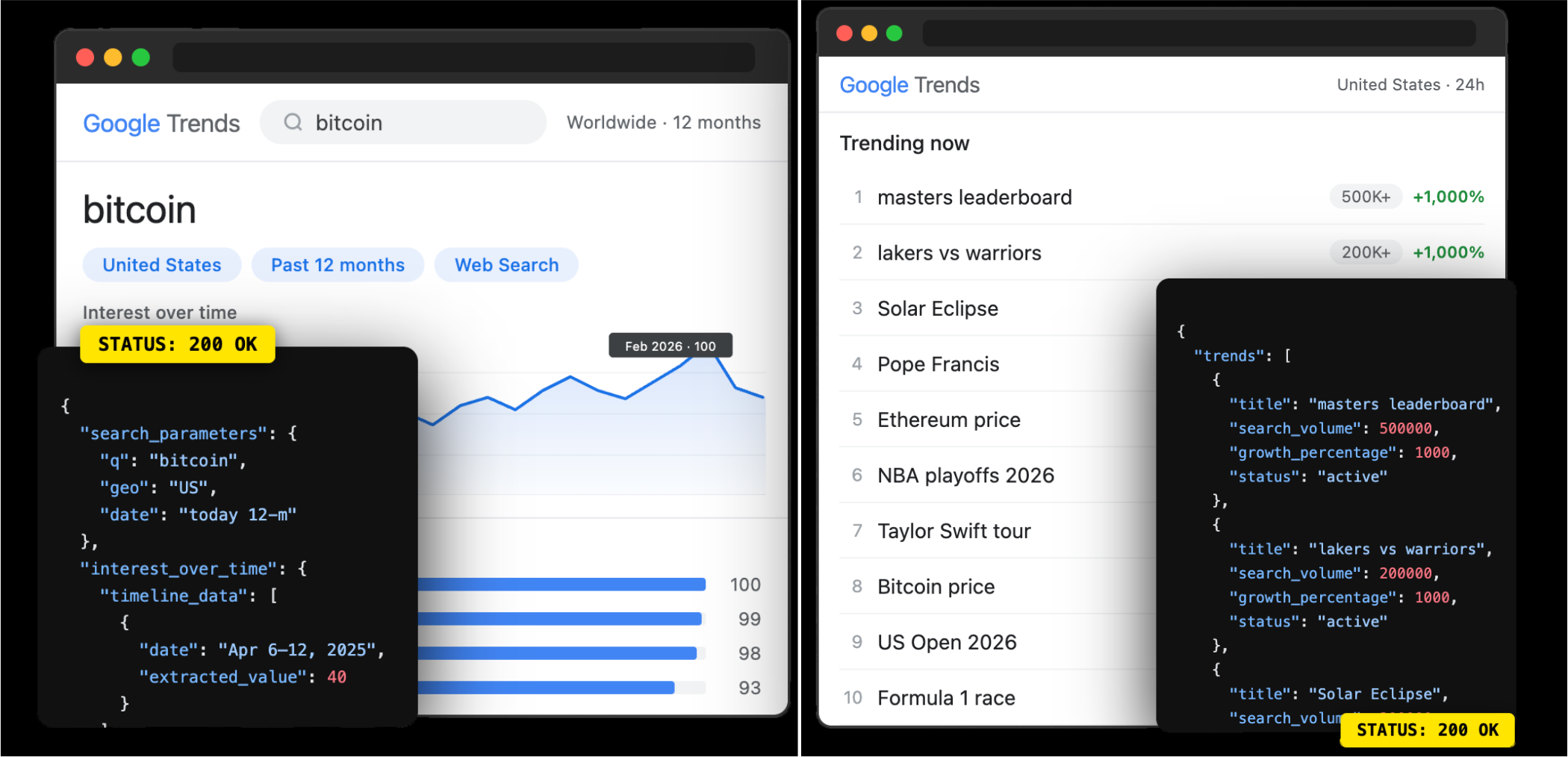
Target any country or region with the geo parameter, from worldwide to country-level (`US`, `GB`, `DE`) to sub-region (`US-CA`). Combine with city-level granularity for precise regional insights.
Control the time range from the last 4 hours up to 5 years, or specify a custom date range. Filter by Google property: web search, YouTube, Google News, Google Images, or Google Shopping.

All Trends Data Types
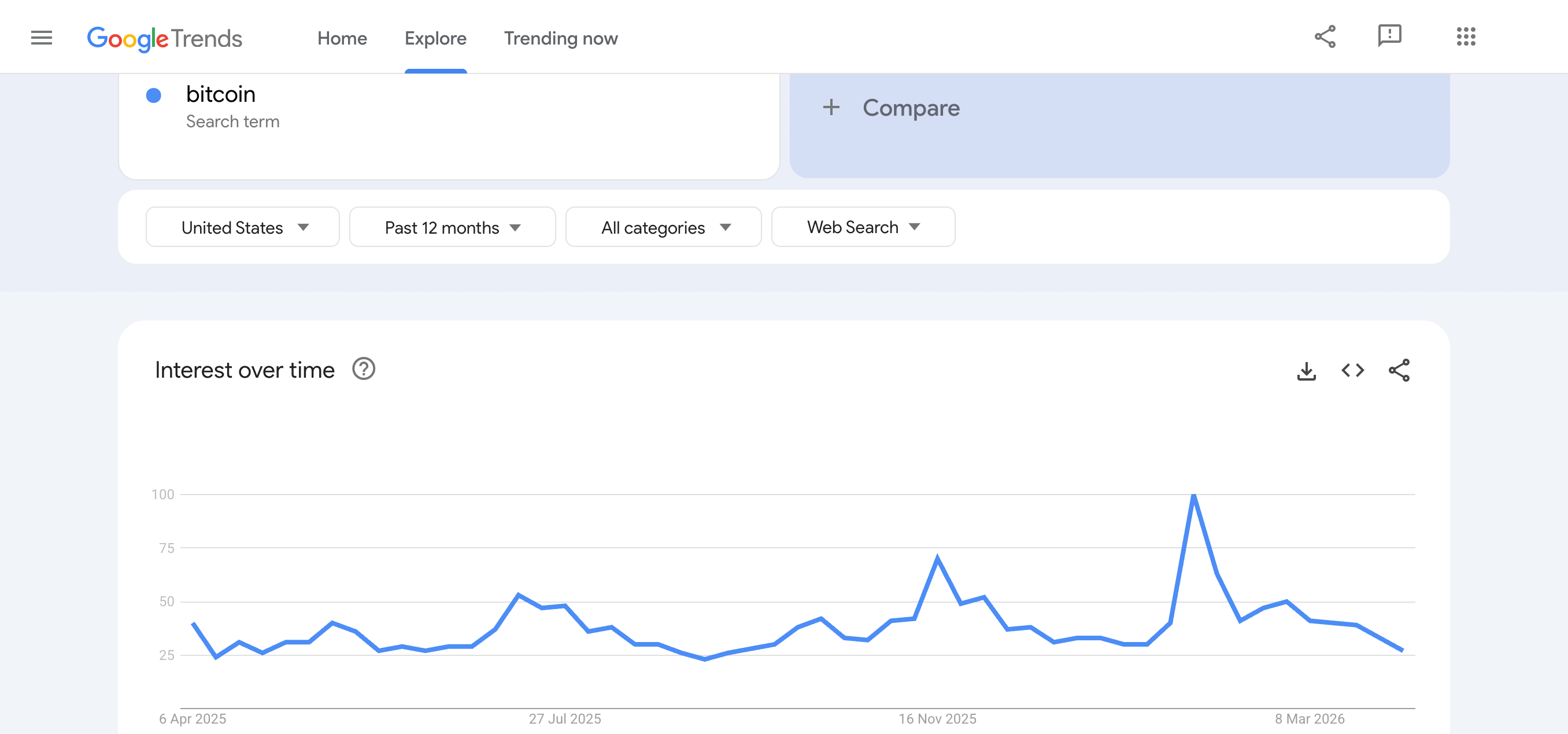
Get interest over time (weekly normalized values 0-100), regional interest breakdowns, related queries (top and rising), and related topics (Google Knowledge Graph entities), each available on demand.
Separately track real-time trending searches with search volume, growth percentage, related queries, and category tags. The same data shown on trends.google.com/trending.
How It Works
Select a Target
Send API Request
import requests
import json

token = "<SDO-token>"
query = "bitcoin"
geo = "US"

url = f"https://api.scrape.do/plugin/google/trends?token={token}&q={query}&geo={geo}"

response = requests.request("GET", url)

print(json.dumps(response.json(), indent=2))Get Structured JSON
{
  "search_parameters": {
    "q": "bitcoin",
    "geo": "US",
    "hl": "en",
    "date": "today 12-m",
    "tz": "420"
  },
  "interest_over_time": {
    "timeline_data": [
      {
        "date": "Apr 6 – 12, 2025",
        "timestamp": "1743897600",
        "values": [{ "query": "bitcoin", "value": "40", "extracted_value": 40 }]
      },
      {
        "date": "Feb 1 – 7, 2026",
        "timestamp": "1769904000",
        "values": [{ "query": "bitcoin", "value": "100", "extracted_value": 100 }]
      }
    ]
  },
  "interest_by_region": [
    {
      "geo": "US-HI",
      "location": "Hawaii",
      "max_value_index": 0,
      "value": "100",
      "extracted_value": 100
    },
    {
      "geo": "US-NV",
      "location": "Nevada",
      "max_value_index": 0,
      "value": "99",
      "extracted_value": 99
    },
    {
      "geo": "US-CA",
      "location": "California",
      "max_value_index": 0,
      "value": "88",
      "extracted_value": 88
    }
  ]
}
Scrape.do has been a game-changer with powerful scraping tools, but what truly sets them apart is their excellent customer support.

CTO


Average Response Time
No tickets connect with expert engineers.

Success rate

Proxies

Faster gateway than the closest competitor.







Reliable, Scalable,Unstoppable Web Scraping
Frequently Asked Questions
It's a scraping API that extracts data from Google Trends as structured JSON. You can get search interest over time (normalized 0-100 values), regional interest breakdowns, related queries, related topics, and real-time trending searches without dealing with Google's internal APIs or session management.
The API has two endpoints. The Trends Data endpoint returns interest over time, interest by region, related queries (top and rising), and related topics. The Trending Now endpoint returns real-time trending searches with search volume, growth percentage, related queries, and category tags.
Use the data_type parameter. Set data_type=RELATED_QUERIES for related queries, or data_type=RELATED_TOPICS for related topic entities from Google's Knowledge Graph. These are not included in the default response. You request them explicitly.
Yes. Use the geo parameter for country-level targeting (e.g., geo=US, geo=GB, geo=DE) or sub-region targeting (e.g., geo=US-CA for California). For the Trending Now endpoint, geo is required.
Yes. The Trending Now endpoint supports a cat parameter with category IDs. For example, cat=17 for Sports, cat=18 for Technology, cat=4 for Entertainment, and so on. Set cat=0 for all categories.
Yes. Use the Async API with the google/trends plugin key to process multiple trend queries in parallel. Submit up to 1000 parameter sets in a single job. See the Async API documentation for details.
Check out the Google Trends API documentation for the complete parameter list, all data_type options, and full response field descriptions.






