Category:Scraping Use Cases
SearchPeopleFree.com Scraping: Extract Emails, Phones, and Family Data

R&D Engineer


⚠ No real data about a real person has been used in this article. Target URLs have been modified by hand to not reveal any personal information of a real person.
SearchPeopleFree.com is one of the more generous people search engines out there. Where most free lookup tools gate emails, family connections, and exact age behind a paywall, SearchPeopleFree shows it all, no signup required.
The tradeoff? It's one of the hardest people search sites to scrape.
The site runs two anti-bot systems stacked together DataDome and Cloudflare on top of a hard US-only geoblock. And even if you somehow get the page source, email addresses visible in the browser are encrypted in the HTML using Cloudflare's XOR obfuscation cipher.
This guide shows how to cut through all of it with Python and Scrape.do to extract names, exact age, addresses, phone numbers, emails, spouse, and family members.
Find fully functioning code here. ⚙
Why Is Scraping SearchPeopleFree.com Difficult?
SearchPeopleFree has more free data than most people search sites, and it protects that data accordingly. The defenses here go beyond what you'll find on competitors like Whitepages or FastPeopleSearch.
Georestricted to US IPs Only
Like every major people search engine, SearchPeopleFree blocks all non-US traffic at the network level.
If your IP isn't in the United States, you won't see the page at all. No redirect, no fallback. Cloudflare intercepts the connection before the server even responds.
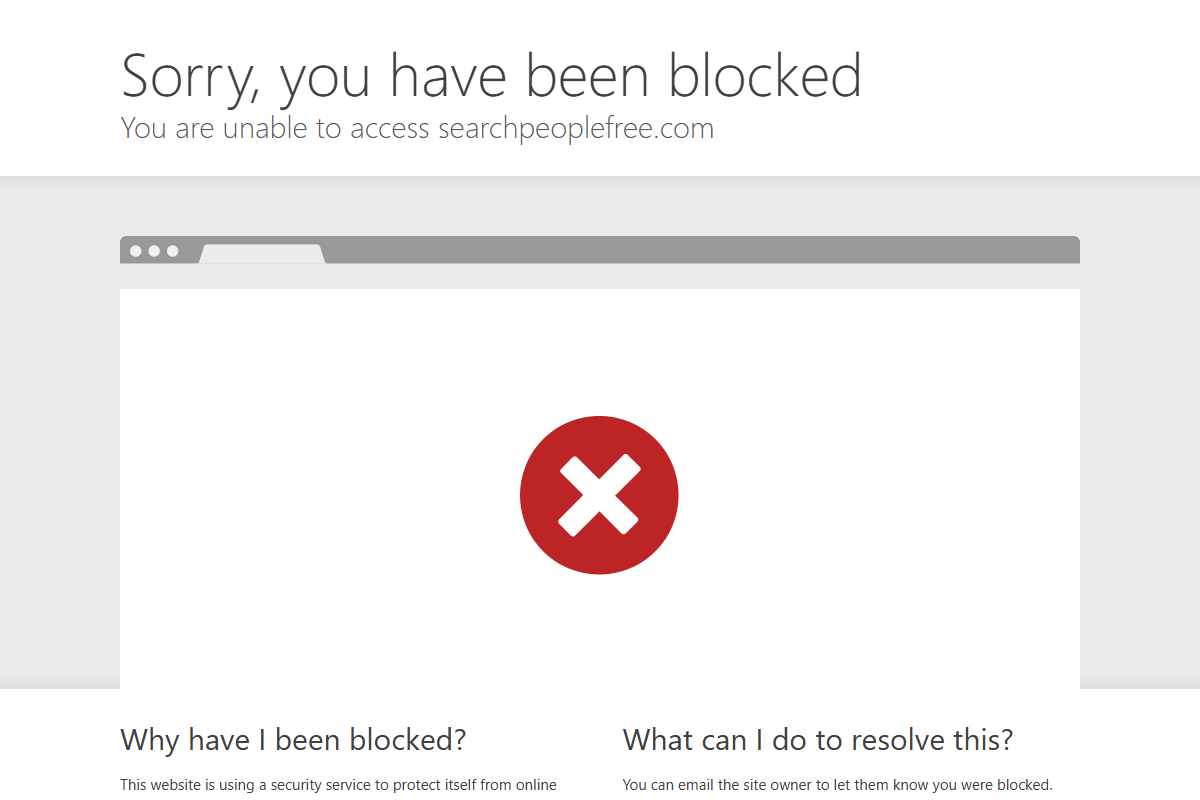
Datacenter proxies and most VPNs fail this check too. Cloudflare's IP reputation system flags them as non-residential, and the site drops the connection immediately.
Dual-Layer Protection: DataDome and Cloudflare
This is what makes SearchPeopleFree stand out from other people search sites. It doesn't rely on a single anti-bot system; it runs two.
Cloudflare handles the front door: TLS fingerprinting, JavaScript challenges, and Turnstile verification. But behind that sits DataDome, a dedicated bot detection platform that analyzes behavioral signals, device fingerprints, and request patterns in real time.
Most scraping tools are built to handle one protection system. Stacking two creates a compounding problem: you need to pass both layers simultaneously, and they share intelligence. If Cloudflare lets you through but DataDome flags your session, the request still dies.
Standard HTTP libraries don't stand a chance here. Even headless browsers with stealth plugins struggle against this combination.
Email Addresses Obfuscated in HTML
SearchPeopleFree shows email addresses in the browser, but if you view the page source, those emails aren't there. Instead, the HTML contains Cloudflare's email obfuscation, a XOR cipher that encodes email strings and decodes them at render time via JavaScript.
What you see in the DOM:
<a href="/cdn-cgi/l/email-protection" class="__cf_email__"
data-cfemail="7b1c0e0914...">[email protected]</a>The data-cfemail attribute holds the encoded string, and a Cloudflare script decodes it client-side. If you're parsing raw HTML with BeautifulSoup, you'd need to reverse-engineer the XOR cipher yourself.
But there's a shortcut, and it's in the JSON-LD. More on that in the extraction section.
How Scrape.do Bypasses These Blocks
Scrape.do handles SearchPeopleFree's entire triple-layer defense in one request.
With super=true and geoCode=us, traffic routes through premium US residential IPs from Scrape.do's 110M+ proxy pool, real residential connections that pass both Cloudflare's IP check and DataDome's fingerprinting.
The anti-bot engine solves Cloudflare challenges and DataDome verification simultaneously, handling JavaScript execution, TLS fingerprints, and behavioral patterns behind the scenes.
What you get back: fully rendered HTML with all structured data intact, including the JSON-LD block that contains emails in plaintext, bypassing the XOR obfuscation entirely.
Creating a Basic SearchPeopleFree Scraper
SearchPeopleFree profiles contain more data than most people search sites: exact age, multiple phone numbers, email addresses, current address, spouse, and family members. We'll extract all of it.
No real person's data is used in this guide. Every detail on the target profile has been replaced with fictional information:
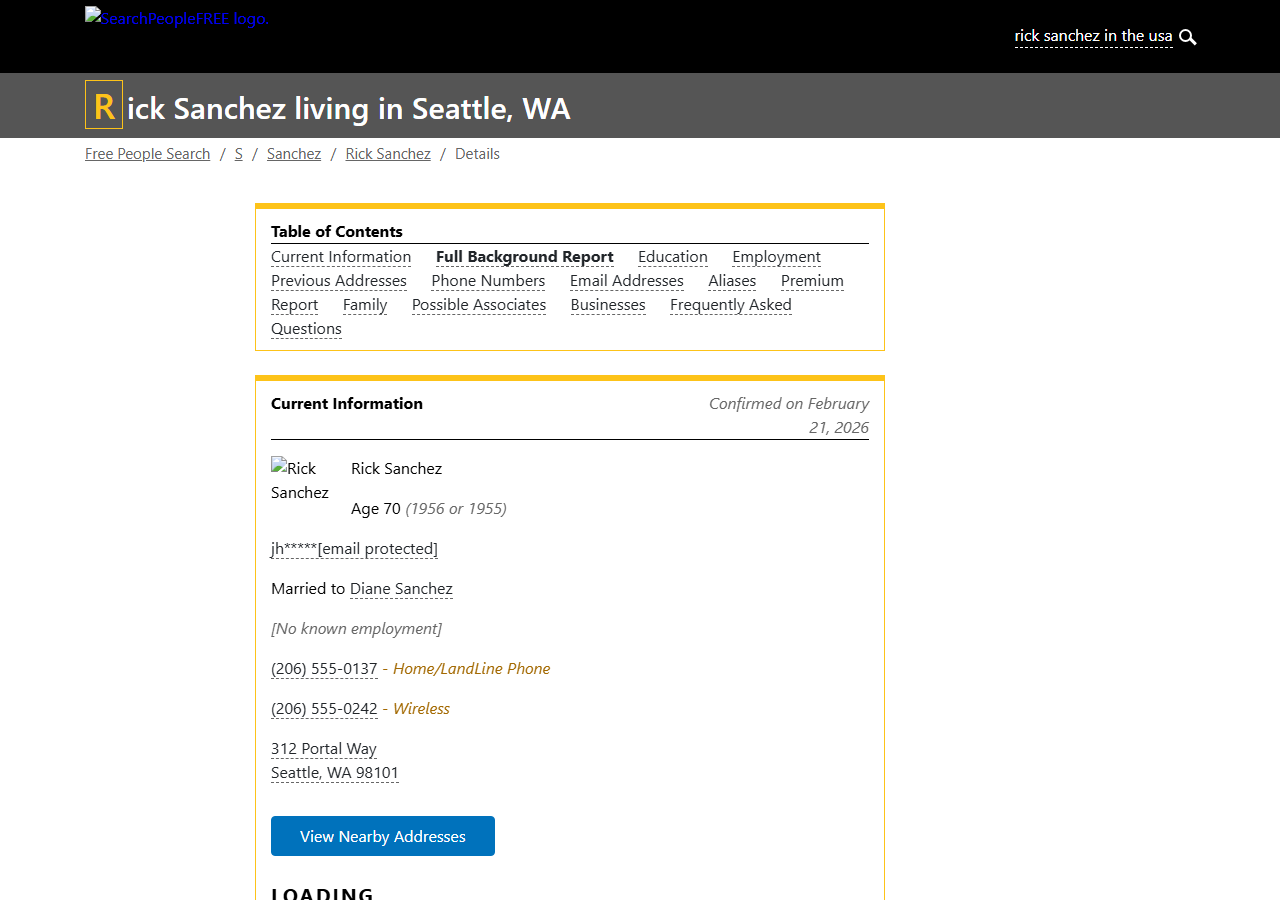
Run a search on SearchPeopleFree.com and use any result URL to try it yourself.
Prerequisites
Two Python libraries do the work: requests for HTTP calls and BeautifulSoup for parsing. We'll also use json and re from the standard library.
pip install requests beautifulsoup4Grab a free Scrape.do API token. Sign up here (no credit card, 1000 credits/month).
Sending a Request and Verifying Access
We target a SearchPeopleFree profile URL through Scrape.do with super=true and geoCode=us to bypass both the geoblock and the dual anti-bot stack.
import requests
import urllib.parse
from bs4 import BeautifulSoup
import json
import re

token = "<your_token>"

target_url = "https://www.searchpeoplefree.com/find/rick-sanchez/example123"
encoded_url = urllib.parse.quote_plus(target_url)
api_url = f"https://api.scrape.do/?token={token}&url={encoded_url}&super=true&geoCode=us"

response = requests.get(api_url)
soup = BeautifulSoup(response.text, "html.parser")
print(response)<Response [200]>A 200 confirms we're past Cloudflare, DataDome, and the geoblock. The full page HTML is ready for extraction.
Extracting Structured Data from JSON-LD
Here's where SearchPeopleFree actually makes the scraper's job easy.
The page embeds a complete JSON-LD Person schema inside a <script type="application/ld+json"> tag. This structured data block contains the person's name, phone numbers, email addresses, current address, and family connections, all in clean, parseable JSON.
This is also how we bypass the email obfuscation problem. While emails in the visible HTML are XOR-encrypted by Cloudflare, the JSON-LD block stores them in plaintext. No decryption needed.
We locate the Person object and extract the core fields:
person = None
for script in soup.find_all("script", type="application/ld+json"):
    try:
        data = json.loads(script.string)
        if isinstance(data, dict) and data.get("@type") == "Person":
            person = data
            break
    except (json.JSONDecodeError, TypeError):
        pass
Once we have the person object, pulling individual fields is a dictionary lookup:
name = person.get("name", "")
phones = person.get("telephone", [])
emails = person.get("email", [])

address_data = person.get("contentLocation", {}).get("address", {})
street = address_data.get("streetAddress", "")
city = address_data.get("addressLocality", "")
state = address_data.get("addressRegion", "")
zipcode = address_data.get("postalCode", "")

print(f"Name: {name}")
print(f"Address: {street}")
print(f"City: {city}, State: {state}, ZIP: {zipcode}")
print(f"Phone: {phones[0] if phones else ''}")
print(f"Email: {emails[0] if emails else ''}")Name: Rick Sanchez
Address: 312 Portal Way
City: Seattle, State: WA, ZIP: 98101
Phone: (206) 555-0242
Email: [email protected]The contentLocation.address nesting follows Schema.org's Person type, consistent and reliable across profiles. Phone and email fields are arrays, so we grab the first entry as the primary contact.
Extracting Age from HTML
Age is the one field not included in the JSON-LD. SearchPeopleFree displays it inside an <article> tag with the class current-bg, formatted as "Age 70" within the profile summary text.
We use a regex to pull the number:
current = soup.find("article", class_="current-bg")
age_match = re.search(r"Age\s+(\d+)", current.get_text()) if current else None
age = age_match.group(1) if age_match else ""
print("Age:", age)Age: 70Unlike Whitepages which restricts age to vague ranges like "in their 50s," SearchPeopleFree shows the exact age on free profiles. That's a significant advantage for use cases like identity verification or skip tracing.
Extracting Family and Spouse
SearchPeopleFree's JSON-LD also includes relatedTo and spouse arrays, something you won't find on most competing sites.
Each entry is a nested Person object with a name field:
family = [rel.get("name", "") for rel in person.get("relatedTo", [])]
spouse = [s.get("name", "") for s in person.get("spouse", [])]

print(f"Spouse: {', '.join(spouse)}")
print(f"Family: {', '.join(family[:5])}")Spouse: Diane Sanchez
Family: Morty C Smith, Beth Sanchez, Summer Sanchez, Birdperson Phoenixson, Amy Lee WithrowWe cap the family list at 5 entries to keep the output manageable; some profiles list dozens of relatives.
Final Code and Output
Here's the complete scraper that extracts all available data from a SearchPeopleFree profile:
import requests
import urllib.parse
from bs4 import BeautifulSoup
import json
import re
token = "<your_token>"
target_url = "<target_person_url>" # e.g. https://www.searchpeoplefree.com/find/john-smith/abc123
encoded_url = urllib.parse.quote_plus(target_url)
api_url = f"https://api.scrape.do/?token={token}&url={encoded_url}&super=true&geoCode=us"
response = requests.get(api_url)
soup = BeautifulSoup(response.text, "html.parser")
person = None
for script in soup.find_all("script", type="application/ld+json"):
try:
data = json.loads(script.string)
if isinstance(data, dict) and data.get("@type") == "Person":
person = data
break
except (json.JSONDecodeError, TypeError):
pass
if person:
name = person.get("name", "")
phones = person.get("telephone", [])
emails = person.get("email", [])
address_data = person.get("contentLocation", {}).get("address", {})
street = address_data.get("streetAddress", "")
city = address_data.get("addressLocality", "")
state = address_data.get("addressRegion", "")
zipcode = address_data.get("postalCode", "")
current = soup.find("article", class_="current-bg")
age_match = re.search(r"Age\s+(\d+)", current.get_text()) if current else None
age = age_match.group(1) if age_match else ""
family = [rel.get("name", "") for rel in person.get("relatedTo", [])]
spouse = [s.get("name", "") for s in person.get("spouse", [])]
print(f"Name: {name}")
print(f"Age: {age}")
print(f"Address: {street}")
print(f"City: {city}")
print(f"State: {state}")
print(f"ZIP: {zipcode}")
print(f"Phone: {phones[0] if phones else ''}")
print(f"Email: {emails[0] if emails else ''}")
print(f"Spouse: {', '.join(spouse)}")
print(f"Family: {', '.join(family[:5])}")And the full output:
Name: Rick Sanchez
Age: 70
Address: 312 Portal Way
City: Seattle
State: WA
ZIP: 98101
Phone: (206) 555-0242
Email: [email protected]
Spouse: Diane Sanchez
Family: Morty C Smith, Beth Sanchez, Summer Sanchez, Birdperson Phoenixson, Amy Lee WithrowTen data fields from a single API call — that's more than what most people search scrapers pull from paid services.
Conclusion
SearchPeopleFree packs more free data than almost any competitor, but it guards it behind DataDome, Cloudflare, email obfuscation, and hard geoblocking. That's four layers of protection on a single page.
Scrape.do handles all four in one call:
- US residential proxies that bypass dual anti-bot detection
- Automatic DataDome + Cloudflare solving with full JS rendering
- JSON-LD extraction that sidesteps email obfuscation entirely
R&D Engineer








