Category:Scraping Use Cases
TruePeopleSearch.com Scraping: Extract Data Without Blocks

Full Stack Developer


⚠ No real data about a real person has been used in this article. Target URLs have been modified by hand to not reveal any personal information of a real person.
TruePeopleSearch.com is one of the most popular free people search tools out there.
It'll show names, addresses, phone numbers, and public records in seconds without even signing up.
But try scraping it, and things fall apart quickly.
The site doesn’t just make web scraping difficult; it actively blocks non-browser traffic, throws up Cloudflare challenges, and refuses to load unless you're coming from inside the US.
It looks simple on the surface, but it’s well-protected against automated access.
That said, there’s a way through it.
In this guide, we’ll use Python and Scrape.do to extract data from TruePeopleSearch in a clean, structured way.
Access fully functioning code here. ⚙
Why Is Scraping TruePeopleSearch.com Difficult?
TruePeopleSearch is built to look lightweight and simple, but under the hood it’s just as aggressive as any high-security site at stopping scrapers.
There are two main reasons it’s hard to work with:
Georestricted to the US
The entire site is geofenced. If you try to access it from a non-US IP, you won’t even see a loading screen.
It just cuts you off. Rude!
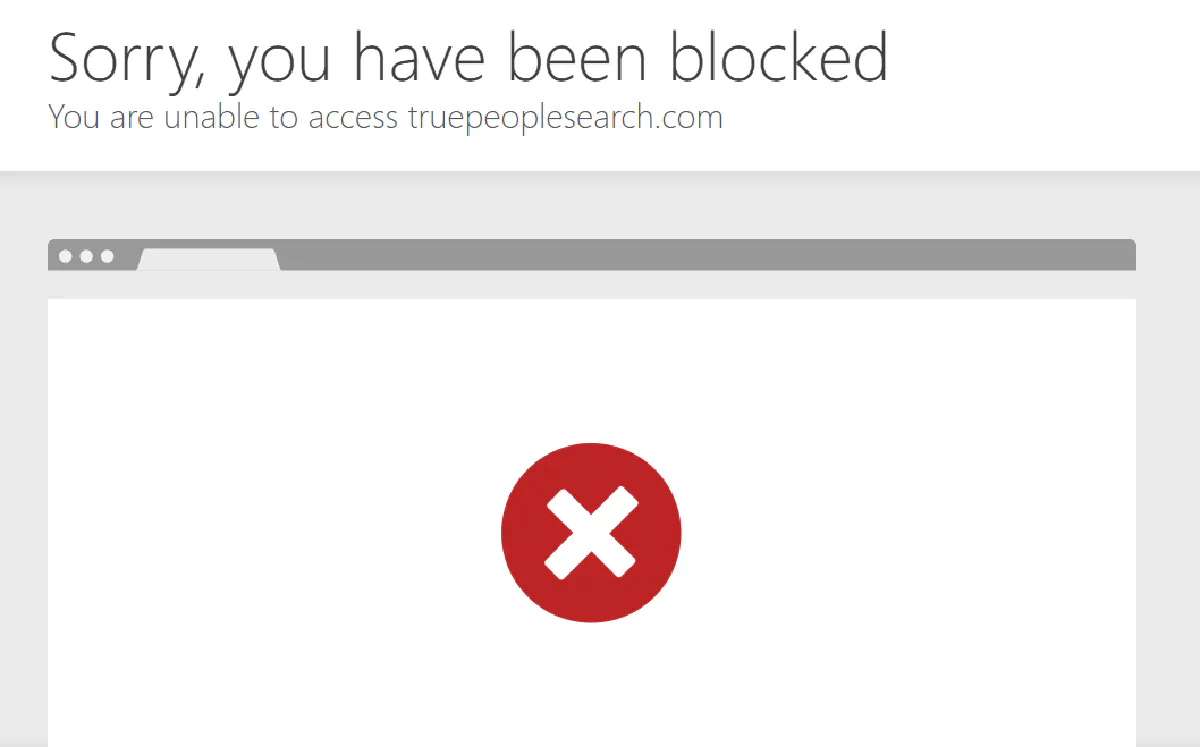
Protected by Cloudflare
TruePeopleSearch uses Cloudflare to protect its pages.
That means your script has to pass JavaScript challenges, spoof fingerprint headers, and sometimes even handle CAPTCHA forms.
If you're just using a library like requests or httpx, your scraper is going to stall out before it ever sees the page content.
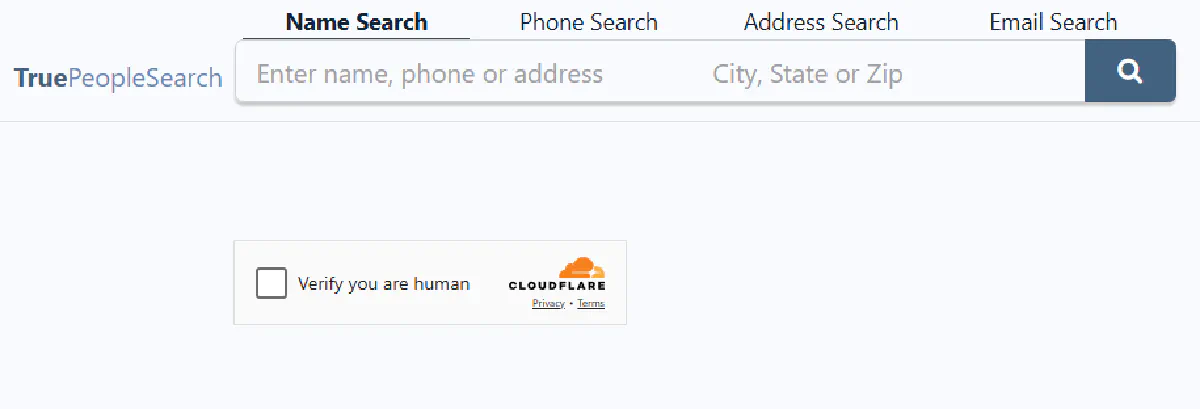
You’re fighting an active system that’s constantly analyzing your request and deciding whether it looks human or not.
And most of the time, it'll say no.
Push too hard and you'll get rate limited on top of it. Cloudflare tracks request frequency per session and escalates to harder challenges when it detects automated patterns.
How Scrape.do Bypasses These Blocks
Scrape.do solves both of TruePeopleSearch’s core defenses in one step.
By setting geoCode=us and super=true, you force your request through a US-based residential IP. Not a datacenter, not a shared proxy; an actual high-trust IP that looks like a real user in the US.
That alone is enough to get past both the georestriction and Cloudflare’s default bot detection.
You don’t need to rotate proxies, tweak headers, or simulate browser behavior.
Just pass two parameters and one API call, get real HTML back, and move on.
Since TruePeopleSearch doesn't offer a public API, this proxy-based approach is the only practical way to pull its data programmatically.
Creating a Basic TruePeopleSearch Scraper
We’ll start with a TruePeopleSearch result page (not a homepage or search form) and walk through getting access, extracting data, and printing it in a clean, readable format.
No real person’s data is being used here, the data included in the target page below is made-up and modified:
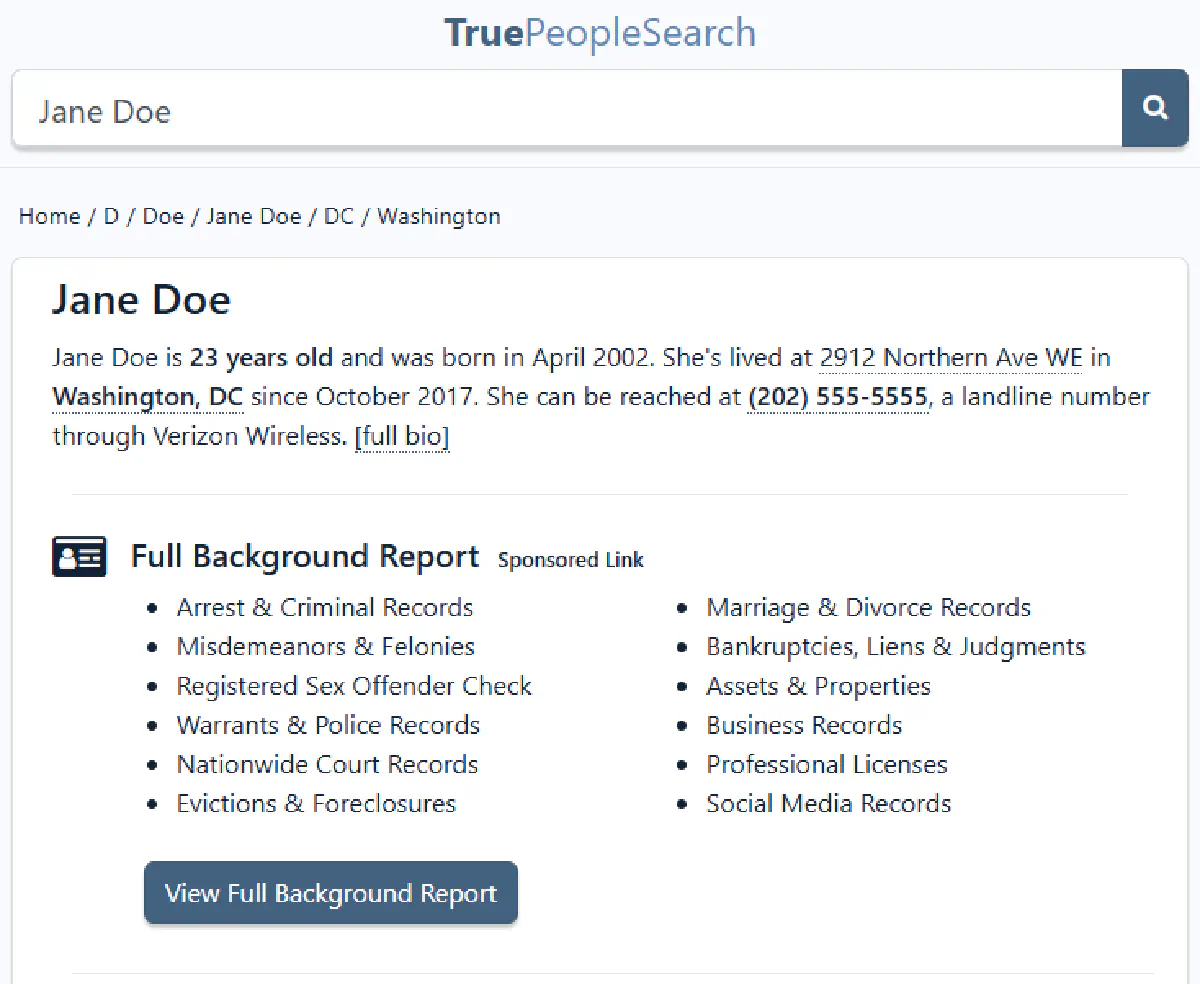
And the target URL we use is a placeholder and should be swapped with any profile URL you get from a manual search.
Prerequisites
We’ll be web scraping in Python using requests for making the call and BeautifulSoup for parsing the returned HTML.
If you don’t already have them:
pip install requests beautifulsoup4You’ll also need a Scrape.do account and API key. You can sign up here for free (no credit card required) and get 1000 credits/month.
Sending a Request and Verifying Access
Now let’s test the request.
We’ll send it through Scrape.do using two key parameters:
geoCode=usfor US-only access,super=trueto switch to residential IPs that bypass detection.
Here’s the starting script:
import requests
import urllib.parse
from bs4 import BeautifulSoup

# Your Scrape.do API token
token = "<your_token>"

# Target URL
target_url = "https://www.truepeoplesearch.com/find/person/jane-doe"
encoded_url = urllib.parse.quote_plus(target_url)

# Scrape.do API endpoint - enabling "super=true" and "geoCode=us" for US-based residential proxies
api_url = f"https://api.scrape.do/?token={token}&url={encoded_url}&super=true&geoCode=us"

# Send the request and parse HTML
response = requests.get(api_url)
soup = BeautifulSoup(response.text, "html.parser")
print(response)
If everything is working correctly, you should see:
<Response [200]>Which means the page loaded successfully and you can start extracting data.
Extracting Name and Age
Once the page loads, the name and age are usually stored inside a block with id="personDetails".
Instead of scraping visible text, we can pull them directly from the HTML attributes data-fn, data-ln, and data-age.
This avoids any formatting issues or nested tags. You're pulling values straight from the DOM, exactly how the site loads them.
Here’s how to do it:
# Extract name and age
person = soup.find("div", id="personDetails")
name = f"{person['data-fn']} {person['data-ln']}"
age = person["data-age"]

print("Name:", name)
print("Age:", age)
You should get something like:
Name: Jane Doe
Age: 23
This method is reliable because it’s tied to how the site structures its data, not how it looks visually. Next we'll find out where Jane lives:
Extracting Address, City, and State
TruePeopleSearch displays addresses in a clean, structured block inside an anchor tag marked with data-link-to-more="address".
Inside that block, you'll find all the pieces you need: street, city, and state; each stored in its own <span> tag with a semantic itemprop.
We’ll target those specific spans directly, so we don’t have to rely on brittle class names or text matching.
Here’s the code:
# Extract address, city, state
addr = soup.find("a", {"data-link-to-more": "address"})
address = addr.find("span", itemprop="streetAddress").text.strip()
city = addr.find("span", itemprop="addressLocality").text.strip()
state = addr.find("span", itemprop="addressRegion").text.strip()

print("Address:", address)
print("City:", city)
print("State:", state)
If everything went right, you should print something similar to:
Address: 2912 Northern Ave WE City: Washington State: DCExtracting Phone Number
Phone numbers on TruePeopleSearch are listed in a similar structure to the address.
They’re nested inside an anchor with data-link-to-more="phone" and use a <span> tag with itemprop="telephone".
We’ll grab that value directly:
# Extract phone number
phone = soup.find("a", {"data-link-to-more": "phone"}).find("span", itemprop="telephone").text.strip()
print("Phone Number:", phone)
And that gives you something like:
Phone Number: (202) 555-5555Now let’s pull it all together.
Final Code and Output
Below is the complete script that handles the request, parses the full HTML, and extracts structured data:
import requests
import urllib.parse
from bs4 import BeautifulSoup

# Your Scrape.do API token
token = "<your_token>"

# Target URL
target_url = "https://www.truepeoplesearch.com/find/person/jane-doe"
encoded_url = urllib.parse.quote_plus(target_url)

# Scrape.do API endpoint - enabling "super=true" and "geoCode=us" for US-based residential proxies
api_url = f"https://api.scrape.do/?token={token}&url={encoded_url}&super=true&geoCode=us"

# Send the request and parse HTML
response = requests.get(api_url)
soup = BeautifulSoup(response.text, "html.parser")

# Extract name and age
person = soup.find("div", id="personDetails")
name = f"{person['data-fn']} {person['data-ln']}"
age = person["data-age"]

# Extract address, city, state
addr = soup.find("a", {"data-link-to-more": "address"})
address = addr.find("span", itemprop="streetAddress").text.strip()
city = addr.find("span", itemprop="addressLocality").text.strip()
state = addr.find("span", itemprop="addressRegion").text.strip()

# Extract phone number
phone = soup.find("a", {"data-link-to-more": "phone"}).find("span", itemprop="telephone").text.strip()

# Print output
print("Name:", name)
print("Age:", age)
print("Address:", address)
print("City:", city)
print("State:", state)
print("Phone Number:", phone)
And here’s what you should see in your terminal if you inputted a real URL from TruePeopleSearch:
Name: Jane Doe
Age: 23
Address: 2912 Northern Ave WE
City: Washington
State: DC
Phone Number: (202) 555-5555
And that’s it — you’re now scraping TruePeopleSearch cleanly.
Extract Emails, Relatives, and More
The basic scraper above covers name, age, address, and phone, but TruePeopleSearch profiles hold significantly more data than that.
Every profile page embeds a JSON-LD structured data block inside a <script type="application/ld+json"> tag. This single JSON object contains phone numbers, email addresses, aliases, relatives, and a full address with ZIP code, all in clean, parseable format.
Extract from JSON-LD
We locate the ProfilePage schema and pull the mainEntity object, which represents the person:
import json

person_data = None
for script in soup.find_all("script", type="application/ld+json"):
    try:
        data = json.loads(script.string)
        if isinstance(data, dict) and data.get("@type") == "ProfilePage":
            person_data = data.get("mainEntity", {})
            break
    except (json.JSONDecodeError, TypeError):
        pass
Once you have person_data, every field is a dictionary lookup:
# Address with ZIP code
address_data = person_data.get("address", {})
street = address_data.get("streetAddress", "")
city = address_data.get("addressLocality", "")
state = address_data.get("addressRegion", "")
zipcode = address_data.get("postalCode", "")

# All phone numbers and emails
phones = person_data.get("telephone", [])
emails = person_data.get("email", [])

# Aliases (also known as)
aliases = person_data.get("alternateName", [])

print(f"ZIP: {zipcode}")
print(f"Phones: {len(phones)} found, primary: {phones[0]}")
print(f"Emails: {len(emails)} found, primary: {emails[0]}")
print(f"Aliases: {‘, ‘.join(aliases)}")ZIP: 20001
Phones: 8 found, primary: (202) 555-5555
Emails: 6 found, primary: [email protected]
Aliases: Jane Marie Doe, Jane D Smith, Jane M JohnsonThe JSON-LD telephone and email fields are arrays; most profiles have multiple entries for each. The first element is typically the most recent or primary contact. This JSON-LD approach also works on FastPeopleSearch and SearchPeopleFree, though the schema structure differs between sites.
Extract Relatives
The same JSON-LD block includes a relatedTo array with every relative listed on the profile. Each entry is a nested Person object with a name field:
relatives = [rel.get("name", "") for rel in person_data.get("relatedTo", [])]
print(f"Relatives ({len(relatives)}): {‘, ‘.join(relatives[:5])}")Relatives (24): John Doe, Mary Doe, Robert Smith, Emily Doe, Thomas DoeSome profiles list dozens of relatives. The JSON-LD version includes full middle names that the visible HTML may abbreviate.
Extended Code and Output
Here’s the complete scraper with all fields: basic extraction plus JSON-LD data:
import requests
import urllib.parse
from bs4 import BeautifulSoup
import json

token = "<your_token>"
target_url = "<target_person_url>"
encoded_url = urllib.parse.quote_plus(target_url)
api_url = f"https://api.scrape.do/?token={token}&url={encoded_url}&super=true&geoCode=us"

response = requests.get(api_url)
soup = BeautifulSoup(response.text, "html.parser")

# Name and age from data attributes
person = soup.find("div", id="personDetails")
name = f"{person[‘data-fn’]} {person[‘data-ln’]}"
age = person["data-age"]

# JSON-LD structured data
person_data = None
for script in soup.find_all("script", type="application/ld+json"):
    try:
        data = json.loads(script.string)
        if isinstance(data, dict) and data.get("@type") == "ProfilePage":
            person_data = data.get("mainEntity", {})
            break
    except (json.JSONDecodeError, TypeError):
        pass

address_data = person_data.get("address", {})
phones = person_data.get("telephone", [])
emails = person_data.get("email", [])
aliases = person_data.get("alternateName", [])
relatives = [rel.get("name", "") for rel in person_data.get("relatedTo", [])]

print(f"Name: {name}")
print(f"Age: {age}")
print(f"Address: {address_data.get(‘streetAddress’, ‘’)}")
print(f"City: {address_data.get(‘addressLocality’, ‘’)}")
print(f"State: {address_data.get(‘addressRegion’, ‘’)}")
print(f"ZIP: {address_data.get(‘postalCode’, ‘’)}")
print(f"Phone: {phones[0] if phones else ‘’}")
print(f"Email: {emails[0] if emails else ‘’}")
print(f"Aliases: {‘, ‘.join(aliases)}")
print(f"Relatives: {‘, ‘.join(relatives[:5])}")Name: Jane Doe
Age: 23
Address: 2912 Northern Ave WE
City: Washington
State: DC
ZIP: 20001
Phone: (202) 555-5555
Email: [email protected]
Aliases: Jane Marie Doe, Jane D Smith
Relatives: John Doe, Mary Doe, Robert Smith, Emily Doe, Thomas DoeThat’s 10 structured fields from a single request, a big step up from the basic 5-field extraction.
FAQs
Does TruePeopleSearch Have an API?
No. There’s no official TruePeopleSearch API for accessing its data. The site only serves information through its web interface, which means scraping via a proxy service like Scrape.do is the most reliable way to extract data programmatically. The scraper pattern shown above (super=true + geoCode=us) is the standard approach.
Why Is TruePeopleSearch Blocked?
TruePeopleSearch blocks access for two reasons: georestriction and bot detection. If you’re outside the US, the site rejects your connection before the page loads. If you’re inside the US but using automated tools, Cloudflare’s anti-bot system flags and blocks the request. Both are solved with Scrape.do’s residential US proxies.
Does TruePeopleSearch Rate Limit Requests?
Yes. Even after getting past the geoblock and Cloudflare’s initial check, sending requests too quickly triggers rate limiting. Cloudflare monitors session frequency and will escalate to CAPTCHA challenges or temporary IP blocks. Scrape.do mitigates this by rotating through residential IPs automatically, but spacing out your requests is still good practice.
How Do I Access TruePeopleSearch Unblocked?
The fastest way to get TruePeopleSearch unblocked is routing requests through US-based residential proxies. Standard VPNs and datacenter proxies get flagged by Cloudflare’s IP reputation system. You need IPs classified as real residential connections. Scrape.do provides this with geoCode=us and super=true, giving you unblocked access to any people search profile.
Conclusion
Between georestrictions and aggressive bot detection, most scrapers don’t even make it past the first request with TruePeopleSearch.
But with Scrape.do, none of that matters:
- Real US residential IPs that pass Cloudflare's checks
- Automatic anti-bot and CAPTCHA bypass
- No browser setup, pay only for successful responses
Full Stack Developer








