Category:Scraping Use Cases
PeopleSearchNow.com Data Extraction: Bypass Blocks and CAPTCHAs to Scrape

Full Stack Developer


⚠ No real data about a real person has been used in this article. Target URLs have been modified by hand to not reveal any personal information of a real person.
PeopleSearchNow.com is a free people search engine that lets you look up names, addresses, phone numbers, and approximate ages without creating an account.
But scraping it? That's a different story.
The site sits behind Cloudflare, blocks all non-US traffic on sight, and throws slider CAPTCHAs at anything that looks even slightly automated.
Most scrapers won't even get past the front door, let alone pull structured data out of a profile page.
In this guide, we'll show you how to bypass all of that and extract clean, structured data using Python web scraping and Scrape.do.
Find fully functioning code here. ⚙
Why Is Scraping PeopleSearchNow.com Difficult?
PeopleSearchNow might look like a simple lookup tool, but it's one of the most heavily guarded people search sites when it comes to blocking automated access.
Whether you're running a basic script or a full web scraping pipeline, you'll hit a wall for two main reasons:
Georestricted to US IPs Only
The first thing PeopleSearchNow checks is where you're coming from.
If your IP address isn't located in the United States, the site doesn't even bother loading. It drops you straight into a Cloudflare block page with no way forward.
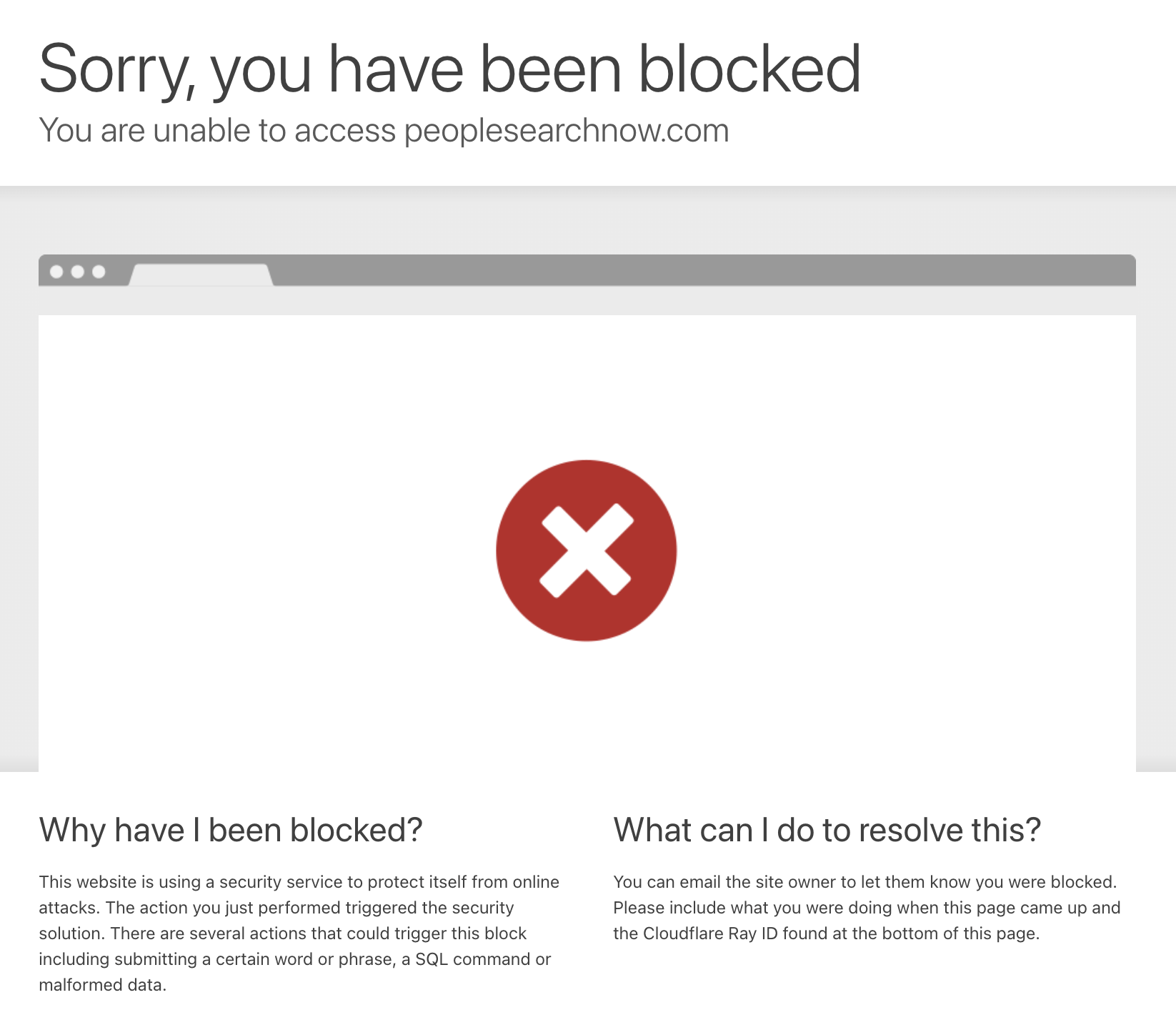
This means any scraping attempt from outside the US is dead on arrival; no redirect, no fallback, just a hard block.
Even most datacenter proxies and basic VPNs get flagged, since Cloudflare can tell the difference between a residential connection and a server farm.
Protected by Cloudflare with CAPTCHA Challenges
Getting past the geoblock is only half the battle.
Even with a US-based IP, Cloudflare runs a security verification check on every request before letting you through:
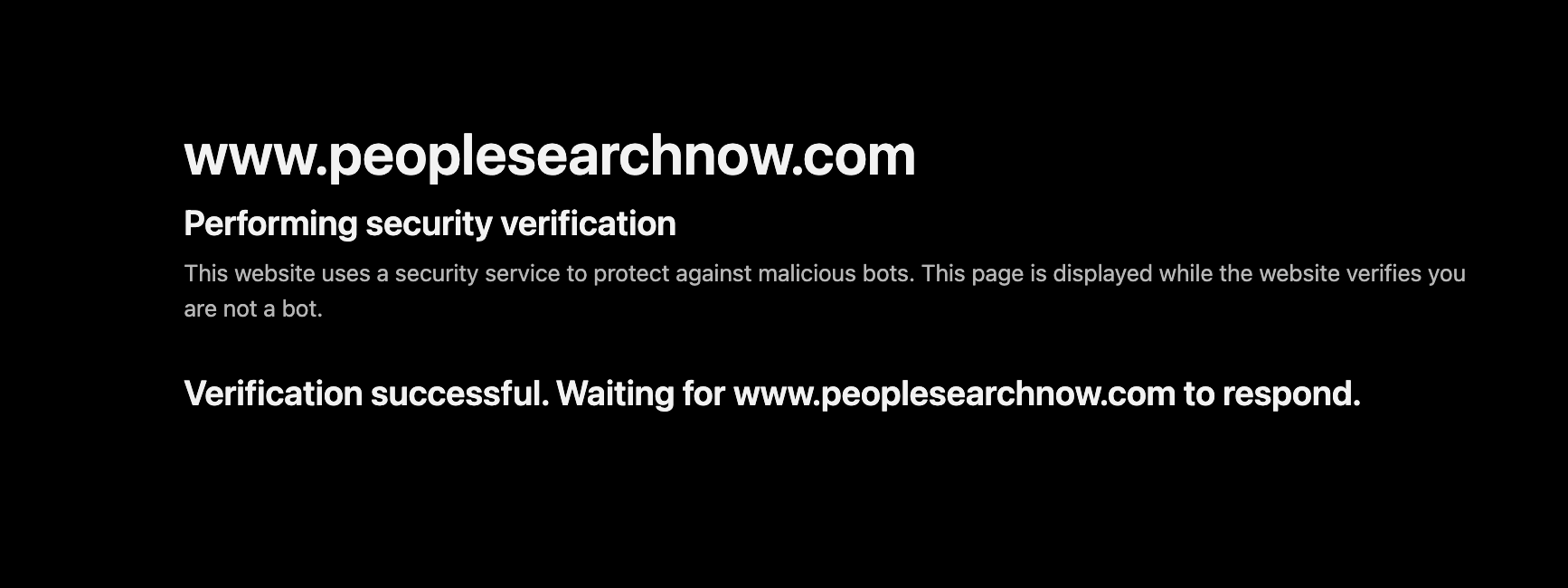
And if your request looks even slightly suspicious (automated headers, missing JavaScript execution, rapid requests), it escalates to a full slider CAPTCHA:
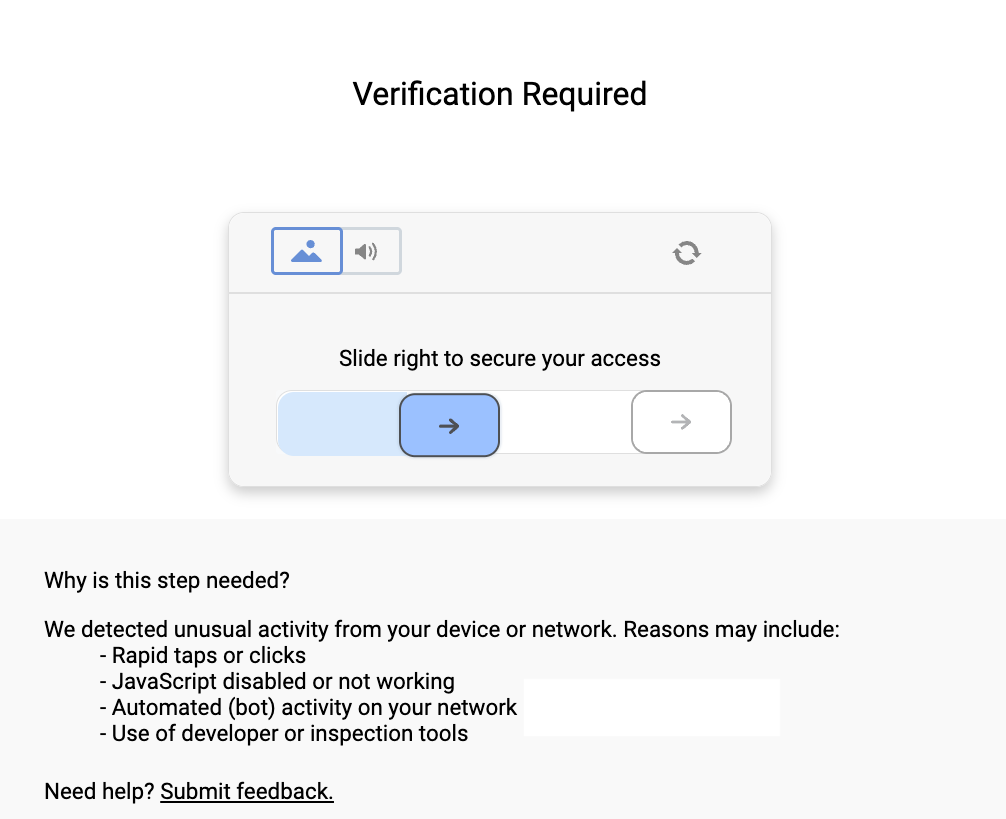
The CAPTCHA page itself spells it out: rapid taps, disabled JavaScript, bot activity, or developer tools will all trigger it.
This means standard libraries like requests or httpx are instantly rejected. You'd need a full headless browser setup with fingerprint spoofing just to have a chance, and even that's not guaranteed.
But there's a cleaner way:
How Scrape.do Bypasses These Blocks
Scrape.do solves all of PeopleSearchNow's defenses in a single API call.
When you enable super=true and set geoCode=us, your request gets routed through premium US-based residential IPs from Scrape.do's pool of 110M+ rotating proxies. Not datacenter IPs that get flagged instantly; real residential connections that look like actual US users. 🌐
On top of that, Scrape.do's anti-bot engine handles Cloudflare's JavaScript challenges and CAPTCHA triggers automatically. It mimics real browser behavior with proper TLS fingerprints, dynamic headers, and intelligent retries.
The result?
You get a fully rendered, unblocked HTML page, ready to parse with BeautifulSoup.
Creating a Basic PeopleSearchNow Scraper
We'll start with a PeopleSearchNow profile page and walk through getting access, extracting each data point, and printing it all in a clean format.
First things first; privacy.
No real person's data is being used here. The profile below has been modified with entirely fictional information:
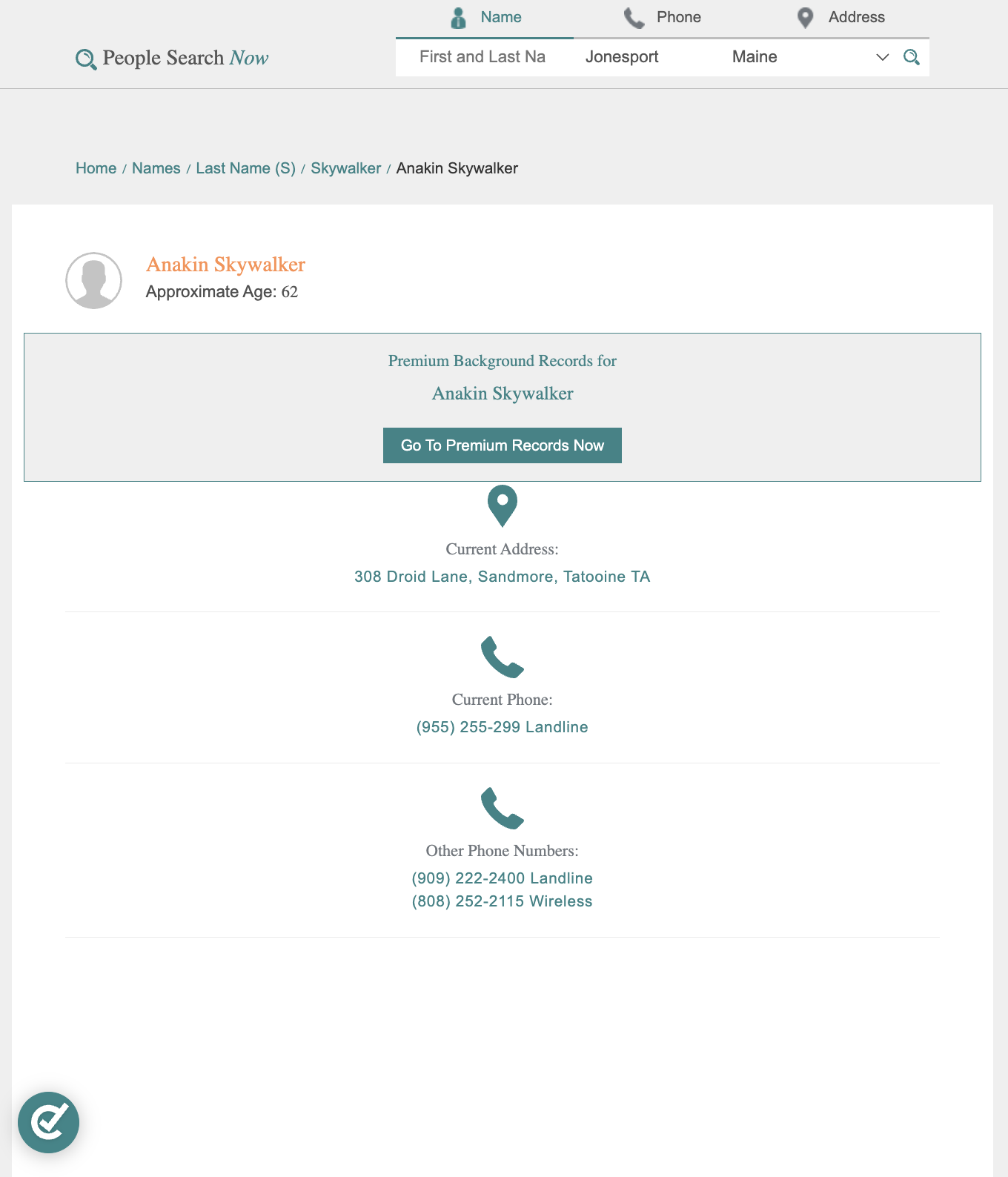
When you try it yourself, just run a search on the site and use the URL of any result page.
Prerequisites
We'll be using Python for this guide, along with two libraries: requests for sending HTTP requests, and BeautifulSoup for parsing the returned HTML.
If you don't have them installed yet, run:
pip install requests beautifulsoup4You'll also need an API key from Scrape.do, which you can get for free by signing up in <1min (no credit card required).
Sending a Request and Verifying Access
Once you have your token, it's time to send your first request.
We'll target a PeopleSearchNow profile page. The goal at this stage is simple: get a 200 OK response and confirm that the page is accessible and fully rendered.
Here's how we do that using Scrape.do with geoCode=us and super=true:
import requests
import urllib.parse
from bs4 import BeautifulSoup

# Your Scrape.do API token
token = "<your_token>"

# Target URL
target_url = "https://www.peoplesearchnow.com/person/anakin-skywalker"
encoded_url = urllib.parse.quote_plus(target_url)

# Scrape.do API endpoint (US-based residential proxies)
api_url = f"https://api.scrape.do/?token={token}&url={encoded_url}&super=true&geoCode=us"

# Send the request and parse HTML
response = requests.get(api_url)
soup = BeautifulSoup(response.text, "html.parser")
print(response)
If everything is working correctly, you should see this in your terminal:
<Response [200]>This confirms we've successfully bypassed the geoblock, Cloudflare verification, and CAPTCHA challenges. Now we're ready to extract structured data from the page.
Extracting Name and Age
The profile page displays the person's name in an <h1> tag with a name class, and the age is stored in a <div> with an age class, typically formatted as "Approximate Age: 62".
We target both elements directly by their class names and strip the age prefix to get a clean value.
Here's how:
# Extract name
name_elem = soup.find("h1", class_="name")
name = name_elem.text.strip() if name_elem else ""

# Extract age
age_elem = soup.find("div", class_="age")
age = age_elem.text.strip().replace("Age: ", "").replace("Age ", "") if age_elem else ""

print("Name:", name)
print("Age:", age)
You should get something like:
Name: Anakin Skywalker
Age: 62
Note the safety checks: if the element doesn't exist on a particular profile, the code returns an empty string instead of crashing. This is important because not every profile has complete data.
Extracting Address, City, and State
PeopleSearchNow displays the current address inside a <div> with an address class. The street address and city/state are split across separate <span> elements inside that container.
The first <span> holds the street address, and the second contains the city and state in a "City, State" format that we can split by comma.
Here's the code:
# Extract address information
address_elem = soup.find("div", class_="address")
if address_elem:
    address_parts = address_elem.find_all("span")
    address = address_parts[0].text.strip() if len(address_parts) > 0 else ""
    city_state = address_parts[1].text.strip() if len(address_parts) > 1 else ""

    # Parse city and state from "City, State" format
    if city_state and "," in city_state:
        city, state = [part.strip() for part in city_state.split(",", 1)]
    else:
        city = city_state
        state = ""
else:
    address = ""
    city = ""
    state = ""

print("Address:", address)
print("City:", city)
print("State:", state)
If it all went right, you should see:
Address: 308 Droid Lane
City: Sandmore
State: Tatooine TA
The extra handling here is intentional. Some profiles may not have a current address listed, and the city/state format can vary, so we account for both edge cases.
Final Code and Output
Below is the complete script that handles the full request, parses the HTML, and extracts all the structured data:
import requests
import urllib.parse
from bs4 import BeautifulSoup

# Your Scrape.do API token
token = "<your_token>"

# Target URL
target_url = "<target_person_url>"  # Example: https://www.peoplesearchnow.com/person/anakin-skywalker
encoded_url = urllib.parse.quote_plus(target_url)

# Scrape.do API endpoint - enabling "super=true" and "geoCode=us" for US-based residential proxies
api_url = f"https://api.scrape.do/?token={token}&url={encoded_url}&super=true&geoCode=us"

# Send the request and parse HTML
response = requests.get(api_url)
soup = BeautifulSoup(response.text, "html.parser")

# Extract name
name_elem = soup.find("h1", class_="name")
name = name_elem.text.strip() if name_elem else ""

# Extract age
age_elem = soup.find("div", class_="age")
age = age_elem.text.strip().replace("Age: ", "").replace("Age ", "") if age_elem else ""

# Extract address information
address_elem = soup.find("div", class_="address")
if address_elem:
    address_parts = address_elem.find_all("span")
    address = address_parts[0].text.strip() if len(address_parts) > 0 else ""
    city_state = address_parts[1].text.strip() if len(address_parts) > 1 else ""

    # Parse city and state from "City, State" format
    if city_state and "," in city_state:
        city, state = [part.strip() for part in city_state.split(",", 1)]
    else:
        city = city_state
        state = ""
else:
    address = ""
    city = ""
    state = ""

# Print output
print("Name:", name)
print("Age:", age)
print("Address:", address)
print("City:", city)
print("State:", state)
And here's all the data we've parsed in clean format:
Name: Anakin Skywalker
Age: 62
Address: 308 Droid Lane
City: Sandmore
State: Tatooine TA
Conclusion
Between hard geoblocks, Cloudflare's security verification, and slider CAPTCHAs that trigger on anything automated, PeopleSearchNow is built to keep scrapers out.
But with Scrape.do, none of that matters:
- Premium residential proxies with US geo-targeting 🌎
- Automatic CAPTCHA and Cloudflare bypass 🔑
- Only pay for successful requests ✔✔
Full Stack Developer








