# ChatGPT Scraper API (/documentation/chatgpt-api) The ChatGPT API takes a single text prompt and returns the assistant's reply from `chatgpt.com` as structured JSON. One GET request, no account, no cookies, no browser automation, and no session state to manage on your side. ```bash curl "https://api.scrape.do/plugin/chatgpt/chat?token=$TOKEN&q=ping" ``` **Credit Usage:** Each successful request costs **25 credits**. For bulk processing, use the [Async API with plugins](/documentation/async-api/plugins/). Key Features [#key-features] * **One-shot prompt-to-reply**: send a prompt, get the full assistant response back in a single HTTP call. * **Clean text plus rendered output**: get the assistant text with citation markers removed, plus `output.markdown` and `output.html` for display. * **Structured JSON envelope**: the response includes the full message document, citations, source links, tool data, model slug, finish reason, and message / conversation IDs. * **Stateless from your side**: every call is independent. No login, no token refresh, no conversation IDs to track. * **Citation and tool data support**: when ChatGPT searches or returns shopping cards, you get flat `sources[]`, `tool_data.shopping[]`, and the literal `tool_data.search_queries[]` issued upstream. * **Locale signal**: use `geoCode` to ask ChatGPT to answer in the matching language, such as `de` for German or `tr` for Turkish. * **No render fee**: protocol traffic to `chatgpt.com` is included in the per-call price. *** Endpoint [#endpoint] ``` GET https://api.scrape.do/plugin/chatgpt/chat ``` Basic Example [#basic-example] ```bash curl "https://api.scrape.do/plugin/chatgpt/chat?token=$TOKEN&q=Explain+how+rainbows+form" ``` Request Parameters [#request-parameters] Required [#required] | Parameter | Type | Description | | --------- | ------ | ------------------------------------------------------------------------------------------ | | `token` | string | Your Scrape.do API authentication token | | `q` | string | Prompt text to send to ChatGPT. Maximum **1024 characters**. URL-encode multi-word prompts | Optional [#optional] | Parameter | Type | Default | Description | | ----------------------- | ------------------ | ------- | ------------------------------------------------------------------------------------------------------------------------------------------------------------------------------------------------------------------------------------------------------------------------------------------------------------------------------------------------------------ | | `model` | string | `auto` | Model selector passed through to ChatGPT, such as `auto`, `gpt-5`, or `gpt-4o`. Unknown or unavailable values fall back to `auto`. | | `geoCode` | ISO-3166-1 alpha-2 | `us` | Country code used as a locale signal. Examples: `us` for English, `de` for German, `tr` for Turkish, `br` for Brazilian Portuguese, and `jp` for Japanese. Invalid codes return `400`. | | `raw_sse` | `0` / `1` | `0` | When `1`, includes the raw upstream stream body in `raw_sse` for debugging. `include_raw=1` is also accepted. | | `shopping_placeholders` | `0` / `1` | `0` | When `1`, each inline product in `output.markdown` is replaced with a `{{shopping:}}` token whose `` matches a `tool_data.shopping[].id`. Lets you render your own product cards by ID instead of relying on position. Markdown-only — `output.html` and `data` are unaffected. See [Render your own product cards](#render-your-own-product-cards). | Example Requests [#example-requests] ```bash # Basic prompt curl "https://api.scrape.do/plugin/chatgpt/chat?q=hello&token=$TOKEN" # Pin a specific model curl "https://api.scrape.do/plugin/chatgpt/chat?q=summarize+linux+kernel&model=gpt-5&token=$TOKEN" # Ask for a German response curl --get "https://api.scrape.do/plugin/chatgpt/chat" \ --data-urlencode "q=Was sind die wichtigsten Nachrichten heute" \ --data-urlencode "geoCode=de" \ --data-urlencode "token=$TOKEN" # Include the raw stream for debugging curl "https://api.scrape.do/plugin/chatgpt/chat?q=hello&raw_sse=1&token=$TOKEN" # Get inline product placeholders for your own card rendering curl --get "https://api.scrape.do/plugin/chatgpt/chat" \ --data-urlencode "q=Show me Nike Pegasus 41 shoes I can buy, with links" \ --data-urlencode "shopping_placeholders=1" \ --data-urlencode "token=$TOKEN" ``` Notes [#notes] * Prompts longer than 2048 characters are rejected before any model call runs, so no credits are spent on them. * One call returns one assistant reply. There is no multi-turn conversation state; to follow up, include any prior context inside the new `q`. * `geoCode` controls the response language through ChatGPT's locale signal. Web-search sources may still be globally mixed because source selection is decided by ChatGPT. *** Response [#response] The response includes the full assembled message envelope plus integrator-friendly top-level fields for rendered output, citations, and tool data. Top-Level Structure [#top-level-structure] ```json { "prompt": "Explain quantum entanglement in one sentence", "data": { ... }, "output": { "markdown": "...", "html": "..." }, "sources": [ { "url": "...", "title": "...", "snippet": "...", "attribution": "...", "pub_date": 1779209196 } ], "tool_data": { "shopping": [], "ads": [], "search_queries": [] }, "stream_bytes": 18342, "upstream_latency": "4.812s", "pow_inflight": 0 } ``` | Field | Type | Description | | -------------------------- | ------- | ----------------------------------------------------------------------------------------------------------------------------------------------------------------------------------------------------------------------------------------------------------------------------------------- | | `prompt` | string | Echo of the submitted prompt | | `data` | object | Full assembled assistant message envelope. `data.message.content.parts[0]` contains clean assistant text with inline citation markers stripped. | | `output.markdown` | string | Cleaned reply as Markdown. Citation tokens are rewritten as proper links when the response cited sources. | | `output.html` | string | `output.markdown` rendered to safe GitHub-flavored HTML. | | `sources` | array | Flat, deduplicated citation and web result list. Empty when ChatGPT did not search the web. | | `tool_data.shopping` | array | Product entries returned by ChatGPT's shopping tool. Each entry includes a stable `id` plus title, URL, price, currency, image URL, attribution, and description when available. Use `id` to match an inline `{{shopping:}}` token (see `shopping_placeholders`) back to its product. | | `tool_data.ads` | array | Sponsored entries when present. Currently reserved and usually empty. | | `tool_data.search_queries` | array | Literal web-search query strings ChatGPT issued, in order. Empty when no search fired. | | `stream_bytes` | integer | Size of the upstream stream body in bytes. | | `upstream_latency` | string | End-to-end upstream call duration, such as `"4.812s"`. | | `raw_sse` | string | Raw upstream stream body. Only present when `raw_sse=1` is set. | | `pow_inflight` | integer | Current in-flight workload counter. Useful as a load signal when running many parallel requests. | `output`, `sources`, and `tool_data` are always present. For a simple non-web-search answer, `sources`, `tool_data.shopping`, `tool_data.ads`, and `tool_data.search_queries` are empty arrays. Useful data Paths [#useful-data-paths] ```text data.message.content.parts[0] → clean assistant text data.message.metadata.content_references[N] → citations data.message.metadata.content_references[N].safe_urls → resolved citation URLs data.message.metadata.finish_details → stop reason data.message.metadata.model_slug → model data.message.status → "finished_successfully" data.message.id → message id data.conversation_id → conversation id ``` Example [#example] ```json { "prompt": "Explain how rainbows form", "data": { "message": { "id": "f0a2b1c4-...", "status": "finished_successfully", "content": { "content_type": "text", "parts": [ "Rainbows form when sunlight is refracted, reflected, and dispersed inside water droplets ..." ] }, "metadata": { "model_slug": "gpt-5", "finish_details": { "type": "stop" }, "content_references": [ { "type": "webpage", "title": "How Rainbows Form, NOAA SciJinks", "safe_urls": ["https://scijinks.gov/rainbow/"] } ] } }, "conversation_id": "9b8a7c6d-..." }, "output": { "markdown": "Rainbows form when sunlight is refracted, reflected, and dispersed inside water droplets ...", "html": "

Rainbows form when sunlight is refracted, reflected, and dispersed inside water droplets ...

\n" }, "sources": [ { "url": "https://scijinks.gov/rainbow/", "title": "How Rainbows Form, NOAA SciJinks", "snippet": "...", "attribution": "NOAA SciJinks", "pub_date": 0 } ], "tool_data": { "shopping": [], "ads": [], "search_queries": [] }, "stream_bytes": 1422, "upstream_latency": "2.318s", "pow_inflight": 0 } ``` Message Envelope Fields [#message-envelope-fields] | Field | Type | Description | | ------------------------------------------ | ------ | --------------------------------------------------------------- | | `data.message.id` | string | Unique identifier for this assistant message | | `data.message.status` | string | Message status. `"finished_successfully"` for a complete reply | | `data.message.content.parts[0]` | string | The assistant's reply text with inline citation markers removed | | `data.message.metadata.model_slug` | string | Model that produced the reply (e.g., `"gpt-5"`) | | `data.message.metadata.finish_details` | object | Stop reason, e.g., `{ "type": "stop" }` | | `data.message.metadata.content_references` | array | Inline citations. Absent when the model did not cite anything | | `data.conversation_id` | string | Identifier for the conversation this reply belongs to | content_references[] [#content_references] | Field | Type | Description | | ----------- | --------- | -------------------------------------------------------- | | `type` | string | Reference type (e.g., `"webpage"`, `"image"`) | | `title` | string | Citation title as shown in the reply | | `safe_urls` | string\[] | Resolved URLs for the citation. Present on web citations | *** Render your own product cards [#render-your-own-product-cards] When ChatGPT returns shopping results, `output.markdown` renders inline products as links by default. If you render your own product cards, add `shopping_placeholders=1` and each inline product becomes a `{{shopping:}}` token instead: ```text - {{shopping:36460bc8599e}} - {{shopping:f6d7a830aa6d}} - {{shopping:0f7380b3a66f}} ``` Every `` matches the `id` of an entry in `tool_data.shopping[]`. To render, scan `output.markdown` for `{{shopping:}}` tokens and swap each for your own card, looked up by `id`: ```json "tool_data": { "shopping": [ { "id": "36460bc8599e", "title": "Nike Men's Pegasus 41", "url": "https://www.nike.com/t/...", "price": "$140.00", "image_url": "https://...", "attribution": "Nike + others" } ] } ``` Things to rely on: * **Look up by `id`, not by position.** The same product can appear at more than one inline position (you will see the same token repeated), and the order of `tool_data.shopping[]` does not necessarily follow the order of the text. Counting positions will drift; ID lookup will not. * **Every token resolves.** A token is only emitted when its product has a matching `tool_data.shopping[]` entry. An inline product with no structured match is left as normal text instead of a token. * **`tool_data.shopping[]` can be a superset.** Some products may be listed in `tool_data.shopping[]` without an inline token, because ChatGPT mentioned them in prose. Size your placeholders from the tokens in `output.markdown`, and use `tool_data.shopping[]` to fill in card details by `id`. * **Markdown-only.** This affects `output.markdown` only. `output.html` keeps the normal inline product links, and `data.message.content.parts[0]` is unchanged. *** Notes [#notes-1] * The envelope follows the streaming message shape used by `chatgpt.com`; we collect the full stream server-side and return the final assembled document. * Citation delimiters that appear inline in the raw stream are stripped before the response is returned. The text in `parts[0]` is clean, citations live separately in `metadata.content_references`, and `sources[]` provides a flat URL list for easier integration. * A reply that ends with `finish_details.type == "stop"` is a normal completion. Other values indicate the model stopped early (e.g., a tool call boundary). * ChatGPT decides whether to search the web or show shopping results on each call. Empty `sources[]` or `tool_data.shopping[]` does not mean the endpoint failed; it means ChatGPT answered without that tool. * Prompts like `Search the web`, `Browse the web`, or `Find live prices` are more likely to trigger web or shopping tools than general explanation prompts. * Typical responses take 3-15 seconds depending on prompt complexity and response length. The endpoint waits for the assistant message to finish and does not stream partial replies. * The per-call timeout is 60 seconds. Shorten unusually long prompts if you receive an upstream timeout. *** Error Responses [#error-responses] | Status | Body | Cause | | ------ | ---------------------------------------------------------------------- | ----------------------------------------------------------- | | `400` | `{ "error": "token is required" }` | Missing `token` parameter | | `400` | `{ "error": "q (prompt) is required" }` | Missing or empty `q` parameter | | `400` | `{ "error": "q is too long (max 1024 characters)", "message": "..." }` | Prompt exceeds the 1024-character limit | | `400` | `{ "error": "unsupported geoCode" }` | `geoCode` is not a recognized ISO-3166-1 alpha-2 code | | `429` | `{ "error": "server busy", "message": "..." }` | Too many concurrent ChatGPT requests; retry shortly | | `502` | `{ "error": "request failed", "message": "..." }` | Upstream call to ChatGPT failed | | `502` | `{ "error": "empty reply", "message": "..." }` | Upstream returned an empty assistant message; safe to retry | | `504` | `{ "error": "upstream timeout", "message": "..." }` | ChatGPT did not respond within 60 seconds | | `500` | `{ "error": "internal server error" }` | Unexpected internal failure | # Contact Us (/documentation/contact) Technical Support [#technical-support] For technical questions, troubleshooting, or help with your integration, email our support team: **[support@scrape.do](mailto:support@scrape.do)** Our support team is available to help with API usage, error debugging, configuration questions, and best practices. Before reaching out, check our [FAQ](/documentation/faq) and [documentation](/documentation/) — your answer may already be there. *** Sales & Enterprise [#sales--enterprise] For pricing questions, custom plans, enterprise solutions, or high-volume needs, contact our sales team: **[sales@scrape.do](mailto:sales@scrape.do)** You can also [schedule a 30-minute meeting](https://calendly.com/scrapedo-sales/30min) with our sales team to discuss your requirements. *** Connect With Us [#connect-with-us] * [LinkedIn](https://www.linkedin.com/company/scrape-do/) * [X (Twitter)](https://x.com/scrapedotdo) * [YouTube](https://www.youtube.com/@Scrapedo/videos) * [GitHub](https://github.com/scrape-do) # Frequently Asked Questions (/documentation/faq) How can I reduce network traffic and improve performance? [#how-can-i-reduce-network-traffic-and-improve-performance] You can reduce network traffic and improve your performance by using the **accept-encoding: gzip, deflate, br** header value in your requests. Scrape.do supports gzip, deflate, and brotli compression types. What should I do when I get 502 status codes? [#what-should-i-do-when-i-get-502-status-codes] When you get 502 status codes, you should try again. If there is no problem specific to the target web page, our system expects you to achieve a success rate of over 85%+. If you fall below this success rate, please contact support and we will check your requests. Should I use a queuing system for my scraping project? [#should-i-use-a-queuing-system-for-my-scraping-project] Yes, it will always be better and easier for your business to have a queuing system in your web scraping project and manage failed requests in this queuing system. How should I manage request timing to reduce errors? [#how-should-i-manage-request-timing-to-reduce-errors] Spreading your requests over a certain period of time can greatly reduce your error rates, and getting the maximum response you can get as soon as possible by using your simultaneous request limits at full capacity can also increase your success rates. For this, you can determine which one will be better for you by doing tests. I need to forward headers to the target website. How can I do this? [#i-need-to-forward-headers-to-the-target-website-how-can-i-do-this] You should read the [**Custom Headers**](/documentation/headers-cookies/custom-headers) and [**Extra Headers**](/documentation/headers-cookies/extra-headers) sections in our documentation. How often does a proxy change? [#how-often-does-a-proxy-change] Our system changes and rotates the proxy for every request made to the target website. If you need to use the same IP address across multiple requests, take a look at the [**Sticky Sessions**](/documentation/api-response/session-id) feature. {/* */} Is 2MB response limit enough? [#is-2mb-response-limit-enough] We respond to millions requests per day, and we can say with confidence that there has been no HTML content that has exceeded the 2M limit so far. Since the content from the target site is returned as compressed, it is practically impossible with HTML to have a compressed content that exceeds the 2MB limit for web pages. Can I Scrape LinkedIn? [#can-i-scrape-linkedin] We support the scraping of public pages for LinkedIn. # Home Depot Scraper API (/documentation/homedepot-api) The Home Depot API fetches `homedepot.com` pages through a store-scoped session, so the response reflects the pricing, availability, and fulfillment options of the store you name rather than a random default. A companion endpoint resolves store IDs from a zip code or a pair of coordinates. Home Depot pages are returned as **HTML**, not parsed JSON. The store lookup endpoint returns JSON. If you need structured product fields, parse the HTML on your side. Endpoints [#endpoints] | Endpoint | Returns | Purpose | | --------------------------- | ------- | -------------------------------------------- | | `/plugin/homedepot/product` | HTML | A product page rendered for a specific store | | `/plugin/homedepot/stores` | JSON | Stores near a zip code or coordinate pair | Both endpoints cost **10 credits** per successful request. Requests rejected with `400` are not charged. Home Depot is a synchronous-only plugin. It is not currently available through the [Async API](/documentation/async-api/plugins/), which rejects `homedepot/product` and `homedepot/stores` with `unsupported plugin key`. *** Product Endpoint [#product-endpoint] Basic Example [#basic-example] ```bash curl "https://api.scrape.do/plugin/homedepot/product?token=YOUR_TOKEN&url=https%3A%2F%2Fwww.homedepot.com%2Fp%2FMilwaukee-M12-FUEL-12V-Lithium-Ion-Brushless-Cordless-3-in-Cut-Off-Saw-w-M12-XC-5-0-Ah-Battery-2-Pack-Starter-Kit-and-Charger-2522-20-48-59-2450P%2F330625530&storeid=2414&zipcode=04401" ``` Request Parameters [#request-parameters] All three parameters are required. Omitting any of them returns `400` before any page is fetched, so the request costs nothing. | Parameter | Type | Description | | --------- | ------ | ----------------------------------------------------------------------------------------------------- | | `token` | string | Your Scrape.do API authentication token | | `url` | string | Full Home Depot product URL, URL-encoded. Must be on `homedepot.com` | | `storeid` | string | Home Depot store number, for example `2414`. Resolve one with the [stores endpoint](#stores-endpoint) | | `zipcode` | string | Zip code used to localize the session, for example `04401` | Notes [#notes] * The `storeid` and `zipcode` are applied to the session before the page is fetched, so prices, stock, and pickup options come back as that store serves them. * The response is the full product page HTML, typically around 700 KB. * Home Depot loads some pricing through client-side calls after the initial render. If a field you need is missing from the HTML, it is being fetched separately by the page rather than being withheld by the API. *** Stores Endpoint [#stores-endpoint] Resolves nearby stores, including the `storeId` values the product endpoint expects. Basic Example [#basic-example-1] ```bash curl "https://api.scrape.do/plugin/homedepot/stores?token=YOUR_TOKEN&zipcode=04401" ``` Request Parameters [#request-parameters-1] Provide either `zipcode` **or** both `lat` and `lng`. Sending neither returns `400 zipcode (or lat+lng) is required`, and `lat` without `lng` is rejected the same way. | Parameter | Type | Description | | --------- | ------ | ----------------------------------------------------------------- | | `token` | string | Your Scrape.do API authentication token | | `zipcode` | string | Zip code to search around, for example `04401` | | `lat` | number | Latitude, used together with `lng` as an alternative to `zipcode` | | `lng` | number | Longitude, used together with `lat` | Coordinate Example [#coordinate-example] ```bash curl "https://api.scrape.do/plugin/homedepot/stores?token=YOUR_TOKEN&lat=44.8&lng=-68.75" ``` Response [#response] ```json { "data": { "storeSearch": { "stores": [ { "storeId": "2414", "name": "Bangor", "phone": "(207)990-3133", "distance": "2.59", "storeTimeZone": "EST5EDT", "address": { "street": "650 Stillwater Avenue", "city": "Bangor", "state": "ME", "country": "US", "postalCode": "04401" }, "coordinates": { "lat": 44.83381, "lng": -68.754598 } } ] } } } ``` | Field | Description | | ------------- | ---------------------------------------------- | | `storeId` | Pass this as `storeid` to the product endpoint | | `name` | Store name, usually the city or neighborhood | | `distance` | Distance in miles from the searched location | | `address` | Street, city, state, country, and postal code | | `coordinates` | Store latitude and longitude | The number of stores returned depends on density around the search point. A rural zip code may return three, while a dense metro area returns twenty. A zip code with no nearby stores returns `200` with an empty `stores` array rather than an error. *** Error Responses [#error-responses] | Status | Body | Cause | | ------ | ---------------------------------------------- | -------------------------------------------------------------------- | | `400` | `{"error":"zipcode is required"}` | Product endpoint called without `zipcode` | | `400` | `{"error":"storeid is required"}` | Product endpoint called without `storeid` | | `400` | `{"error":"zipcode (or lat+lng) is required"}` | Stores endpoint called without `zipcode`, or with `lat` but no `lng` | Rejected requests are not charged. # Getting Started (/documentation) Scrape.do provides ***unblocked access to public web data at scale*** by: * Avoiding all anti-bot, WAF, and CAPTCHA through custom bypass solutions. * Rotating 150M+ datacenter, residential, and mobile proxies in 150 countries. * Seamlessly rendering and interacting web pages with its managed headless browser. **After signing up for Scrape.do and generating your API key, test your setup with a basic request:** *** Generate API Token [#generate-api-token] {/* {{< parameter-snippet "token" "string" "none" "1" >}} */} All your requests are authorized with your account token, which is **automatically generated when you first sign up**. Your token is located in your dashboard here:
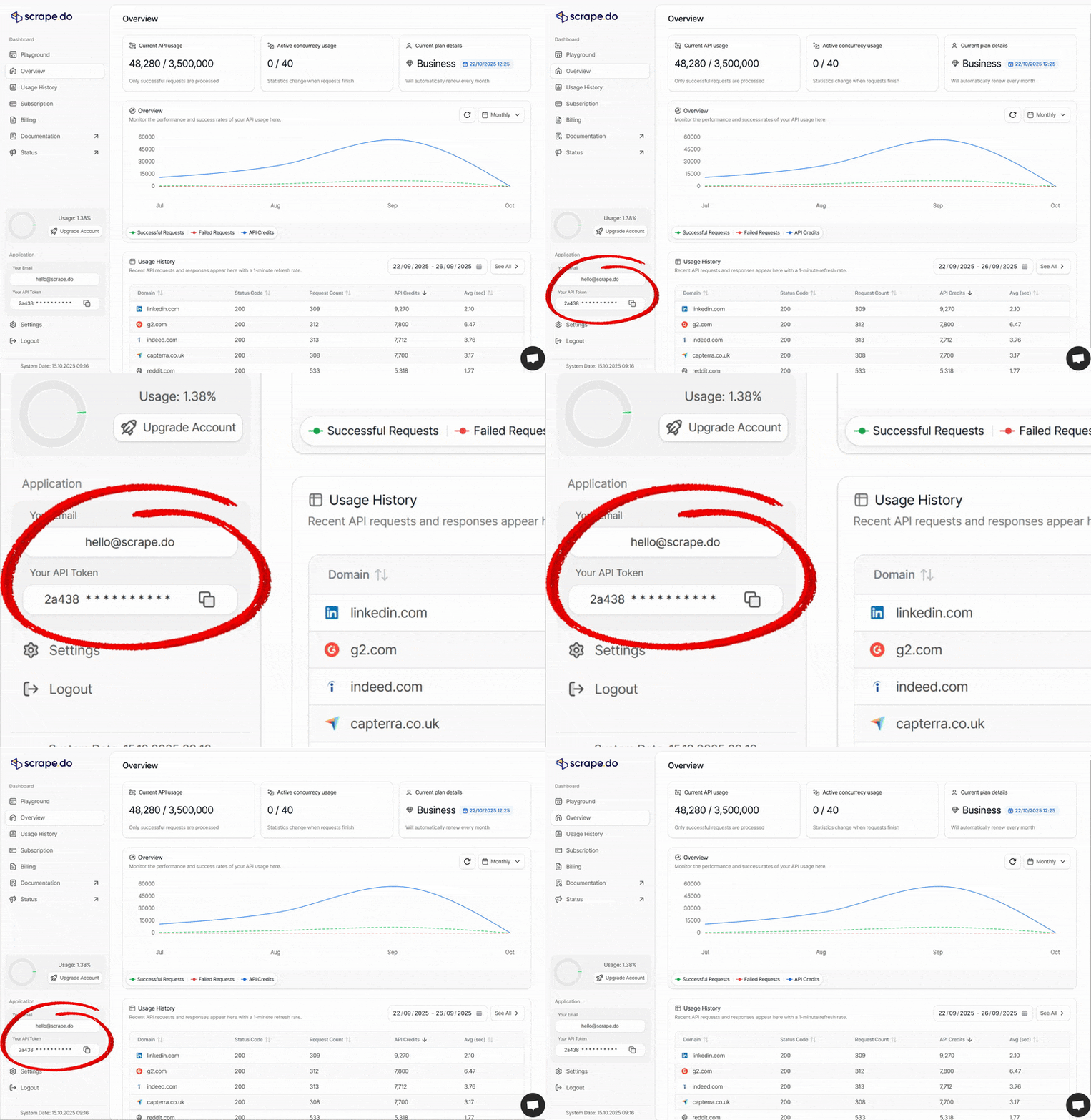
Token Location
If you haven't signed up yet, [create a free-forever account here](https://dashboard.scrape.do/sign-up). *** API Playground [#api-playground] The [API Playground](https://dashboard.scrape.do/playground) is your interactive testing environment where you can experiment with Scrape.do parameters without writing code. Use it to: * Test different parameter combinations in real-time * Generate code snippets in multiple programming languages (Python, Node.js, PHP, cURL, etc.) * Preview API responses before implementing in your application * Learn how parameters affect request behavior API Playground Dashboard Access the [playground](https://dashboard.scrape.do/playground) from your dashboard to build and refine your scraping requests with instant feedback. *** Encode Your Target URL [#encode-your-target-url] Pass the target website URL you want to scrape using the `url` parameter. When using API mode, **you must URL-encode the parameter** to prevent it from being misinterpreted as multiple query parameters (supported protocols: `HTTP` and `HTTPS`). No need to encode the URL if you use **Proxy Mode**. *** API Parameters Overview [#api-parameters-overview] You can view all the parameters of Scrape.do from the table below and have an overview of all of them quickly. | Parameter | Type | Default | Description | Details | | --------------------- | ------ | ---------------- | --------------------------------------------------------------------------------------------- | -------------------------------------------------------------------------- | | **token\*** | string | | The token to use for authentication. | [more](/documentation/#generate-api-token) | | **url\*** | string | | Target web page URL. | [more](/documentation/#encode-your-target-url) | | super | bool | false | Use Residential & Mobile Proxy Networks | [more](/documentation/proxies/super) | | geoCode | string | | Choose the right country for your target web page | [more](/documentation/proxies/geo-code) | | regionalGeoCode | string | | Choose continent for your target web page | [more](/documentation/proxies/regional-geo-code) | | sessionId | int | | Use the same IP address continuously with a session | [more](/documentation/api-response/session-id) | | customHeaders | bool | false | Handle all request headers for the target web page | [more](/documentation/headers-cookies/custom-headers) | | extraHeaders | bool | false | Use it to change header values or add new headers over the ones we have added | [more](/documentation/headers-cookies/extra-headers) | | forwardHeaders | bool | false | Forward your own headers to the target website | [more](/documentation/headers-cookies/forward-headers) | | setCookies | string | | Set cookies for the target web page | [more](/documentation/headers-cookies/set-cookies) | | disableRedirection | bool | false | Disable request redirection for your use-case | [more](/documentation/api-response/disable-redirection) | | callback | string | | **Deprecated.** Use [Async API webhooks](/documentation/async-api/) instead | [more](/documentation/async-api/) | | timeout | int | 60000 | Set maximum timeout for your requests | [more](/documentation/api-response/timeout) | | retryTimeout | int | 15000 | Set maximum timeout for retry mechanism | [more](/documentation/api-response/retry-settings#retry-timeout) | | disableRetry | bool | false | Disable retry mechanism for your use-case | [more](/documentation/api-response/retry-settings#disable-retry) | | device | string | desktop | Specify the device type (desktop, mobile, tablet) | [more](/documentation/api-response/device) | | render | bool | false | Use a headless browser to render JavaScript and wait for content to load | [more](/documentation/headless-browser#js-render) | | waitUntil | string | domcontentloaded | Control when the browser considers the page loaded | [more](/documentation/headless-browser/wait#wait-until) | | customWait | int | 0 | Set the browser wait time on the target web page after content loaded | [more](/documentation/headless-browser/wait#custom-wait) | | waitSelector | string | | CSS selector to wait for in the target web page | [more](/documentation/headless-browser/wait#wait-css-selector) | | width | int | 1920 | Browser viewport width in pixels | [more](/documentation/headless-browser/viewport#width) | | height | int | 1080 | Browser viewport height in pixels | [more](/documentation/headless-browser/viewport#height) | | blockResources | bool | true | Block CSS, images, and fonts on your target web page | [more](/documentation/headless-browser/block-resources) | | screenShot | bool | false | Return a screenshot from your target web page | [more](/documentation/headless-browser/screenshot#normal-screenshot) | | fullScreenShot | bool | false | Return a full page screenshot from your target web page | [more](/documentation/headless-browser/screenshot#full-page-screenshot) | | particularScreenShot | string | | Return a screenshot of a particular area from your target web page | [more](/documentation/headless-browser/screenshot#partial-screenshot) | | playWithBrowser | string | | Simulate browser actions like click, scroll, execute js, etc. | [more](/documentation/headless-browser/browser-interactions) | | output | string | raw | Get the output in raw or markdown format | [more](/documentation/api-response/response-output#output-format) | | transparentResponse | bool | false | Return pure response from target web page without Scrape.do processing | [more](/documentation/api-response/response-output#transparent-response) | | returnJSON | bool | false | Returns network requests with content as a property string | [more](/documentation/headless-browser/returnjson) | | showFrames | bool | false | Returns all iframe content from the target webpage (requires render=true and returnJSON=true) | [more](/documentation/headless-browser/returnjson#show-frames) | | showWebsocketRequests | bool | false | Display websocket requests (requires render=true and returnJSON=true) | [more](/documentation/headless-browser/returnjson#show-websocket-requests) | | pureCookies | bool | false | Returns the original Set-Cookie headers from the target website | [more](/documentation/api-response/response-output#pure-cookies) | *** How Does Scrape.do Work? [#how-does-scrapedo-work] Modern websites use sophisticated anti-bot systems (Cloudflare, PerimeterX, DataDome, Akamai) that fingerprint TLS handshakes, validate HTTP headers, and blacklist datacenter IPs to block automated traffic. Scrape.do solves this by handling all anti-bot evasion on your behalf. Technically, **we act as an intelligent proxy layer between your application and target websites**. Every request is intercepted, upgraded to mimic legitimate browser behavior at multiple layers (TLS, HTTP, JavaScript), routed through our residential/mobile proxy network, and delivered as if from a real user. Your request goes through our infrastructure which: 1. **Routes through rotating proxies** — Your request is forwarded through our pool of 150M+ datacenter, residential, and mobile IPs across 150 countries, automatically rotating to avoid rate limits and IP bans. 2. **Mimics real browser behavior** — We manipulate TLS fingerprints and HTTP headers to match legitimate browser traffic, making your requests indistinguishable from organic users to bypass WAFs and anti-bot systems. 3. **Renders JavaScript if needed** — Setting `render=true` spins up a headless browser (Chromium) to execute JavaScript and load dynamic content, essential for modern SPAs built with React, Vue, or Angular. 4. **Handles CAPTCHAs automatically** — When target sites present CAPTCHA challenges (reCAPTCHA, hCaptcha, etc.), our system detects and solves them transparently without your intervention. 5. **Retries intelligently** — If a request fails due to temporary issues (502/503, timeouts, rate limits), we automatically retry with a different IP until success or timeout. 6. **Returns clean data** — You receive the raw HTML, JSON, or any content type the target website returns. API credits are only consumed on successful requests (2xx status codes). For asynchronous processing of long-running jobs, use the [Async API](/documentation/async-api/) to submit jobs and receive results via webhook instead of keeping connections open. Credits [#credits] Credits are the unit of billing in Scrape.do. You are only charged for successful requests (status codes `2xx`, `400`, `404`, `410`). Failed requests are free. Not all requests cost the same. Some websites require advanced bypass methods (residential proxies, headless browser rendering, or custom anti-detection solutions), which consume more credits per request. For example, a basic datacenter request costs 1 credit, while a residential proxy request with JS rendering costs 25. See the full [Request Costs](/documentation/request-costs) table for credit pricing by request type and domain-specific pricing. Concurrency [#concurrency] Concurrency is the number of requests your account can process simultaneously. Each plan has a concurrency limit that determines how many requests can be in-flight at the same time. If you hit your concurrency limit, additional requests will be queued or rejected until a slot opens up. The [Async API](/documentation/async-api/) has a separate concurrency pool (30% of your plan limit) that runs independently from your main API concurrency, so you can use both without interference. # Libraries (/documentation/libraries) Scrape.do works seamlessly with your favorite web scraping libraries and frameworks. Whether you prefer Python libraries like Scrapy and Selenium, or JavaScript tools like Puppeteer and Playwright, you can integrate Scrape.do directly through our API or proxy mode to enhance your scraping capabilities with residential proxies, JavaScript rendering, and advanced anti-bot bypass features. Python [#python] scrapy-scrapedo [#scrapy-scrapedo] You may prefer to use our Scrapy wrapper library in order to configure it faster and more easily. Get the library with the following command: ``` pip3 install scrapy-scrapedo ``` Then you can use the library as follows: ```py from scrapydo import scrapy, scrapedo class ScrapedoSampleCrawler(scrapy.Spider): name = "Scrape-do Sample Crawler" def __init__(self): super().__init__(scrapedo.RequestParameters( token="TOKEN", # Get your Scrape.do token from: dashboard.scrape.do params={ "geoCode":"us", "super":False, "render":True, "playWithBrowser":[ {"Action":"Click","Selector":"#manpage > div.mp > ul > li:nth-child(3) > a"}, {"Action":"Wait","Timeout":2000}, {"Action":"Execute","Execute":"document.URL"} ], })) def start_requests(self): urls = [ 'https://httpbin.co/', ] for url in urls: yield self.Request(url=url, callback=self.parse) def parse(self, response): print(response.body) print("target:",self.target_url(response)) ``` Since `scrapydo/scrapy` is only a wrapper library, you can use all the features of Scrapy with it. Scrapy [#scrapy] Scrape.do also supports raw Scrapy usage. You can use the following example to utilize Scrapy with Scrape.do. ```py import scrapy,urllib.parse class TestSpider(scrapy.Spider): name = "test" def update_url(self,url): return "https://api.scrape.do/?token=YOUR_TOKEN&url="+ urllib.parse.quote(url) def start_requests(self): urls = [ 'https://example.com', ] for url in urls: yield scrapy.Request(url=self.update_url(url), callback=self.parse) def parse(self, response): print(response.body) ``` Note that when you use raw Scrapy library, you have to add `/` after `https://api.scrape.do` and before `?`. Otherwise, you may get `400 Bad Request` errors. The final request url should look like `"https://api.scrape.do/?token=TOKEN&url=..."` You can use most libraries through [**Proxy Mode**](/documentation/proxy-mode). ```py import scrapy class TestSpider(scrapy.Spider): name = "test" def start_requests(self): urls = [ 'https://example.com', ] meta = { "proxy": "http://YOUR_TOKEN:render=false@proxy.scrape.do:8080" } for url in urls: yield scrapy.Request(url=url, callback=self.parse, meta=meta) ``` Python Selenium Example [#python-selenium-example] ```py # pip install selenium-wire from seleniumwire import webdriver username = "YOUR_TOKEN" password = "render=false" formatted_proxy = f"http://{username}:{password}@proxy.scrape.do:8080" options = { "proxy": { "http": formatted_proxy, "https": formatted_proxy, "verify_ssl": False, }, } URL = "https://httpbin.co/anything?json" chrome_options = webdriver.ChromeOptions() ## block images and javascript chrome_prefs = { "profile.default_content_setting_values": { "images": 2, "javascript": 2, } } chrome_options.experimental_options["prefs"] = chrome_prefs driver = webdriver.Chrome( options=chrome_options, seleniumwire_options=options, ) driver.get(URL) ``` *** TypeScript & JavaScript [#typescript--javascript] Puppeteer [#puppeteer] ```js const puppeteer = require('puppeteer'); (async() => { const blockedResourceTypes = [ 'beacon', 'csp_report', 'font', 'image', 'imageset', 'media', 'object', 'texttrack', 'stylesheet', ]; const username = "YOUR_TOKEN" const password = "render=false" const address = "proxy.scrape.do:8080" const browser = await puppeteer.launch({ args: [ `--proxy-server=http://${address}` ], acceptInsecureCerts:true, headless: false }); const page = await browser.newPage(); // We suggest you block resources for low concurrency and credit usage await page.setRequestInterception(true); page.on('request', request => { if (blockedResourceTypes.indexOf(request.resourceType()) !== -1) { console.log(`Blocked type:${request.resourceType()} url:${request.url()}`) request.abort(); } else { request.continue(); } }); await page.authenticate({username, password}); await page.goto('https://www.example.com'); await new Promise(resolve => setTimeout(resolve, 3000)); await browser.close(); })(); ``` *** Playwright (Chrome) [#playwright-chrome] ```js const { chromium } = require('playwright'); (async () => { const proxy = { server: 'http://proxy.scrape.do:8080', username: 'YOUR_TOKEN', password: '', }; const browser = await chromium.launch({ headless: false, proxy: { server: proxy.server, username: proxy.username, password: proxy.password, }, args: ['--ignore-certificate-errors'] }); const page = await browser.newPage(); await page.goto('https://www.example.com/'); await page.waitForTimeout(3000); await browser.close(); })(); ``` # Lowes Scraper API (/documentation/lowes-api) The Lowes API fetches `lowes.com` pages through a store-scoped session. Every request carries a store ID and zip code, so prices, stock, and fulfillment options come back as that specific store serves them rather than from a default location. The response format depends on which URL you send. Product and search pages return **HTML**, while Lowes' own product APIs (`/wpd/…` and `/pl/…/products`) return **JSON**. See [URL patterns](#url-patterns). Endpoint [#endpoint] ``` https://api.scrape.do/plugin/lowes/store ``` Each successful request costs **10 credits**. Requests rejected with `400` are not charged. Basic Example [#basic-example] ```bash curl "https://api.scrape.do/plugin/lowes/store?token=YOUR_TOKEN&url=https%3A%2F%2Fwww.lowes.com%2Fpd%2FDisney-Airblown-Holiday-Stitch%2F5016066683&zipcode=28202&storeid=0595" ``` Request Parameters [#request-parameters] `url`, `zipcode`, and `storeid` are all required. Omitting any of them returns `400` before the page is fetched, so the request costs nothing. | Parameter | Type | Description | | --------- | ------ | -------------------------------------------------------------------------------------------------- | | `token` | string | Your Scrape.do API authentication token | | `url` | string | Full Lowes URL, URL-encoded. Must be on `lowes.com` and match an accepted [pattern](#url-patterns) | | `zipcode` | string | Numeric zip code, digits only, for example `28202` | | `storeid` | string | Numeric Lowes store ID, digits only, for example `0595` | Optional Parameters [#optional-parameters] | Parameter | Type | Default | Description | | --------------------- | ---------------- | ---------- | --------------------------------------------------------------- | | `disableretry` | `true` / `false` | `false` | Disables retry logic for the request | | `transparentresponse` | `true` / `false` | `false` | Returns the raw upstream response on timeout instead of a `502` | | `timeout` | number | system max | Per-request timeout in milliseconds | *** URL Patterns [#url-patterns] Only these paths are accepted. Anything else returns `400 valid lowes url expected`. | Pattern | Returns | Example | | ---------------------------------------------------------------------------- | ------- | ------------------------------------------------------------------------------------------------------------------------ | | `/pd//` | HTML | `https://www.lowes.com/pd/Disney-Airblown-Holiday-Stitch/5016066683` | | `/search…` | HTML | `https://www.lowes.com/search?searchTerm=socket+holder` | | `/pl///products` | JSON | `https://www.lowes.com/pl/power-tools/4294607842/products` | | `/wpd//productdetail///` | JSON | `https://www.lowes.com/wpd/1000002288/productdetail/0208/Guest/92253` | | `/collections/api/items//COLL_MANDATORY///` | JSON | Collections API. Needs a real collection group ID; an invalid one returns Lowes' own `400 Invalid request params input` | | `/purchase/api/cart/cartitems` | JSON | Cart-add endpoint. Lowes expects `POST` here, and async plugin jobs always issue `GET`, so a plain request returns `404` | Path Segments Must Match Your Parameters [#path-segments-must-match-your-parameters] For `/wpd/…` and `/collections/…` URLs, the `` and `` segments inside the path must match the `storeid` and `zipcode` parameters exactly. A mismatch returns: ```json { "error": "valid lowes url expected", "message": "Please ensure that url match with the provided zipcode and storeid parameters." } ``` JSON Responses [#json-responses] `/pl/…/products` returns a paginated category listing: ```json { "itemCount": 6878, "sponsoredItemCount": 4, "adjustedNextOffset": 20, "categories": [{ "name": "Power Tools", "nValue": "4294607842" }] } ``` `itemCount` reflects Lowes' live catalog and changes between requests. Use `adjustedNextOffset` to page through results. `/wpd/…` returns product detail keyed by item ID: ```json { "productDetails": { "5016066683": { "product": { "omniItemId": "5016066683", "brand": "Disney", "additionalBadges": ["Only at Lowes"] } } } } ``` *** Notes [#notes] * Store scoping is real, not cosmetic. The same product URL fetched with different `storeid` values returns pages carrying those respective store numbers, along with their own pricing and availability. * Search result pages are the largest responses, often exceeding 500 KB. * The last two patterns in the table pass the plugin's URL check but still depend on Lowes accepting the request. A `400` or `404` coming back as JSON or HTML from Lowes itself is a target-side rejection, not a plugin error. Error Responses [#error-responses] | Status | Body | Cause | | ------ | --------------------------------------------------------------------------------------------------------------------------------- | -------------------------------------------------------------------------- | | `400` | `{"error":"invalid url provided"}` | `url` parameter missing | | `400` | `{"error":"zipcode is required"}` | `zipcode` parameter missing | | `400` | `{"error":"storeid is required"}` | `storeid` parameter missing | | `400` | `{"error":"valid lowes url expected"}` | URL is not on `lowes.com`, or does not match an accepted pattern | | `400` | `{"error":"valid lowes url expected","message":"Please ensure that url match with the provided zipcode and storeid parameters."}` | `/wpd/…` path segments do not match the `storeid` and `zipcode` parameters | Rejected requests are not charged. # Proxy Mode (/documentation/proxy-mode) It may take time for companies or people currently working with a proxy provider to migrate to the API system. Therefore, you can easily switch from other proxy providers via Proxy Mode. There is no difference between proxy mode and API mode other than the access method. Your operating system or running software **must trust** the [Scrape.do CA Certificate](/scrapedo_ca.crt) in its keychain, or SSL verification **must be disabled** with Proxy Mode. This is because we upgrade and forward your requests without sending them to the target site. This approach prevents certificate issues when SSL verification is performed on the `HTTPS` protocol. Proxy Information [#proxy-information] ``` protocol: http or https host: proxy.scrape.do port: 8080 username: YOUR_TOKEN password: PARAMETERS Example format: http://token:parameters@proxy.scrape.do:8080 ``` Replace `PARAMETERS` with the parameters you want to use. If you don't know what parameters to use, you can begin with the `render=false` parameter. You can pass all parameters from the [**API Parameters Overview**](/documentation/#api-parameters-overview) as query parameters. Example format for using multiple parameters: [#example-format-for-using-multiple-parameters] ``` http://token:render=false&super=true&geoCode=us@proxy.scrape.do:8080 ``` Important Notes [#important-notes] * Proxy Mode uses `customHeaders=true` by default. That's why we recommend you read the [**Custom Headers**](/documentation/headers-cookies/custom-headers) documentation. If you want to disable it, pass `customHeaders=false`. * You can use the same proxy information for places that accept HTTPS proxies. * If you are using your own browser automation via Proxy Mode, we do not recommend using **Headless Browser** features (it would be more accurate to set `render=false`). * Proxy Mode and API Mode use the same subscription package—there is no extra charge. Example cURL [#example-curl] ```sh curl -k -x "http://YOUR_TOKEN:@proxy.scrape.do:8080" 'https://httpbin.co/anything' -v ``` # Request Costs (/documentation/request-costs) Scrape.do charges credits only for **successful results**. Failed requests cost nothing, your credits are only consumed when a successful response is returned. Status codes counted as successful: `2XX`, `400`, `404`, `410`. If you see a target site returning one of these codes but the response is invalid for your use case, contact `support@scrape.do` and we can add a custom rule for your account. *** How the cost of a request is determined [#how-the-cost-of-a-request-is-determined] The credit cost of any request is decided by **two things**: 1. **The proxy type and rendering mode you requested** (set with the `super` and `render` query parameters). This is the baseline cost in the table below. 2. **Whether the target domain has a default proxy / render profile applied server-side**. For some domains, `super=true` and/or `render=true` are turned on automatically because that is the only configuration that reliably bypasses the target. In those cases the request costs the same as if you had passed those parameters yourself. Always check the [`Scrape.do-Request-Cost` response header](/documentation/api-response/response-output#response-headers) to confirm what the request actually cost. That value is authoritative. *** Base cost by request type [#base-cost-by-request-type] These are the standard costs for **untargeted** domains (domains not in the per-domain table below). | Request type | Credits | | ------------------------------------------------------------ | ------- | | Normal request (datacenter proxy) | 1 | | Datacenter + headless browser (`render=true`) | 5 | | Residential / mobile (`super=true`) | 10 | | Residential / mobile + headless browser (`super` + `render`) | 25 | *** Per-domain pricing [#per-domain-pricing] For the following domains, Scrape.do **applies a default proxy or render profile server-side** for reliability reasons. The "Defaults applied" column shows what is turned on for you automatically; the "Cost" column reflects what you will be charged whether or not you also passed those parameters in your request. If your call already had stricter parameters (e.g., you sent `super=true&render=true` for a domain that only defaults to `super=true`), the higher cost applies. | Domain | Cost | Defaults applied | Notes | | ---------------------- | --------- | --------------------------------------- | ----------------------------------------------------------------------------------------------- | | `amazon.*` | 1 | Routed via the Amazon Scraper API | Returns structured JSON. See the [Amazon Scraper API docs](/documentation/amazon-scraper-api/). | | `google.*` | 10 | `super=true` by default | Residential proxy automatically applied for reliable SERP access. | | `idealista.*` | 10 | `super=true` by default | Residential proxy automatically applied. | | `akakce.com` | 10 | `super=true` by default | Residential proxy automatically applied. | | `capterra.com` | 10 | `super=true` by default | Residential proxy automatically applied. | | `hermes.com` | 10 | `super=true` by default | Residential proxy automatically applied for consistent access. | | `leboncoin.fr` | 10 | `super=true` by default | Residential proxy automatically applied. | | `mouser.com` | 10 | `super=true` by default | Residential proxy automatically applied for consistent access. | | `cineworld.co.uk` | 20 | `super=true` by default | Custom anti-detection profile. | | `chewy.com` | 50 | Requires `super=true` | Custom solution. Contact support for access. | | `fastpeoplesearch.com` | 25 | Requires `super=true` | Specialized extraction with enhanced success rates. | | `g2.com` | 25 | Custom anti-detection | Specialized extraction profile. | | `leroymerlin.fr` | 25 | Custom anti-detection | Specialized extraction profile. | | `mscdirect.com` | 25 | Requires `super=true` | Custom solution with enhanced success rates. | | `naver.com` | 25 | Custom infrastructure | Contact support for access. | | `realestate.com.au` | 25 | `super=true` + `render=true` by default | Residential proxy with headless browser rendering automatically applied. | | `shein.*` | 25 | Custom anti-detection | Specialized extraction profile. | | `therealreal.com` | 25 | `render=true` by default | Browser rendering with enhanced proxy automatically applied. | | `linkedin.com` | 30 | Custom infrastructure | Specialized handling required for platform restrictions. | | `aircanada.com` | 75 | `super=true` + `render=true` by default | Residential + headless browser automatically applied. | | `jd.com` | 75 | Custom infrastructure + `super=true` | Specialized solution. | | `shopee.*` | 100 | Custom infrastructure | Full coverage across regions. Contact support for access. | | `carsales.com.au` | 25 to 200 | Dynamic per request complexity | Contact support for access. | | `sainsburys.co.uk` | 200 | Custom anti-detection | Specialized extraction profile. | | `nordstrom.*` | 25 | Custom anti-detection | Specialized extraction profile. | | `lowes.com` | 10 | Custom anti-detection | Specialized extraction profile. | **Why does the per-domain cost differ from the base table?** For these targets, Scrape.do has determined the minimum proxy / render profile that reliably bypasses the site, and applies it server-side. You do not need to pass `super=true` or `render=true` yourself, but the request is charged at the rate of that profile. **Always trust the response header.** The [`Scrape.do-Request-Cost`](/documentation/api-response/response-output#response-headers) header on every response tells you exactly how many credits the call consumed. Use it for billing reconciliation rather than guessing from the table. *** Confirming the cost of a request [#confirming-the-cost-of-a-request] Every successful response includes two headers you can read directly: | Header | What it tells you | | ----------------------------- | --------------------------------------------------------- | | `Scrape.do-Request-Cost` | Credits consumed by this specific request | | `Scrape.do-Remaining-Credits` | Credits remaining on your subscription after this request | Both are documented on the [Response Headers](/documentation/api-response/response-output#response-headers) page. *** Adding a new domain to the per-domain list [#adding-a-new-domain-to-the-per-domain-list] If a target site is consistently failing for you with default parameters and you want it added to the per-domain profile list, contact `support@scrape.do` with the URL pattern, your typical request volume, and any sample failing responses you have. # YouTube Scraper API (/documentation/youtube-api) import { Cards, Card } from 'fumadocs-ui/components/card'; YouTube API The YouTube API is a specialized plugin that searches YouTube and returns structured JSON for the search result page: videos, channels, playlists, Shorts shelves, ads, and the "people also watched" / "related searches" rails. One HTTP call — and with the `num` parameter, one call can return up to 30 videos. No JavaScript rendering. No render fee. **Credit Usage:** Each successful request costs **10 credits** at the same flat rate even when `num` pages internally. Deeper browsing uses the `sp` continuation token that comes back in `pagination.next_page_token`. Key Features [#key-features] * **Structured JSON Output**: Typically 15–20 video results per page plus channels, playlists, Shorts shelves, ads, and discovery rails (`people_also_watched`, `from_related_searches`, `channels_new_to_you`, `explore_more`). * **Up to 30 Videos per Request**: Set `num` (1–30) and the plugin pages internally until it holds exactly that many videos — one call, one flat cost. * **Result Type Filters**: `sp` tokens for videos-only, channels-only, or playlists-only — switches the populated array. * **Sort Modes**: relevance (default), rating, upload date, view count. * **Duration Filters**: under 4 minutes, 4–20 minutes, over 20 minutes. * **Feature Filters**: 4K, HD, LIVE, closed captions. * **Upload Date Filters**: last hour, today, this week, this month, this year. * **Localization**: `hl` controls UI language (published-date, duration, view-count strings); `gl` influences ranking and shelf eligibility. * **Device Emulation**: Desktop or mobile layout via `device`. * **Pagination**: Single `sp` parameter doubles as filter token *and* continuation cursor — the plugin routes them automatically. Or skip manual paging entirely with `num`. * **No Blocks or CAPTCHAs**: Anti-bot is handled by Scrape.do. *** Endpoint [#endpoint] ``` GET https://api.scrape.do/plugin/google/youtube ``` *** Request Parameters [#request-parameters] Required [#required] | Parameter | Type | Description | | -------------- | ------ | --------------------------------------------------------------------- | | `token` | string | Your Scrape.do API authentication token | | `search_query` | string | Search terms (e.g., `best laptop 2025`, `macbook pro m3`). Alias: `q` | Localization [#localization] | Parameter | Type | Default | Description | | --------- | ------ | ------- | ------------------------------------------------------------------------------------------------------------------ | | `hl` | string | `en` | Interface language (`en`, `de`, `fr`, `ja`, `tr`, `es`, …). Controls `published_date`, `length`, and `views` text. | | `gl` | string | `us` | Country code (`us`, `gb`, `de`, `fr`, `jp`, …). Influences ranking and which shelves appear. | For the cleanest locale experience, match `hl` to `gl` (e.g., `hl=de&gl=de`). Device [#device] | Parameter | Type | Default | Description | | --------- | ------ | --------- | -------------------------------------------------------- | | `device` | string | `desktop` | `desktop` or `mobile`. Mobile returns the mobile layout. | Filters & Sort [#filters--sort] | Parameter | Type | Default | Description | | --------- | ------ | ------- | --------------------------------------------------------------------------------------------------------------------------------------------------------------------------------------------------------------------------------------------------------------------- | | `sp` | string | — | YouTube's opaque token. Short values control sort / result type / duration / features / upload date. Long values are continuation cursors emitted in `pagination.next_page_token`. The plugin routes both automatically. See [Common `sp` Values](#common-sp-values). | Pagination & Result Count [#pagination--result-count] | Parameter | Type | Default | Description | | --------- | ------- | ------- | -------------------------------------------------------------------------------------------------------------------------------------------------------------------------------------------------------------------------------------------------------------------------------------------- | | `num` | integer | — | How many `video_results` you want back from a single request (1–30). Without it, a request returns one page — typically 15–20 videos. With it, the plugin keeps reading further pages internally until it holds `num` videos, then trims to exactly that many. Cannot be combined with `sp`. | *** Example Usage [#example-usage] Basic search [#basic-search] ```bash curl "https://api.scrape.do/plugin/google/youtube?search_query=best+laptop+2025&token=YOUR_TOKEN" ``` 25 videos in one request [#25-videos-in-one-request] ```bash curl "https://api.scrape.do/plugin/google/youtube?search_query=best+laptop+2025&num=25&token=YOUR_TOKEN" ``` The plugin reads YouTube's result feed internally until it holds 25 videos, then trims to exactly that many. See [Result Count (`num`)](#result-count-num) for what changes on this path. German locale [#german-locale] ```bash curl "https://api.scrape.do/plugin/google/youtube?search_query=beste+laptop+2025&hl=de&gl=de&token=YOUR_TOKEN" ``` `published_date`, `length`, and view-count strings render in German. Sort by view count [#sort-by-view-count] ```bash curl "https://api.scrape.do/plugin/google/youtube?search_query=best+laptop+2025&sp=CAM%3D&token=YOUR_TOKEN" ``` Channels only [#channels-only] ```bash curl "https://api.scrape.do/plugin/google/youtube?search_query=tech+reviewer&sp=EgIQAg%3D%3D&token=YOUR_TOKEN" ``` Populates `channel_results[]` instead of videos. Playlists only [#playlists-only] ```bash curl "https://api.scrape.do/plugin/google/youtube?search_query=learn+golang&sp=EgIQAw%3D%3D&token=YOUR_TOKEN" ``` Populates `playlist_results[]`. Long-form videos (over 20 minutes) [#long-form-videos-over-20-minutes] ```bash curl "https://api.scrape.do/plugin/google/youtube?search_query=podcast+interview&sp=EgIYAg%3D%3D&token=YOUR_TOKEN" ``` 4K videos only [#4k-videos-only] ```bash curl "https://api.scrape.do/plugin/google/youtube?search_query=nature+documentary&sp=EgJwAQ%3D%3D&token=YOUR_TOKEN" ``` Live now [#live-now] ```bash curl "https://api.scrape.do/plugin/google/youtube?search_query=formula+1&sp=EgJAAQ%3D%3D&token=YOUR_TOKEN" ``` Mobile layout [#mobile-layout] ```bash curl "https://api.scrape.do/plugin/google/youtube?search_query=workout+videos&device=mobile&token=YOUR_TOKEN" ``` Pagination [#pagination] ```bash # Page 1 curl "https://api.scrape.do/plugin/google/youtube?search_query=best+laptop+2025&token=YOUR_TOKEN" # → response includes pagination.next_page_token = "EqwDEhBiZXN0..." # Page 2: pass that token as sp curl "https://api.scrape.do/plugin/google/youtube?search_query=best+laptop+2025&sp=EqwDEhBiZXN0...&token=YOUR_TOKEN" ``` The same `sp` parameter handles both filters and continuation tokens. Short values filter; long values paginate. *** Response [#response] Top-Level Structure [#top-level-structure] ```json { "search_parameters": { ... }, "search_information": { ... }, "ads_results": [ ... ], "video_results": [ ... ], "channel_results": [ ... ], "playlist_results": [ ... ], "shorts_results": [ ... ], "people_also_watched": [ ... ], "people_also_search_for": [ ... ], "channels_new_to_you": [ ... ], "from_related_searches": [ ... ], "explore_more": [ ... ], "related_searches": [ ... ], "pagination": { ... } } ``` Collections that have no items for a given query are omitted. The one exception is `video_results`, which is always present — returns `[]` when empty. search_parameters [#search_parameters] Echo of the request. ```json { "engine": "google_youtube", "search_query": "best laptop 2025", "gl": "us", "hl": "en" } ``` `sp` and `num` appear only when set. search_information [#search_information] ```json { "total_results": 16406969 } ``` | Field | Type | Description | | --------------------- | ------- | -------------------------------------------------------------------------------- | | `total_results` | integer | YouTube's estimated total. May be `0` on some continuation pages. | | `video_results_state` | string | Status label (e.g., when YouTube auto-corrects spelling). Present only when set. | video_results[] [#video_results] Always present. Returns `[]` when no videos are found. ```json { "position_on_page": 2, "title": "The Best Laptops of 2025", "link": "https://www.youtube.com/watch?v=PKshhTHyoZU", "video_id": "PKshhTHyoZU", "channel": { "name": "Just Josh", "link": "https://www.youtube.com/@JustJoshTech", "verified": true, "thumbnail": "https://yt3.ggpht.com/..." }, "published_date": "4 months ago", "views": 313829, "length": "12:38", "description": "Save BIG on Your Laptop: ...", "extensions": ["4K"], "thumbnail": { "static": "https://i.ytimg.com/vi/PKshhTHyoZU/hqdefault.jpg", "rich": "https://i.ytimg.com/an/PKshhTHyoZU/..." }, "live": false } ``` | Field | Type | Always | Description | | ------------------- | --------- | :----: | --------------------------------------------------------------------------------------------------------------------------------------------------------------------------- | | `position_on_page` | integer | yes | 1-based position | | `title` | string | yes | Video title | | `link` | string | yes | Canonical watch URL | | `video_id` | string | yes | YouTube video id | | `channel.name` | string | | Channel display name | | `channel.link` | string | | Channel URL | | `channel.verified` | bool | | `true` when the channel has a verified badge | | `channel.thumbnail` | string | | Channel avatar URL | | `published_date` | string | | Human-readable age, localized to `hl` (`"4 months ago"`, `"vor 4 Monaten"`) | | `views` | integer | | View count parsed to integer (`47,427` → `47427`, `1.2M` → `1200000`) | | `views_original` | string | | The view-count string exactly as YouTube rendered it. Present when YouTube reports an abbreviated count (`"649K views"`) instead of an exact one — currently the `num` path | | `length` | string | | Duration (`"12:38"`, `"1:05:22"`) | | `description` | string | | Snippet text shown under the result | | `extensions` | string\[] | | Badges (`"4K"`, `"LIVE"`, `"New"`, `"CC"`) | | `thumbnail.static` | string | | Static thumbnail URL | | `thumbnail.rich` | string | | Animated preview URL when YouTube provides one | | `live` | bool | | `true` when the video is a live stream | channel_results[] [#channel_results] Populated when the query surfaces channel cards — most often with `sp=EgIQAg==` (Channels filter). ```json { "position_on_page": 2, "title": "Just Josh", "link": "https://www.youtube.com/@JustJoshTech", "verified": true, "handle": "@JustJoshTech", "subscribers": 379000, "description": "Finding You The Best Laptop!", "thumbnail": "https://yt3.ggpht.com/..." } ``` | Field | Type | Description | | ------------------ | ------- | ---------------------------------- | | `position_on_page` | integer | 1-based position | | `title` | string | Channel display name | | `link` | string | Channel URL | | `verified` | bool | Verified badge | | `handle` | string | `@handle` slug | | `subscribers` | integer | Subscriber count parsed to integer | | `description` | string | Channel description snippet | | `thumbnail` | string | Channel avatar URL | playlist_results[] [#playlist_results] Populated when the query surfaces playlist cards — most often with `sp=EgIQAw==` (Playlists filter). ```json { "position_on_page": 2, "title": "Best Gaming Laptops 2025", "link": "https://www.youtube.com/playlist?list=PLFBbwFM8jIbOfpMghQOpdS8E8tJMweb3h", "channel": { "name": "Jarrod'sTech", "link": "https://www.youtube.com/@JarrodsTech" }, "videos": [ { "link": "https://www.youtube.com/watch?v=zqjHX_WSyz8&list=PLFBbwFM8jIbOfpMghQOpdS8E8tJMweb3h" } ], "video_count": 23, "thumbnail": "https://i.ytimg.com/vi/zqjHX_WSyz8/hq720.jpg" } ``` | Field | Type | Description | | ------------------ | --------- | --------------------------------------------------------------------------- | | `position_on_page` | integer | 1-based position | | `title` | string | Playlist title | | `link` | string | Playlist URL | | `channel.name` | string | Uploader display name | | `channel.link` | string | Uploader channel URL | | `videos` | object\[] | Preview videos. Each entry carries `title`, `length`, `link` when available | | `video_count` | integer | Total video count on the playlist badge | | `thumbnail` | string | Playlist cover thumbnail | shorts_results[] [#shorts_results] Array of Shorts shelves. Each shelf is a block that renders inline among regular video results. ```json { "position_on_page": 5, "shorts": [ { "title": "Top 3 Laptops", "link": "https://www.youtube.com/shorts/abc123", "thumbnail": "https://i.ytimg.com/vi/abc123/oardefault.jpg", "views_original": "2.1M", "views": 2100000, "video_id": "abc123" } ] } ``` ads_results[] [#ads_results] Promoted entries that appeared on the page. ```json { "position_on_page": 1, "title": "Microsoft® Surface", "link": "https://www.googleadservices.com/pagead/aclk?...", "website": "https://www.googleadservices.com/pagead/aclk?...", "channel": { "name": "Microsoft", "thumbnail": "https://lh3.googleusercontent.com/..." }, "description": "Discover the new Surface lineup.", "thumbnail": { "static": "https://lh3.googleusercontent.com/..." } } ``` Discovery Rails [#discovery-rails] Each rail is an array of the same shape as `video_results[]`. Present only when YouTube renders the corresponding shelf. | Field | Renders when | | ------------------------ | -------------------------------------------- | | `people_also_watched` | "People also watched" shelf | | `people_also_search_for` | "People also search for" shelf (video items) | | `channels_new_to_you` | "Channels new to you" shelf | | `from_related_searches` | "From related searches" shelf | | `explore_more` | "Explore more" / "Latest from" shelf | related_searches [#related_searches] Keyword refinement chips rendered above results. ```json [ { "query": "best laptop 2025 under 1000" }, { "query": "best gaming laptop 2025" } ] ``` pagination [#pagination-1] Present on every response that YouTube advertises a continuation for. Never returned when `num` is set — the plugin consumes the cursor internally. ```json { "current": "https://www.youtube.com/results?gl=us&hl=en&search_query=best+laptop+2025", "next": "https://www.youtube.com/results?gl=us&hl=en&search_query=best+laptop+2025&sp=EqwDEhBiZXN0...", "next_page_token": "EqwDEhBiZXN0..." } ``` | Field | Type | Description | | ----------------- | ------ | --------------------------------------------------------------- | | `current` | string | The URL the plugin fetched for this page | | `next` | string | Ready-to-inspect URL for the next page | | `next_page_token` | string | Raw continuation token. Pass this back as `sp` on a new request | *** Result Count (num) [#result-count-num] Set `num` to pull up to 30 videos from a single request instead of one page. The plugin reads YouTube's result feed until it holds `num` videos, deduplicates them by `video_id`, and numbers `position_on_page` from 1 with no gaps. What changes on the `num` path: * **Only videos come back.** `shorts_results`, `channel_results`, `playlist_results`, and `ads_results` are not returned, and neither is `pagination` — the plugin consumes the continuation cursor internally. * **Recommendation shelves don't count toward `num`.** Videos from `people_also_watched`, `people_also_search_for`, `from_related_searches`, `channels_new_to_you`, and `explore_more` still land in their own buckets and are never counted. * **Lighter metadata.** The wide result feed carries no `description` snippet and reports view counts rounded: `649K views` → `views: 649000`, with the original string in `views_original`. Omit `num` when you need snippet text or exact view counts. * **Truncation is flagged.** If YouTube's feed runs dry or the internal page budget is reached first, you get fewer than `num` videos plus the response header `Scrape.do-Auto-Page-Truncated: true`. Re-issue the request without `num` and page manually with `sp` from there. * **Some queries top out early.** Queries YouTube answers mostly with music, mixes, or playlists (e.g. `lofi hip hop playlist`) legitimately return only a handful of videos no matter how high `num` is. *** Common sp Values [#common-sp-values] `sp` is YouTube's opaque filter / sort / pagination token. Short values control filters and sort; long values are continuation cursors emitted in `pagination.next_page_token`. The plugin accepts both. Sort Order [#sort-order] | `sp` | Effect | | -------- | ---------------------------------- | | *(omit)* | Relevance (default) | | `CAE%3D` | Sort by rating | | `CAI%3D` | Sort by upload date (newest first) | | `CAM%3D` | Sort by view count | Result Type [#result-type] | `sp` | Effect | | -------------- | --------------------------------------------- | | `EgIQAQ%3D%3D` | Videos only | | `EgIQAg%3D%3D` | Channels only → populates `channel_results` | | `EgIQAw%3D%3D` | Playlists only → populates `playlist_results` | Duration [#duration] | `sp` | Effect | | -------------- | --------------- | | `EgIYAQ%3D%3D` | Under 4 minutes | | `EgIYAw%3D%3D` | 4–20 minutes | | `EgIYAg%3D%3D` | Over 20 minutes | Features [#features] | `sp` | Effect | | -------------- | --------------------------- | | `EgJwAQ%3D%3D` | 4K | | `EgIgAQ%3D%3D` | HD | | `EgJAAQ%3D%3D` | Live now | | `EgQQARgB` | Subtitles / closed captions | Upload Date [#upload-date] | `sp` | Effect | | -------------- | ---------- | | `EgIIAQ%3D%3D` | Last hour | | `EgIIAg%3D%3D` | Today | | `EgIIAw%3D%3D` | This week | | `EgIIBA%3D%3D` | This month | | `EgIIBQ%3D%3D` | This year | These tokens are defined by YouTube and can change without notice. When a token is no longer accepted, YouTube returns an unfiltered result set. *** Notes [#notes] * **Organic variance.** YouTube reorders search results continuously. Consecutive calls with identical parameters can return 60–95% overlap depending on the query. This is inherent to the surface, not the plugin. * **Shorts availability.** Shorts shelves appear unpredictably. Expect 0, 1, or multiple `shorts_results` entries depending on the query and locale. Absence doesn't mean failure. * **Ads are best-effort.** YouTube runs many layouts in parallel; unknown layouts are skipped rather than returned as partial objects. * **Locale fidelity.** `hl` controls metadata strings (`published_date`, `length`, view-count suffixes, shelf titles). `gl` influences ranking and which shelves render. * **Pagination depth.** Continuation pagination is stable for tens of pages. Very deep pagination (>50 pages) may start returning empty `video_results` as YouTube exhausts the feed. *** Error Handling [#error-handling] ```json { "error": "error_code" } ``` | Status | Error | Cause | | ------ | ----------------------------------------- | ------------------------------------------------------------------------- | | `400` | `token is required` | `token` query parameter missing | | `400` | `search_query is required` | Neither `search_query` nor `q` provided | | `400` | `device must be one of: desktop, mobile` | Invalid `device` value | | `400` | `num must be an integer between 1 and 30` | `num` is not an integer, or is outside 1–30 | | `400` | `num cannot be combined with sp` | Both `num` and `sp` were sent | | `400` | `failed to construct YouTube URL` | Internal URL construction failed (rare — malformed inputs) | | `401` | `The API Token is inactive or incorrect.` | Invalid API token | | `500` | `decompression failed` | Response body decompression failed | | `500` | `internal server error` | Unhandled exception. Report if persistent | | `502` | `upstream returned truncated page` | YouTube returned a partial response. Retry | | `502` | `failed to parse search results` | YouTube returned an unexpected payload shape. Retry; report if persistent | | `502` | `unexpected response` | Upstream returned non-200. Retry | | `502` | `request failed` | Network-level failure. Retry | *** # Best Sellers (/documentation/amazon-scraper-api/bestsellers) The Best Sellers endpoint returns Amazon's ranked chart for a category — the Best Sellers list, or the New Releases list with `type=new-releases`. Each entry carries its rank, ASIN, product detail page URL, and, for positions with full cards, price and rating data. Amazon publishes a Top 100 as two pages of 50. Each page renders full product cards for the first 30 positions and lists the remaining 20 by rank and ASIN only, so the response carries two arrays: `ranking` is the complete ordered chart for the page, and `products` is the subset with full product detail. Join them on `asin`. *** Endpoint [#endpoint] ``` GET https://api.scrape.do/plugin/amazon/bestsellers ``` *** Input Parameters [#input-parameters] | Parameter | Type | Required | Description | | -------------- | ------- | -------- | ------------------------------------------------------------------------------------------------------------------------------------------------------------------------------------------------------------------------------------------------------- | | `token` | string | \* | Your Scrape.do API authentication token | | `category` | string | \* | Amazon category slug (e.g., `electronics`). Slugs are marketplace-specific — `electronics` is the Electronics chart on `amazon.com` and `amazon.co.uk`, while on `amazon.de` the same chart is `ce-de`. An unknown slug returns `400 invalid_category`. | | `geocode` | string | \* | Amazon marketplace country code (e.g., `us`, `gb`, `de`, `jp`). `amazon_domain` (e.g., `amazon.de`) is accepted as an alternative. | | `type` | string | | Chart type: `bestsellers` (default) or `new-releases` | | `node` | string | | Category node id, narrowing the chart to a sub-category of the slug | | `page` | integer | | `1` (positions 1-50) or `2` (positions 51-100). Higher values return `400 page_out_of_range`. | | `zipcode` | string | | Postal code formatted according to country requirements to localize prices. Use either `zipcode` or `countryName`, not both. | | `countryName` | string | | Country-level location for marketplaces without ZIP-level delivery. | | `super` | boolean | | Enable residential/mobile proxies for higher success rates. Costs 10x credits (default: `false`) | | `language` | string | | Display language as an ISO 639-1 code, or `ZH-TW` for Traditional Chinese. | | `currency` | string | | ISO 4217 display currency (e.g., `USD`, `EUR`, `ILS`, `CZK`). Amazon converts displayed prices and returns the converted code in `price.currencyCode`. | | `include_html` | boolean | | When `true`, the response includes the full raw HTML of the page after the structured JSON output (default: `false`) | The `device` parameter is not supported for this endpoint: Amazon's mobile chart page does not render product data server-side, so `device=mobile` returns `400`. *** Response Parameters [#response-parameters] | Field | Type | Description | | ---------------- | ------ | ----------------------------------------------------------------------------------------------------------------------------------------------------- | | `category` | string | Echo of the requested category slug | | `node` | string | Echo of the `node` parameter, when supplied | | `type` | string | `bestsellers` or `new-releases` | | `page` | number | Echo of the requested page | | `ranking` | array | Complete ordered chart for the page — one entry per position, including positions without a product card. Serialized as `[]` when the chart is empty. | | `products` | array | The subset of `ranking` Amazon rendered full detail for, in chart order. Serialized as `[]` when the chart is empty. | | `ranking_count` | number | Length of `ranking` | | `products_count` | number | Length of `products`. Normally 30 on a full chart — this is how many cards Amazon renders, not the chart size. | | `pagination` | object | `{current_page, has_next}`. Also `false` on page 2 (the last servable page) or when the chart is shorter than a full page. | | `html` | string | Full raw HTML of the Amazon page (only present when `include_html=true`) | Ranking Entry Fields [#ranking-entry-fields] | Field | Type | Description | | ------ | ------ | ---------------------------------------------------------------- | | `rank` | number | Absolute position in the chart: 1-50 on page 1, 51-100 on page 2 | | `asin` | string | Product ASIN number | | `url` | string | Product detail page URL | Product Object Fields [#product-object-fields] | Field | Type | Description | | ------------- | ------ | ------------------------------------------------------------------------------------------------------------------------------------------------------------------- | | `rank` | number | Same rank as the matching `ranking` entry | | `asin` | string | Product ASIN number | | `title` | string | The product name exactly as Amazon renders it on the chart card | | `url` | string | Product detail page URL | | `imageUrl` | string | Product thumbnail image URL | | `price` | object | Current price with `currencyCode` and `amount`. Absent when Amazon shows no price. | | `rating` | object | `value` is the score out of 5 and `count` is the review tally as a number, with the marketplace's own magnitude word resolved — `(23,1 tn)` on `se` becomes `23100` | | `reviewCount` | string | Localized rating count as displayed | *** Example Usage [#example-usage] Step 1: Pick a Category [#step-1-pick-a-category] Category slugs are per marketplace. Check the category page URL on the Amazon storefront you target (e.g., `amazon.com/gp/bestsellers/electronics` → `electronics`). Step 2: Send the API Request [#step-2-send-the-api-request] Step 3: Receive the Ranked Chart [#step-3-receive-the-ranked-chart] The API returns the ranked chart plus full detail for the positions Amazon renders cards for: ```json { "category": "electronics", "type": "bestsellers", "page": 1, "ranking": [ { "rank": 1, "asin": "B08JHCVHTY", "url": "https://www.amazon.com/dp/B08JHCVHTY" }, { "rank": 2, "asin": "B0GJTFXNRX", "url": "https://www.amazon.com/dp/B0GJTFXNRX" } ], "products": [ { "rank": 1, "asin": "B08JHCVHTY", "title": "blink plus plan with monthly auto-renewal", "url": "https://www.amazon.com/dp/B08JHCVHTY", "imageUrl": "https://images-na.ssl-images-amazon.com/images/I/31YHGbJsldL._AC_UL300_SR300,200_.png", "price": { "currencyCode": "USD", "amount": 11.99 }, "rating": { "value": 4.4, "count": 279563, "stars": 4 }, "reviewCount": "(279.5K)" } ], "ranking_count": 50, "products_count": 30, "pagination": { "current_page": 1, "has_next": true } } ``` Getting the Full Top 100 [#getting-the-full-top-100] Amazon's Top 100 is two pages of 50. Request page 2 for positions 51-100: ``` /plugin/amazon/bestsellers?token=...&category=electronics&geocode=us&page=2 ``` Or get the New Releases chart instead: ``` /plugin/amazon/bestsellers?token=...&category=electronics&geocode=us&type=new-releases ``` `has_next` is `false` whenever the chart is shorter than a full page, so a narrow category does not advertise a page 2 that does not exist. A category with no chart returns an empty `ranking` rather than an error — that is a successful response with `ranking_count: 0`. Chart membership changes hourly; two requests minutes apart can legitimately differ. Failed requests (upstream failures, unreadable pages) are not charged. # Deals (/documentation/amazon-scraper-api/deals) The Deals endpoint returns Amazon's discounted products as a paginated, filterable result grid. Every product carries its current price alongside the struck-through price it was reduced from, so you can compute the discount yourself. Scope the grid to a category with a node id, bound it by price, sort it, and page through it. *** Endpoint [#endpoint] ``` GET https://api.scrape.do/plugin/amazon/deals ``` *** Input Parameters [#input-parameters] | Parameter | Type | Required | Description | | -------------- | ------- | -------- | -------------------------------------------------------------------------------------------------------------------------------------------------------------------------------------------------------------- | | `token` | string | \* | Your Scrape.do API authentication token | | `geocode` | string | \* | Amazon marketplace country code. Deals are currently available for `us`; other marketplaces return an error listing what is supported. `amazon_domain` (e.g., `amazon.com`) is accepted as an alternative. | | `node` | string | | Category node id to scope the deals grid to a category (e.g., `172282` for Electronics). Without it, the grid spans the whole marketplace. | | `low_price` | number | | Lower price bound. Digits with at most two decimals (e.g., `20` or `19.99`). | | `high_price` | number | | Upper price bound. Digits with at most two decimals (e.g., `100`). | | `rh` | string | | Additional Amazon refinement filter, merged with the deal and category refinements. | | `i` | string | | Amazon department alias. | | `sort_by` | string | | Sort order. One of `relevance`, `featured`, `price_low_to_high`, `price_high_to_low`, `average_review`, `most_recent`, `newest_arrivals`, `bestsellers`, `bestseller_rankings` (default: Amazon's own default) | | `s` | string | | Raw Amazon sort key, for sorts `sort_by` does not name. Ignored when `sort_by` is set. | | `page` | integer | | Page number between 1 and 20 (default: `1`) | | `zipcode` | string | | Postal code formatted according to country requirements to localize prices. Use either `zipcode` or `countryName`, not both. | | `countryName` | string | | Country-level location for marketplaces without ZIP-level delivery. | | `super` | boolean | | Enable residential/mobile proxies for higher success rates. Costs 10x credits (default: `false`) | | `language` | string | | Display language as an ISO 639-1 code, or `ZH-TW` for Traditional Chinese. | | `currency` | string | | ISO 4217 display currency (e.g., `USD`, `EUR`, `ILS`, `CZK`). Amazon converts displayed prices and returns the converted code in `price.currencyCode`. | | `include_html` | boolean | | When `true`, the response includes the full raw HTML of the page after the structured JSON output (default: `false`) | | `device` | string | | Device profile for the request. Use `desktop` or `mobile` (default: `desktop`) | Price bounds are validated: anything other than digits with at most two decimals returns `400`, because Amazon silently drops a bound it cannot read and would return an unfiltered grid. An unknown `sort_by` value returns `400 invalid_sort_by` with the accepted list. *** Response Parameters [#response-parameters] | Field | Type | Description | | ------------ | ------ | ---------------------------------------------------------------------------------------------------------------------------------------------------------------------- | | `node` | string | Echo of the `node` parameter, when supplied | | `page` | number | Echo of the requested page | | `products` | array | Discounted products in Amazon's order, serialized as `[]` when nothing matched. Same product shape as the [Search](/documentation/amazon-scraper-api/search) endpoint. | | `filters` | array | Left-rail filter groups; each option carries an `rh` you can pass back to narrow further | | `pagination` | object | `{current_page, has_next}` for the page you asked for | | `html` | string | Full raw HTML of the Amazon page (only present when `include_html=true`) | Product Object Fields [#product-object-fields] | Field | Type | Description | | ------------------- | ------- | ----------------------------------------------------------------------------------------------------------------------------------------------------------------------------------------------------------------------------- | | `asin` | string | Product ASIN number | | `title` | string | Product title | | `url` | string | Product detail page URL | | `imageUrl` | string | Product thumbnail image URL | | `price` | object | Current discounted price with `currencyCode` and `amount` | | `price_before_deal` | object | The struck-through reference price Amazon shows above the current one, with `currencyCode` and `amount`. Labelled "Typical price" or "List price" depending on the marketplace. Absent when no struck-through price is shown. | | `rating` | object | Rating with `value`, `count`, and `stars` | | `reviewCount` | string | Number of reviews as displayed | | `isSponsored` | boolean | Whether this is a sponsored/ad placement | | `position` | number | Position on the deals page | | `sales_volume` | string | Localized "X bought in past month" text, when Amazon shows it | *** Example Usage [#example-usage] Step 1: Define Your Deal Scope [#step-1-define-your-deal-scope] Decide what you want to track. This can be: * **Everything discounted**: no `node`, no price bounds * **A single category**: pass a `node` id * **A price window**: combine `node` with `low_price` / `high_price` Step 2: Send the API Request [#step-2-send-the-api-request] Step 3: Receive Structured Deal Results [#step-3-receive-structured-deal-results] The API returns the discounted products with both prices: ```json { "node": "172282", "page": 1, "products": [ { "asin": "B0B5V2YZPZ", "title": "Waykar Energy Star Dehumidifier...", "url": "https://www.amazon.com/dp/B0B5V2YZPZ", "price": { "currencyCode": "USD", "amount": 15.99 }, "price_before_deal": { "currencyCode": "USD", "amount": 19.99 }, "rating": { "value": 4.5, "count": 1284, "stars": 5 }, "reviewCount": "(1.2K)", "isSponsored": false, "position": 1 } ], "pagination": { "current_page": 1, "has_next": true } } ``` Pagination [#pagination] Loop on `pagination.has_next` — when it is `true`, request `page+1`: ``` /plugin/amazon/deals?token=...&geocode=us&page=2 ``` The highest servable page is 20. `has_next` is also `false` on page 20 because `page=21` is refused. Deal membership turns over quickly; two requests minutes apart can legitimately differ. An empty `products` array is a valid, successful answer when your filters match nothing. Amazon does not render a savings percentage on these grids, so none is returned — the percentages that appear on a card belong to coupons or unrelated copy. You get both prices; the percentage is `(1 - price / price_before_deal) × 100`. Failed requests (`deals_not_supported_for_marketplace`, upstream failures, unreadable pages) are not charged. # Amazon Scraper API (/documentation/amazon-scraper-api) import { Cards, Card } from 'fumadocs-ui/components/card'; Amazon Scraper API The Amazon Scraper API is a specialized plugin that extracts structured data from Amazon.com and all international Amazon marketplaces. Unlike raw HTML scraping that requires parsing, this API returns clean, structured JSON responses with product details, pricing, seller offers, and search results (ready to use in your applications). **Credit Usage:** Each successful Amazon Scraper API request costs **1 credit**. For bulk processing, use the [Async API with plugins](/documentation/async-api/plugins/). Key Features [#key-features] * **Structured JSON Output**: Get parsed product data including ASIN, title, price, ratings, images, and technical details without writing HTML parsers. * **Location Targeting**: Pass a `zipcode` for ZIP-level marketplaces or `countryName` for marketplaces without ZIP-level delivery to localize pricing, stock availability, and shipping information. * **Multi-Marketplace Support**: Scrape from 23 Amazon marketplaces including US, UK, Germany, Ireland, and more. * **Language Selection**: Request pages in specific languages supported by each marketplace, including all nine display languages available on Amazon.com. * **Currency Conversion**: Ask Amazon to display prices in any of its roughly 76 supported ISO 4217 currencies. * **Include HTML Option**: Add `include_html=true` to any structured endpoint to receive the full raw HTML alongside the parsed JSON data. * **Automatic Session Management**: Sessions are automatically maintained for each marketplace and supported location combination. * **No Blocks or CAPTCHAs**: All anti-bot measures are handled automatically by Scrape.do. *** Endpoints [#endpoints] | Endpoint | Method | Output | Description | Details | | ------------------------------ | ------ | ------ | -------------------------------------------------------------------------------------- | ------------------------------------------------------- | | `/plugin/amazon/pdp` | GET | JSON | Extract product details, descriptions, pricing, images, and specifications | [more](/documentation/amazon-scraper-api/pdp) | | `/plugin/amazon/offer-listing` | GET | JSON | Get all seller offers with prices and shipping info | [more](/documentation/amazon-scraper-api/offer-listing) | | `/plugin/amazon/search` | GET | JSON | Search results with product listings and rankings | [more](/documentation/amazon-scraper-api/search) | | `/plugin/amazon/deals` | GET | JSON | Discounted products with current and pre-deal prices, filterable by category and price | [more](/documentation/amazon-scraper-api/deals) | | `/plugin/amazon/bestsellers` | GET | JSON | Best Sellers and New Releases chart for a category, with ranks, prices, and ratings | [more](/documentation/amazon-scraper-api/bestsellers) | | `/plugin/amazon/seller` | GET | JSON | Seller profile: display name, business details, and feedback percentage | [more](/documentation/amazon-scraper-api/seller) | | `/plugin/amazon/` | GET | HTML | Raw HTML from any Amazon URL with geo-targeting | [more](/documentation/amazon-scraper-api/raw-html) | *** Location Parameters [#location-parameters] Amazon displays different prices, stock levels, and shipping options based on the delivery location. Use `zipcode` for marketplaces that support ZIP-level delivery localization, or `countryName` for marketplaces where Amazon uses country-level delivery settings. Use only one location parameter per request. Passing `countryName` that just names the marketplace's own home country (for example, `countryName=Turkey` with `geocode=tr`) is unnecessary and ignored because that marketplace is already localized to it. The structured endpoints (`/pdp`, `/offer-listing`, `/search`) return parsed JSON for both ZIP-level and country-level requests. ZIP-Level Marketplaces [#zip-level-marketplaces] | Geocode | Country | Format | Example ZIP Codes | | ----------- | -------------- | ------------ | ---------------------------------- | | `us` | United States | Numeric | `14217`, `32216`, `90210` | | `gb` / `uk` | United Kingdom | Alphanumeric | `AB44 1LE`, `SW1A 1AA`, `M1 1AE` | | `de` | Germany | Numeric | `10115`, `80331`, `20095` | | `fr` | France | Numeric | `75001`, `13001`, `69001` | | `it` | Italy | Numeric | `00100`, `20121`, `80100` | | `es` | Spain | Numeric | `28001`, `08001`, `41001` | | `ca` | Canada | Alphanumeric | `K1W 0C8`, `M5V 3L9`, `V6B 4Y8` | | `jp` | Japan | Numeric | `100-0001`, `530-0001`, `460-0008` | | `in` | India | Numeric | `560001`, `400001`, `110001` | | `ie` | Ireland | Eircode | `D02 AF30` | | `za` | South Africa | Numeric | `2000` | Country-Level Marketplaces [#country-level-marketplaces] For `tr`, `br`, `au`, `mx`, `nl`, `be`, `pl`, `se`, `ae`, `sa`, `sg`, and `eg`, pass `countryName` when you need a country-level delivery location instead of a ZIP code. ZIP code format is validated per marketplace. Invalid formats are rejected with an error message showing the expected format. *** Language Parameter [#language-parameter] The `language` parameter allows you to request Amazon pages in a specific language. This is useful when scraping international marketplaces where multiple languages are available. Supported Languages by Country [#supported-languages-by-country] | Country | Geocode | Supported Languages | | -------------- | ------- | ------------------------------------- | | United States | `us` | EN, ES, AR, DE, HE, KO, PT, ZH, ZH-TW | | United Kingdom | `gb` | EN | | Germany | `de` | DE, EN, CS, NL, PL, TR, DA | | France | `fr` | FR, EN | | Italy | `it` | IT, EN | | Spain | `es` | ES, PT, EN | | Canada | `ca` | EN, FR | | Australia | `au` | EN | | Japan | `jp` | JA, EN, ZH | | India | `in` | EN, HI, TA, TE, KN, ML, BN, MR | | Brazil | `br` | PT | | Mexico | `mx` | ES | | Turkey | `tr` | TR | | Netherlands | `nl` | NL, EN | | Singapore | `sg` | EN | | UAE | `ae` | EN, AR | | Saudi Arabia | `sa` | AR, EN | | Poland | `pl` | PL | | Sweden | `se` | SV, EN | | Belgium | `be` | NL, FR, EN | | Egypt | `eg` | EN, AR | Language codes use uppercase ISO 639-1 values, except `ZH-TW` for Traditional Chinese. `ZH` selects Simplified Chinese. The aliases `ZH_TW` and `zh-tw` are also accepted. If a language is unavailable for the selected marketplace, the API returns `400 language_not_supported` with the supported values. Amazon.com serves `AR`, `DE`, `HE`, `KO`, `PT`, `ZH`, and `ZH-TW` only when the shopper's delivery country is outside the United States. If you request one of these languages without a location, the API automatically selects a cross-border delivery country. Pass `countryName` when you need a specific country. A US `zipcode` can be combined only with `EN` or `ES`. Combining a US ZIP code with another Amazon.com language returns `400 zipcode_language_conflict` and a `languages_with_zipcode` list instead of silently ignoring either setting. Currency Conversion [#currency-conversion] Use the `currency` parameter with an ISO 4217 code to request Amazon's converted display prices. Amazon supports roughly 76 currencies, including `USD`, `EUR`, `GBP`, `ILS`, `AED`, `KRW`, `CZK`, and `TWD`. Parsed price fields report the converted code in `currencyCode`; PDP responses also return `currency` and `currency_symbol`. When a currency has no dedicated glyph, Amazon displays the code itself and `currency_symbol` may repeat that code. For example, `ILS` uses `₪`, while `CZK` may use `CZK` as the symbol. Error Handling [#error-handling] All endpoints return errors in a consistent format: ```json { "error": "error_code", "message": "Human readable error message" } ``` Common Error Codes [#common-error-codes] | Status Code | Error | Description | | ----------- | ------------------------------- | -------------------------------------------------- | | `400` | `invalid_zipcode` | ZIP code format doesn't match country requirements | | `400` | `language_not_supported` | Requested language not available for the geocode | | `400` | `token is required` | Missing authentication token | | `429` | `concurrent limit exceeded` | Too many simultaneous requests | | `502` | `amazon session client timeout` | Session expired; retry the request | *** # All Offers (/documentation/amazon-scraper-api/offer-listing) The All Offers endpoint retrieves every seller listing for a specific product, including pricing, shipping costs, seller information, and Buy Box status. This is the same data you see on Amazon's "All Offers" page (structured as JSON for easy price comparison, seller analysis, and competitive intelligence). *** Endpoint [#endpoint] ``` GET https://api.scrape.do/plugin/amazon/offer-listing ``` *** Input Parameters [#input-parameters] | Parameter | Type | Required | Description | | -------------- | ------- | -------- | ------------------------------------------------------------------------------------------------------------------------------------------------------------------------------------------------ | | `token` | string | \* | Your Scrape.do API authentication token | | `asin` | string | \* | Amazon Standard Identification Number (10-character product ID) | | `geocode` | string | \* | Amazon marketplace country code (e.g., `us`, `gb`, `de`, `jp`) | | `zipcode` | string | | Postal code formatted according to country requirements for ZIP-level marketplaces. Use either `zipcode` or `countryName`, not both. | | `countryName` | string | | Country-level location for marketplaces without ZIP-level delivery. Passing the marketplace's own country name (for example, `countryName=Turkey` with `geocode=tr`) is unnecessary and ignored. | | `super` | boolean | | Enable residential/mobile proxies for higher success rates. Costs 10x credits (default: `false`) | | `language` | string | | Display language as an ISO 639-1 code, or `ZH-TW` for Traditional Chinese. | | `currency` | string | | ISO 4217 display currency (e.g., `USD`, `EUR`, `ILS`, `CZK`). | | `include_html` | boolean | | When `true`, the response includes the full raw HTML of the page after the structured JSON output (default: `false`) | | `device` | string | | Device profile for the request. Use `desktop` or `mobile` (default: `desktop`) | *** Response Parameters [#response-parameters] | Field | Type | Description | | -------------- | ------ | ------------------------------------------------------------------------ | | `asin` | string | Product ASIN number | | `status` | string | Request status (`success` or `error`) | | `errorMessage` | string | Error message if request failed | | `html` | string | Full raw HTML of the Amazon page (only present when `include_html=true`) | | `offers` | array | List of all seller offers | Offer Object Fields [#offer-object-fields] | Field | Type | Description | | --------------------- | ------- | ------------------------------------------------------------------------------------------------------------------------------------------------------------------------------------------------------------------------------------------------------- | | `condition` | string | Product condition (`New`, `Used`, `Refurbished`, etc.) | | `offerHeader` | string | Offer header text | | `sellerId` | string | Unique seller identifier | | `merchantName` | string | Seller/merchant display name | | `sellerRating` | object | Seller reputation with `stars` (0-5 in half-star increments), `ratingsTotal`, and `positivePercentage`. This field is omitted for Amazon's own offers and sellers without feedback; individual values may be omitted when Amazon does not display them. | | `shippingTime` | object | Shipping time details including `deliveryDate` | | `listingPrice` | object | Current offer price with `currencyCode` and `amount` | | `listPrice` | object | Original list price (if discounted) | | `discount` | object | Discount details with `percentage`, `amount`, and `currencyCode` | | `shipping` | object | Shipping cost with `currencyCode` and `amount` | | `ships_from` | string | Who ships the offer, as Amazon shows it: `Amazon.com` or the seller's name | | `isFulfilledByAmazon` | boolean | Whether Amazon fulfills the offer from its own warehouse, regardless of who sells it. A third-party offer that ships from Amazon is `true`. | | `primeInformation` | object | Prime eligibility details | | `isBuyBoxWinner` | boolean | Whether this offer holds the Buy Box | | `quantity` | number | Available stock quantity | *** Example Usage [#example-usage] Step 1: Find the Target Product [#step-1-find-the-target-product] Navigate to any Amazon product page or the "All Offers" page. For this example, we'll check all sellers for a Bluetooth headphone: Amazon All Offers Page Step 2: Get the ASIN [#step-2-get-the-asin] Extract the ASIN from the product URL: * URL: `amazon.com/dp/B0DGJ7HYG1` (the ASIN is `B0DGJ7HYG1`) Step 3: Send the API Request [#step-3-send-the-api-request] Step 4: Receive All Seller Offers [#step-4-receive-all-seller-offers] The API returns a complete list of all sellers with their pricing and fulfillment details: ```json { "asin": "B0DGJ7HYG1", "status": "success", "errorMessage": null, "offers": [ { "condition": "New", "offerHeader": "New", "merchantName": "Amazon Resale", "shippingTime": { "minimumHours": 72, "maximumHours": 168, "deliveryDate": "December 23 - 29" }, "listingPrice": { "currencyCode": "USD", "amount": 99.99 }, "listPrice": { "currencyCode": "USD", "amount": 179.00 }, "discount": { "percentage": 44.14, "amount": 79.01, "currencyCode": "USD" }, "shipping": { "currencyCode": "USD", "amount": 0.00 }, "ships_from": "Amazon.com", "isFulfilledByAmazon": true, "primeInformation": { "isPrime": true, "isNationalPrime": true }, "isBuyBoxWinner": true, "quantity": 3 }, { "condition": "New", "offerHeader": "New", "sellerId": "ALAQLAKJ574UN", "merchantName": "6ave", "sellerRating": { "stars": 4.5, "ratingsTotal": 136068, "positivePercentage": 89 }, "shippingTime": { "minimumHours": 24, "maximumHours": 48, "deliveryDate": "Thursday, December 11" }, "listingPrice": { "currencyCode": "USD", "amount": 196.98 }, "shipping": { "currencyCode": "USD", "amount": 0.00 }, "ships_from": "6ave", "isFulfilledByAmazon": false, "primeInformation": { "isPrime": false }, "isBuyBoxWinner": false, "quantity": 30 } ] } ``` The `isBuyBoxWinner` field indicates which seller currently holds the Buy Box (the default seller when customers click "Add to Cart"). This is valuable for competitive pricing analysis. Response is limited to a maximum of 4MB. Offers are returned with complete price, seller, and shipping information. Add `include_html=true` to your request to receive the full raw HTML of the Amazon offers page alongside the structured JSON output. The HTML will be included in an `html` field at the end of the response. # Product Pages (PDP) (/documentation/amazon-scraper-api/pdp) The Product Detail Page (PDP) endpoint extracts comprehensive product information from any Amazon product page. It returns structured JSON data including the product title, pricing, ratings, images, long-form description, best seller rankings, and technical specifications (all parsed and ready to use without any HTML processing on your end). *** Endpoint [#endpoint] ``` GET https://api.scrape.do/plugin/amazon/pdp ``` *** Input Parameters [#input-parameters] | Parameter | Type | Required | Description | | -------------- | ------- | -------- | ------------------------------------------------------------------------------------------------------------------------------------------------------------------------------------------------ | | `token` | string | \* | Your Scrape.do API authentication token | | `asin` | string | \* | Amazon Standard Identification Number (10-character product ID) | | `geocode` | string | \* | Amazon marketplace country code (e.g., `us`, `gb`, `de`, `jp`) | | `zipcode` | string | | Postal code formatted according to country requirements for ZIP-level marketplaces. Use either `zipcode` or `countryName`, not both. | | `countryName` | string | | Country-level location for marketplaces without ZIP-level delivery. Passing the marketplace's own country name (for example, `countryName=Turkey` with `geocode=tr`) is unnecessary and ignored. | | `super` | boolean | | Enable residential/mobile proxies for higher success rates. Costs 10x credits (default: `false`) | | `language` | string | | Display language as an ISO 639-1 code, or `ZH-TW` for Traditional Chinese. Amazon.com supports `EN`, `ES`, `AR`, `DE`, `HE`, `KO`, `PT`, `ZH`, and `ZH-TW`. | | `currency` | string | | ISO 4217 display currency (e.g., `USD`, `EUR`, `ILS`, `CZK`). Amazon converts displayed prices and returns the selected code in `currency`. | | `include_html` | boolean | | When `true`, the response includes the full raw HTML of the page after the structured JSON output (default: `false`) | Amazon.com serves languages other than `EN` and `ES` only for cross-border delivery. Without a location, the API selects one automatically. A US `zipcode` combined with one of those languages returns `400 zipcode_language_conflict`; use `countryName` instead when you need a specific cross-border destination. *** Response Parameters [#response-parameters] | Field | Type | Description | | ---------------------- | --------------- | ------------------------------------------------------------------------------------------------------------------------------------------------------------------------------------------------------------------------------------------------------------------------------------------------------------------------------------------- | | `asin` | string | Product ASIN number | | `parent_asin` | string | Parent ASIN for the product variation family. Use it to group sibling size, color, style, or bundle ASINs. For products without variations, it matches `asin`. | | `is_sponsored` | boolean | Whether the product is a sponsored listing | | `brand` | string | Brand name | | `name` | string | Full product title | | `url` | string | Canonical product URL | | `thumbnail` | string | Primary product image URL | | `rating` | number | Average star rating (0-5) | | `total_ratings` | number | Total number of customer ratings | | `price` | number | Current selling price | | `list_price` | number | Original list price (if discounted) | | `currency` | string | Currency code (e.g., `USD`, `EUR`, `GBP`) | | `currency_symbol` | string | Currency symbol (e.g., `$`, `€`, `£`) | | `is_prime` | boolean | Whether Prime shipping is available | | `in_stock` | boolean \| null | Whether the product can be purchased right now, from the buy box or, when the buy box is suppressed, from another seller. A listing without a buy box but with live offers still counts as in stock. `null` means the page shows no stock signal at all (for example, Prime Video titles), so treat it as unknown rather than out of stock. | | `availability_text` | string | Raw availability string exactly as Amazon displays it, in the marketplace's language (e.g., `In Stock`, `Only 3 left in stock`, `Currently unavailable.`). Use it when you also need the wording shown on the page. Omitted when the page shows no availability text. | | `all_badges` | array | Promotional badges shown above the buy box. Badge text is returned exactly as shown on the selected Amazon marketplace. | | `amazon_choice` | boolean | Whether the product carries an Amazon's Choice badge | | `best_seller` | boolean | Whether the product carries a #1 Best Seller badge. #1 New Release badges do not set this field. | | `description` | string | Long-form product description parsed from the PDP, when Amazon exposes it | | `ingredients` | array | Ingredient names exactly as Amazon shows them, in their listed order. Available for products such as beauty, personal care, fragrance, grocery, and supplements. Omitted when Amazon shows no ingredient list or only a placeholder. | | `shipping_info` | array | Shipping and delivery information strings | | `more_buying_choices` | object | Alternative seller options with links | | `images` | array | All product images with URLs and dimensions | | `best_seller_rankings` | array | Category rankings with rank numbers | | `technical_details` | object | Key-value pairs of product specifications | | `status` | string | Request status (`success` or `error`) | | `errorMessage` | string | Error message if request failed | | `html` | string | Full raw HTML of the Amazon page (only present when `include_html=true`) | *** Example Usage [#example-usage] Step 1: Find the Target Product [#step-1-find-the-target-product] Navigate to any Amazon product page. For this example, we'll use an adjustable laptop stand: Amazon Product Page Step 2: Get the ASIN [#step-2-get-the-asin] The ASIN (Amazon Standard Identification Number) is the unique 10-character identifier for each product. You can find it in: * The product URL: `amazon.com/dp/B0C7BKZ883` (the ASIN is `B0C7BKZ883`) * The product details section on the page Step 3: Send the API Request [#step-3-send-the-api-request] Step 4: Receive Structured Data [#step-4-receive-structured-data] The API returns a complete JSON object with all product information: ```json { "asin": "B0C7BKZ883", "parent_asin": "B0HBW3QDGK", "is_sponsored": false, "brand": "Gogoonike", "name": "Adjustable Laptop Stand for Desk, Metal Foldable Laptop Riser Holder...", "url": "https://www.amazon.com/dp/B0C7BKZ883", "thumbnail": "https://m.media-amazon.com/images/I/71Jz2L1pV6L._AC_SX679_.jpg", "rating": 4.6, "total_ratings": 2712, "price": 14.99, "list_price": 39.99, "currency": "USD", "currency_symbol": "$", "is_prime": true, "in_stock": true, "availability_text": "In Stock", "all_badges": ["#1 Best Seller"], "amazon_choice": false, "best_seller": true, "description": "Raise your laptop to a comfortable viewing angle with a foldable aluminum stand designed for desks, travel, and daily work.", "shipping_info": [ "FREE delivery Monday, December 16", "Or fastest delivery Friday, December 13" ], "more_buying_choices": { "heading": "More Buying Choices", "offer_text": "New from $14.99", "offer_link": "https://www.amazon.com/gp/offer-listing/B0C7BKZ883" }, "images": [ { "url": "https://m.media-amazon.com/images/I/71Jz2L1pV6L._AC_SX679_.jpg", "width": 679, "height": 679 } ], "best_seller_rankings": [ { "category": "Office Products", "rank": 249 }, { "category": "Laptop Stands", "rank": 2 } ], "technical_details": { "Brand": "Gogoonike", "Compatible Devices": "Laptop", "Material": "Aluminum", "Item Weight": "1.1 Pounds" }, "status": "success", "errorMessage": null } ``` Images are automatically converted to high-resolution URLs. The response is limited to a maximum of 8MB. The `description` field is returned as a single prose string when Amazon exposes a product description. It falls back to enhanced manufacturer content when the standard description block is absent, and it can be omitted for listings that do not publish a description. Add `include_html=true` to your request to receive the full raw HTML of the Amazon page alongside the structured JSON output. The HTML will be included in an `html` field at the end of the response. # Raw HTML with Geo-Targeting (/documentation/amazon-scraper-api/raw-html) The Raw HTML endpoint retrieves the complete HTML source from any Amazon URL, optionally with ZIP code or country-level geo-targeting. Unlike the structured endpoints (PDP, Offers, Search), this returns unprocessed HTML that you can parse yourself. This is ideal for scraping pages not covered by other endpoints, custom data extraction needs, or when you need the complete page structure. When `zipcode` is provided, the request goes through the ZIP-keyed cookie pool that locks delivery location to that postal code. For marketplaces without ZIP-level delivery, pass `countryName` instead. Passing the marketplace's own country name (for example, `countryName=Turkey` with `geocode=tr`) is unnecessary and ignored. *** Endpoint [#endpoint] ``` GET https://api.scrape.do/plugin/amazon/ ``` *** Input Parameters [#input-parameters] | Parameter | Type | Required | Description | | ------------- | ------- | -------- | ------------------------------------------------------------------------------------------------------------------------------------------ | | `token` | string | \* | Your Scrape.do API authentication token | | `url` | string | \* | Full Amazon URL to scrape (must be URL-encoded) | | `geocode` | string | \* | Amazon marketplace country code (e.g., `us`, `gb`, `de`, `jp`) | | `zipcode` | string | | Postal code formatted according to country requirements for ZIP-level marketplaces. Use either `zipcode` or `countryName`, not both. | | `countryName` | string | | Country-level location for marketplaces without ZIP-level delivery. Passing the marketplace's own country name is unnecessary and ignored. | | `output` | string | | Output format. Optional; the endpoint always returns raw HTML regardless of this value. | | `super` | boolean | | Enable residential/mobile proxies for higher success rates. Costs 10x credits (default: `false`) | | `language` | string | | Display language as an ISO 639-1 code, or `ZH-TW` for Traditional Chinese. | | `currency` | string | | ISO 4217 display currency (e.g., `USD`, `EUR`, `ILS`, `CZK`). | | `timeout` | integer | | Request timeout in milliseconds | | `device` | string | | Device profile for the request. Use `desktop` or `mobile` (default: `desktop`) | *** Example Usage [#example-usage] Step 1: Select a Target URL [#step-1-select-a-target-url] Choose any Amazon page you want to scrape. This can be: * Product pages: `https://www.amazon.com/dp/B0C7BKZ883` * Search results: `https://www.amazon.com/s?k=laptop+stand` * Category pages: `https://www.amazon.com/b?node=172282` * Seller storefronts: `https://www.amazon.com/stores/page/...` * Best seller lists: `https://www.amazon.com/Best-Sellers/zgbs/...` For this example, we'll scrape a product page to get its complete HTML source: Amazon Product Page Copy the full URL and URL-encode it before passing it to the API. Step 2: Send the API Request [#step-2-send-the-api-request] Step 3: Receive Raw HTML [#step-3-receive-raw-html] The API returns the complete HTML source of the page with geo-targeting applied: ```html Adjustable Laptop Stand for Desk, Metal Foldable...

Adjustable Laptop Stand for Desk, Metal Foldable Laptop Riser Holder, Portable Desktop Book Stand, Ergonomic Computer Stand...

4.6 out of 5 stars
2,712 ratings
14 99
FREE delivery Monday, December 16 Delivering to New York 10001
``` When a `zipcode` or `countryName` is provided, the HTML reflects the location-specific content for that location (local pricing, shipping estimates, stock availability). Use only one location parameter per request. *** When to Use Raw HTML [#when-to-use-raw-html] Use this endpoint when: * **Custom parsing needs**: You need specific data not covered by structured endpoints * **Page types not supported**: Seller pages, best seller lists, deals pages, etc. * **Complete page structure**: You need access to JavaScript data, meta tags, or hidden fields * **A/B testing detection**: Comparing full page content across regions * **Archive/backup**: Storing complete page snapshots For product details, seller offers, and search results, the structured endpoints ([PDP](/documentation/amazon-scraper-api/pdp), [Offers](/documentation/amazon-scraper-api/offer-listing), [Search](/documentation/amazon-scraper-api/search)) are more efficient as they return parsed JSON data. The `url` parameter must contain a valid Amazon domain and must be URL-encoded. Response is limited to a maximum of 4MB. # Search Results & Categories (/documentation/amazon-scraper-api/search) The Search endpoint performs keyword searches on Amazon and returns structured product listings. This works for both search queries and category pages; since Amazon category pages use the same underlying structure as search results, this single endpoint handles both use cases. Get product titles, prices, ratings, Prime status, sponsored flags, and position rankings all in clean JSON format. *** Endpoint [#endpoint] ``` GET https://api.scrape.do/plugin/amazon/search ``` *** Input Parameters [#input-parameters] | Parameter | Type | Required | Description | | -------------------------- | ------- | -------- | -------------------------------------------------------------------------------------------------------------------------------------------------------------------------------------------------------------------------- | | `token` | string | \* | Your Scrape.do API authentication token | | `keyword` | string | | Search query (must be URL-encoded). Optional when `seller` is supplied. | | `geocode` | string | \* | Amazon marketplace country code (e.g., `us`, `gb`, `de`, `jp`) | | `zipcode` | string | | Postal code formatted according to country requirements for ZIP-level marketplaces. Use either `zipcode` or `countryName`, not both. | | `countryName` | string | | Country-level location for marketplaces without ZIP-level delivery. Passing the marketplace's own country name (for example, `countryName=Turkey` with `geocode=tr`) is unnecessary and ignored. | | `page` | integer | | Page number for pagination (default: `1`) | | `super` | boolean | | Enable residential/mobile proxies for higher success rates. Costs 10x credits (default: `false`) | | `language` | string | | Display language as an ISO 639-1 code, or `ZH-TW` for Traditional Chinese. Amazon.com supports `EN`, `ES`, `AR`, `DE`, `HE`, `KO`, `PT`, `ZH`, and `ZH-TW`. | | `currency` | string | | ISO 4217 display currency (e.g., `USD`, `EUR`, `ILS`, `CZK`). Amazon converts displayed prices and returns the converted code in `price.currencyCode`. | | `include_html` | boolean | | When `true`, the response includes the full raw HTML of the page after the structured JSON output (default: `false`) | | `device` | string | | Device profile for the request. Use `desktop` or `mobile` (default: `desktop`) | | `seller` | string | | Restrict results to one seller's catalog (e.g., `A2L77EE7U53NWQ`). Can be used on its own — when you pass `seller`, `keyword` becomes optional and you get that seller's listings. Combine both to search within a seller. | | `s` | string | | Amazon sort key (e.g., `price-asc-rank`, `review-rank`), passed through to Amazon | | `rh` | string | | Amazon refinement filter string. Send it plain (`n:172282,p_72:1248915011`) or percent-encoded — both forms apply the same refinement. Characters outside Amazon's refinement alphabet return `400 invalid_rh`. | | `node` | string | | Amazon category node id | | `low_price` / `high_price` | number | | Price range filter | | `i` | string | | Amazon department alias | | `field-keywords` | string | | Alternative keyword field | Amazon.com serves languages other than `EN` and `ES` only for cross-border delivery. Without a location, the API selects one automatically. A US `zipcode` combined with one of those languages returns `400 zipcode_language_conflict`; use `countryName` instead when you need a specific cross-border destination. *** Response Parameters [#response-parameters] | Field | Type | Description | | ------------------------- | ------ | --------------------------------------------------------------------------------------------------------------------------------------------------------------- | | `keyword` | string | The search query that was executed | | `page` | number | Current page number | | `totalResults` | string | Total results count as displayed by Amazon | | `total_results_extracted` | number | Largest integer parsed from `totalResults`, locale-independent | | `products` | array | List of product results | | `filters` | array | Left-rail filter groups (Brand, Price, Customer Reviews, etc.). Each option carries an `rh` string you can pass back in a follow-up search to apply the filter. | | `related_searches` | array | Query suggestions Amazon shows beneath the result list | | `categories` | array | Department picker entries with category `node` ids | | `status` | string | Request status (`success` or `error`) | | `errorMessage` | string | Error message if request failed | | `html` | string | Full raw HTML of the Amazon page (only present when `include_html=true`) | Product Object Fields [#product-object-fields] | Field | Type | Description | | ------------------- | ------- | ------------------------------------------------------------------------------------------------------------------------------------------------------------------------------------------------------------------- | | `asin` | string | Product ASIN number | | `title` | string | Product title | | `url` | string | Product detail page URL | | `imageUrl` | string | Product thumbnail image URL | | `price` | object | Price with `currencyCode` and `amount`. `currencyCode` is a proper ISO 4217 code (e.g., `USD`, `MXN`, `SEK`). | | `rating` | object | Rating with `value`, `count`, and `stars`. `value` is on the 0-5 scale and `count` is the review tally as a number, with the marketplace's own magnitude word resolved (e.g., `(23,1 tn)` on `se` becomes `23100`). | | `reviewCount` | string | Number of reviews as displayed | | `isSponsored` | boolean | Whether this is a sponsored/ad placement | | `isPrime` | boolean | Whether Prime shipping is available | | `position` | number | Position on the search results page | | `badge` | string | Special badge if present (e.g., "Best Seller", "Overall Pick") | | `sales_volume` | string | Localized "X bought in past month" text | | `delivery` | object | Delivery info parsed from the result card: `price`, `isFree`, `date`, `fastestDate`, and `rawText` | | `price_before_deal` | object | Struck-through reference price with `currencyCode` and `amount`, when the card shows one | *** Example Usage [#example-usage] Step 1: Define Your Search Query [#step-1-define-your-search-query] Decide what you want to search for on Amazon. This can be: * **Product keywords**: `laptop stands`, `wireless headphones`, `coffee maker` * **Brand + product**: `sony headphones`, `anker charger` * **Category browsing**: Use category-specific keywords For this example, we'll search for "laptop stands": Amazon Search Results The API will return structured data for each product in the search results, including ASINs, prices, ratings, and badges like "Best Seller" or "Overall Pick". Step 2: Send the API Request [#step-2-send-the-api-request] You can also scrape a seller's entire catalog without a keyword: pass `seller=&geocode=...` on its own and the response is that seller's listings. Combine `seller` with `keyword` to search within a single seller. Step 3: Receive Structured Search Results [#step-3-receive-structured-search-results] The API returns a paginated list of products with all relevant details: ```json { "keyword": "laptop stands", "page": 1, "totalResults": "1-16 of over 10,000 results", "products": [ { "asin": "B0C1HGKNG7", "title": "Adjustable Laptop Stand for Desk, Ergonomic Computer Riser...", "url": "https://www.amazon.com/dp/B0C1HGKNG7", "imageUrl": "https://m.media-amazon.com/images/I/71abc123.jpg", "price": { "currencyCode": "USD", "amount": 29.95 }, "rating": { "value": 4.6, "count": 9100, "stars": 5 }, "reviewCount": "(9.1K)", "isSponsored": false, "isPrime": true, "position": 1, "badge": "Overall Pick" }, { "asin": "B0CBL1TQMP", "title": "Portable Laptop Stand, Foldable Aluminum Computer Holder...", "url": "https://www.amazon.com/dp/B0CBL1TQMP", "imageUrl": "https://m.media-amazon.com/images/I/61xyz789.jpg", "price": { "currencyCode": "USD", "amount": 18.99 }, "rating": { "value": 4.4, "count": 2340, "stars": 4 }, "reviewCount": "(2.3K)", "isSponsored": true, "isPrime": true, "position": 2, "badge": null }, { "asin": "B0D7EXAMPLE", "title": "Heavy Duty Laptop Stand with Cooling Fan...", "url": "https://www.amazon.com/dp/B0D7EXAMPLE", "imageUrl": "https://m.media-amazon.com/images/I/51def456.jpg", "price": { "currencyCode": "USD", "amount": 45.99 }, "rating": { "value": 4.8, "count": 567, "stars": 5 }, "reviewCount": "(567)", "isSponsored": false, "isPrime": false, "position": 3, "badge": "Best Seller" } ], "status": "success", "errorMessage": null } ``` Pagination [#pagination] To get additional pages of results, increment the `page` parameter: ``` /plugin/amazon/search?token=...&keyword=laptop%20stands&geocode=us&zipcode=14217&page=2 ``` The `isSponsored` field helps you distinguish between organic results and paid placements. The `position` field shows the exact ranking on the page. Search keywords must be URL-encoded. Response is limited to a maximum of 4MB. Add `include_html=true` to your request to receive the full raw HTML of the Amazon search results page alongside the structured JSON output. The HTML will be included in an `html` field at the end of the response. # Seller Profile (/documentation/amazon-scraper-api/seller) The Seller Profile endpoint returns the profile page for an Amazon seller id: display name, the seller's own blurb, the headline positive-feedback percentage, and the business details Amazon publishes for that seller. On EU marketplaces this block carries the trader-transparency fields Amazon is required to publish — registered business name and type, trade register number, VAT number, contact phone and email, and the registered address. Outside the EU most of these are absent, so treat every field as optional. Pair this endpoint with [All Offers](/documentation/amazon-scraper-api/offer-listing): that endpoint tells you *which* sellers carry an ASIN (`sellerId`), this one tells you who they are. *** Endpoint [#endpoint] ``` GET https://api.scrape.do/plugin/amazon/seller ``` *** Input Parameters [#input-parameters] | Parameter | Type | Required | Description | | -------------- | ------- | -------- | ---------------------------------------------------------------------------------------------------------------------------------- | | `token` | string | \* | Your Scrape.do API authentication token | | `seller` | string | \* | Amazon seller id (e.g., `A2L77EE7U53NWQ`). Validated before the request is made. | | `geocode` | string | \* | Amazon marketplace country code (e.g., `us`, `gb`, `de`, `jp`). `amazon_domain` (e.g., `amazon.de`) is accepted as an alternative. | | `zipcode` | string | | Postal code formatted according to country requirements to localize the page. Use either `zipcode` or `countryName`, not both. | | `countryName` | string | | Country-level location for marketplaces without ZIP-level delivery. | | `super` | boolean | | Enable residential/mobile proxies for higher success rates. Costs 10x credits (default: `false`) | | `language` | string | | Display language as an ISO 639-1 code, or `ZH-TW` for Traditional Chinese. | | `currency` | string | | ISO 4217 display currency (e.g., `USD`, `EUR`, `ILS`, `CZK`). | | `include_html` | boolean | | When `true`, the response includes the full raw HTML of the page after the structured JSON output (default: `false`) | | `device` | string | | Device profile for the request. Use `desktop` or `mobile` (default: `desktop`) | An invalid seller id returns `400 invalid_seller` before any request is made to Amazon. *** Response Parameters [#response-parameters] | Field | Type | Description | | ------------------ | ------ | --------------------------------------------------------------------------------------------------------------------------------------------------------------- | | `seller_id` | string | Echo of the requested seller id | | `name` | string | Seller display name | | `about` | string | The seller's own description, when they published one | | `rating` | object | `positive_percentage` — headline positive-feedback percentage. Absent when the seller page shows no feedback summary, which is the common case on `amazon.com`. | | `business_details` | object | Business details Amazon publishes for the seller. Absent when there is no detail block. | | `html` | string | Full raw HTML of the Amazon page (only present when `include_html=true`) | Business Details Fields [#business-details-fields] | Field | Type | Description | | ----------------------- | ------ | ------------------------------------------------------------------------------------------------------------------------------------------ | | `business_name` | string | Registered business name | | `business_type` | string | e.g., `Privately-owned business` | | `trade_register_number` | string | Trade register number, where published | | `vat_number` | string | VAT identification number, where published | | `phone_number` | string | Contact phone, where published | | `email` | string | Contact email, where published | | `business_address` | array | Address lines in the order Amazon renders them, ending with the country code | | `fields` | object | Every label/value row Amazon renders, including rows this schema does not name. Multi-line blocks such as an address are joined with `, `. | *** Example Usage [#example-usage] Step 1: Get a Seller ID [#step-1-get-a-seller-id] Take a `sellerId` from an offer in the [All Offers](/documentation/amazon-scraper-api/offer-listing) response, or from a seller profile URL (`amazon.com/sp?seller=A2L77EE7U53NWQ`). Step 2: Send the API Request [#step-2-send-the-api-request] Step 3: Receive the Seller Profile [#step-3-receive-the-seller-profile] The example below is a real `amazon.de` response. Outside the EU the block is usually thinner: `amazon.com` typically publishes a business name and address and no feedback summary, so `rating` is absent and `business_details` carries only some of the fields below. ```json { "seller_id": "AOPPU1CKKHCUB", "name": "Granicell Direct", "about": "Granicell Direct is committed to providing each customer with...", "rating": { "positive_percentage": 98 }, "business_details": { "business_name": "GuangZhouGuanLiKeJiYouXianGongSi", "business_type": "Privately-owned business", "trade_register_number": "91440113MAE7GPX47B", "vat_number": "DE452659022", "phone_number": "+8615989069563", "email": "granicell@163.com", "business_address": ["...", "510000", "CN"], "fields": { "Business Name": "GuangZhouGuanLiKeJiYouXianGongSi", "VAT Number": "DE452659022" } } } ``` Seller feedback and rating history are not included in this response — only the headline positive percentage. Business details vary by marketplace: EU marketplaces publish the full trader block, others often publish nothing beyond the display name and description. Treat every field as optional. Failed requests (upstream failures, non-seller pages) are not charged. # Device (/documentation/api-response/device) {/* {{< parameter-snippet "Device" "string" "desktop">}} */} The device parameter is used to determine the type of device used for data scraping through our API service. We offer three options: "Desktop", "Mobile" and "Tablet". These options allow us to identify which devices users are accessing and optimize data scraping for the desired device. A website can be presented in different designs on desktop computers, mobile devices and tablet devices. Therefore, the correct identification of the device used in data scraping increases the accuracy and relevance of the obtained data. **Important:** You can improve the user experience. For example, mobile-optimized data scraping provides faster response times and better performance. # Disable Redirection (/documentation/api-response/disable-redirection) Scrape.do by default follow redirected target web pages and returns results from where it redirected. It has a maximum of 10 redirections. If you reach the limit, the system will stop redirection and return a response with the last status. In some cases, you may not want to use the redirection mechanism. By passing the `disableRedirection=true` parameter, you can prevent default redirection. When you use this feature, you can find the url information that the target website wants to redirect you to in the `Scrape.do-Target-Redirected-Location` header. # API & Response (/documentation/api-response) import { Cards, Card } from 'fumadocs-ui/components/card'; Configure your API usage, manage costs, sessions, timeouts, and customize how requests and responses are handled. # POST/PUT Request (/documentation/api-response/post-put-request) You can change the method type for all the requests to send with Scrape.do. We support `GET`, `POST`, `PUT`, `PATCH`, `HEAD` and `DELETE` methods. # Output & Response (/documentation/api-response/response-output) Here we present the parameters where the responses returned by our system can be customized. Output Format [#output-format] {/* {{< parameter-snippet "output" "string" "raw" >}} */} Scrape.do does support markdown output for LLM data training or other necessary purposes. You can use the `output=markdown` parameter to obtain the output in markdown format when the response content-type is `text/html`. Downloading Pictures & Files [#downloading-pictures--files] You don't need any extra configuration to download pictures or files. Just send a request with the target URL and get the result. There is a 4MB response body limit per request in our system. With super proxies, this limit is 2MB. Transparent Response [#transparent-response] {/* {{< parameter-snippet "transparentResponse" "boolean" "false" >}} */} By default, Scrape.do returns status codes specified by our system. However, in some cases, you may want to use the exact status codes that the target web page returns. In such cases, simply pass the `transparentResponse=true` parameter. Response Headers [#response-headers] By default, Scrape.do will return all the header information it receives from the target website. Our system also aims to make your work easier by adding the following header parameters to the response. | Header | Description | | ------------------------------------ | ------------------------------------------------------------------------------------------------------------------------------------------------------------------------------------------------------------------------------------------------------------------------------- | | Scrape.do-Cookies | All cookie information returned from the target web page, joined with `';'` and returned in one header | | Scrape.do-Remaining-Credits | Total credits remaining in your subscription | | Scrape.do-Request-Cost | Credits consumed by this specific request. **This can differ from the base 1 / 5 / 10 / 25 table because some target domains have `super` and/or `render` applied by default server-side**. See [Request Costs](/documentation/request-costs) for the per-domain pricing table. | | Scrape.do-Resolved-Url | The final URL after following redirects. Useful for tracking where requests end up | | Scrape.do-Target-Url | The original URL of the target web page you requested | | Scrape.do-Initial-Status-Code | The first response status code received from the target website. In responses with redirects, this will show the initial 30X code | | Scrape.do-Target-Redirected-Location | When `disableRedirection=true`, this shows the `Location` header from the target website's redirect response | **Reading `Scrape.do-Request-Cost`.** This header is the authoritative source for what a call actually cost. Always read it on each response if you're tracking spend programmatically, since the cost may differ from the baseline of the parameters you sent (Scrape.do applies default `super` / `render` profiles on certain target domains, see [Request Costs](/documentation/request-costs#per-domain-pricing) for the full list). Pure Cookies [#pure-cookies] {/* {{< parameter-snippet "pureCookies" "boolean" "false" >}} */} When scraping websites, you may need to process cookies in their original format. By default, Scrape.do returns cookies in a special header called `Scrape.do-Cookies`. However, if you need to access the original `Set-Cookie` headers returned by the target website, you can enable the `pureCookies` parameter. When set to `pureCookies=true`, this parameter returns the original `Set-Cookie` headers from the target website instead of the processed `Scrape.do-Cookies` format. Example Result [#example-result] Pure Cookies Response # Retry Settings (/documentation/api-response/retry-settings) Scrape.do automatically retries failed requests to maximize your success rate. These settings allow you to control how long the system waits before retrying and whether to disable retries entirely for specific use cases. Retry Timeout [#retry-timeout] {/* {{< parameter-snippet "retryTimeout" "integer" "15000" >}} */} Our system determines the maximum waiting time with this parameter while waiting for results from the target website. When the time is exceeded, it sends a new request and checks it cyclically. You can change this parameter, which is 15000 ms by default. The values it can take can be between 5000ms and 55000ms. **Important:** Using this parameter can affect your success rates. *** Disable Retry [#disable-retry] {/* {{< parameter-snippet "disableRetry" "boolean" "false">}} */} When you use this parameter, our system will not retry the request if it fails. Regardless of the initial response status, it will return you the result as successful or unsuccessful. This is useful when you want immediate results without waiting for retry attempts, or when you're implementing your own retry logic at the application level. # Sticky Sessions (/documentation/api-response/session-id) {/* {{< parameter-snippet "sessionId" "1234" "none">}} */} When you want to use the same proxy address for a certain period of time, you can pass the `sessionId=1234` parameter. It can be any integer value. Each unique integer value will be the ID of a session. * SessionId value must be between 0 and 1000000. * If no request is sent within 5 minutes, the session you created will be closed automatically. * If the request sent with SessionId fails, a new proxy address will be provided and the session will be changed. * If you need to use new proxy constantly, you don't need to use session! * If used with **Geo Targeting** or **Regional Geo Targeting**, the session will be created only for the relevant country or region. * Sessions are created only for successful requests! **Example:** # Status Codes (/documentation/api-response/status-codes) You can see the list of default response status codes and credit usage status used by Scrape.do in the return type below. | Status Code | Description | Consumes Credit | | ----------- | ---------------------------------------------------------------------------------------------- | --------------- | | 2xx | Successful API call | YES | | 404 | Target not found | YES | | 429 | You are sending requests too quickly (concurrency limit exceeded) | NO | | 401 | You have no credits or your subscription has been suspended | NO | | 400 | Bad request for Scrape.do | NO | | 400 | Bad request for the target website | YES | | 502 | Request has failed. Please try again | NO | | 510 | The request was canceled by the HTTP client. You can see the status code in the dashboard logs | NO | Please note that when you use `transparentResponse=true` you will get status codes returned by the target website. If there is a problem caused by the proxy, our system may return 502 status code in addition to the target web page. **Authentication Throttling:** Repeated requests with an invalid token may result in temporary IP-level throttling by the authentication server. If your IP is throttled, you will receive the message: `"Your request has been temporarily throttled by the authentication server."` Ensure your token is correct and wait before retrying. # Timeout (/documentation/api-response/timeout) {/* {{< parameter-snippet "timeout" "integer" "60000" >}} */} You can set the timeout value for the request you will send to the target website. The value it can take must be between 5000 ms and 120000 ms. If the time is exceeded, system will return you that the request failed. # How to Solve Blocking Issues (/documentation/api-response/unblock) You've sent a few requests to your target site, and we've explained below what you can do when you get blocked and no successful response. If you have not achieved a result even though you have done what is described here, please contact support and let us know. Rest assured that we will get back to you about the problem as soon as possible. 1. **Use Super Proxy and Geo Targeting** * You can use our high quality residential and mobile proxy pools with the `super=true` parameter, and you can make a request through the country served by the target web page by choosing the country via `geoCode=us`. For other countries, you can check the [**Geo Targeting**](/documentation/proxies/geo-code) section. 2. **Use Headless Browser** * By using our headless browser network with the `render=true` parameter, you can access the target website with a real browser and retrieve the results. * If you are blocked despite using Headless Browser, you can try again by adding the `blockResources=false` parameter. * If there is still no successful result, you can make the browser wait on the relevant page for 2 seconds with `customWait=2000`. By increasing this time, you can customize it according to the needs of the target website. * If there is no expected content in the successful return result, you can wait for a specific element with the [**Wait Selector**](/documentation/headless-browser/wait#wait-css-selector) feature. 3. **Contact Support** * If you have done all the steps above and still have no success, please contact [**support**](mailto:support@scrape.do) and let us know. We will check your requests and get back to you as soon as possible. # Usage Statistics (/documentation/api-response/usage-stats) If you want to know usage statistics for your Scrape.do subscription, you can use the following API endpoint: ``` https://api.scrape.do/info?token=API_TOKEN ``` As part of security measures, you can send a maximum of 10 requests per minute to this end-point. When you exceed this limit, you will receive 429 status code. **Result:** ```json { "IsActive": true, // Subscription status "ConcurrentRequest": 40, // Number of concurrent requests "MaxMonthlyRequest": 3500000, // Maximum number of requests per month "RemainingConcurrentRequest": 15, // Remaining number of concurrent requests "RemainingMonthlyRequest": 2565023, // Remaining number of requests per month } ``` # Currency (/documentation/google-scraper-api/currency) The `currency` parameter sets the response currency for the pricing-aware sub-APIs. It's independent of `gl`, so you can request EUR pricing from a US perspective for unified multi-region comparison without FX conversion on your end. **Applicable to:** Flights, Hotels, Shopping. (Search, Maps, News, and Trends do not return currency-denominated values.) *** Common Currencies [#common-currencies] | Code | Name | | --------------- | ------------------ | | `USD` (default) | US Dollar | | `EUR` | Euro | | `GBP` | British Pound | | `JPY` | Japanese Yen | | `TRY` | Turkish Lira | | `CAD` | Canadian Dollar | | `AUD` | Australian Dollar | | `INR` | Indian Rupee | | `BRL` | Brazilian Real | | `MXN` | Mexican Peso | | `CNY` | Chinese Yuan | | `KRW` | South Korean Won | | `CHF` | Swiss Franc | | `SEK` | Swedish Krona | | `NOK` | Norwegian Krone | | `DKK` | Danish Krone | | `PLN` | Polish Złoty | | `THB` | Thai Baht | | `SGD` | Singapore Dollar | | `HKD` | Hong Kong Dollar | | `ZAR` | South African Rand | | `NZD` | New Zealand Dollar | | `AED` | UAE Dirham | | `SAR` | Saudi Riyal | | `RUB` | Russian Ruble | Any ISO 4217 currency code Google supports for the target sub-API can be passed. *** Where Currency Appears in Responses [#where-currency-appears-in-responses] Flights [#flights] ``` flights[].price // integer total price price_insights.lowest_price // integer price_insights.typical_price_range // [int, int] price_insights.price_history[] // [unix_ms, int] pairs ``` **Flights prices are integer units.** Sub-unit precision is dropped, so `price=149` in USD means $149.00, not $1.49. Hotels [#hotels] Per-property pricing (`rate_per_night`, `total_rate`) is returned by the **detail endpoint** (`/plugin/google/hotels/detail`), not the listing endpoint. The listing endpoint accepts `currency` so the detail endpoint URL it returns (`property_details_link`) carries the same currency through. The listing's `min_price` / `max_price` filters are interpreted in the requested currency. Shopping [#shopping] ``` shopping_results[].price // formatted string in the requested currency shopping_results[].extracted_price // numeric (decimal precision preserved) shopping_results[].old_price // formatted string (when discounted) shopping_results[].extracted_old_price ``` Shopping prices preserve sub-unit precision in `extracted_price`. For `price="$189.00"`, `extracted_price=189.00`. *** Combining with gl and hl [#combining-with-gl-and-hl] `currency` is independent of `gl`. Some useful combinations: **British Shopping from London, GBP pricing:** ``` /plugin/google/shopping?token=TOKEN&q=laptop&hl=en&gl=gb&google_domain=google.co.uk¤cy=GBP ``` **Turkish Hotels in Istanbul, TRY pricing:** ``` /plugin/google/hotels?token=TOKEN&q=Istanbul+hotels&hl=tr&gl=tr¤cy=TRY&check_in_date=2026-05-01&check_out_date=2026-05-03 ``` **Japanese Flights from Tokyo, USD pricing for unified comparison across regions:** ``` /plugin/google/flights?token=TOKEN&departure_id=NRT&arrival_id=LAX&outbound_date=2026-08-10&hl=ja&gl=jp¤cy=USD ``` *** import { Cards, Card } from 'fumadocs-ui/components/card'; # Google Flights API (/documentation/google-scraper-api/flights) import { Cards, Card } from 'fumadocs-ui/components/card'; Google Flights API The Google Flights API is a specialized plugin that searches Google's flight feed and returns the same fare list, durations, layovers, airlines, and emissions that Google shows in the Flights UI, as clean JSON. No JavaScript rendering, no headless browsers, no booking-flow scraping. One HTTP call returns itineraries plus aggregate price insights and full airport metadata. **Credit Usage:** Each successful request costs **10 credits**. For bulk processing, use the [Async API with plugins](/documentation/async-api/plugins/). Key Features [#key-features] * **Structured JSON Output**: Each itinerary returns `flights[]` (per-segment), `layovers[]`, `total_duration`, `price`, `carbon_emissions`, `airline_logo`, and a `booking_token`. * **Round Trip, One Way, Multi-Origin**: Round trips with `return_date`, one-way searches by default, and **multi-airport origin/destination** via comma-separated IATA codes (`departure_id=JFK,LGA,EWR`). * **Price Insights**: Every response includes `price_insights` with `lowest_price`, `price_level` (low / typical / high), `typical_price_range`, and a sparse `price_history` time series. * **Carbon Emissions**: Per-itinerary `carbon_emissions` block with `this_flight`, `typical_for_this_route`, and `difference_percent` so you can prioritize lower-emission options. * **Sort Modes**: `sort_by` controls top, price, departure, arrival, duration, or emissions ordering. Six modes in total. * **Cabin & Stop Filters**: `travel_class` (economy / premium / business / first), `stops` (any / nonstop / ≤1 / ≤2), `include_airlines` / `exclude_airlines` by IATA code. * **Localization**: `hl`, `gl`, and `currency` for full regional pricing (EUR, GBP, JPY, TRY, etc). * **No Blocks or CAPTCHAs**: All anti-bot measures are handled automatically by Scrape.do. *** Endpoint [#endpoint] ``` GET https://api.scrape.do/plugin/google/flights ``` *** Request Parameters [#request-parameters] Required [#required] | Parameter | Type | Description | | --------------- | ------ | -------------------------------------------------------------------------------------------------------- | | `token` | string | Your Scrape.do API authentication token | | `departure_id` | string | Origin IATA code (e.g. `JFK`). Comma-separated allowed for **multi-airport** origin (e.g. `JFK,LGA,EWR`) | | `arrival_id` | string | Destination IATA code. Same multi-airport rules as `departure_id` | | `outbound_date` | string | Departure date in `YYYY-MM-DD` format. Must be today or a future date; past dates return `400` | Trip Type [#trip-type] | Parameter | Type | Default | Description | | ------------- | ------- | ------- | ------------------------------------------------------------------------------------------------------------------ | | `type` | integer | auto | `1` = round trip (requires `return_date`), `2` = one way, `3` = multi-city. Auto-inferred from `return_date` | | `return_date` | string | — | Return date in `YYYY-MM-DD` format. Required when `type=1`. Must be today or later and on or after `outbound_date` | **Multi-city (`type=3`) is not yet supported.** The endpoint returns `400` if requested. Contact support if you need it. Passengers [#passengers] | Parameter | Type | Default | Description | | ----------------- | ------- | ------- | ----------- | | `adults` | integer | `1` | 1–9 | | `children` | integer | `0` | 0–9 | | `infants_in_seat` | integer | `0` | 0–4 | | `infants_on_lap` | integer | `0` | 0–4 | Cabin & Filters [#cabin--filters] | Parameter | Type | Default | Description | | ------------------ | ------- | ------- | --------------------------------------------------------------------------------------------------------------------------------------------------------- | | `travel_class` | integer | `1` | `1` = economy, `2` = premium economy, `3` = business, `4` = first | | `stops` | integer | `0` | `0` = any, `1` = nonstop, `2` = ≤1 stop, `3` = ≤2 stops | | `sort_by` | integer | `1` | `1` = top, `2` = price, `3` = departure, `4` = arrival, `5` = duration, `6` = emissions | | `include_airlines` | string | — | Comma-separated IATA airline codes (`DL,B6,AA`). Mutually exclusive with `exclude_airlines` | | `exclude_airlines` | string | — | Comma-separated IATA airline codes | | `show_hidden` | boolean | `false` | Set to `true` to append itineraries hidden behind Google Flights’ “View more flights” button to `other_flights`. Some hidden itineraries may omit `price` | **Not yet supported:** `max_price`, `max_duration`, `bags`. Sending them returns `400` so callers notice rather than silently filtering nothing. Localization [#localization] | Parameter | Type | Default | Description | | ---------- | ------ | ------- | ----------------------------------------------- | | `hl` | string | `en` | Language code | | `gl` | string | `us` | Country code | | `currency` | string | `USD` | Currency code (e.g. `EUR`, `GBP`, `JPY`, `TRY`) | *** Example Usage [#example-usage] Simple One-Way [#simple-one-way] ```bash curl "https://api.scrape.do/plugin/google/flights?departure_id=JFK&arrival_id=LAX&outbound_date=2026-12-15&token=$TOKEN" ``` Round Trip, Two Adults, Business Class, EUR [#round-trip-two-adults-business-class-eur] ```bash curl "https://api.scrape.do/plugin/google/flights?departure_id=IST&arrival_id=LHR&outbound_date=2026-12-01&return_date=2026-12-15&adults=2&travel_class=3¤cy=EUR&gl=gb&token=$TOKEN" ``` Nonstop, Cheapest First [#nonstop-cheapest-first] ```bash curl "https://api.scrape.do/plugin/google/flights?departure_id=SFO&arrival_id=NRT&outbound_date=2026-12-10&stops=1&sort_by=2&token=$TOKEN" ``` Include Hidden Itineraries [#include-hidden-itineraries] ```bash curl "https://api.scrape.do/plugin/google/flights?departure_id=IST&arrival_id=LHR&outbound_date=2026-12-10&return_date=2026-12-17&show_hidden=true&token=$TOKEN" ``` Multi-Airport Origin (NYC) [#multi-airport-origin-nyc] ```bash curl "https://api.scrape.do/plugin/google/flights?departure_id=JFK,LGA,EWR&arrival_id=LAX&outbound_date=2026-12-15&token=$TOKEN" ``` Filter by Airlines [#filter-by-airlines] ```bash curl "https://api.scrape.do/plugin/google/flights?departure_id=JFK&arrival_id=LAX&outbound_date=2026-12-15&include_airlines=DL,B6&token=$TOKEN" ``` Lowest Carbon Emissions First [#lowest-carbon-emissions-first] ```bash curl "https://api.scrape.do/plugin/google/flights?departure_id=JFK&arrival_id=LAX&outbound_date=2026-12-15&sort_by=6&token=$TOKEN" ``` *** Response [#response] Top-Level Structure [#top-level-structure] ```json { "search_parameters": { ... }, "best_flights": [ ... ], "other_flights": [ ... ], "price_insights": { ... }, "airports": [ ... ] } ``` search_parameters [#search_parameters] Echo of the request parameters, with `engine: "google_flights"`, `type`, `departure_id`, `arrival_id`, `outbound_date`, `adults`, `currency`, `gl`, `hl` always present. Optional fields appear when set. best_flights[] and other_flights[] [#best_flights-and-other_flights] By default, `other_flights` contains the itineraries Google shows before its “View more flights” button. Set `show_hidden=true` to append the folded itineraries in Google’s order. On busy routes, this can expand the list from about 10 to more than 100 entries. `best_flights` and the visible itineraries remain unchanged, and some hidden itineraries may not include a `price`. Each entry is an **Itinerary** object: ```json { "flights": [ { "departure_airport": { "name": "John F. Kennedy International Airport", "id": "JFK", "time": "2026-06-15 08:29" }, "arrival_airport": { "name": "Los Angeles International Airport", "id": "LAX", "time": "2026-06-15 11:25" }, "duration": 356, "airplane": "Airbus A320", "airline": "JetBlue", "airline_logo": "https://www.gstatic.com/flights/airline_logos/70px/B6.png", "travel_class": "Economy", "flight_number": "B6 323", "legroom": "32 inches", "extensions": ["Wi-Fi for a fee", "In-seat power"], "overnight": false } ], "layovers": [ { "duration": 65, "name": "Denver International Airport", "id": "DEN" } ], "total_duration": 421, "carbon_emissions": { "this_flight": 405000, "typical_for_this_route": 316000, "difference_percent": 28 }, "price": 149, "type": "One way", "airline_logo": "https://www.gstatic.com/flights/airline_logos/70px/B6.png", "booking_token": "CjRIVVBMZHNBZEpBRDhBQmN1QndCRy0..." } ``` Itinerary Fields [#itinerary-fields] | Field | Type | Description | | ----------------------------- | --------- | ---------------------------------------------------------------------- | | `flights[]` | array | Per-segment details, one entry per leg | | `flights[].departure_airport` | object | `{ name, id, time }`. `time` format `YYYY-MM-DD HH:MM` | | `flights[].arrival_airport` | object | Same shape as departure | | `flights[].duration` | integer | Segment duration in minutes | | `flights[].airplane` | string | Aircraft type when available | | `flights[].airline` | string | Operating airline name | | `flights[].airline_logo` | string | `https://www.gstatic.com/flights/airline_logos/70px/.png` | | `flights[].travel_class` | string | `"Economy"` / `"Premium economy"` / `"Business"` / `"First"` | | `flights[].flight_number` | string | IATA code + flight number (e.g. `B6 323`) | | `flights[].legroom` | string | Human-readable legroom | | `flights[].extensions` | string\[] | Amenity strings (`"Wi-Fi for a fee"`, `"In-seat power"`, …) | | `flights[].overnight` | bool | `true` when the segment crosses midnight | | `layovers[]` | array | Stops between segments | | `layovers[].duration` | integer | Layover duration in minutes | | `layovers[].name` / `.id` | string | Layover airport | | `total_duration` | integer | End-to-end duration in minutes, including layovers | | `carbon_emissions` | object | `{ this_flight, typical_for_this_route, difference_percent }` in grams | | `price` | integer | Total price in the requested currency | | `type` | string | `"One way"` or `"Round trip"` | | `airline_logo` | string | Representative logo for the itinerary | | `booking_token` | string | Opaque token identifying the upstream booking page | | `departure_token` | string | Per-flight short token, when Google emits one | `carbon_emissions.difference_percent` may be negative when a flight emits less than the route average. `this_flight` and `typical_for_this_route` are in grams. price_insights [#price_insights] ```json { "lowest_price": 149, "price_level": "typical", "typical_price_range": [90, 205], "price_history": [ [1771218000000, 169], [1771304400000, 169] ] } ``` | Field | Type | Description | | --------------------- | ------- | ------------------------------------------------------------------ | | `lowest_price` | integer | Cheapest fare in the response | | `price_level` | string | `"low"`, `"typical"`, or `"high"` per Google's classification | | `typical_price_range` | int\[2] | `[low, high]` for this route | | `price_history` | array | `[unix_ms, price]` pairs. Empty when Google doesn't ship a history | airports [#airports] Top-level airport reference list. One entry per search (usually a single object containing `departure[]` and `arrival[]`). ```json [ { "departure": [ { "airport": { "id": "JFK", "name": "John F. Kennedy International Airport" }, "city": "New York", "country": "United States", "country_code": "US", "image": "https://encrypted-tbn1.gstatic.com/images?q=tbn:...", "thumbnail": "https://encrypted-tbn1.gstatic.com/images?q=tbn:...", "latitude": 40.6397, "longitude": -73.7789 } ], "arrival": [ { "airport": { "id": "LAX", "name": "Los Angeles International Airport" }, "city": "Los Angeles", "country": "United States", "country_code": "US", "image": "https://encrypted-tbn1.gstatic.com/images?q=tbn:...", "thumbnail": "https://encrypted-tbn1.gstatic.com/images?q=tbn:...", "latitude": 33.9425, "longitude": -118.4081 } ] } ] ``` **Schema note:** each `departure[]` / `arrival[]` entry nests the IATA code and airport name under `airport` (`airport.id`, `airport.name`). City, country, `country_code`, coordinates, and the `image` / `thumbnail` URLs sit at the top level of the entry. *** Sort Modes (sort_by) [#sort-modes-sort_by] | Value | Meaning | | ------------- | ----------------------------- | | `1` (default) | Top. Google's default ranking | | `2` | Price ascending | | `3` | Departure time ascending | | `4` | Arrival time ascending | | `5` | Total duration ascending | | `6` | Carbon emissions ascending | ```bash # Lowest emissions first curl "https://api.scrape.do/plugin/google/flights?departure_id=JFK&arrival_id=LAX&outbound_date=2026-12-15&sort_by=6&token=$TOKEN" ``` *** Stop Filters (stops) [#stop-filters-stops] | Value | Meaning | | ------------- | --------------- | | `0` (default) | Any | | `1` | Nonstop only | | `2` | At most 1 stop | | `3` | At most 2 stops | *** Notes [#notes] * **Listing data only.** `booking_token` to fare detail / baggage / seat map expansion is not yet exposed. * **Dates must be today or in the future.** `outbound_date` and `return_date` for past days return `400`. If a date near today is rejected, move it forward one day. * **Travel class changes the fares returned.** Business and first-class searches return their own cabin prices, not economy fares with a label changed afterward. * **Sorting changes the result split.** With default `sort_by=1`, Google returns ranked `best_flights` plus `other_flights`. With `sort_by=2` through `6`, the ordered list arrives under `other_flights` and `best_flights` is empty. * **Prices are integer units** in the requested currency; sub-unit precision is dropped. * **Live prices drift.** Fares can change between requests; expect small variance on repeated calls. * **Airline logos** are synthesised from the IATA code and may 404 for obscure carriers. * **Multi-city** (`type=3`) returns `400` until support lands. *** Error Handling [#error-handling] ```json { "error": "human readable error" } ``` Common Error Codes [#common-error-codes] | Status | Error | Description | | ------ | ----------------------------------------------------------------------------------- | ------------------------------------------------------------------------------------------- | | `400` | `token is required` | Missing authentication token | | `400` | `departure_id is required (IATA or comma-separated IATAs)` | Missing origin | | `400` | `arrival_id is required (IATA or comma-separated IATAs)` | Missing destination | | `400` | `outbound_date is required (format: YYYY-MM-DD)` | Missing or malformed outbound date | | `400` | `return_date is required for round-trip (format: YYYY-MM-DD)` | `type=1` without `return_date` | | `400` | `outbound_date is in the past — it must be today or a future date (YYYY-MM-DD)` | `outbound_date` is a past date | | `400` | `return_date is in the past — it must be today or a future date (YYYY-MM-DD)` | `return_date` is a past date | | `400` | `return_date must be on or after outbound_date` | `return_date` earlier than `outbound_date` | | `400` | `multi-city (type=3) is not yet supported — use one-way or round-trip` | `type=3` requested | | `400` | `type must be 1 (round-trip), 2 (one-way), or 3 (multi-city)` | Invalid `type` | | `400` | `travel_class must be 1 (economy), 2 (premium economy), 3 (business), or 4 (first)` | Invalid `travel_class` | | `400` | `stops must be 0 (any), 1 (nonstop), 2 (≤1), or 3 (≤2)` | Invalid `stops` | | `400` | `sort_by must be 1-6 (1=top, 2=price, 3=dep, 4=arr, 5=duration, 6=emissions)` | Invalid `sort_by` | | `400` | `include_airlines and exclude_airlines are mutually exclusive` | Both supplied | | `400` | `max_price is not yet supported` | `max_price`, `max_duration`, or `bags` passed | | `400` | `invalid search parameters` | Google rejected the search, such as an unknown IATA code or a date it considers in the past | | `502` | `request failed` | Transient upstream failure. Retry | | `502` | `unexpected response` | Non-200 from Google. Retry | | `502` | `upstream error` | Google returned an incomplete, empty, or unreadable response. Safe to retry | | `500` | `internal server error` | Unexpected internal error. Retry; if it persists, contact support | *** # Google Food API (/documentation/google-scraper-api/food) import { Cards, Card } from 'fumadocs-ui/components/card'; The Google Food API returns the online-ordering providers shown on a restaurant's Google "Order online" page. One request returns both the pickup and delivery lists as structured JSON, so you do not need to render the page or make separate requests for each fulfillment mode. **Credit Usage:** Each successful request costs **10 credits**. For bulk processing, use the [Async API with plugins](/documentation/async-api/plugins/). Key Features [#key-features] * **Pickup and delivery in one response**: `pickup[]` and `delivery[]` are returned together, in Google's display order. * **Ordering deep links**: each provider includes its Google Food ordering URL when available. * **Provider metadata**: names, logos, ETA labels, fee labels, and preferred-by-business flags are parsed into clean fields. * **Google entity IDs**: pass a restaurant `mid` as `/g/...`, `/m/...`, or a bare Google entity ID such as `11x38c65wl`. * **Localized availability**: use `gl`, `hl`, and `google_domain` to request regional provider lists. * **No browser rendering**: Scrape.do fetches and parses the provider shelf directly. *** Endpoint [#endpoint] ``` GET https://api.scrape.do/plugin/google/food ``` *** Request Parameters [#request-parameters] Required [#required] | Parameter | Type | Description | | --------- | ------ | -------------------------------------------------------------------------------------------------------------------------------------- | | `token` | string | Your Scrape.do API authentication token | | `mid` | string | Restaurant Google entity ID, for example `/g/11x38c65wl`. Bare IDs such as `11x38c65wl` are accepted and normalized to `/g/11x38c65wl` | Localization [#localization] | Parameter | Type | Default | Description | | --------------- | ------ | ------------ | --------------------------------------------------- | | `gl` | string | `us` | Country code, for example `us`, `gb`, `ca`, or `au` | | `hl` | string | `en` | Language code, for example `en`, `es`, or `fr` | | `google_domain` | string | `google.com` | Google domain to query, for example `google.co.uk` | *** Example Usage [#example-usage] Restaurant Providers [#restaurant-providers] ```bash curl "https://api.scrape.do/plugin/google/food?mid=/g/11x38c65wl&gl=us&token=$TOKEN" ``` Bare Entity ID [#bare-entity-id] ```bash curl "https://api.scrape.do/plugin/google/food?mid=11kskr5rtl&gl=us&token=$TOKEN" ``` *** Response [#response] Top-Level Shape [#top-level-shape] ```json { "search_parameters": { ... }, "restaurant": { "name": "Fortuna NYC" }, "pickup": [ ... ], "delivery": [ ... ] } ``` `pickup` and `delivery` are always arrays. When Google does not show providers for a fulfillment mode, that field is returned as an empty array instead of `null`. search_parameters [#search_parameters] ```json { "engine": "google_food", "type": "choose_provider", "mid": "/g/11x38c65wl", "gl": "us", "hl": "en" } ``` restaurant [#restaurant] Restaurant metadata exposed by Google for the order-online page. ```json { "name": "Fortuna NYC" } ``` | Field | Type | Description | | ------ | ------ | -------------------------------------- | | `name` | string | Restaurant name as displayed by Google | pickup[] / delivery[] [#pickup--delivery] Each entry is one ordering provider. ```json { "name": "Online Ordering by DoorDash", "order_url": "https://order.online/store/-33601791/?delivery=true&hideModal=true&utm_source=gfo&rwg_token=AE37R_...", "image": "https://lh3.googleusercontent.com/lHbUaJLjsUBai5bzcmTAVueYBjuXwDO_...", "time": "Delivers in 29 min", "fees": ["Service fee 10%", "Delivery fee $3.99"], "preferred_by_business": false } ``` | Field | Type | Description | | ----------------------- | --------- | ----------------------------------------------------------------------------------------------------------------------------------------------- | | `name` | string | Provider name as displayed, for example `Uber Eats`, `Sauce`, or `Online Ordering by DoorDash` | | `order_url` | string | Provider ordering deep link. Pickup entries usually include `pickup=true`; delivery entries usually include `delivery=true` or a delivery path | | `image` | string | Provider logo URL. Omitted when Google does not supply one | | `time` | string | ETA label, for example `Ready in 11 min` or `Delivers in 30-45 min`. Omitted when unavailable | | `fees` | string\[] | Fee labels shown under the provider, for example `["No fee"]` or `["Delivery fee $1.99", "Service fee may apply"]`. Omitted when none are shown | | `preferred_by_business` | boolean | `true` when Google marks the provider as preferred by the business. Omitted or `false` otherwise | **Ordering links are short-lived.** `order_url` values can contain single-use Google Food tokens. Use them promptly instead of caching them long term. *** Notes [#notes] * One request returns both pickup and delivery provider lists. * Provider order, ETAs, fees, and availability can vary by `gl`, `hl`, restaurant, and Google's current inventory. * Empty provider lists usually mean Google does not show online ordering for that mode, the `mid` is invalid, or the restaurant is temporarily unavailable for ordering. * `mid` must identify a Google entity with a `/g/` or `/m/` style ID after normalization. *** Error Handling [#error-handling] ```json { "error": "error message" } ``` Common Errors [#common-errors] | Status | Error | Description | | ------ | ---------------------------------------------------------- | ------------------------------------------------------------------------------------------------------ | | `400` | `token is required` | Missing API token | | `400` | `mid is required (e.g. /g/11x38c65wl)` | Missing restaurant entity ID | | `400` | `mid is not a valid Google entity id (e.g. /g/11x38c65wl)` | `mid` is not a `/g/` or `/m/` entity ID after normalization | | `400` | `invalid google_domain` | Unrecognized Google domain | | `502` | `request failed` | Upstream fetch failed. Retry the request | | `502` | `failed to parse food providers` | Google returned no provider list for the supplied restaurant or page shape. Verify the `mid` and retry | | `500` | `internal server error` | Transient server error. Retry the request | *** # Gemini Scraper API (/documentation/google-scraper-api/gemini) The Gemini API takes a single text prompt and returns Gemini's reply from `gemini.google.com` as structured JSON. One GET request, no Google account, no cookies, and no browser automation on your side. ```bash curl "https://api.scrape.do/plugin/gemini/chat?token=$TOKEN&q=ping" ``` **Credit Usage:** Each successful request costs **25 credits**. Failed requests are not charged, and there is no render fee. Key Features [#key-features] * **One-shot prompt-to-reply**: send a prompt, get the full reply back in a single HTTP call. * **Markdown-clean output**: `output.text` is the reply as Markdown — headings, tables, lists, and code blocks are preserved, while frontend-only placeholders (inline image widgets, card references) are stripped. * **Grounding sources**: when Gemini grounds an answer on the web, the external links it used come back as a flat `sources[]` array. * **Prompt language sets reply language**: Gemini answers in the language your prompt is written in, so ask in German to get a German reply. * **Stateless from your side**: every call is an independent, fresh conversation. No login, no token refresh, nothing to keep between calls. * **No render fee**: the per-call price covers everything; you do not pay a rendering surcharge. *** Endpoint [#endpoint] ``` GET https://api.scrape.do/plugin/gemini/chat ``` Basic Example [#basic-example] ```bash curl "https://api.scrape.do/plugin/gemini/chat?token=$TOKEN&q=Explain+quantum+entanglement+in+one+sentence" ``` Request Parameters [#request-parameters] Required [#required] | Parameter | Type | Description | | --------- | ------ | ----------------------------------------------------------------------------------------- | | `token` | string | Your Scrape.do API authentication token | | `q` | string | Prompt text to send to Gemini. Maximum **4000 characters**. URL-encode multi-word prompts | Parameter names are case-insensitive, so `Q` works the same as `q`. Example Requests [#example-requests] ```bash # Basic prompt curl "https://api.scrape.do/plugin/gemini/chat?q=hello&token=$TOKEN" # Multi-word prompt (URL-encode) curl --get "https://api.scrape.do/plugin/gemini/chat" \ --data-urlencode "q=Write a haiku about the ocean" \ --data-urlencode "token=$TOKEN" # German prompt gets a German reply curl --get "https://api.scrape.do/plugin/gemini/chat" \ --data-urlencode "q=Was sind die wichtigsten Nachrichten heute" \ --data-urlencode "token=$TOKEN" # Prompt that tends to produce grounded answers with sources curl --get "https://api.scrape.do/plugin/gemini/chat" \ --data-urlencode "q=Latest developments in AI with sources" \ --data-urlencode "token=$TOKEN" ``` *** Response [#response] Top-Level Structure [#top-level-structure] ```json { "prompt": "Latest developments in AI with sources", "output": { "text": "AI development has shifted toward autonomous agents...\n\n## 1. Agentic AI\n..." }, "sources": [ "https://openai.com/index/...", "https://www.whitehouse.gov/presidential-actions/2026/06/..." ], "model": "3.5 Flash" } ``` Fields [#fields] | Field | Type | Description | | ------------- | --------- | ---------------------------------------------------------------------------------------------------------------------------------------------------------------------------------------------------------------------------------- | | `prompt` | string | Echo of the prompt you submitted | | `output.text` | string | The reply as Markdown — headings, tables, lists, and code blocks are preserved for rich answers (comparisons, recipes, product round-ups). Frontend-only placeholders such as inline image widgets and card references are removed | | `sources` | string\[] | External links Gemini grounded the answer on, deduplicated and in the order they appear. Best-effort; omitted entirely when the answer was not grounded on external pages | | `model` | string | Label of the model that produced the reply, such as `"3.5 Flash"`. Omitted when Gemini does not report it | `prompt` and `output.text` are always present on a `200`. `sources` and `model` are omitted rather than returned empty, so treat both as optional in your parser. Example [#example] ```json { "prompt": "Explain quantum entanglement in one sentence", "output": { "text": "Quantum entanglement is a phenomenon where two or more particles share a single quantum state, so measuring one instantly determines the corresponding property of the other, no matter how far apart they are." }, "model": "3.5 Flash" } ``` A grounded answer additionally carries `sources`: ```json { "prompt": "Who won the last Formula 1 race and where", "output": { "text": "## Latest Race Result\n\n| Position | Driver | Team |\n|---|---|---|\n| 1 | ... | ... |\n\nThe race was held at ..." }, "sources": [ "https://www.formula1.com/en/results/...", "https://www.autosport.com/f1/news/..." ], "model": "3.5 Flash" } ``` *** Notes [#notes] * **Prompt limit is 4000 characters.** Longer prompts are rejected before the call runs, so no credits are spent on them. * **No multi-turn state.** One call returns one reply; to follow up, include the prior context inside the new `q`. * **Reply language follows the prompt.** The reply is written in the language of your prompt. Grounding sources may still be a globally mixed set, because Gemini decides which pages to cite. * **Markdown, not HTML.** `output.text` is Markdown. Render it with any Markdown renderer; there is no separate HTML field. * **`sources` is best-effort.** It collects the external links present in the reply payload and filters out platform infrastructure links, capped at 30 entries. An answer with no `sources` field is a normal answer that was not web-grounded, not a failure. * **Response variance.** Gemini A/B-tests its answers, so the same prompt can return different wording, formatting, or a different `model` label across calls. Do not treat exact text as stable. * **Typical latency** is a few seconds and depends on prompt complexity and reply length. The endpoint waits for the complete reply and does not stream partial output. * **Per-call timeout is 45 seconds.** If you hit it, shorten unusually long prompts or retry. * **Retry on `502`.** Both `502` bodies are transient conditions; a retry a few seconds later normally succeeds and you are not charged for the failed call. *** Error Responses [#error-responses] | Status | Body | Cause | | ------ | ----------------------------------------------------------------------- | --------------------------------------------------------------------------------- | | `400` | `{ "error": "token is required" }` | Missing `token` parameter | | `400` | `{ "error": "q (prompt) is required" }` | Missing or empty `q` parameter | | `400` | `{ "error": "q is too long (max 4000 characters)", "message": "..." }` | Prompt exceeds the 4000-character limit | | `502` | `{ "error": "no warm session available", "message": "..." }` | Capacity is being prepared; retry shortly | | `502` | `{ "error": "failed to get a response from Gemini", "message": "..." }` | Upstream did not return a usable reply; retry, and contact support if it persists | | `500` | `{ "error": "internal server error" }` | Unexpected internal failure | # Google Hotels API (/documentation/google-scraper-api/hotels) import { Cards, Card } from 'fumadocs-ui/components/card'; Google Hotels API The Google Hotels API returns structured property data from Google Hotels in two steps: 1. **Listing** — search hotels and get property metadata (name, photos, GPS, ratings, amenities, per-night price) plus a `detail_token` for each property. 2. **Detail** — pass that `detail_token` to fetch the full per-vendor offer shelf (`Booking.com`, `Hotels.com`, `Agoda`, …) with live `rate_per_night` and `total_rate`. **Credit Usage:** Each successful request costs **10 credits**. For bulk processing, use the [Async API with plugins](/documentation/async-api/plugins/). Key Features [#key-features] * **Two-step flow** — listing call returns properties + `detail_token`; detail call returns the vendor pricing shelf. * **Structured JSON** — each property has name, description, GPS, hotel class, rating, reviews, amenities, images, per-night price, total rate, check-in/check-out times, nearby places, and a star-by-star ratings histogram. * **Per-vendor pricing** — the detail endpoint returns `booking_sources[]` with sponsored ("Featured options") and organic ("All options") entries unified into one ranked list. * **Currency localization** — per-request `currency` (`USD`, `EUR`, `GBP`, `TRY`, …). Combine with `hl` and `gl` for full regional search. * **Sort & filter** — lowest price / highest rating / most reviewed; price range, minimum rating, hotel class, amenities, free cancellation, eco-certified, special offers. * **Vacation rentals mode** — `property_types=12` switches to vacation rentals where available. * **Pagination** — token-based with `next_page_token`. * **No blocks or CAPTCHAs** — handled automatically. *** Listing Endpoint [#listing-endpoint] ``` GET https://api.scrape.do/plugin/google/hotels ``` Basic Example [#basic-example] ```bash curl "https://api.scrape.do/plugin/google/hotels?token=$TOKEN&q=Bali+hotels&check_in_date=2026-05-01&check_out_date=2026-05-03" ``` **Occupancy parameters are not supported.** Results always reflect the default occupancy of **2 adults, 0 children**. Query Guidelines [#query-guidelines] Use simple location-based queries for best results: | Recommended | Avoid | | ------------------ | --------------------------------------- | | `Paris hotels` | `Paris luxury hotels near Eiffel Tower` | | `Tokyo hotels` | `Tokyo traditional ryokan hotels` | | `Edinburgh hotels` | `Edinburgh Royal Mile hotels` | Overly specific queries can return empty results. Simple `" hotels"` queries have the highest success rate. Request Parameters [#request-parameters] Required [#required] | Parameter | Type | Description | | ---------------- | ------ | ---------------------------------------------------------------------- | | `token` | string | Your Scrape.do API authentication token | | `q` | string | Hotel search query. Use simple `" hotels"` form for best results | | `check_in_date` | string | Check-in date in `YYYY-MM-DD` | | `check_out_date` | string | Check-out date in `YYYY-MM-DD`. Must be after `check_in_date` | Localization [#localization] | Parameter | Type | Default | Description | | ---------- | ------ | ------- | -------------------------------------- | | `hl` | string | `en` | Language code | | `gl` | string | `us` | Country code | | `currency` | string | `USD` | Currency code (`EUR`, `GBP`, `TRY`, …) | Sorting [#sorting] | Parameter | Type | Default | Description | | --------- | ------- | --------------- | -------------------------------------------------------------- | | `sort_by` | integer | `0` (relevance) | `3` = lowest price, `8` = highest rating, `13` = most reviewed | Filters [#filters] | Parameter | Type | Description | | ------------------- | ------- | ---------------------------------------------------------------------------- | | `min_price` | integer | Minimum nightly price (≥ 0) in the requested currency | | `max_price` | integer | Maximum nightly price (≥ 0 and ≥ `min_price`) in the requested currency | | `rating` | integer | Minimum rating: `7` (3.5+), `8` (4.0+), `9` (4.5+) | | `hotel_class` | string | Comma-separated star ratings (`4,5` for 4★ and 5★). Each value 2–5 | | `amenities` | string | Comma-separated amenity codes (see [Amenity Codes](#amenity-codes)) | | `property_types` | string | Comma-separated property type codes. `12` = vacation rentals (switches mode) | | `free_cancellation` | boolean | Only properties with free cancellation. Accepts `true` or `1` | | `eco_certified` | boolean | Only eco-certified properties | | `special_offers` | boolean | Only properties with special offers | Pagination & Page Size [#pagination--page-size] | Parameter | Type | Default | Description | | ----------------- | ------- | ------- | ------------------------------------------------------------------------------ | | `next_page_token` | string | — | From the previous response's `pagination.next_page_token`. Pass back unchanged | | `limit` | integer | `20` | Maximum properties to return on the page. Range: 1–20 | More Examples [#more-examples] ```bash # Turkish locale + TRY currency curl "https://api.scrape.do/plugin/google/hotels?q=Istanbul+hotels&check_in_date=2026-05-01&check_out_date=2026-05-03&hl=tr&gl=tr¤cy=TRY&token=$TOKEN" # Cheapest first within £100–£300 curl "https://api.scrape.do/plugin/google/hotels?q=London+hotels&check_in_date=2026-05-01&check_out_date=2026-05-03&sort_by=3&min_price=100&max_price=300¤cy=GBP&token=$TOKEN" # 4–5 star, free cancellation curl "https://api.scrape.do/plugin/google/hotels?q=Dubai+hotels&check_in_date=2026-05-01&check_out_date=2026-05-03&hotel_class=4,5&free_cancellation=true&token=$TOKEN" # Eco-certified, 4.5+ rating, with pool curl "https://api.scrape.do/plugin/google/hotels?q=Maldives+hotels&check_in_date=2026-05-01&check_out_date=2026-05-03&rating=9&eco_certified=true&amenities=22&token=$TOKEN" # Vacation rentals curl "https://api.scrape.do/plugin/google/hotels?q=Santorini+hotels&check_in_date=2026-05-01&check_out_date=2026-05-03&property_types=12&token=$TOKEN" # Page 2 (token from a previous response) curl "https://api.scrape.do/plugin/google/hotels?q=Paris+hotels&check_in_date=2026-05-01&check_out_date=2026-05-03&next_page_token=CgsI...&token=$TOKEN" ``` Response [#response] Top-Level Structure [#top-level-structure] ```json { "search_parameters": { ... }, "search_information": { "total_results": 18 }, "properties": [ ... ], "ads": [ ... ], "brands": [ ... ], "pagination": { ... } } ``` properties[] [#properties] ```json { "type": "hotel", "name": "The Anvaya Beach Resort Bali", "description": "Sophisticated resort offering 8 pools, 2 restaurants & a spa, plus a private beach & a kids' club.", "gps_coordinates": { "latitude": -8.7322535, "longitude": 115.1659877 }, "hotel_class": "5-star hotel", "extracted_hotel_class": 5, "overall_rating": 4.7, "reviews": 14342, "amenities": [6, 29, 16, 22, 2, 8, 26, 5, 4, 23, 24, 14, 1, 31, 27, 7, 11], "images": [ { "thumbnail": "https://lh3.googleusercontent.com/...", "original_image": "https://lh3.googleusercontent.com/..." } ], "detail_token": "Q2hrSXZfSHlpTktIcGY2eUFSb01MMmN2TVhvemRHSm5aM0J6RUFFfDB4MTRiZTZkN2IxYjkwM2VjMTowYzZkMjFhMzRiMDgwNGNkZQ", "check_in_time": "3:00 PM", "check_out_time": "12:00 PM", "ratings": [ { "stars": 5, "percent": 91, "count": 4546 }, { "stars": 4, "percent": 7, "count": 363 }, { "stars": 3, "percent": 1, "count": 96 } ], "reviews_breakdown": [ { "name": "Cleanliness", "sentiment": 0.42, "total_mentioned": 88, "positive": 71, "negative": 8, "neutral": 9 } ], "price": { "display": "USD 187", "amount": 187.42, "currency": "USD" }, "total_rate": { "display": "USD 374", "amount": 374, "currency": "USD" }, "nearby_places": [ { "name": "Beach", "transportations": [{ "type": 0, "duration": "10 min" }] } ] } ``` | Field | Type | Always present | Description | | ----------------------- | --------- | :------------: | ----------------------------------------------------------------------------------------- | | `type` | string | yes | `"hotel"` or `"vacation rental"` | | `name` | string | yes | Property name | | `description` | string | | Short description | | `gps_coordinates` | object | yes | `{ latitude, longitude }` | | `hotel_class` | string | | Star rating label (e.g. `"5-star hotel"`) | | `extracted_hotel_class` | int | | Numeric star rating | | `overall_rating` | float | | Guest rating out of 5 | | `reviews` | int | | Number of guest reviews | | `amenities` | int\[] | yes | Amenity codes (see [Amenity Codes](#amenity-codes)). Empty array when none | | `images` | object\[] | yes | `[{ thumbnail, original_image }]`. Empty array when none | | `detail_token` | string | yes | Opaque token. Pass to the [detail endpoint](#detail-endpoint) to fetch per-vendor pricing | | `check_in_time` | string | | Property check-in clock time (e.g. `"3:00 PM"`) | | `check_out_time` | string | | Property check-out clock time | | `ratings` | object\[] | | 5→1 star histogram entries: `{ stars, percent, count }` | | `reviews_breakdown` | object\[] | | Guest sentiment by category (`Cleanliness`, `Service`, …) | | `price` | object | | Per-night rate in the requested currency. See [Price](#price) | | `total_rate` | object | | Total stay cost across the date range. See [Price](#price) | | `nearby_places` | object\[] | | Points of interest with transit-mode durations | Price [#price] | Field | Type | Description | | ---------- | ------ | -------------------------------------------------------------- | | `display` | string | Formatted price as returned (e.g., `"USD 187"`, `"TRY 1,895"`) | | `amount` | float | Numeric value (e.g., `187.42`) | | `currency` | string | ISO 4217 code reflecting the request's `currency` | ads[] [#ads] Sponsored hotel results attached to the listing, when present. Each entry is flagged with `"sponsored": true`. ```json { "sponsored": true, "name": "The LINQ - A Caesars Rewards Destination", "source": "Booking.com", "source_icon": "//www.gstatic.com/travel-hotels/branding/icon_184.png", "click": "/aclk?sa=l&ai=...", "gps_coordinates": { "latitude": 36.1206, "longitude": -115.1717 }, "hotel_class": 4, "thumbnail": "//lh3.googleusercontent.com/proxy/...", "reviews": 42322, "amenities": [11, 23, 4, 24, 8, 29, 2], "price": { "display": "$291", "amount": 290.81, "currency": "USD" }, "total_rate": { "display": "$582", "amount": 582, "currency": "USD" } } ``` brands[] [#brands] Hotel chain / brand index attached to the listing, when present. ```json [ { "id": 21, "name": "Ibis" }, { "id": 61, "name": "Marriott Hotels & Resorts" } ] ``` pagination [#pagination] Included when more pages exist. Omitted on the last page. ```json { "current_from": 1, "current_to": 20, "next_page_token": "CgsI..." } ``` Pages 2+ may overlap by up to 2 entries — dedupe across pages by `name` + `gps_coordinates`. The `detail_token` is **not** stable across pages, so the same property may receive a different `detail_token` on each page. *** Detail Endpoint [#detail-endpoint] ``` GET https://api.scrape.do/plugin/google/hotels/detail ``` Returns the **per-vendor offer shelf** for a single property — each booking source's `rate_per_night`, `total_rate`, and quoted occupancy in the requested currency, with sponsored ("Featured options") and organic ("All options") entries unified into one ranked list. Property metadata (name, photos, GPS, ratings, amenities) is **not** repeated in the detail response — it was already returned by the listing call. Merge client-side using the `detail_token` as the join key. Two-Step Example [#two-step-example] ```bash # Step 1 — listing curl "https://api.scrape.do/plugin/google/hotels?token=$TOKEN&q=Bali+hotels&check_in_date=2026-05-01&check_out_date=2026-05-03¤cy=USD" # → response.properties[i].detail_token # Step 2 — detail (per-vendor pricing for one property) curl "https://api.scrape.do/plugin/google/hotels/detail?token=$TOKEN&detail_token=Q2hrSXZfSHlpTktIcGY2eUFSb01MMmN2TVhvemRHSm5aM0J6RUFFfDB4MTRiZTZkN2IxYjkwM2VjMTowYzZkMjFhMzRiMDgwNGNkZQ&check_in_date=2026-05-01&check_out_date=2026-05-03¤cy=USD" ``` Use the **same** `check_in_date`, `check_out_date`, and `currency` in both calls. Detail Parameters [#detail-parameters] Required [#required-1] | Parameter | Type | Description | | ---------------- | ------ | ----------------------------------------------------------------------------- | | `token` | string | Your Scrape.do API token | | `detail_token` | string | From a listing response's `properties[].detail_token`. Pass it back unchanged | | `check_in_date` | string | `YYYY-MM-DD` | | `check_out_date` | string | `YYYY-MM-DD`. Must be after `check_in_date` | Optional [#optional] | Parameter | Type | Default | Description | | ---------- | ------ | ------- | ---------------------- | | `currency` | string | `USD` | ISO 4217 currency code | | `gl` | string | `us` | Country code | | `hl` | string | `en` | Language code | Detail Response [#detail-response] ```json { "search_parameters": { "engine": "google_hotels_detail", "detail_token": "Q2hrSXZfSHlp...", "check_in_date": "2026-05-01", "check_out_date": "2026-05-03", "currency": "USD", "gl": "us", "hl": "en" }, "property": { "detail_token": "Q2hrSXZfSHlp...", "booking_sources": [ { "sponsored": true, "name": "Booking.com", "id": 184, "click": "/aclk?...", "icon": "//www.gstatic.com/travel-hotels/branding/icon_184.png", "rate_per_night": { "display": "$221", "amount": 221.04, "currency": "USD" }, "total_rate": { "display": "$442", "amount": 442.08, "currency": "USD" }, "num_guests": 2 }, { "name": "Hotels.com", "id": 1162912808, "click": "/aclk?...", "icon": "//www.gstatic.com/travel-hotels/branding/...", "rate_per_night": { "display": "$227", "amount": 227.33, "currency": "USD" }, "total_rate": { "display": "$455", "amount": 454.67, "currency": "USD" }, "num_guests": 2 } ] } } ``` booking_sources[] [#booking_sources] Each entry is one vendor's quote for the requested dates and currency. Sponsored entries appear first and carry `"sponsored": true`; organic entries follow. | Field | Type | Always present | Description | | ---------------- | ------- | :------------: | ------------------------------------------------------------------------- | | `sponsored` | boolean | | `true` on paid placements ("Featured options"); omitted on organic offers | | `name` | string | yes | Vendor brand (e.g. `"Booking.com"`, `"Hotels.com"`, `"Agoda"`) | | `id` | integer | | Internal source identifier | | `click` | string | | Click-through URL that redirects to the vendor's listing | | `icon` | string | | Vendor brand icon URL | | `rate_per_night` | object | | Per-night rate. See [Price](#price). Omitted when not quoted | | `total_rate` | object | | Total stay cost. See [Price](#price). Omitted when not quoted | | `num_guests` | integer | | Occupancy the rate is quoted for — always `2` when present | `rate_per_night.currency` and `total_rate.currency` reflect the request's `currency`. Numeric `amount` values are normalized — thousands separators are stripped before parsing. *** Amenity Codes [#amenity-codes] Raw integer codes from Google's classification. Common values: | Code | Amenity | Code | Amenity | | ---- | --------------- | ---- | --------------------- | | 1 | Fitness center | 16 | Outdoor pool | | 2 | Bar | 17 | Pet-friendly | | 4 | Restaurant | 20 | Indoor pool | | 5 | Room service | 22 | Pool | | 6 | Free breakfast | 23 | Air-conditioned | | 7 | Kids' club | 24 | Kitchen / kitchenette | | 8 | Spa | 25 | Smoke-free | | 9 | Business center | 26 | Full-service laundry | | 10 | Child-friendly | 27 | Free Wi-Fi | | 11 | Accessible | 29 | Wi-Fi | | 14 | Beach access | 31 | Airport shuttle | | 15 | Parking | | | **Codes may change without notice.** Raw integer values are forwarded as-is from Google. The same codes are returned in `properties[].amenities[]`, so they round-trip safely. *** Property Types [#property-types] | Value | When returned | | ------------------- | ------------------------------------------------------------------------------ | | `"hotel"` | Traditional hotel, resort, inn, or hostel | | `"vacation rental"` | Vacation rental, apartment, or villa. Returned when `property_types=12` is set | **Mode switching depends on inventory.** Some destinations continue to return `type: "hotel"` even when `property_types=12` is set if no vacation rentals are listed. *** Error Handling [#error-handling] ```json { "error": "error_code", "message": "Human readable error message" } ``` Common Error Codes [#common-error-codes] | Status | Error | Description | | ------ | ------------------------------------------------- | --------------------------------------------- | | `400` | `token is required` | Missing token | | `400` | `q (hotel search query) is required` | Missing `q` | | `400` | `check_in_date is required (format: YYYY-MM-DD)` | Missing or malformed `check_in_date` | | `400` | `check_out_date is required (format: YYYY-MM-DD)` | Missing or malformed `check_out_date` | | `400` | `check_out_date must be after check_in_date` | Date range inverted | | `400` | `sort_by must be 3, 8, or 13` | Invalid `sort_by` | | `400` | `min_price must be a non-negative integer` | Invalid `min_price` | | `400` | `max_price must be a non-negative integer` | Invalid `max_price` | | `400` | `min_price must be <= max_price` | Range inverted | | `400` | `rating must be 7, 8, or 9` | Invalid `rating` | | `400` | `hotel_class values must be 2-5` | Invalid `hotel_class` | | `400` | `detail_token is required` | Detail endpoint called without `detail_token` | | `400` | `invalid detail_token: ...` | `detail_token` malformed or not base64url | | `502` | `request failed` | Transient. Retry | | `502` | `unexpected response` | Non-200 upstream | | `500` | `decompression failed` / `parse failed` | Transient. Retry | *** # Google Scraper API (/documentation/google-scraper-api) import { Cards, Card } from 'fumadocs-ui/components/card'; The Google Scraper API is a unified suite of nine specialized plugins covering Google's biggest data surfaces. Each sub-API returns parsed, structured JSON, with no HTML parsing, no JavaScript rendering, and no protobuf decoding. They share authentication, share localization parameters, and chain identifiers cleanly across products (a `place_id` from Search to Maps Place to Maps Reviews; a `topic_token` from News across drivers; a `data_id` between Maps endpoints). **Credit Usage:** Most endpoints cost **10 credits** per request. Single-credit exceptions are noted on each sub-API's page. For bulk processing, every endpoint is also available through the [Async API with plugins](/documentation/async-api/plugins/). Sub-APIs [#sub-apis] } title="Google Search API" href="/documentation/google-scraper-api/search"> SERP results, AI Overviews, AI Mode responses. 150+ languages, 240+ countries, 84 Google domains, strict and contextual filtering. } title="Google Maps API" href="/documentation/google-scraper-api/maps"> Places, place details, paginated user reviews. Rating summaries, popular times, menus, owner responses, third-party hotel sources. } title="Google Shopping API" href="/documentation/google-scraper-api/shopping"> Product listings with prices, retailers, and 18+ filter groups, plus full product pages with every seller offer, variants, and reviews. } title="Google Flights API" href="/documentation/google-scraper-api/flights"> Fares, layovers, durations, airlines, carbon emissions. Multi-airport origin and destination, six sort modes, price insights with history. } title="Google Hotels API" href="/documentation/google-scraper-api/hotels"> Property listings with ratings, hotel class, amenities, GPS, images. Filters for price, rating, brand, eco-cert, free cancellation. } title="Google Play Store API" href="/documentation/google-scraper-api/play-store"> Android app search, product details, and paginated user reviews with developer responses. } title="Google News API" href="/documentation/google-scraper-api/news"> Articles with direct publisher URLs, ISO dates, bylines, thumbnails. Six driver parameters for keyword, topic, story, publisher, or entity navigation. } title="Google Trends API" href="/documentation/google-scraper-api/trends"> Interest over time, by region, related queries, related topics, and real-time trending searches. } title="Gemini Scraper API" href="/documentation/google-scraper-api/gemini"> Send a prompt to Google Gemini and get the Markdown reply, grounding sources, and model label as one JSON response. *** Shared References [#shared-references] Every sub-API uses the same localization vocabulary (`hl`, `gl`, `google_domain`) and shares the same transient-error semantics. Consolidated reference pages cover the full code lists once instead of repeating them per sub-API. Complete `hl` (150+ languages), `gl` (240+ countries), `google_domain` (84 domains), `lr` / `cr` strict filters, `location` / `uule`, `ll`, `device`, `time_period`. Applicable-to badges per parameter. `currency` codes used by Flights, Hotels, and Shopping. Independent of `gl`, so you can request EUR pricing from a US perspective for unified multi-region comparison. Why `502 no results` happens, when to retry, and the retry-once pattern that recovers \~99% of transient empties. *** Authentication [#authentication] All requests use your Scrape.do API token via the `token` query parameter: ``` https://api.scrape.do/plugin/google/?token=YOUR_TOKEN&... ``` *** Common Response Shape [#common-response-shape] Every Google plugin returns JSON with the same broad structure: ```json { "search_parameters": { ... }, // echo of request parameters "search_information": { ... }, // metadata (where applicable) "": [ ... ], // local_results, shopping_results, news_results, properties, best_flights, ... "pagination": { ... } // when applicable } ``` Array fields always return `[]` when empty (never `null`). Object fields return `null` when absent. *** Error Handling [#error-handling] Every endpoint returns errors in a consistent JSON format: ```json { "error": "error_code", "message": "Human readable error message" } ``` `400` responses indicate a client error (missing or invalid parameter). `502` responses indicate a transient upstream failure. See [Transient Errors](/documentation/google-scraper-api/transient-errors) for retry guidance. `500` responses indicate a parser-level issue and are usually transient. *** Async Bulk Processing [#async-bulk-processing] Every Google plugin endpoint is also available as an async plugin via the Async API. Submit batches of requests and collect results as they complete. See [Async API with plugins](/documentation/async-api/plugins/) for the full flow. # Localization (/documentation/google-scraper-api/localization) This is the master localization reference for the entire Google Scraper API suite. Every parameter listed here is documented once with an **applicable-to** badge so you know which sub-APIs accept it. The full code lists (150+ languages, 240+ countries, 84 domains) live on this page; every other doc just links here. For currency parameters used by the pricing-aware sub-APIs, see [Currency](/documentation/google-scraper-api/currency). *** Language Parameter (hl) [#language-parameter-hl] **Applicable to:** Search, Maps, Shopping, Flights, Hotels, News. (Trends uses `geo` instead.) The `hl` (Host Language) parameter controls the language of the Google UI (buttons, labels, and interface text). It uses ISO 639-1 language codes. All 150+ Google interface languages are supported. On Maps and Reviews, `hl` also localizes day names in `operating_hours`, guided review `details` keys (`cuisine` instead of `food` for `hl=fr`), and triggers inline review translations (`extracted_snippet.translated`). On Hotels and Flights, it affects label text but not retailer/airline names. On News, it changes the menu strip and related topics. Common Languages [#common-languages] | | | | :--------------------- | :---------------------------- | | `en` English (default) | `ja` Japanese | | `tr` Turkish | `ko` Korean | | `de` German | `ar` Arabic | | `fr` French | `ru` Russian | | `es` Spanish | `zh-cn` Chinese (Simplified) | | `it` Italian | `zh-tw` Chinese (Traditional) | | `pt` Portuguese | `pl` Polish | | `nl` Dutch | `hi` Hindi | | `sv` Swedish | `th` Thai | All Supported hl Values [#all-supported-hl-values] | | | | | :---------------------------- | :------------------------------- | :---------------------------- | | `ach` Luo | `af` Afrikaans | `ak` Akan | | `am` Amharic | `ar` Arabic | `az` Azerbaijani | | `be` Belarusian | `bem` Bemba | `bh` Bihari | | `bn` Bengali | `br` Breton | `bs` Bosnian | | `bt` Bhutanese | `bg` Bulgarian | `ca` Catalan | | `chr` Cherokee | `ckb` Kurdish (Sorani) | `co` Corsican | | `crs` Seychellois Creole | `cs` Czech | `cy` Welsh | | `da` Danish | `de` German | `ee` Ewe | | `el` Greek | `en` English | `eo` Esperanto | | `es` Spanish | `es-419` Spanish (Latin America) | `et` Estonian | | `eu` Basque | `fa` Persian | `fi` Finnish | | `fo` Faroese | `fr` French | `fy` Frisian | | `ga` Irish | `gaa` Ga | `gd` Scots Gaelic | | `gl` Galician | `gn` Guarani | `gu` Gujarati | | `ha` Hausa | `haw` Hawaiian | `he` Hebrew | | `hi` Hindi | `hr` Croatian | `ht` Haitian Creole | | `hu` Hungarian | `hy` Armenian | `ia` Interlingua | | `id` Indonesian | `ig` Igbo | `is` Icelandic | | `it` Italian | `iw` Hebrew (legacy) | `ja` Japanese | | `jw` Javanese | `ka` Georgian | `kg` Kongo | | `kk` Kazakh | `kl` Greenlandic | `km` Cambodian | | `kn` Kannada | `ko` Korean | `kri` Krio | | `ku` Kurdish | `ky` Kyrgyz | `la` Latin | | `lg` Luganda | `ln` Lingala | `lo` Laothian | | `loz` Lozi | `lt` Lithuanian | `lua` Tshiluba | | `lv` Latvian | `mfe` Mauritian Creole | `mg` Malagasy | | `mi` Maori | `mk` Macedonian | `ml` Malayalam | | `mn` Mongolian | `mo` Moldavian | `mr` Marathi | | `ms` Malay | `mt` Maltese | `mv` Maldives | | `my` Myanmar (Burmese) | `ne` Nepali | `nl` Dutch | | `nn` Norwegian (Nynorsk) | `no` Norwegian | `nso` Northern Sotho | | `ny` Chichewa | `nyn` Runyakitara | `oc` Occitan | | `om` Oromo | `or` Oriya | `pa` Punjabi | | `pcm` Nigerian Pidgin | `pl` Polish | `ps` Pashto | | `pt` Portuguese | `pt-br` Portuguese (Brazil) | `pt-pt` Portuguese (Portugal) | | `qu` Quechua | `rm` Romansh | `rn` Kirundi | | `ro` Romanian | `ru` Russian | `rw` Kinyarwanda | | `sd` Sindhi | `sh` Serbo-Croatian | `si` Sinhalese | | `sk` Slovak | `sl` Slovenian | `sn` Shona | | `so` Somali | `sq` Albanian | `sr` Serbian | | `sr-me` Montenegrin | `st` Sesotho | `su` Sundanese | | `sv` Swedish | `sw` Swahili | `ta` Tamil | | `te` Telugu | `tg` Tajik | `th` Thai | | `ti` Tigrinya | `tk` Turkmen | `tl` Filipino | | `tn` Setswana | `to` Tonga | `tr` Turkish | | `tt` Tatar | `tum` Tumbuka | `tw` Twi | | `ug` Uighur | `uk` Ukrainian | `ur` Urdu | | `uz` Uzbek | `vi` Vietnamese | `vu` Vanuatu | | `wo` Wolof | `ws` Samoa | `xh` Xhosa | | `yi` Yiddish | `yo` Yoruba | `zh-cn` Chinese (Simplified) | | `zh-tw` Chinese (Traditional) | `zu` Zulu | | `hl` sets the search *context*. Google treats it as a hint, so results may still include other languages. Use `lr` for strict language filtering. *** Country Parameter (gl) [#country-parameter-gl] **Applicable to:** Search, Maps, Shopping, Flights, Hotels, News. (Trends uses `geo` instead.) The `gl` (Geo Location) parameter determines from which country's perspective results are ranked and returned. It uses ISO 3166-1 alpha-2 country codes. All 240+ Google geo location codes are supported. Common Countries [#common-countries] | | | | :--------------------------- | :--------------- | | `us` United States (default) | `de` Germany | | `gb` United Kingdom | `fr` France | | `tr` Turkey | `es` Spain | | `ca` Canada | `it` Italy | | `au` Australia | `nl` Netherlands | | `jp` Japan | `br` Brazil | | `kr` South Korea | `in` India | | `mx` Mexico | | All Supported gl Values [#all-supported-gl-values] Americas [#americas] | | | | :---------------------- | :----------------------------- | | `us` United States | `gy` Guyana | | `ca` Canada | `ht` Haiti | | `mx` Mexico | `hn` Honduras | | `ar` Argentina | `jm` Jamaica | | `bo` Bolivia | `mq` Martinique | | `br` Brazil | `ni` Nicaragua | | `cl` Chile | `pa` Panama | | `co` Colombia | `py` Paraguay | | `cr` Costa Rica | `pe` Peru | | `cu` Cuba | `pr` Puerto Rico | | `dm` Dominica | `pm` Saint Pierre and Miquelon | | `do` Dominican Republic | `vc` Saint Vincent | | `ec` Ecuador | `sr` Suriname | | `sv` El Salvador | `tt` Trinidad and Tobago | | `fk` Falkland Islands | `um` US Minor Outlying Islands | | `gf` French Guiana | `uy` Uruguay | | `gd` Grenada | `ve` Venezuela | | `gp` Guadeloupe | `vg` British Virgin Islands | | `gt` Guatemala | `vi` US Virgin Islands | Europe [#europe] | | | | :-------------------------- | :------------------- | | `gb` United Kingdom | `lt` Lithuania | | `uk` United Kingdom (alt) | `lu` Luxembourg | | `al` Albania | `lv` Latvia | | `ad` Andorra | `mc` Monaco | | `at` Austria | `md` Moldova | | `ba` Bosnia and Herzegovina | `me` Montenegro | | `be` Belgium | `mk` North Macedonia | | `bg` Bulgaria | `mt` Malta | | `by` Belarus | `nl` Netherlands | | `ch` Switzerland | `no` Norway | | `cz` Czech Republic | `pl` Poland | | `de` Germany | `pt` Portugal | | `dk` Denmark | `ro` Romania | | `ee` Estonia | `rs` Serbia | | `es` Spain | `ru` Russia | | `fi` Finland | `se` Sweden | | `fo` Faroe Islands | `si` Slovenia | | `fr` France | `sk` Slovakia | | `ge` Georgia | `sm` San Marino | | `gi` Gibraltar | `sj` Svalbard | | `gg` Guernsey | `ua` Ukraine | | `gl` Greenland | `va` Vatican City | | `gr` Greece | `im` Isle of Man | | `hr` Croatia | `je` Jersey | | `hu` Hungary | `is` Iceland | | `ie` Ireland | `li` Liechtenstein | | `it` Italy | | Asia Pacific [#asia-pacific] | | | | :---------------------------- | :-------------------- | | `af` Afghanistan | `mv` Maldives | | `au` Australia | `my` Malaysia | | `az` Azerbaijan | `mm` Myanmar | | `bd` Bangladesh | `mn` Mongolia | | `bn` Brunei | `nr` Nauru | | `bt` Bhutan | `np` Nepal | | `cc` Cocos Islands | `nz` New Zealand | | `ck` Cook Islands | `nf` Norfolk Island | | `cn` China | `nu` Niue | | `cx` Christmas Island | `pk` Pakistan | | `fj` Fiji | `pg` Papua New Guinea | | `fm` Micronesia | `ph` Philippines | | `gu` Guam | `pn` Pitcairn | | `hk` Hong Kong | `pw` Palau | | `id` Indonesia | `sb` Solomon Islands | | `in` India | `sg` Singapore | | `jp` Japan | `th` Thailand | | `kh` Cambodia | `tl` Timor-Leste | | `ki` Kiribati | `tk` Tokelau | | `kp` North Korea | `to` Tonga | | `kr` South Korea | `tv` Tuvalu | | `kz` Kazakhstan | `tw` Taiwan | | `kg` Kyrgyzstan | `uz` Uzbekistan | | `la` Laos | `vn` Vietnam | | `lk` Sri Lanka | `vu` Vanuatu | | `mh` Marshall Islands | `ws` Samoa | | `mo` Macao | `as` American Samoa | | `mp` Northern Mariana Islands | `pf` French Polynesia | Middle East & Africa [#middle-east--africa] | | | | :---------------------------- | :------------------------- | | `ae` United Arab Emirates | `mg` Madagascar | | `bh` Bahrain | `ml` Mali | | `bj` Benin | `mr` Mauritania | | `bf` Burkina Faso | `mu` Mauritius | | `bi` Burundi | `mw` Malawi | | `bw` Botswana | `mz` Mozambique | | `cd` Congo (DRC) | `na` Namibia | | `cf` Central African Republic | `ne` Niger | | `cg` Congo | `ng` Nigeria | | `ci` Cote D'Ivoire | `om` Oman | | `cm` Cameroon | `ps` Palestinian Territory | | `cv` Cape Verde | `qa` Qatar | | `dj` Djibouti | `re` Reunion | | `dz` Algeria | `rw` Rwanda | | `eg` Egypt | `sa` Saudi Arabia | | `eh` Western Sahara | `sc` Seychelles | | `er` Eritrea | `sd` Sudan | | `et` Ethiopia | `sh` Saint Helena | | `ga` Gabon | `sl` Sierra Leone | | `gh` Ghana | `sn` Senegal | | `gm` Gambia | `so` Somalia | | `gn` Guinea | `st` Sao Tome and Principe | | `gq` Equatorial Guinea | `sz` Swaziland | | `gw` Guinea-Bissau | `td` Chad | | `il` Israel | `tg` Togo | | `iq` Iraq | `tn` Tunisia | | `ir` Iran | `tr` Turkey | | `jo` Jordan | `tz` Tanzania | | `ke` Kenya | `ug` Uganda | | `km` Comoros | `ye` Yemen | | `kn` Saint Kitts and Nevis | `yt` Mayotte | | `kw` Kuwait | `za` South Africa | | `lb` Lebanon | `zm` Zambia | | `lc` Saint Lucia | `zw` Zimbabwe | | `lr` Liberia | `ls` Lesotho | | `ly` Libya | `ma` Morocco | Other Territories [#other-territories] | | | | :---------------------------------- | :------------------------------- | | `ai` Anguilla | `ky` Cayman Islands | | `ag` Antigua and Barbuda | `ms` Montserrat | | `aq` Antarctica | `nc` New Caledonia | | `aw` Aruba | `sy` Syria | | `bb` Barbados | `tc` Turks and Caicos | | `bm` Bermuda | `tf` French Southern Territories | | `bs` Bahamas | `tj` Tajikistan | | `bv` Bouvet Island | `tm` Turkmenistan | | `bz` Belize | `wf` Wallis and Futuna | | `gs` South Georgia | `hm` Heard Island | | `io` British Indian Ocean Territory | | `gl` sets the search *context*. Google treats it as a hint, so results may still include global results. Use `cr` for strict country filtering. *** Country Restrict Parameter (cr) [#country-restrict-parameter-cr] **Applicable to:** Search only. The `cr` (Country Restrict) parameter applies **strict country filtering**. Only results originating from the specified country are returned. Format: `countryXX` where `XX` is the ISO 3166-1 alpha-2 country code in uppercase. Common Values [#common-values] | | | | :------------------------- | :---------------------- | | `countryUS` United States | `countryDE` Germany | | `countryUK` United Kingdom | `countryFR` France | | `countryTR` Turkey | `countryES` Spain | | `countryCA` Canada | `countryIT` Italy | | `countryAU` Australia | `countryNL` Netherlands | | `countryJP` Japan | `countryBR` Brazil | | `countryKR` South Korea | `countryIN` India | | `countryMX` Mexico | | All Supported cr Values [#all-supported-cr-values] We support 240+ `cr` values. The full list mirrors the `gl` country codes in `countryXX` format. Every country code supported in `gl` is also supported in `cr`. Americas [#americas-1] | | | | :----------------------------- | :--------------------------------- | | `countryUS` United States | `countryGY` Guyana | | `countryCA` Canada | `countryHT` Haiti | | `countryMX` Mexico | `countryHN` Honduras | | `countryAR` Argentina | `countryJM` Jamaica | | `countryBO` Bolivia | `countryNI` Nicaragua | | `countryBR` Brazil | `countryPA` Panama | | `countryCL` Chile | `countryPY` Paraguay | | `countryCO` Colombia | `countryPE` Peru | | `countryCR` Costa Rica | `countryPR` Puerto Rico | | `countryCU` Cuba | `countrySR` Suriname | | `countryDM` Dominica | `countryTT` Trinidad and Tobago | | `countryDO` Dominican Republic | `countryUY` Uruguay | | `countryEC` Ecuador | `countryVE` Venezuela | | `countrySV` El Salvador | `countryVI` US Virgin Islands | | `countryGT` Guatemala | `countryVG` British Virgin Islands | Europe [#europe-1] | | | | :--------------------------------- | :-------------------------- | | `countryUK` United Kingdom | `countryLT` Lithuania | | `countryAL` Albania | `countryLU` Luxembourg | | `countryAT` Austria | `countryLV` Latvia | | `countryBA` Bosnia and Herzegovina | `countryMC` Monaco | | `countryBE` Belgium | `countryMD` Moldova | | `countryBG` Bulgaria | `countryMK` North Macedonia | | `countryBY` Belarus | `countryMT` Malta | | `countryCH` Switzerland | `countryNL` Netherlands | | `countryCZ` Czech Republic | `countryNO` Norway | | `countryDE` Germany | `countryPL` Poland | | `countryDK` Denmark | `countryPT` Portugal | | `countryEE` Estonia | `countryRO` Romania | | `countryES` Spain | `countryRU` Russia | | `countryEU` European Union | `countrySE` Sweden | | `countryFI` Finland | `countrySI` Slovenia | | `countryFR` France | `countrySK` Slovakia | | `countryGE` Georgia | `countryUA` Ukraine | | `countryGR` Greece | `countryVA` Vatican City | | `countryHR` Croatia | `countryIS` Iceland | | `countryHU` Hungary | `countryLI` Liechtenstein | | `countryIE` Ireland | `countrySM` San Marino | | `countryIT` Italy | | Asia Pacific [#asia-pacific-1] | | | | :---------------------- | :---------------------- | | `countryAU` Australia | `countryMY` Malaysia | | `countryBD` Bangladesh | `countryMM` Myanmar | | `countryCN` China | `countryNP` Nepal | | `countryHK` Hong Kong | `countryNZ` New Zealand | | `countryID` Indonesia | `countryPH` Philippines | | `countryIN` India | `countryPK` Pakistan | | `countryJP` Japan | `countrySG` Singapore | | `countryKH` Cambodia | `countryTH` Thailand | | `countryKP` North Korea | `countryTW` Taiwan | | `countryKR` South Korea | `countryVN` Vietnam | | `countryKZ` Kazakhstan | `countryMN` Mongolia | | `countryLA` Laos | `countryLK` Sri Lanka | | `countryMO` Macao | `countryKG` Kyrgyzstan | Middle East & Africa [#middle-east--africa-1] | | | | :------------------------------- | :-------------------------------- | | `countryAE` United Arab Emirates | `countryMA` Morocco | | `countryBH` Bahrain | `countryNG` Nigeria | | `countryDZ` Algeria | `countryOM` Oman | | `countryEG` Egypt | `countryPS` Palestinian Territory | | `countryET` Ethiopia | `countryQA` Qatar | | `countryGH` Ghana | `countrySA` Saudi Arabia | | `countryIL` Israel | `countrySD` Sudan | | `countryIQ` Iraq | `countryTN` Tunisia | | `countryIR` Iran | `countryTR` Turkey | | `countryJO` Jordan | `countryTZ` Tanzania | | `countryKE` Kenya | `countryUG` Uganda | | `countryKW` Kuwait | `countryZA` South Africa | | `countryLB` Lebanon | `countryZM` Zambia | | `countryLY` Libya | `countryZW` Zimbabwe | You can also combine `cr` values with boolean operators for complex filtering. For example, `countryUS.countryUK` restricts results to pages from either the US or UK. *** Language Restrict Parameter (lr) [#language-restrict-parameter-lr] **Applicable to:** Search only. The `lr` (Language Restrict) parameter applies **strict language filtering**. Only results written in the specified language are returned. Format: `lang_XX`. We support all 35 Google language restrict values: | | | | | :------------------ | :------------------- | :--------------------------------- | | `lang_ar` Arabic | `lang_hu` Hungarian | `lang_pl` Polish | | `lang_bg` Bulgarian | `lang_id` Indonesian | `lang_pt` Portuguese | | `lang_ca` Catalan | `lang_is` Icelandic | `lang_ro` Romanian | | `lang_cs` Czech | `lang_it` Italian | `lang_ru` Russian | | `lang_da` Danish | `lang_iw` Hebrew | `lang_sk` Slovak | | `lang_de` German | `lang_ja` Japanese | `lang_sl` Slovenian | | `lang_el` Greek | `lang_ko` Korean | `lang_sr` Serbian | | `lang_en` English | `lang_lt` Lithuanian | `lang_sv` Swedish | | `lang_es` Spanish | `lang_lv` Latvian | `lang_tr` Turkish | | `lang_et` Estonian | `lang_nl` Dutch | `lang_zh-CN` Chinese (Simplified) | | `lang_fi` Finnish | `lang_no` Norwegian | `lang_zh-TW` Chinese (Traditional) | | `lang_fr` French | `lang_hr` Croatian | | *** Location & UULE [#location--uule] **Applicable to:** Search, Shopping. (Maps uses `ll` instead. See below.) For precise geographic targeting beyond country-level, use the `location` or `uule` parameter. location [#location] The `location` parameter accepts a location name in Google's canonical format. It is automatically encoded to a UULE string internally. **Format:** `City,State/Region,Country` **Examples:** * `Istanbul,Istanbul,Turkey` * `New York,New York,United States` * `London,England,United Kingdom` * `Tokyo,Tokyo,Japan` * `Berlin,Berlin,Germany` uule [#uule] The `uule` parameter accepts a pre-encoded Google UULE location string. This is auto-generated from `location` when not provided. If both `location` and `uule` are sent, `uule` takes priority. For most use cases, `location` is sufficient. Use `uule` only when you need to pass a pre-encoded value. *** hl vs lr / gl vs cr [#hl-vs-lr--gl-vs-cr] The Google Search API has two levels of language and country control: Context (Hint) vs Strict Filter [#context-hint-vs-strict-filter] | | Context (Hint) | Strict Filter | | ------------ | -------------------------------------------------------------------- | ------------------------------------------------------- | | **Language** | `hl=tr`: Google UI in Turkish. Results may include other languages. | `lr=lang_tr`: Only Turkish-language pages are returned. | | **Country** | `gl=tr`: Results from Turkey datacenter. May include global results. | `cr=countryTR`: Only pages originating from Turkey. | When to Use What [#when-to-use-what] * **`hl` + `gl`**: Best for general localization. You want results relevant to a market but don't mind mixed languages. * **`lr` + `cr`**: Best for strict filtering. You need only pages in a specific language or from a specific country. * **Combine both**: Use `hl`/`gl` for context and add `lr`/`cr` when you need strict filtering on top. **Example: Turkish results from Turkey** ``` /plugin/google/search?token=TOKEN&q=pizza&hl=tr&gl=tr&google_domain=google.com.tr ``` **Example: Strictly Turkish-language pages from Turkey** ``` /plugin/google/search?token=TOKEN&q=pizza&hl=tr&gl=tr&lr=lang_tr&cr=countryTR&google_domain=google.com.tr ``` *** Time-Based Filtering [#time-based-filtering] **Applicable to:** Search only. The `time_period` parameter limits results to a specific recency window: | Value | Description | | ------------ | ------------------------------- | | `last_hour` | Results from the last hour | | `last_day` | Results from the last 24 hours | | `last_week` | Results from the last 7 days | | `last_month` | Results from the last 30 days | | `last_year` | Results from the last 12 months | *** Supported Google Domains [#supported-google-domains] **Applicable to:** Search, Maps, Shopping. (Flights, Hotels, News, and Trends use a global Google origin; locale comes from `gl`, `hl`, and `currency`.) The `google_domain` parameter accepts the following 84 domains. Prefixes (`https://`, `http://`, `www.`) are automatically stripped. Americas [#americas-2] | Domain | Country | | --------------- | ------------- | | `google.com` | United States | | `google.ca` | Canada | | `google.com.br` | Brazil | | `google.com.mx` | Mexico | | `google.com.ar` | Argentina | | `google.cl` | Chile | | `google.com.co` | Colombia | | `google.com.pe` | Peru | Europe [#europe-2] | Domain | Country | | --------------- | -------------- | | `google.co.uk` | United Kingdom | | `google.de` | Germany | | `google.fr` | France | | `google.es` | Spain | | `google.it` | Italy | | `google.nl` | Netherlands | | `google.be` | Belgium | | `google.at` | Austria | | `google.ch` | Switzerland | | `google.se` | Sweden | | `google.no` | Norway | | `google.dk` | Denmark | | `google.fi` | Finland | | `google.pl` | Poland | | `google.pt` | Portugal | | `google.com.tr` | Turkey | | `google.ie` | Ireland | | `google.com.ua` | Ukraine | | `google.ro` | Romania | | `google.gr` | Greece | | `google.hu` | Hungary | | `google.cz` | Czech Republic | | `google.sk` | Slovakia | | `google.bg` | Bulgaria | | `google.hr` | Croatia | | `google.rs` | Serbia | | `google.si` | Slovenia | | `google.lt` | Lithuania | | `google.lv` | Latvia | | `google.ee` | Estonia | | `google.ru` | Russia | Asia Pacific [#asia-pacific-2] | Domain | Country | | --------------- | ----------- | | `google.co.jp` | Japan | | `google.co.kr` | South Korea | | `google.com.au` | Australia | | `google.co.nz` | New Zealand | | `google.co.in` | India | | `google.co.id` | Indonesia | | `google.co.th` | Thailand | | `google.com.sg` | Singapore | | `google.com.my` | Malaysia | | `google.com.ph` | Philippines | | `google.com.vn` | Vietnam | | `google.com.tw` | Taiwan | | `google.com.hk` | Hong Kong | | `google.com.pk` | Pakistan | | `google.com.bd` | Bangladesh | | `google.com.np` | Nepal | | `google.lk` | Sri Lanka | | `google.com.mm` | Myanmar | | `google.com.kh` | Cambodia | | `google.la` | Laos | Middle East & Africa [#middle-east--africa-2] | Domain | Country | | --------------- | ------------ | | `google.co.za` | South Africa | | `google.com.eg` | Egypt | | `google.com.sa` | Saudi Arabia | | `google.ae` | UAE | | `google.co.il` | Israel | | `google.com.ng` | Nigeria | | `google.co.ke` | Kenya | | `google.com.gh` | Ghana | | `google.com.et` | Ethiopia | | `google.co.tz` | Tanzania | | `google.co.ug` | Uganda | | `google.com.ly` | Libya | | `google.dz` | Algeria | | `google.co.ma` | Morocco | | `google.tn` | Tunisia | | `google.com.qa` | Qatar | | `google.com.kw` | Kuwait | | `google.com.bh` | Bahrain | | `google.com.om` | Oman | | `google.jo` | Jordan | | `google.com.lb` | Lebanon | | `google.iq` | Iraq | Central Asia & Caucasus [#central-asia--caucasus] | Domain | Country | | ----------- | ---------- | | `google.az` | Azerbaijan | | `google.kz` | Kazakhstan | | `google.ge` | Georgia | *** Latitude/Longitude Pinning (ll) [#latitudelongitude-pinning-ll] **Applicable to:** Maps Search only. The `ll` parameter pins the Maps search to a specific latitude, longitude, and zoom level. It applies to the [Maps Search endpoint](/documentation/google-scraper-api/maps/search) only. Without `ll`, Google uses IP-based geolocation of the proxy network. Format [#format] ``` ll=@LAT,LNG,ZOOMz ``` * `LAT`, `LNG`: decimal coordinates (e.g., `40.7128,-74.0060`). * `ZOOMz`: integer zoom from 1 (world) to 21 (building level), followed by the literal `z` (e.g., `13z`). Examples [#examples] | Target | `ll` value | | ------------------------------------- | ------------------------ | | Times Square, New York (neighborhood) | `@40.7580,-73.9855,15z` | | Manhattan (borough) | `@40.7128,-74.0060,13z` | | London Bridge area | `@51.5074,-0.0878,14z` | | Shibuya, Tokyo | `@35.6595,139.7005,15z` | | San Francisco Ferry Building | `@37.7955,-122.3937,14z` | Zoom guide [#zoom-guide] | Zoom | Typical coverage | | ----------- | ------------------ | | `10z`–`12z` | Metro area / city | | `13z`–`14z` | Borough / district | | `15z`–`16z` | Neighborhood | | `17z`–`19z` | Block / street | Invalid `ll` values return `400 invalid ll parameter`. *** Device Emulation (device) [#device-emulation-device] **Applicable to:** Search, Shopping. | Value | Description | | ------------------- | --------------------------------------------------------------------------------------------------------- | | `desktop` (default) | Desktop layout | | `mobile` | Mobile layout, with slightly different filter set, smaller thumbnails, and occasionally different ranking | Invalid values return `400 device must be one of: desktop, mobile`. ``` /plugin/google/search?token=TOKEN&q=laptop&device=mobile /plugin/google/shopping?token=TOKEN&q=laptop&device=mobile ``` Useful for tracking how listings appear across device types for the same query. *** Trends Geo Parameter (geo) [#trends-geo-parameter-geo] **Applicable to:** Trends only. The Google Trends API uses its own `geo` parameter instead of `gl`. Format is the ISO 3166-1 alpha-2 country code (uppercase) optionally followed by a region subdivision: | Value | Meaning | | ------- | -------------- | | `US` | United States | | `US-CA` | California, US | | `GB` | United Kingdom | | `TR` | Turkey | | `DE` | Germany | | `JP` | Japan | | `IN` | India | See [Trends](/documentation/google-scraper-api/trends) for full details. `hl` works the same as on other sub-APIs. *** import { Cards, Card } from 'fumadocs-ui/components/card'; # Google News API (/documentation/google-scraper-api/news) import { Cards, Card } from 'fumadocs-ui/components/card'; Google News API The Google News API is a specialized plugin that returns Google News results (articles, topic clusters, menu navigation, related topics) as clean JSON. One HTTP call per request. Deeper browsing happens by chaining tokens (`topic_token`, `section_token`, `story_token`, `publication_token`) returned inside any response. **Credit Usage:** Each successful request costs **10 credits**. For bulk processing, use the [Async API with plugins](/documentation/async-api/plugins/). Key Features [#key-features] * **Six Driver Parameters**: Search by keyword (`q`), browse a topic (`topic_token`), drill into a section (`section_token`), expand a story cluster (`story_token`), view a publication's page (`publication_token`), or pivot through a Knowledge Graph entity (`kgmid`). * **Direct Publisher URLs**: `news_results[].link` is the **publisher URL** directly. No Google redirect to follow, no AMP wrapper to unwrap. * **RSS Link Resolution**: Standard scrape requests can resolve `news.google.com/rss/articles/...` wrapper links to the real publisher article page. * **Per-Article Metadata**: Bylines (`source.authors`), publisher icons, relative date (`"3 hours ago"`), ISO 8601 timestamps, and thumbnails (full + small). * **Story Clusters**: Multi-outlet coverage of the same news story comes back as a cluster object with a `stories[]` array, same schema as flat articles. * **Sort by Relevance or Date**: `so=0` / `so=1` controls keyword and entity searches. Other drivers use Google's editorial ordering. * **Localized Menus & Topics**: `menu_links[]` (top nav: U.S., World, Business, Technology, …) and `related_topics[]` are returned localized for `hl` / `gl`. * **No Pagination Quirks**: A single response returns the first page (\~100 articles). Deeper browsing is done by chaining tokens, with no manual offset arithmetic. * **No Blocks or CAPTCHAs**: All anti-bot measures are handled automatically by Scrape.do. *** Endpoint [#endpoint] ``` GET https://api.scrape.do/plugin/google/news ``` *** Request Parameters [#request-parameters] Required [#required] | Parameter | Type | Description | | --------- | ------ | --------------------------------------- | | `token` | string | Your Scrape.do API authentication token | Plus **exactly one** driver: | Driver | Type | Fetches | | ------------------- | ------ | ----------------------------------------------------------------- | | `q` | string | Keyword search (e.g., `q=openai`) | | `topic_token` | string | A topic stream (U.S., World, Business, Technology, …) | | `section_token` | string | A section within a topic (Latest, For You, Opinion, …) | | `story_token` | string | Full-coverage page for a single news story | | `publication_token` | string | A publisher's page (CNN, BBC, Reuters, …) | | `kgmid` | string | A Knowledge Graph entity ID (e.g., `/m/02_286` for New York City) | Sending no driver returns `400 one of q, topic_token, section_token, story_token, publication_token, kgmid is required`. Sending two returns `400 exactly one of ... may be set`. Tokens are returned inside `news_results[]`, `menu_links[]`, `sub_menu_links[]`, `related_topics[]`, and `related_publications[]` on every response. Chain them to navigate. **Tokens rotate occasionally.** When a token stops working (`502 unexpected response`), fetch a fresh one from a recent response and retry. Localization [#localization] | Parameter | Type | Default | Description | | --------------- | ------ | ------------ | ------------------------------------------------------------------------------------- | | `hl` | string | `en` | Language code (e.g., `en`, `tr`, `de`, `fr`, `ja`, `pt-br`) | | `gl` | string | `us` | Country code (e.g., `us`, `gb`, `de`, `tr`, `jp`, `br`) | | `google_domain` | string | `google.com` | Echoed back; Google News uses one global origin and the locale comes from `hl` / `gl` | Sort (search mode only) [#sort-search-mode-only] | Parameter | Values | Description | | --------- | ---------- | --------------------------------------------------------------------------- | | `so` | `0` or `1` | `0` = by relevance (default), `1` = by date. Only valid with `q` or `kgmid` | *** Example Usage [#example-usage] Keyword Search [#keyword-search] ```bash curl "https://api.scrape.do/plugin/google/news?q=openai&hl=en&gl=us&token=$TOKEN" ``` Localized Keyword Search [#localized-keyword-search] ```bash curl "https://api.scrape.do/plugin/google/news?q=bundesliga&hl=de&gl=de&token=$TOKEN" ``` Sort by Date [#sort-by-date] ```bash curl "https://api.scrape.do/plugin/google/news?q=openai&so=1&token=$TOKEN" ``` Topic Stream [#topic-stream] ```bash curl "https://api.scrape.do/plugin/google/news?topic_token=CAAqJggKIiBDQkFTRWdvSUwyMHZNRGRqTVhZU0FtVnVHZ0pWVXlnQVAB&token=$TOKEN" ``` Story Cluster [#story-cluster] ```bash curl "https://api.scrape.do/plugin/google/news?story_token=CAAqNggKIjBDQklTSGpvSmMzUnZjbmt0TXpZd1NoRUtEd2lLOWRfNUVCRllrZlFnbTlaN3F5Z0FQAQ&token=$TOKEN" ``` Knowledge Graph Entity [#knowledge-graph-entity] ```bash # /m/02_286 = New York City curl "https://api.scrape.do/plugin/google/news?kgmid=/m/02_286&so=1&token=$TOKEN" ``` *** Response [#response] Top-Level Shape [#top-level-shape] ```json { "search_parameters": { ... }, "title": "U.S.", "news_results": [ ... ], "menu_links": [ ... ], "sub_menu_links": [ ... ], "related_topics": [ ... ], "related_publications": [ ... ] } ``` `news_results` is always an array (empty array when no results, never `null`). Other fields are present contextually: * `title`: populated on topic and publication responses (e.g. `"Technology"`, `"CNN"`). * `menu_links`: top navigation strip; same on every page (localized by `hl` / `gl`). * `sub_menu_links`: sections within the current topic / publication. * `related_topics`: populated on keyword searches when the query resolves to a known entity. * `related_publications`: populated on publication pages. search_parameters [#search_parameters] ```json { "engine": "google_news", "q": "openai", "google_domain": "google.com", "hl": "en", "gl": "us" } ``` Optional fields (`topic_token`, `section_token`, `story_token`, `publication_token`, `kgmid`, `so`) appear when set. news_results[] [#news_results] Each entry is either a **flat article** or a **cluster** (a single story covered by multiple outlets). Flat article [#flat-article] ```json { "position": 2, "title": "OpenAI Takes Aim at Google with New Image Model", "link": "https://www.theinformation.com/newsletters/ai-agenda/openai-takes-aim-google-new-image-model", "source": { "name": "The Information", "title": "The Information", "icon": "https://encrypted-tbn3.gstatic.com/faviconV2?...", "authors": ["Stephanie Palazzolo"] }, "date": "20 hours ago", "iso_date": "2026-04-20T14:00:00Z", "thumbnail": "https://tii.imgix.net/production/articles/16959/46bed976.png", "thumbnail_small": "https://tii.imgix.net/production/articles/16959/46bed976.png", "topic_token": "CAAqKAgKIiJDQkFTRXdvTkwyY3ZNVEZuWW1oeGNqaHhlaElDWlc0b0FBUAE", "publication_token": "CAAqLggKIihDQklTR0FnTWFoUUtFblJvWldsdVptOXliV0YwYVc5dUxtTnZiU2dBUAE" } ``` Cluster [#cluster] The outer entry holds only the cluster headline; individual articles live in `stories[]`. ```json { "position": 1, "title": "Federal Reserve signals rate cut ahead", "stories": [ { "position": 1, "title": "Federal Reserve signals rate cut ahead", "link": "https://www.reuters.com/markets/us/federal-reserve-signals-rate-cut-2026-04-21/", "source": { "name": "Reuters", "icon": "..." }, "date": "2 hours ago", "iso_date": "2026-04-21T12:10:50Z", "thumbnail": "..." }, { "position": 2, "title": "Wall Street rallies on Fed signal", "link": "https://www.wsj.com/...", "source": { "name": "The Wall Street Journal" }, "date": "3 hours ago", "iso_date": "2026-04-21T11:00:00Z" } ] } ``` Field reference [#field-reference] | Field | Type | Description | | ------------------- | --------- | -------------------------------------------------------------- | | `position` | int | 1-based position | | `title` | string | Article (or cluster) headline | | `link` | string | **Direct publisher URL** with no redirect to follow | | `source.name` | string | Publisher name | | `source.title` | string | Publisher display title | | `source.icon` | string | Publisher favicon URL | | `source.authors` | string\[] | Bylines when Google exposes them | | `date` | string | Relative time (`"3 hours ago"`, `"2 days ago"`) | | `iso_date` | string | RFC 3339 publication timestamp | | `thumbnail` | string | Article image URL when available | | `thumbnail_small` | string | Small-variant image URL | | `topic_token` | string | Token for the parent topic. Pass back as `topic_token` | | `story_token` | string | Token for the story cluster. Pass back as `story_token` | | `publication_token` | string | Token for the publisher. Pass back as `publication_token` | | `section_token` | string | Token for the section. Pass back as `section_token` | | `stories` | array | Cluster entries only: related articles covering the same story | menu_links[] [#menu_links] The top navigation strip; same on every page (localized by `hl` / `gl`). ```json [ { "position": 1, "title": "U.S.", "topic_token": "CAAq..." }, { "position": 2, "title": "World", "topic_token": "CAAq..." }, { "position": 3, "title": "Business", "topic_token": "CAAq..." }, { "position": 4, "title": "Technology","topic_token": "CAAq..." } ] ``` sub_menu_links[] [#sub_menu_links] Present on topic and publication pages: sections within the current scope (Latest, For You, Opinion, …), each with a `section_token`. related_topics[] [#related_topics] Populated on keyword searches when the query resolves to a known entity (person, place, organization). Each item carries a `topic_token` you can use to pivot to that entity's topic stream. related_publications[] [#related_publications] Populated on publication pages: adjacent publishers Google suggests. *** Notes [#notes] * **No redirects.** `link` is the publisher URL directly. * **Tokens are opaque.** Pass them back exactly as returned. Don't parse, construct, or cache them across days. * **Tokens rotate.** When a token stops working (`502 unexpected response`), fetch a fresh one from a recent search response and retry. * **No pagination.** A single response is the first page (\~100 articles for keyword searches). Deeper browsing happens by chaining tokens. *** Resolving Google News RSS Article Links [#resolving-google-news-rss-article-links] Google News RSS feeds can return wrapper URLs like this: ```text https://news.google.com/rss/articles/?oc=5 ``` Those URLs do not redirect to the publisher in a plain HTTP fetch. Google returns a JavaScript shell page instead: status `200`, no article text, and no publisher URL in the raw response body. Pass the RSS article URL to the standard Scrape.do endpoint and Scrape.do resolves the wrapper before returning the response: ```bash curl "https://api.scrape.do/?token=$TOKEN&url=https%3A%2F%2Fnews.google.com%2Frss%2Farticles%2FARTICLE_ID%3Foc%3D5" ``` The response body is the publisher's article page, not the Google wrapper page. Important details: * `gl` / `hl` parameters on the wrapper URL are honored when Google honors that combination. * Resolution costs **10 credits**, the same as a `/plugin/google/news` request. * If the wrapper cannot be resolved, the request returns `502` and is **not charged**. * A `200` response means Scrape.do returned real publisher article content, not the Google shell page. You do not need this step for `/plugin/google/news` responses. The `news_results[].link` field is already the direct publisher URL. *** Navigating with Tokens [#navigating-with-tokens] Google News doesn't paginate. Instead, it exposes a graph of topics, sections, stories, and publications. You navigate by chaining the opaque `*_token` values returned in any response. Token Types [#token-types] | Token | Where you find it | What it fetches | | ------------------- | ---------------------------------------------------------------------------------------- | ------------------------------------------------------------- | | `topic_token` | `news_results[].topic_token`, `menu_links[].topic_token`, `related_topics[].topic_token` | A topic stream (U.S., Business, Technology, Sports, …) | | `section_token` | `sub_menu_links[].section_token` | A section within a topic (Latest, For You, Opinion, …) | | `story_token` | `news_results[].story_token` (on cluster entries) | Full coverage for a single news story across multiple outlets | | `publication_token` | `news_results[].publication_token`, `related_publications[].publication_token` | A publisher's page (CNN, BBC, Reuters, …) | You also have: * `q`: keyword search (not a token; a string). * `kgmid`: a Knowledge Graph entity ID (e.g., `/m/02_286` for New York City). Stable across responses. **Tokens are opaque.** Pass them back exactly as returned. Don't parse, construct, or cache them across days. **Tokens rotate** occasionally; when one stops working (`502 unexpected response`), fetch a fresh one from a recent response. Workflow Patterns [#workflow-patterns] Search → Topic Pivot [#search--topic-pivot] A keyword search response includes `related_topics[]` when the query resolves to an entity. Pivot into the topic to get the editorial feed for that entity instead of search relevance. ```bash # Step 1: search curl -s "https://api.scrape.do/plugin/google/news?q=apple&token=$TOKEN" \ | jq '.related_topics' # Output: # [ { "title": "Apple Inc.", "topic_token": "CAAq..." } ] # Step 2: pivot into the topic TOPIC=$(curl -s "https://api.scrape.do/plugin/google/news?q=apple&token=$TOKEN" \ | jq -r '.related_topics[0].topic_token') curl "https://api.scrape.do/plugin/google/news?topic_token=$TOPIC&token=$TOKEN" ``` Topic → Section [#topic--section] A topic response includes `sub_menu_links[]` with sections like Latest, For You, Opinion, etc. Drill into one for that section's feed. ```bash SECTION=$(curl -s "https://api.scrape.do/plugin/google/news?topic_token=$TOPIC&token=$TOKEN" \ | jq -r '.sub_menu_links[] | select(.title=="Latest") | .section_token') curl "https://api.scrape.do/plugin/google/news?section_token=$SECTION&token=$TOKEN" ``` Article → Story Cluster [#article--story-cluster] Search and topic results sometimes return cluster entries: entries with a `stories[]` array and a `story_token`. Pass `story_token` as the driver to get the full cluster page (often more outlets than the inline `stories[]` snapshot). ```bash STORY=$(curl -s "https://api.scrape.do/plugin/google/news?q=fed+rate+cut&token=$TOKEN" \ | jq -r '.news_results[] | select(.story_token) | .story_token' \ | head -n 1) curl "https://api.scrape.do/plugin/google/news?story_token=$STORY&token=$TOKEN" ``` Article → Publication [#article--publication] Each article carries a `publication_token`. Pivot to the publisher's page to see their recent coverage. ```bash PUB=$(curl -s "https://api.scrape.do/plugin/google/news?q=openai&token=$TOKEN" \ | jq -r '.news_results[0].publication_token') curl "https://api.scrape.do/plugin/google/news?publication_token=$PUB&token=$TOKEN" ``` Top-Level Menu [#top-level-menu] Every response includes `menu_links[]`, Google News's top navigation strip (U.S., World, Business, Technology, Sports, Entertainment, Science, Health). Each entry exposes a `topic_token`. Use it to navigate without first searching. ```bash TECH=$(curl -s "https://api.scrape.do/plugin/google/news?q=anything&token=$TOKEN" \ | jq -r '.menu_links[] | select(.title=="Technology") | .topic_token') curl "https://api.scrape.do/plugin/google/news?topic_token=$TECH&token=$TOKEN" ``` Knowledge Graph Pivot [#knowledge-graph-pivot] `kgmid` is a stable identifier for a Knowledge Graph entity (a person, place, organization). Unlike the `*_token` values, it doesn't rotate, so you can store it. ```bash # /m/02_286 = New York City, stable across responses curl "https://api.scrape.do/plugin/google/news?kgmid=/m/02_286&so=1&token=$TOKEN" # /m/0k8z = Apple Inc. curl "https://api.scrape.do/plugin/google/news?kgmid=/m/0k8z&token=$TOKEN" ``` `kgmid` accepts the `so` (sort) parameter; use `so=1` for date-sorted entity feeds. Sort Order Across Drivers [#sort-order-across-drivers] | Driver | `so` accepted | Default ordering | | ------------------- | :-----------: | ---------------------------------------------- | | `q` | ✅ | Relevance (`so=0`); switch with `so=1` | | `kgmid` | ✅ | Same as `q` | | `topic_token` | ❌ | Google's editorial ordering (recency-weighted) | | `section_token` | ❌ | Same | | `story_token` | ❌ | Same | | `publication_token` | ❌ | Same | Sending `so` with a non-search driver returns `400 so is only valid with q or kgmid (search mode)`. Handling Stale Tokens [#handling-stale-tokens] Tokens rotate occasionally. Symptoms: * `502 unexpected response` from the API. * A previously-working token suddenly returns no results. **Recovery:** fetch a fresh token from a recent response and retry. Don't store tokens long-term; treat them as ephemeral cursors. The two stable identifiers are `q` (keyword strings) and `kgmid` (entity IDs). ```bash # Pseudocode for a resilient navigator fresh_response=$(curl -s "https://api.scrape.do/plugin/google/news?q=$KEYWORD&token=$TOKEN") fresh_topic=$(echo "$fresh_response" | jq -r '.related_topics[0].topic_token // empty') # Use the fresh token even if you had one cached curl "https://api.scrape.do/plugin/google/news?topic_token=$fresh_topic&token=$TOKEN" ``` *** Error Handling [#error-handling] ```json { "error": "error_code", "message": "Human readable error message" } ``` Common Error Codes [#common-error-codes] | Status | Error | Description | | ------ | ------------------------------------------------------------------------------------------------ | ------------------------------------------------------------------------------------------------------------------------ | | `400` | `token is required` | Missing API token | | `400` | `one of q, topic_token, section_token, story_token, publication_token, kgmid is required` | No driver parameter set | | `400` | `exactly one of q, topic_token, section_token, story_token, publication_token, kgmid may be set` | More than one driver parameter set | | `400` | `invalid google_domain` | Unrecognized Google domain | | `400` | `so must be 0 (relevance) or 1 (date)` | Invalid `so` value | | `400` | `so is only valid with q or kgmid (search mode)` | `so` passed with a non-search driver | | `502` | `request failed` | Transient. Retry | | `502` | `unexpected response` | Upstream returned an unexpected page (often a stale `*_token`). **Fetch a fresh token from a recent response and retry** | | `500` | `decompression failed` / `failed to parse news results` | Transient. Retry | *** # Google Play Store API (/documentation/google-scraper-api/play-store) The Google Play Store API returns structured data from the Play Store across three endpoints: 1. **Search**: find apps by query, category, or top-chart and get titles, ratings, prices, and package identifiers. 2. **App Details**: fetch the full details page for a single app (description, version, downloads, screenshots, release notes, developer info). 3. **Reviews**: pull paginated user reviews with ratings, dates, app version, and developer responses. **Credit Usage:** Each successful request costs **10 credits**. For bulk processing, use the [Async API with plugins](/documentation/async-api/plugins/). Key Features [#key-features] * **Three endpoints, one schema family**: search, product, and reviews all return structured JSON with consistent field naming. * **Search by query, category, or chart**: keyword search, Play Store category browsing (`GAME_PUZZLE`, `MEDICAL`, …), or top-chart listings (`topselling_free`, `topselling_paid`, `topgrossing`). * **Device filters**: restrict search results to `phone`, `tablet`, `tv`, `chromebook`, `watch`, or `car`. * **Family / age filters**: when browsing the `FAMILY` category, filter by age bucket. * **Localization**: per-request `hl` (language) and `gl` (country) for region-specific results. * **Paginated reviews**: 20 reviews per page, unlimited depth via `next_page_token`. * **Developer responses**: review payloads include the developer's reply when present. *** Search Endpoint [#search-endpoint] Returns a list of apps matching your query, category, or chart. ``` GET https://api.scrape.do/plugin/google/play-store ``` Basic Example [#basic-example] ```bash curl "https://api.scrape.do/plugin/google/play-store?token=$TOKEN&q=weather" ``` You must provide at least one of `q`, `apps_category`, or `chart`. Request Parameters [#request-parameters] Required [#required] | Parameter | Type | Description | | --------- | ------ | --------------------------------------- | | `token` | string | Your Scrape.do API authentication token | Search (provide at least one) [#search-provide-at-least-one] | Parameter | Type | Description | | --------------- | ------ | ---------------------------------------------------------------------- | | `q` | string | Search query (e.g., `weather`, `fitness tracker`) | | `apps_category` | string | Category identifier (e.g., `ART_AND_DESIGN`, `MEDICAL`, `GAME_PUZZLE`) | | `chart` | string | Top charts: `topselling_free`, `topselling_paid`, `topgrossing` | Localization [#localization] | Parameter | Type | Default | Description | | --------- | ------ | ------- | -------------------------------------- | | `hl` | string | `en` | Language code (e.g., `en`, `es`, `fr`) | | `gl` | string | `us` | Country code (e.g., `us`, `gb`, `de`) | Pagination [#pagination] | Parameter | Type | Default | Description | | ----------------- | ------- | ------- | ------------------------------------------------------------------------------ | | `num` | integer | `20` | Number of results per page (1–100) | | `next_page_token` | string | | From the previous response's `pagination.next_page_token`. Pass back unchanged | Filters [#filters] | Parameter | Type | Description | | -------------- | ------ | -------------------------------------------------------------------------------------------------------------------- | | `store_device` | string | Device type: `phone`, `tablet`, `tv`, `chromebook`, `watch`, `car` | | `age` | string | Age filter (only valid with `apps_category=FAMILY`): `AGE_RANGE1` (up to 5), `AGE_RANGE2` (6–8), `AGE_RANGE3` (9–12) | More Examples [#more-examples] ```bash # Search apps curl "https://api.scrape.do/plugin/google/play-store?token=$TOKEN&q=coffee" # Search with localization curl "https://api.scrape.do/plugin/google/play-store?token=$TOKEN&q=fitness&gl=de&hl=de" # Browse by category curl "https://api.scrape.do/plugin/google/play-store?token=$TOKEN&apps_category=GAME_PUZZLE" # Top free charts curl "https://api.scrape.do/plugin/google/play-store?token=$TOKEN&chart=topselling_free" # Paginate with 10 results per page curl "https://api.scrape.do/plugin/google/play-store?token=$TOKEN&q=coffee&num=10" ``` Response [#response] ```json { "search_parameters": { "q": "coffee", "hl": "en", "gl": "us", "store": "apps" }, "organic_results": [ { "items": [ { "title": "Good Coffee, Great Coffee", "link": "https://play.google.com/store/apps/details?id=com.tapblaze.coffeebusiness", "product_id": "com.tapblaze.coffeebusiness", "rating": 4.4, "author": "TapBlaze", "video": "https://www.youtube.com/embed/RFUNyVrGCzE?...", "thumbnail": "https://play-lh.googleusercontent.com/..." }, { "title": "Coffee Roaster", "link": "https://play.google.com/store/apps/details?id=de.brettspielwelt.coffee_roaster", "product_id": "de.brettspielwelt.coffee_roaster", "rating": 3.8, "author": "Brettspielwelt GmbH", "price": "$3.99", "extracted_price": 3.99, "thumbnail": "https://play-lh.googleusercontent.com/...", "feature_image": "https://play-lh.googleusercontent.com/..." } ] } ], "pagination": { "next_page_token": "eyJvIjoyMH0" } } ``` organic_results[].items[] [#organic_resultsitems] | Field | Type | Description | | ----------------- | ------ | --------------------------------------------------------- | | `title` | string | App name | | `link` | string | Google Play Store URL | | `product_id` | string | Package identifier (e.g., `com.example.app`) | | `rating` | float | Rating 0–5. Omitted if unrated | | `author` | string | Developer name | | `price` | string | Price string (e.g., `$3.99`). Omitted for free apps | | `extracted_price` | float | Numeric price. Omitted for free apps | | `video` | string | YouTube embed URL. Present when the app has a promo video | | `thumbnail` | string | App icon URL | | `feature_image` | string | Feature banner or screenshot URL. Present when available | pagination [#pagination-1] | Field | Type | Description | | ----------------- | ------ | -------------------------------------------------------------------------------------- | | `next_page_token` | string | Pass this value as `next_page_token` to get the next page. Absent when no more results | *** App Details Endpoint [#app-details-endpoint] Returns the full details page for one app: title, description, developer, version, downloads, screenshots, release notes, and more. ``` GET https://api.scrape.do/plugin/google/play-store/product ``` Basic Example [#basic-example-1] ```bash curl "https://api.scrape.do/plugin/google/play-store/product?token=$TOKEN&product_id=com.discord" ``` Request Parameters [#request-parameters-1] Required [#required-1] | Parameter | Type | Description | | ------------ | ------ | ------------------------------------------------------------ | | `token` | string | Your Scrape.do API authentication token | | `product_id` | string | App package identifier (e.g., `com.discord`, `com.whatsapp`) | Localization [#localization-1] | Parameter | Type | Default | Description | | --------- | ------ | ------- | ------------- | | `hl` | string | `en` | Language code | | `gl` | string | `us` | Country code | More Examples [#more-examples-1] ```bash # Default (US / English) curl "https://api.scrape.do/plugin/google/play-store/product?token=$TOKEN&product_id=com.discord" # Localized to Germany curl "https://api.scrape.do/plugin/google/play-store/product?token=$TOKEN&product_id=com.duolingo&gl=de&hl=de" ``` Response [#response-1] ```json { "search_parameters": { "product_id": "com.discord", "hl": "en", "gl": "us" }, "title": "Discord - Talk, Play, Hang Out", "product_id": "com.discord", "description": "Discord is designed for gaming and great for just chilling with friends ...", "category": "Communication", "category_id": "COMMUNICATION", "content_rating": "Teen", "rating": 4.28, "rating_count": 6769967, "free": true, "downloads": "500,000,000+", "in_app_purchases": "$1.99 - $274.94 per item", "version": "327.12 - Stable", "min_android": "7.0", "updated": "May 8, 2026", "release_notes": "We've been hard at work making Discord better for you. ...", "icon": "https://play-lh.googleusercontent.com/...", "header_image": "https://play-lh.googleusercontent.com/...", "screenshots": [ "https://play-lh.googleusercontent.com/...", "https://play-lh.googleusercontent.com/..." ], "developer": { "name": "Discord Inc.", "url": "https://discord.com/", "email": "support@discord.com" } } ``` Top-Level Fields [#top-level-fields] | Field | Type | Description | | ------------------ | --------- | ------------------------------------------------------------------------------------------------------------------------------ | | `title` | string | App display name | | `product_id` | string | Package identifier | | `description` | string | Long-form description | | `category` | string | Display category (e.g., `"Communication"`) | | `category_id` | string | Category identifier (e.g., `"COMMUNICATION"`) | | `content_rating` | string | `"Everyone"`, `"Teen"`, `"Mature 17+"`, etc. | | `rating` | float | Average rating, 1–5 | | `rating_count` | int | Total number of ratings | | `price` | string | Price + currency. Omitted on free apps | | `free` | bool | `true` if the app is free | | `downloads` | string | Download bucket (e.g., `"500,000,000+"`) | | `in_app_purchases` | string | Price range for IAPs. Omitted if none | | `version` | string | Current published version. Absent when the developer ships device-targeted bundles ("Varies with device" in the Play Store UI) | | `min_android` | string | Minimum Android version (e.g., `"7.0"`) | | `updated` | string | Last-updated date (e.g., `"May 8, 2026"`) | | `release_notes` | string | What's new text. Omitted if not published | | `icon` | string | App icon URL | | `header_image` | string | Feature graphic / header image URL | | `screenshots` | string\[] | Screenshot URLs | developer [#developer] | Field | Type | Description | | --------- | ------ | ------------------------------------------ | | `name` | string | Developer / publisher name | | `url` | string | Developer website | | `email` | string | Developer contact email | | `address` | string | Physical address. Omitted if not published | *** Reviews Endpoint [#reviews-endpoint] Returns user reviews for a specific app, with pagination support. ``` GET https://api.scrape.do/plugin/google/play-store/reviews ``` Basic Example [#basic-example-2] ```bash curl "https://api.scrape.do/plugin/google/play-store/reviews?token=$TOKEN&product_id=com.tapblaze.coffeebusiness" ``` Request Parameters [#request-parameters-2] Required [#required-2] | Parameter | Type | Description | | ------------ | ------ | ------------------------------------------------------------ | | `token` | string | Your Scrape.do API authentication token | | `product_id` | string | App package identifier (e.g., `com.tapblaze.coffeebusiness`) | Localization [#localization-2] | Parameter | Type | Default | Description | | --------- | ------ | ------- | ------------- | | `hl` | string | `en` | Language code | | `gl` | string | `us` | Country code | Sorting & Pagination [#sorting--pagination] | Parameter | Type | Default | Description | | ----------------- | ------- | ------- | ------------------------------------------------------------------------------ | | `sort_by` | integer | `1` | Sort order. Currently only `1` (most relevant) is supported | | `next_page_token` | string | | From the previous response's `pagination.next_page_token`. Pass back unchanged | More Examples [#more-examples-2] ```bash # First page of reviews curl "https://api.scrape.do/plugin/google/play-store/reviews?token=$TOKEN&product_id=com.tapblaze.coffeebusiness" # Next page using the returned token curl "https://api.scrape.do/plugin/google/play-store/reviews?token=$TOKEN&product_id=com.tapblaze.coffeebusiness&next_page_token=CrkBIrAB..." ``` Response [#response-2] ```json { "search_parameters": { "product_id": "com.tapblaze.coffeebusiness", "hl": "en", "gl": "us", "store": "apps", "sort_by": 1, "num": 20 }, "reviews": [ { "id": "707d91c4-0510-455d-9288-71eddf9784be", "title": "Rebecca Saurer", "avatar": "https://play-lh.googleusercontent.com/a-/ALV-...", "rating": 4, "snippet": "generally speaking, this games great! ...", "likes": 52, "date": "February 16, 2026", "iso_date": "2026-02-16T02:26:14Z", "app_version": "1.18.0", "response": { "title": "TapBlaze", "snippet": "Hello! Thank you so much for your feedback ...", "date": "February 16, 2026", "iso_date": "2026-02-16T23:30:38Z" } } ], "pagination": { "next_page_token": "CrkBIrABAYw1..." } } ``` reviews[] [#reviews] | Field | Type | Description | | ------------- | ------ | -------------------------------------------------------------------------- | | `id` | string | Unique review identifier | | `title` | string | Reviewer name | | `avatar` | string | Reviewer avatar URL | | `rating` | float | Rating 1–5 | | `snippet` | string | Review text | | `likes` | int | Number of people who found this review helpful | | `date` | string | Human-readable date (e.g., `"February 16, 2026"`) | | `iso_date` | string | ISO 8601 date | | `app_version` | string | App version installed when the review was written. Absent on older reviews | | `response` | object | Developer response. Absent if the developer hasn't replied | reviews[].response [#reviewsresponse] | Field | Type | Description | | ---------- | ------ | ------------------- | | `title` | string | Developer name | | `snippet` | string | Response text | | `date` | string | Human-readable date | | `iso_date` | string | ISO 8601 date | pagination [#pagination-2] | Field | Type | Description | | ----------------- | ------ | -------------------------------------------------------------------------------------- | | `next_page_token` | string | Pass this value as `next_page_token` to get the next page. Absent when no more results | *** Notes [#notes] * Search returns up to \~30 apps total. With the default `num=20`, you get two pages. * Reviews return 20 per page with unlimited pagination depth. * The `rating` field is omitted for apps and reviews that have no rating. * The `response` field on reviews is only present when the developer has replied. * On the product endpoint, `version` is absent for apps that publish device-targeted bundles (these show as "Varies with device" in the Play Store UI). For per-review installed versions, use `app_version` on each review. **Known limitation:** `apps_category=MEDICAL` currently returns `500 failed to parse play store results`. Other categories (`GAME_PUZZLE`, `FAMILY`, `COMMUNICATION`, etc.) work normally. Browsing the medical app catalog via `q=medical` returns matching apps. # Transient Errors & Retry Guidance (/documentation/google-scraper-api/transient-errors) Google's data surfaces occasionally return an empty response shell even when the underlying data exists. Every Google Scraper sub-API surfaces this as either a `502 no results` error or, less commonly, a `200` response with an empty results array. **A single retry recovers the data \~99% of the time.** This page documents the pattern so your crawlers handle it gracefully. *** When You'll See It [#when-youll-see-it] | Symptom | Plugins where it appears | Typical cause | | ------------------------------------- | ------------------------------------------------------------------------- | ------------------------------------------------------------------------------------------------------------------- | | `502 {"error":"no results"}` | Search · Maps · Maps Reviews · Flights · Hotels · News (with stale token) | Google returned an empty data shell; plugin parses zero results | | `200 { "shopping_results": [] }` | Shopping (deeper paginated pages) | Same upstream cause; Shopping plugin returns 200 since the response was structurally valid | | `502 {"error":"unexpected response"}` | News only | Stale `*_token`; fetch a fresh one from a recent search response | | `410 {"error":"session expired"}` | Shopping Product | `immersive_product_page_token` aged out (typically several hours after mint). Re-mint via `/plugin/google/shopping` | | `502 {"error":"request failed"}` | All | Generic upstream failure; safe to retry | *** Empirical Picture [#empirical-picture] Based on 260 stress requests across the Google Scraper sub-APIs (excluding outlier query patterns): | Plugin family | First-try success | After one retry | | --------------------------------------------- | ----------------: | --------------: | | Most queries | **99%** | **\~100%** | | Edge cases (deep pagination on dense queries) | 60–80% | 96–99% | The takeaway: **build retry-once into your client by default.** A single retry takes the worst-case cell from 60% to 96% effective success. *** Retry-Once Pattern (Python) [#retry-once-pattern-python] ```python import time import requests def fetch_with_retry(url, max_attempts=2): for attempt in range(1, max_attempts + 1): r = requests.get(url, timeout=120) try: data = r.json() except Exception: data = None # Success: 200 with non-empty primary results if r.status_code == 200 and data and any( (data.get(k) or []) for k in ("local_results", "shopping_results", "news_results", "properties", "best_flights", "reviews") ): return data # Transient empty/502 — retry if attempt < max_attempts: time.sleep(0.5) continue # Final attempt failed — return whatever we got r.raise_for_status() return data # Usage data = fetch_with_retry( "https://api.scrape.do/plugin/google/maps/search?q=pizza+new+york&token=YOUR_TOKEN" ) ``` *** What NOT to Treat as Transient [#what-not-to-treat-as-transient] | Symptom | Treat as | | ------------------------------------------------------------------------------------ | ----------------------------------------------------------------------------- | | `400` with a clear validation message | Permanent. Fix the request | | `200` with `error` field present (validation that returned 200 in some legacy paths) | Permanent. Fix the request | | `502 no results` after 2–3 retries with the same parameters | Likely a real empty result (e.g., `start=200` past the end of the result set) | | `500` with a parser error message | Possibly a new upstream HTML/JSON shape. Log it and report to support | *** News-Specific: Stale Tokens [#news-specific-stale-tokens] The Google News API uses opaque tokens (`topic_token`, `section_token`, `story_token`, `publication_token`) that **rotate occasionally**. When a stored token stops working, the API returns: ```json { "error": "unexpected response", "message": "Unexpected response. Please try again, and if the issue continues, contact support." } ``` Recovery: fetch a fresh token from a recent `q=` response and retry. Don't store tokens long-term; treat them as ephemeral cursors. The two stable identifiers are `q` (keyword strings) and `kgmid` (Knowledge Graph entity IDs). See [News navigation](/documentation/google-scraper-api/news) for the full chaining playbook. *** Session Expiry on Immersive Product Tokens [#session-expiry-on-immersive-product-tokens] The Google Shopping Product API uses an opaque `immersive_product_page_token` minted by the search endpoint. Each token is tied to an upstream Google product-viewer session that **ages out after several hours**. When a stored token is past its lifetime, `/plugin/google/shopping/product` returns HTTP `410 Gone`: ```json { "error": "session expired", "message": "The immersive_product_page_token is older than 6h0m0s and is past Google's product-viewer session lifetime. Fetch /plugin/google/shopping again to mint a fresh token, then retry." } ``` (The exact lifetime in the message may vary; the recovery is always the same.) Recovery: re-fetch `/plugin/google/shopping` with the same query, grab a fresh `immersive_product_page_token` from a `shopping_results[]` entry, then retry the product call with the new token. Don't store tokens long-term; treat them as ephemeral cursors. The stable identifier across re-mints is the search query (`q`), which always resolves to the same product cluster (`gpcid`) in the result set. See [Google Shopping Product](/documentation/google-scraper-api/shopping/product#handling-session-expiry) for the per-endpoint details. *** import { Cards, Card } from 'fumadocs-ui/components/card'; # YouTube Video API (/documentation/google-scraper-api/youtube-video) The YouTube Video API returns structured details for one video, including its channel, description, chapters, related and end-screen videos, comments, and pagination tokens. It does not require JavaScript rendering or add a render fee. **Credit Usage:** Each request costs **10 credits**, including continuation requests. For bulk processing, use the [Async API with plugins](/documentation/async-api/plugins/). Key Features [#key-features] * **Machine-readable publication time**: `published_at` is an RFC 3339 timestamp in UTC, suitable for sorting and video-age calculations. * **Stable channel identifiers**: `channel.channel_id` and `comments[].author.channel_id` remain stable when a channel changes its display name or handle. * **Exact numeric counts**: `extracted_views`, `extracted_likes`, and `extracted_subscribers` complement YouTube's formatted display strings. * **Complete video metadata**: Retrieve the description and links, chapters, related videos, end-screen videos, and transcript availability. * **Comments and replies**: Use continuation tokens to load comments, sort by newest or top, and fetch replies. * **Localization**: Control display strings with `hl` and influence related-video ranking with `gl`. *** Endpoint [#endpoint] ```text GET https://api.scrape.do/plugin/google/youtube/video ``` Request Parameters [#request-parameters] Required [#required] | Parameter | Type | Description | | --------- | ------ | ---------------------------------------------------------------------------------------------------------- | | `token` | string | Your Scrape.do API authentication token | | `v` | string | The 11-character YouTube video ID from a `watch?v=...` URL. Required for initial and continuation requests | Localization [#localization] | Parameter | Type | Default | Description | | --------- | ------ | ------- | ----------------------------------------------------------------------------------------------------------------- | | `hl` | string | `en` | Interface language, such as `en`, `de`, `fr`, `ja`, `tr`, or `pt-br`. Controls localized dates and count suffixes | | `gl` | string | `us` | Two-letter country code, such as `us`, `gb`, `de`, `fr`, or `jp`. Influences related-video ranking | Pagination [#pagination] | Parameter | Type | Description | | ----------------- | ------ | ---------------------------------------------------------------------------------------------------------------- | | `next_page_token` | string | A continuation token from a previous response. Accepts related-video, comment, comment-sorting, and reply tokens | The endpoint detects the token type automatically and returns the corresponding collection. *** Example Requests [#example-requests] Video Details [#video-details] ```bash curl "https://api.scrape.do/plugin/google/youtube/video?v=dQw4w9WgXcQ&token=$TOKEN" ``` Localized Details [#localized-details] ```bash curl "https://api.scrape.do/plugin/google/youtube/video?v=dQw4w9WgXcQ&hl=fr&gl=fr&token=$TOKEN" ``` More Related Videos [#more-related-videos] Pass `related_videos_next_page_token` from the previous response: ```bash curl "https://api.scrape.do/plugin/google/youtube/video?v=dQw4w9WgXcQ&next_page_token=CBQSDRIL...&token=$TOKEN" ``` Comments or Replies [#comments-or-replies] Pass `comments_next_page_token`, a token from `comments_sorting_token`, or a comment's `replies_next_page_token`: ```bash curl "https://api.scrape.do/plugin/google/youtube/video?v=dQw4w9WgXcQ&next_page_token=Eg0SC2RR...&token=$TOKEN" ``` *** Response Modes [#response-modes] The endpoint uses one response schema with three modes. Fields that do not apply to the current mode are omitted. | Mode | Trigger | Populated fields | | ------------------- | -------------------------------- | ----------------------------------------------------------------------------------------------------------------------- | | Video details | No `next_page_token` | Video metadata, channel, description, chapters, related videos, end-screen videos, comment tokens, and transcript token | | Related videos | `related_videos_next_page_token` | `related_videos` and a new `related_videos_next_page_token` | | Comments or replies | Comment, sorting, or reply token | `comments` and, when available, `comments_next_page_token` | Video Details Response [#video-details-response] ```json { "search_parameters": { "engine": "google_youtube_video", "v": "dQw4w9WgXcQ", "gl": "us", "hl": "en" }, "title": "Rick Astley - Never Gonna Give You Up (Official Video) (4K Remaster)", "thumbnail": "https://i.ytimg.com/vi_webp/dQw4w9WgXcQ/maxresdefault.webp", "channel": { "name": "Rick Astley", "channel_id": "UCuAXFkgsw1L7xaCfnd5JJOw", "link": "https://www.youtube.com/channel/UCuAXFkgsw1L7xaCfnd5JJOw", "thumbnail": "https://yt3.ggpht.com/...", "subscribers": "4.51M subscribers", "extracted_subscribers": 4510000, "verified": true }, "views": "1,790,053,431 views", "extracted_views": 1790053431, "likes": "19M", "extracted_likes": 19222757, "published_date": "Oct 24, 2009", "published_at": "2009-10-25T06:57:33Z", "description": { "content": "The official video...", "links": [] }, "chapters": [], "related_videos": [], "related_videos_next_page_token": "CBQSDRILZFF3NHc5V2dYY1E...", "end_screen_videos": [], "comments_next_page_token": "Eg0SC2RRdzR3OVdnWGNR...", "comments_sorting_token": [], "transcript": { "token": "CgtkUXc0dzlXZ1hjUQ..." } } ``` Publication Fields [#publication-fields] | Field | Type | Description | | ---------------- | ------ | ----------------------------------------------------------------------------------------------- | | `published_date` | string | YouTube's day-precision display date, localized by `hl`, such as `Oct 24, 2009` or `3 Nis 2016` | | `published_at` | string | RFC 3339 publication timestamp, always in UTC, such as `2009-10-25T06:57:33Z` | Use `published_at` for chronological sorting, precise video age, and rate-per-hour calculations. Use `published_date` when you need the text shown for the requested locale. On rare videos where YouTube does not provide an exact timestamp, `published_at` is omitted while `published_date` can still be present. channel [#channel] | Field | Type | Description | | ----------------------- | ------- | ----------------------------------------------------------------------------------- | | `name` | string | Channel display name | | `channel_id` | string | Stable `UC...` channel identifier | | `link` | string | Absolute channel URL. YouTube may return either an `@handle` or `/channel/` URL | | `thumbnail` | string | Channel avatar URL | | `subscribers` | string | Formatted subscriber count, localized by `hl` | | `extracted_subscribers` | number | Parsed numeric subscriber count | | `verified` | boolean | `true` for verified channels and official artist channels. Omitted when `false` | Use `channel_id` as the durable identifier instead of parsing `link`, because channel handles and display names can change. Views and Likes [#views-and-likes] | Field | Type | Description | | ----------------- | ------ | ----------------------------------------------------------------- | | `views` | string | Formatted view count as displayed by YouTube | | `extracted_views` | number | Exact numeric view count | | `likes` | string | Compact like count as displayed on the like button, such as `19M` | | `extracted_likes` | number | Exact numeric like count | description [#description] ```json { "content": "The official video for Never Gonna Give You Up...", "links": [ { "start_index": 180, "length": 16, "text": "#rickastleynever", "url": "https://www.youtube.com/hashtag/rickastleynever" } ] } ``` `links[].start_index` and `links[].length` use UTF-16 code units, matching JavaScript string indexing. External targets use YouTube's redirect URL when that is what appears on the page. chapters [#chapters] Present only when the creator has defined chapters. ```json [ { "title": "Introduction", "thumbnail": "https://i.ytimg.com/vi/...", "time_start": 0 }, { "title": "Variables", "thumbnail": "https://i.ytimg.com/vi/...", "time_start": 208 } ] ``` `time_start` is the chapter's start offset in seconds. related_videos [#related_videos] The initial response usually includes about 20 sidebar suggestions. Use `related_videos_next_page_token` to retrieve more. ```json [ { "video_id": "u_cLVh73u_o", "link": "https://www.youtube.com/watch?v=u_cLVh73u_o", "thumbnail": { "static": "https://i.ytimg.com/vi/u_cLVh73u_o/hqdefault.jpg", "rich": "https://i.ytimg.com/an_webp/u_cLVh73u_o/mqdefault_6s.webp" }, "title": "80'S MUSIC ON THE ROAD", "published_date": "6 days ago", "views": "421K views", "extracted_views": 421000, "length": "2:16:49", "channel": { "name": "Every Song Is A Scar", "link": "https://www.youtube.com/@everysongisascar", "verified": true } } ] ``` `thumbnail.rich` is an animated preview and is omitted when unavailable. A live suggestion has `live: true` and a watcher count, so `views`, `extracted_views`, and `published_date` are omitted. Shorts shelves between suggestions are not included. end_screen_videos [#end_screen_videos] End-screen cards include fields such as `video_id`, `link`, `title`, `thumbnail`, `views`, `extracted_views`, and `length`. YouTube does not display a publication date or channel on these cards, so those fields are absent. comments_sorting_token [#comments_sorting_token] ```json [ { "title": "Top", "token": "Eg0SC2RRdzR3OVdnWGNR..." }, { "title": "Newest", "token": "Eg0SC2RRdzR3OVdnWGNR..." } ] ``` Pass either token as `next_page_token` to load comments in that order. The initial `comments_next_page_token` uses the default Top ordering. transcript [#transcript] ```json { "token": "CgtkUXc0dzlXZ1hjUQ..." } ``` This opaque token indicates that the video has a transcript. It is reserved for future use; this endpoint does not return transcript text. *** Comments Response [#comments-response] Comment pages contain 20 items per batch. Reply pages contain 10 items per batch. ```json { "search_parameters": { "engine": "google_youtube_video", "v": "dQw4w9WgXcQ", "gl": "us", "hl": "en", "next_page_token": "Eg0SC2RR..." }, "comments": [ { "comment_id": "UgzB3ZO9YOWY0PJqmZR4AaABAg", "content": "can confirm: he never gave us up", "published_date": "1 year ago", "likes": "265K", "extracted_likes": 265000, "replies_count": 961, "pinned": true, "author": { "name": "@YouTube", "link": "https://www.youtube.com/@YouTube", "channel_id": "UCBR8-60-B28hp2BmDPdntcQ", "thumbnail": "https://yt3.ggpht.com/...", "verified": true }, "replies_next_page_token": "Eg0SC2RRdzR3OVdnWGNR..." } ], "comments_next_page_token": "Eg0SC2RRdzR3OVdnWGNR..." } ``` | Field | Type | Description | | ------------------------- | ------- | ----------------------------------------------------------------------- | | `comment_id` | string | Stable comment identifier | | `content` | string | Comment text | | `published_date` | string | Relative date localized by `hl`; may include an `(edited)` suffix | | `likes` | string | Formatted like count | | `extracted_likes` | number | Parsed numeric like count | | `replies_count` | number | Number of replies. Omitted when `0` | | `pinned` | boolean | `true` for a creator-pinned comment. Omitted when `false` | | `author.channel_id` | string | Stable identifier for the comment author's channel | | `author.is_creator` | boolean | `true` when the video's creator wrote the comment. Omitted when `false` | | `replies_next_page_token` | string | Pass as `next_page_token` to fetch replies | Reply batches use the same `comments` item shape. They omit `replies_next_page_token` and use `comments_next_page_token` for additional replies in the same thread. *** Pagination Guidelines [#pagination-guidelines] * Treat every continuation token as opaque and pass it back unchanged. * Tokens belong to a specific video, collection, and position. Do not reuse them across videos. * Stop when the response no longer includes the relevant next-page token. * Keep `v` on every continuation request. The continuation token selects the underlying video content. * Tokens containing percent sequences can be passed as returned or URL-encoded with `curl -G --data-urlencode`. *** Error Handling [#error-handling] | Status | Error | Cause | | ------ | -------------------------------------------------------- | ----------------------------------------------------------------------------------------- | | `400` | `token is required` | Missing API token | | `400` | `v is required` | Missing video ID | | `400` | `v must be an 11-character YouTube video id` | Malformed video ID | | `400` | `gl must be a 2-letter country code` | Invalid country code | | `400` | `hl must be a valid language code (e.g., en, de, pt-br)` | Invalid language code | | `401` | Gateway authorization error | Invalid or inactive API token | | `429` | Gateway rate-limit error | Concurrent-request or monthly quota limit reached | | `502` | `upstream returned truncated page` | YouTube returned a partial page. Retry the request | | `502` | `failed to parse video results` | Invalid or expired continuation token, unavailable video, or unexpected upstream response | | `502` | `unexpected response` | YouTube returned a non-200 status. Retry the request | | `502` | `request failed` | Network-level failure. Retry the request | | `500` | `decompression failed` | Response decompression failed | | `500` | `internal server error` | Unhandled server error. Report it if persistent | Notes [#notes] * Private, removed, age-gated, or region-blocked videos can return `502 failed to parse video results` and are not charged. * Optional fields are omitted when YouTube does not provide them; one unavailable field does not fail an otherwise valid response. * Display strings follow `hl`, while `extracted_*` fields are normalized to integers when the value can be determined safely. * Match `hl` and `gl`, such as `hl=fr&gl=fr`, for consistent localized metadata and regional ranking. # Custom Headers (/documentation/headers-cookies/custom-headers) You can interfere with all headers sent to the target website via our service. Scrape.do sends User-Agent, Accept, Cookies, etc. from you. It takes all header parameters and forwards them. You must set `customHeaders=True` to use the feature. If you leave the User-Agent information blank in the header field of the requests sent via programming languages, it can be filled with a default value like 'python/httpclient'. Therefore, we strongly recommend that you use a real User-Agent with this feature. **Result** ```json { "headers": { "Accept": "*/*", "Accept-Encoding": "gzip, deflate, br", "Accept-Language": "en-US,en;q=0.9", "Authority": "httpbin.co", "Cache-Control": "no-cache,no-cache", "Host": "httpbin.co", "Referer": "https://httpbin.co", "Sec-Ch-Ua": "\"Google Chrome\";v=\"107\", \"Chromium\";v=\"107\", \"Not=A?Brand\";v=\"24\"", "Sec-Ch-Ua-Mobile": "?0", "Sec-Ch-Ua-Platform": "\"macOS\"", "Sec-Fetch-Dest": "document", "Sec-Fetch-Mode": "navigate", "Sec-Fetch-Site": "none", "Sec-Fetch-User": "?1", "Test-Header-Key": "TestValue", "Upgrade-Insecure-Requests": "1", "User-Agent": "PostmanRuntime/7.29.2", "X-Amzn-Trace-Id": "Root=1-63748965-50104cf629bc898d03188f57" } } ``` # Extra Headers (/documentation/headers-cookies/extra-headers) It is a feature that you can use only when there is one or more header parameters that you want to use for the needs of the target website, without breaking the requests we have created for the target website. After setting the query parameter as `extraHeaders=true`, the header values you will send with the `Sd-**` prefix will be sent to the target website. **Example Result** ```json { "headers": { "Accept": "text/html,application/xhtml+xml,application/xml;q=0.9,image/avif,image/webp,image/apng,*/*;q=0.8,application/signed-exchange;v=b3;q=0.9", "Accept-Encoding": "gzip, deflate, br", "Accept-Language": "en-US,en;q=0.9", "Authority": "httpbin.co", "Cache-Control": "no-cache", "Host": "httpbin.co", "Referer": "https://httpbin.co", "Sec-Ch-Ua": "\"Google Chrome\";v=\"107\", \"Chromium\";v=\"107\", \"Not=A?Brand\";v=\"24\"", "Sec-Ch-Ua-Mobile": "?0", "Sec-Ch-Ua-Platform": "\"macOS\"", "Sec-Fetch-Dest": "document", "Sec-Fetch-Mode": "navigate", "Sec-Fetch-Site": "none", "Sec-Fetch-User": "?1", "Test": "TestValue", "Upgrade-Insecure-Requests": "1", "User-Agent": "Mozilla/5.0 (Macintosh; Intel Mac OS X 10_15_7) AppleWebKit/537.36 (KHTML, like Gecko) Chrome/107.0.0.0 Safari/537.36", "X-Amzn-Trace-Id": "Root=1-63748c46-2e20cdb45d2d89455b4e4fd0" } } ``` # Forward Headers (/documentation/headers-cookies/forward-headers) You may need to forward your own headers to the target web page you want to scrape without auto generated headers. In this case you can use `forwardHeaders=True` query parameter. **Result** ```json { "headers": { "Accept": "*/*", "Accept-Encoding": "gzip, deflate, br", "Host": "httpbin.co", "Test-Header-Key": "TestValue", "User-Agent": "curl/7.85.0", "X-Amzn-Trace-Id": "Root=1-63f5d502-4fa0a57019562b1b55fed4f6" } } ``` # Headers & Cookies (/documentation/headers-cookies) Overview [#overview] HTTP headers and cookies are critical components for successful web scraping. Modern websites use headers to identify legitimate traffic and cookies to maintain session state. Scrape.do provides three distinct approaches to header management, each suited for different use cases. Header Management Strategies [#header-management-strategies] * **[Custom Headers](/documentation/headers-cookies/custom-headers)** — Gives you complete control over all headers sent to the target website. Use this when you need to replicate specific browser behavior or handle complex authentication flows. * **[Extra Headers](/documentation/headers-cookies/extra-headers)** — Allows you to add specific headers on top of Scrape.do's automatically generated ones. This is ideal when you need to include one or two custom headers (like API keys or tracking IDs) without disrupting the optimized header set. * **[Forward Headers](/documentation/headers-cookies/forward-headers)** — Strips away all auto-generated headers and forwards only what you explicitly provide. Perfect for scenarios where you're working with APIs or need minimal header overhead. Cookie Management [#cookie-management] * **[Set Cookies](/documentation/headers-cookies/set-cookies)** — Maintain session state across multiple requests. Use the `setCookies` parameter to pass authentication cookies, session tokens, or any other cookie-based data required by your target website. # Set Cookies (/documentation/headers-cookies/set-cookies) {/* {{< parameter-snippet "setCookies" "url encoded cookies" "false">}} */} You can pass cookies to the target website using `setCookies=cookie1=value1; cookie2=value2`, and our system will send the cookies you have specified to the target website. You don't need to use **extraHeaders** or **customHeaders** parameters to send cookies. Simply use the **setCookies** parameter instead. You should URL-encode your cookie values. For example: `setCookies=cookie1%3Dvalue1%3B`. You can see more details about URL encoding [here](/documentation/#encode-your-target-url). **Example Result:** ```json { "cookies": { "cookie1": "value1", "cookie2": "value2", "cookie3": "value3" } } ``` # Block Resources (/documentation/headless-browser/block-resources) {/* {{< parameter-snippet "blockResources" "boolean" "true" >}} */} By default, this feature is enabled so that results are loaded faster and returned to you more quickly when you navigate to a website through the headless browser. CSS files, images, and fonts are blocked to improve performance and reduce bandwidth usage. If you want to turn this feature off, simply pass the `blockResources=false` parameter. This feature may affect success rates for some target websites. Therefore, setting **false** on problematic web pages may increase your success rate if the site requires images or CSS to load properly. # Browser Interactions (/documentation/headless-browser/browser-interactions) Scrape.do supports basic JavaScript instructions to interact with the web page you want to scrape. You can create a list of instructions and send it to the system. The system will execute the instructions in the order you send them and return the result to you. You should URL-encode the `playWithBrowser` query parameter value. You can see more details about URL encoding [**here**](/documentation/#encode-your-target-url). Example of a script with multiple instructions: ```json [ { "Action": "Click", "Selector": "#button_id" }, { "Action": "Wait", "Timeout": 5000 } ] ``` You can add multiple instructions to the script. Below are examples of all the different instructions you can use. When you also pass `returnJSON=true`, the response includes an `actionResults` array reporting `success`, and any `error`, for each action in your script, in order. A failed selector lookup is reported there while the request itself still returns `200`. Actions [#actions] Click [#click] To click a button, you will need to use this feature. Use it with the CSS selector of the button you want to click. The scraper will click on the #buttonId button and then return the HTML of the target page. ```json [{ "Action": "Click", "Selector": "#button_id"}] ``` Wait [#wait] Use the wait command with the time in ms you want to **"wait"** for when you need to wait for a fixed amount of time. ```json [{ "Action": "Wait", "Timeout": 1000 }] ``` Wait Selector [#wait-selector] If there is no expected content as a result of a successful return, you can wait for the element by specifying the desired time in ms with the **"wait-selector"** property. ```json [{ "Action": "WaitSelector", "WaitSelector": "#btn", "Timeout": 1000 }] ``` Scroll Horizontally [#scroll-horizontally] Use the **"scroll-x"** attribute with the number of pixels you want to scroll to scroll the target website page horizontally. ```json [{ "Action": "ScrollX", "Value": 100 }] ``` Scroll Vertically [#scroll-vertically] To scroll the target website page vertically, use the **"scroll-y"** attribute with the number of pixels you want to scroll. ```json [{ "Action": "ScrollY", "Value": 100 }] ``` Scroll To [#scroll-to] With the **"scroll-to"** property, you can scroll for x - y on a per-pixel basis. ```json [{ "Action": "ScrollTo", "Selector": "#btn" }] ``` Fill [#fill] Use the **"fill"** attribute to fill an entry on the target website page. Use it with the CSS selector of the input you want to fill and the value you want to fill it with. ```json [{ "Action": "Fill", "Selector": "#input", "Value": "test" }] ``` Execute [#execute] JavaScript code is executed. If you need to run custom JavaScript, you should use the **"execute"** property. ```json [{ "Action": "Execute", "Execute": "window.document.cookie" }] ``` Screenshot [#screenshot] The `returnJSON=true` parameter needs to be used. ```json [{ "Action": "ScreenShot" }] [{ "Action": "ScreenShot", "fullScreenShot": "true" }] [{ "Action": "ScreenShot", "particularScreenShot": "#elementSelector" }] ``` WaitForRequestCompletion [#waitforrequestcompletion] **"WaitForRequestCompletion"** waits for any network request matching the given urlPattern to complete or until the specified timeout is reached. Useful for waiting on dynamically loaded content such as APIs, images, scripts, or other resources. ```json [{ "Action": "WaitForRequestCompletion", "UrlPattern": "*example.com/image*", "Timeout": 10000 }] ``` RealClick [#realclick] Selects a random coordinate inside the clickable element and clicks it with operating system specific human behavior, instead of dispatching a synthetic click at the element center. Use it when a plain **"Click"** gets detected or ignored by the target site. ```json [{ "Action": "RealClick", "Selector": "#buy-button" }] ``` If the click triggers a page navigation, use **ClickAndWait** instead so the navigation is tracked and completed before the result is returned. RealAction [#realaction] Simulates human behavior on the page for the given time period, specific to the operating system. On desktop it performs mouse movements and scroll wheel scrolling. On mobile it interacts with the page through touch events. Useful for warming up sessions on sites that score user behavior. ```json [{ "Action": "RealAction", "Timeout": 10000 }] ``` Focus [#focus] Triggers the focus event on an element, the same as a user tabbing or clicking into it. Useful before typing into inputs that only initialize on focus. ```json [{ "Action": "Focus", "Selector": "#search-input" }] ``` Hover [#hover] Triggers the hover event on an element. Useful for opening hover-only menus or lazy-loading content that appears on mouseover. ```json [{ "Action": "Hover", "Selector": ".dropdown-menu" }] ``` Select [#select] Changes the value of a `