# Scrape Listings and Prices from Airbnb
> Source: https://scrape.do/industries/travel/airbnb-scraper/
Scrape Airbnb prices, ratings, reviews and listing details by city and date. Scrape.do returns the full search and listing HTML with one API call.
**Scrape Listings and Prices from Airbnb**
Extract stay prices, ratings, review counts, property details and locations from the top accommodation site in the US. Search and listing pages carry their data as JSON in the HTML, but prices only show once you add dates, and Airbnb routes visitors to local domains by location. Scrape.do keeps your requests on airbnb.com with one API call.
## How to Scrape Airbnb
### Listing Page
Extract property type, capacity, rating, review count, Superhost status and coordinates from any Airbnb listing page with a single API call.
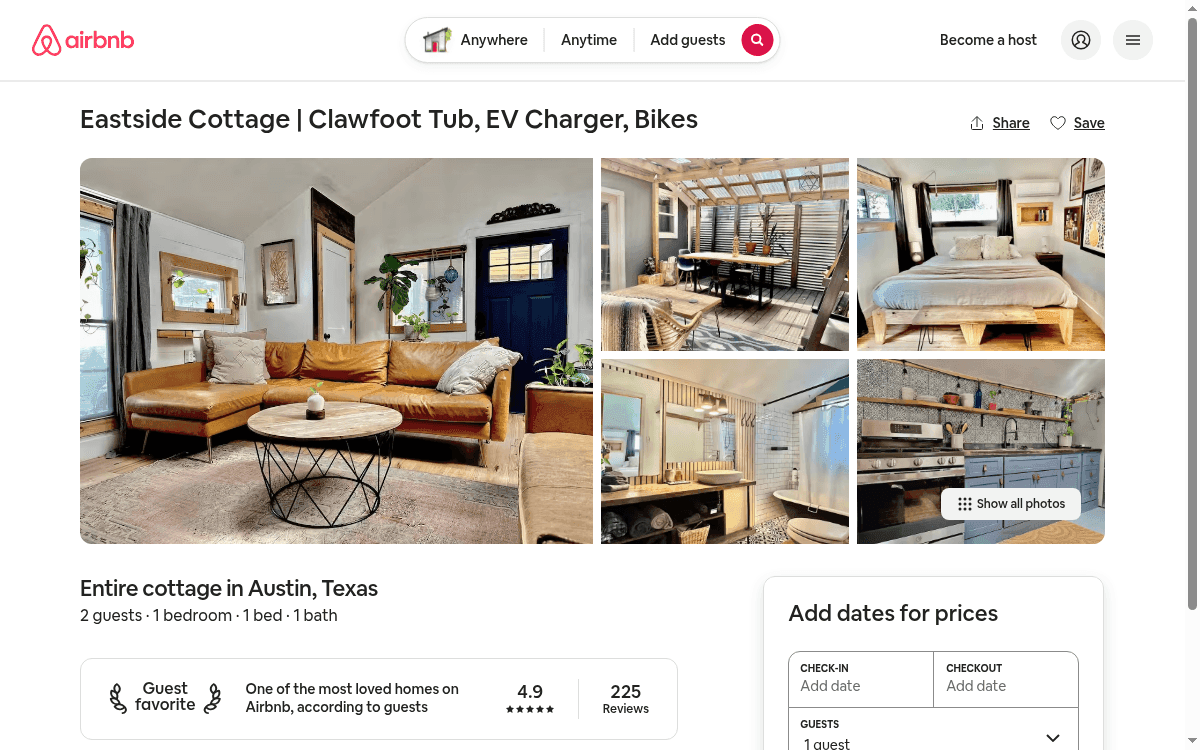
**Example response**
```html
Airbnb: Vacation Rentals, Cabins, Beach Houses, Unique Homes & Experiences
```
Scrape **Airbnb** (https://www.airbnb.com) and receive the data as structured JSON.
**Example extracted fields**
| Field | Example |
| ----- | ------- |
| Property Type | Entire cottage |
| Capacity | 2 guests, 1 bedroom |
| Rating | 4.9 |
| Reviews | 225 |
### 100M+ Monthly Visits. Every City. One API.
Airbnb is the **#1 accommodation and hotels site in the US** on Similarweb, with about **104.9 million visits in October 2026** and a **#183 global rank**. Founded in 2008 in San Francisco and listed on Nasdaq, it reported **US$12.2 billion in revenue for 2025**. Nearly **70% of its desktop traffic** comes from the US, followed by the Philippines, France, the UK and Germany.
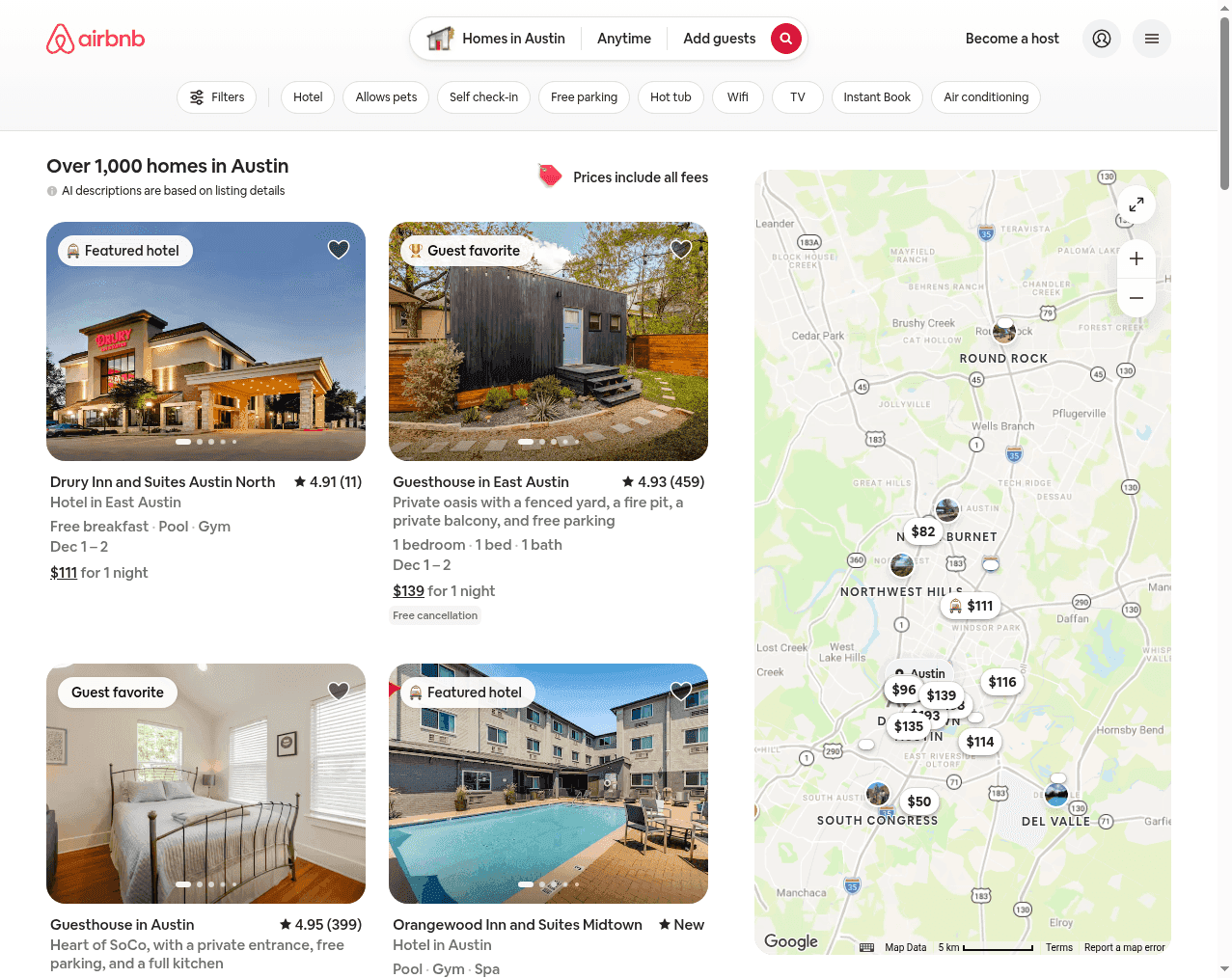
With Scrape.do you can **track stay prices by city and date**, benchmark ratings and review counts across a market, map supply with listing coordinates, and **feed revenue management tools and AI agents** with current short-term rental data. Each search results page carries its listing cards as JSON in the HTML, with title, type, rating, review count and the price for your dates.
### Geo Redirects. Date-Gated Prices. Handled.
Scrape.do's detection flags **DataDome** and **Akamai** on Airbnb, but in our tests the first problem was routing: from a test machine outside the US, cURL with a Chrome User-Agent got a redirect page that hands off to **airbnb.co.uk** instead of the listing. Prices add a second catch, because listing pages opened without dates show **"Add dates for prices"** and no price at all.
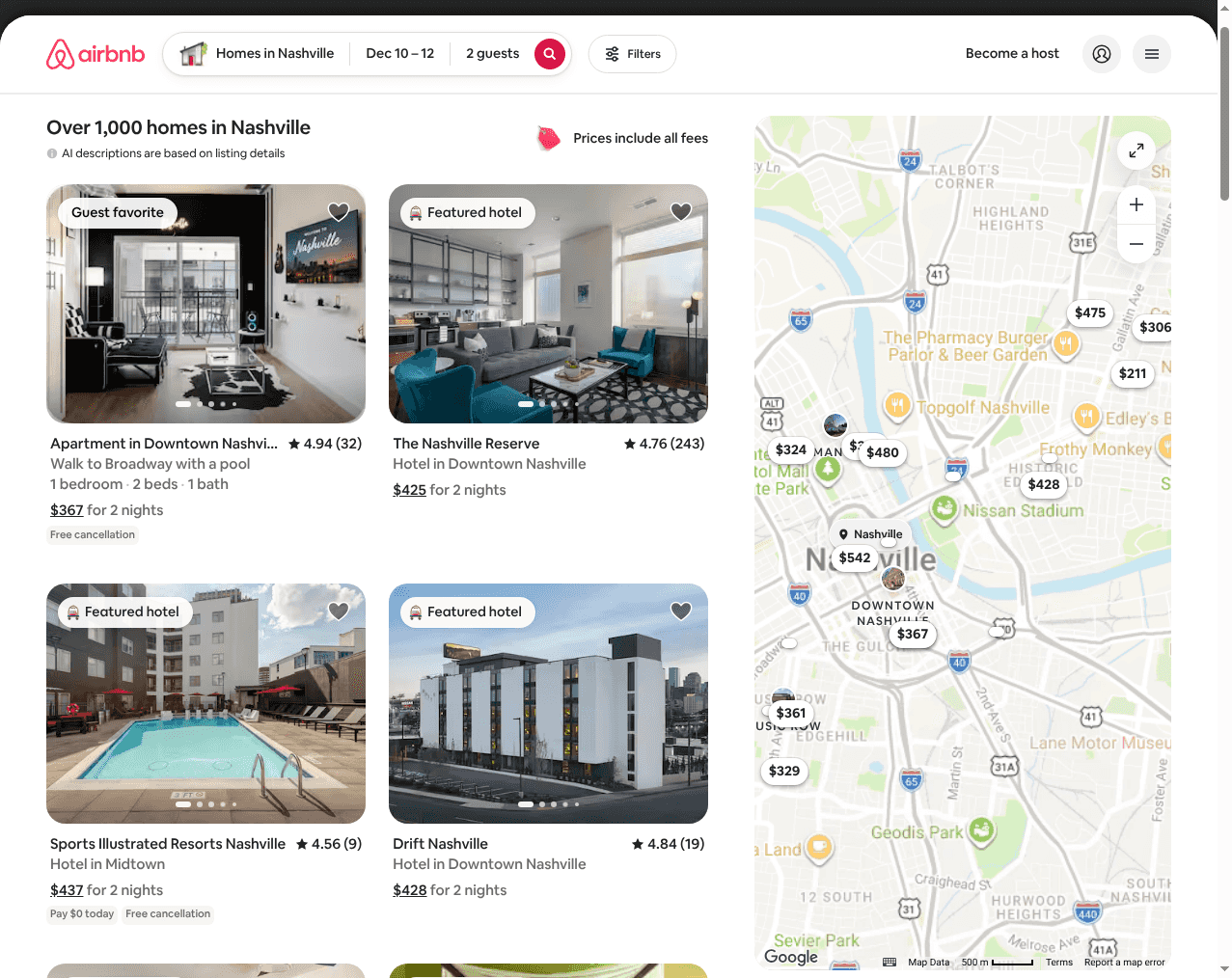
Scrape.do pins the exit country with `geoCode=us`, so requests stay on airbnb.com, and rotates IPs across requests. Put your dates and guest count in the search URL, as in the Nashville search shown here, and each card carries the total for the stay, like **"$367 for 2 nights"**. Our test requests for listing and search pages all came back **200 with standard parameters**.
## FAQ
### How do I get Airbnb prices for specific dates?
Add `checkin`, `checkout` and `adults` to the search URL, for example `/s/Nashville--TN/homes?checkin=2026-12-10&checkout=2026-12-12&adults=2`. The search results HTML then carries the total for the stay on each card, like "$367 for 2 nights". Listing pages opened without dates show "Add dates for prices" instead.
### What data can I extract from Airbnb?
Search pages give each listing's title, type, rating with review count, badges such as Guest favorite, and the price for your dates. Listing pages add property type, guest capacity, bedrooms, beds and baths, Superhost status, sub-ratings for accuracy, check-in and cleanliness, and map coordinates.
### Why does my Airbnb scraper get redirected to another Airbnb domain?
Airbnb routes visitors to a local domain based on where the request comes from. In our test from outside the US, a request with a Chrome User-Agent got a redirect page to airbnb.co.uk instead of the listing. Setting `geoCode=us` in Scrape.do sends the request from a US IP, so it stays on airbnb.com.
### Do I need a headless browser to scrape Airbnb?
No. Listing and search pages include their data as JSON in the server HTML, so `render=false` returns the listing details, ratings and search prices. Turn on rendering only when you need a screenshot of the page.